
 rog3rsm1th/frelatage
Coverage-based fuzzer for python applications


pip3 install frelatage



The Python Fuzzer that the world deserves
Installation | How it works | Features | Use Frelatage | Configuration
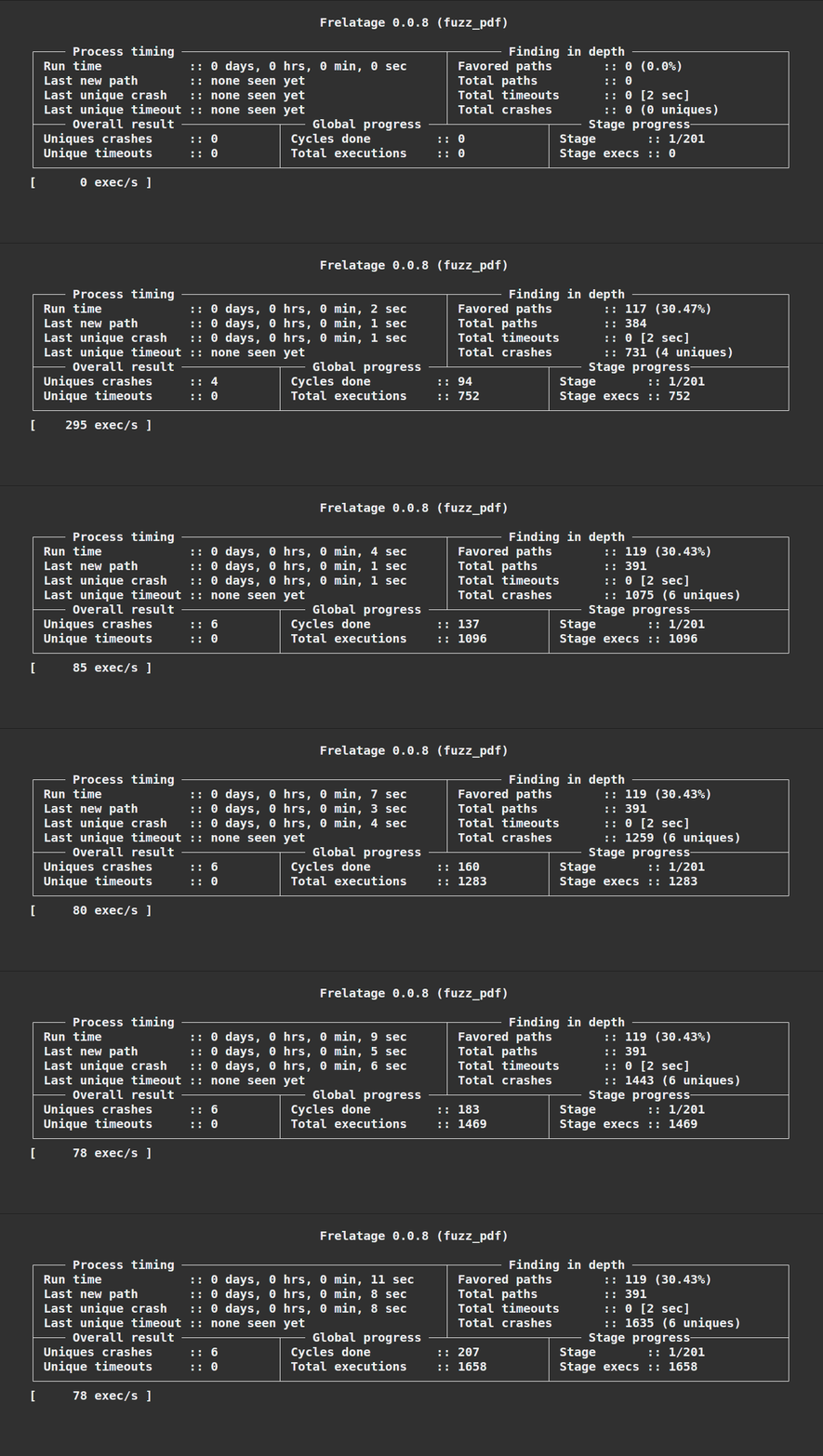
Frelatage is a coverage-based Python fuzzing library which can be used to fuzz python code. The development of Frelatage was inspired by various other fuzzers, including AFL/AFL++, Atheris and PythonFuzz. The main purpose of the project is to take advantage of the best features of these fuzzers and gather them together into a new tool in order to efficiently fuzz python applications.
DISCLAIMER : This project is at the alpha stage and can still cause many unexpected behaviors. Frelatage should not be used in a production environment at this time.
pip3 install frelatage
Recommended for developers. It automatically clones the main branch from the frelatage repo, and installs from source.
# Automatically clone the Frelatage repository and install Frelatage from source
bash <(wget -q https://raw.githubusercontent.com/Rog3rSm1th/Frelatage/main/scripts/autoinstall.sh -O -)
The idea behind the design of Frelatage is the usage of a genetic algorithm to generate mutations that will cover as much code as possible. The functioning of a fuzzing cycle can be roughly summarized with this diagram :
graph TB

    m1(Mutation 1) --> |input| function(Fuzzed function)
    m2(Mutation 2) --> |input| function(Fuzzed function)
    mplus(Mutation ...) --> |input| function(Fuzzed function)
    mn(Mutation n) --> |input| function(Fuzzed function)

    function --> generate_reports(Generate reports)
    generate_reports --> rank_reports(Rank reports)
    rank_reports --> select(Select n best reports)

    select --> |mutate| nm1(Mutation 1) & nm2(Mutation 2) & nmplus(Mutation ...) & nmn(Mutation n)

    subgraph Cycle mutations
    direction LR
    m1
    m2
    mplus
    mn
    end

    subgraph Next cycle mutations
    direction LR
    nm1
    nm2
    nmplus
    nmn
    end

    style function fill:#5388e8,stroke:white,stroke-width:4px
Frelatage allows to fuzz a function by passing a file as input.
import frelatage
import my_vulnerable_library

def MyFunctionFuzz(data):
  my_vulnerable_library.parse(data)

input = frelatage.Input(value="initial_value")
f = frelatage.Fuzzer(MyFunctionFuzz, [[input]])
f.fuzz()
Frelatage gives you the possibility to fuzz file type input parameters. To initialize the value of these files, you must create files in the input folder (./in by default).
If we want to initialize the value of a file used to fuzz, we can do it like this:
echo "initial value" > ./in/input.txt
And then run the fuzzer:
import frelatage
import my_vulnerable_library

def MyFunctionFuzz(data):
  my_vulnerable_library.load_file(data)

input = frelatage.Input(file=True, value="input.txt")
f = frelatage.Fuzzer(MyFunctionFuzz, [[input]])
f.fuzz()
import frelatage
import my_vulnerable_library

input = frelatage.Input(file=True, value="input.txt")

@frelatage.instrument([[input]])
def MyFunctionFuzz_1(data):
  my_vulnerable_library.load_file(data)

@frelatage.instrument([[input]])
def MyFunctionFuzz_1(data):
  my_vulnerable_library.load_file_but_different(data)
# And so on

# It will fuzz the instrumented methods one after the other
frelatage.Fuzzer.fuzz_all()
If you need to load several files into a corpus at once (useful if you use a large corpus) You can use the built-in function of Frelatage load_corpus. This function returns a list of inputs.
load_corpus(directory: str, file_extensions: list) -> list[Input]
./, ./images["jpeg", "gif"], ["pdf"]import frelatage
import my_vulnerable_library
def MyFunctionFuzz(data):
my_vulnerable_library.load_file(data)
my_vulnerable_library.load_file(data2)
# Load every every file in the ./in directory
corpus_1 = frelatage.load_corpus(directory="./")
# Load every .gif/.jpeg file in the ./in/images subdirectory
corpus_2 = frelatage.load_corpus(directory="./images", file_extension=["gif", "jpeg"])
f = frelatage.Fuzzer(MyFunctionFuzz, [corpus_1, corpus_2])
f.fuzz()
You can copy one or more dictionaries located here in the directory dedicated to dictionaries (./dict by default).
Differental fuzzing is a popular software testing technique that attempts to detect bugs by providing the same input to multiple libraries/programs and observing differences in their behaviors. You will find an example here of a use of differential fuzzing with Frelatage with the json and ujson libraries.
You can find more examples of fuzzers and corpus in the examples directory.
Each crash report is saved in the output folder (./out by default), in a folder named : id:<crash ID>,err:<error type>,err_pos:<error>,err_file:<error file>.
The report directory is in the following form:
    ├── out
    │   ├── id:<crash ID>,err:<error type>,err_file:<error file>,err_pos:<err_pos>
    │       ├── message
    │       ├── input
    │       ├── 0
    │            ├── <inputfile1>
    │       ├── ...
    │   ├── ...
