
Advanced SQL Injection Scanner with AI-powered analysis, ethical compliance framework, and professional reporting.
Production-ready SQL injection scanner with 6 detection methods, AI-powered remediation, SARIF output, and CI/CD integration.
Quick Start · Documentation · Docker · AI Analysis · Star on GitHub
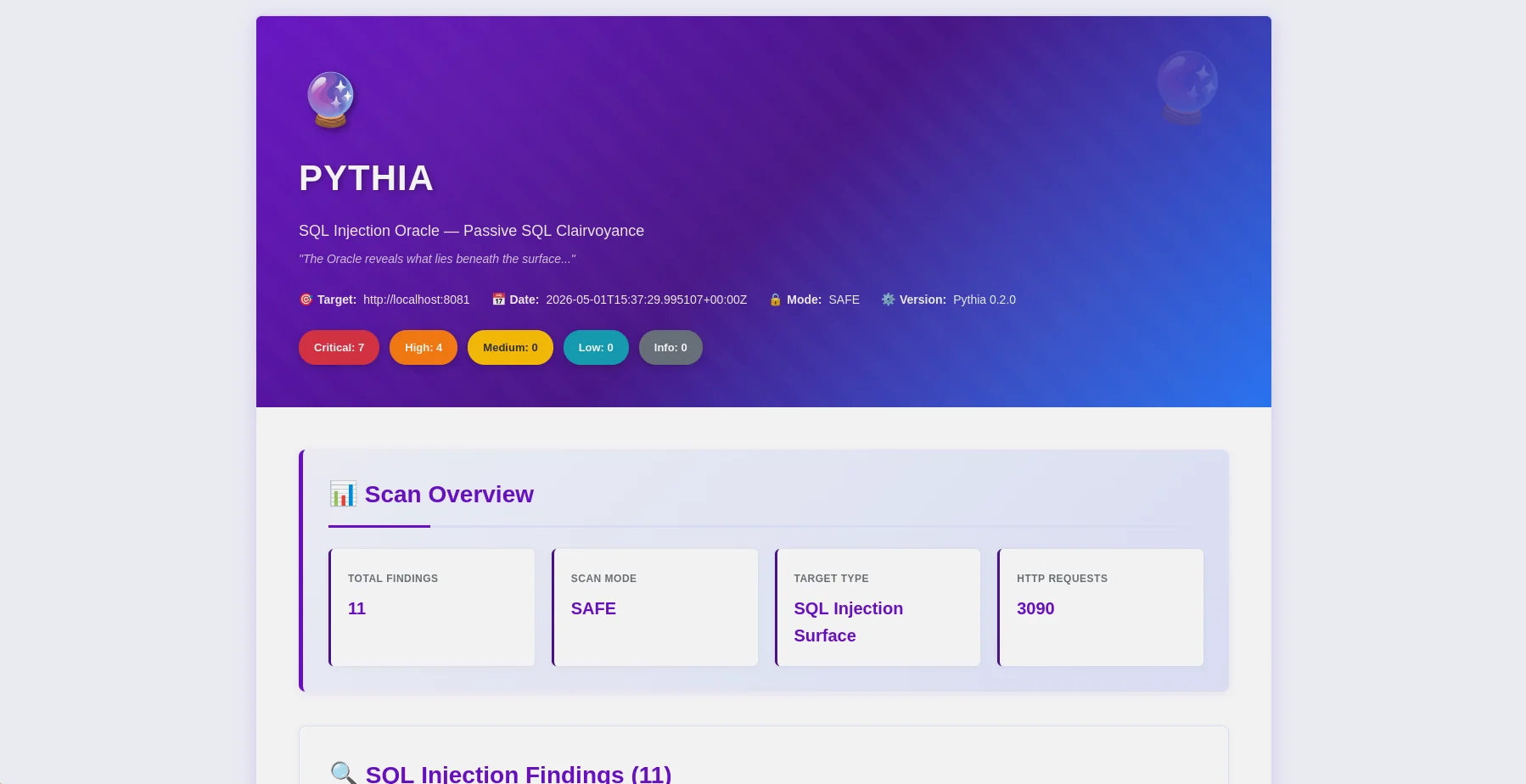
HTML report — findings overview with severity badges and OWASP mapping |
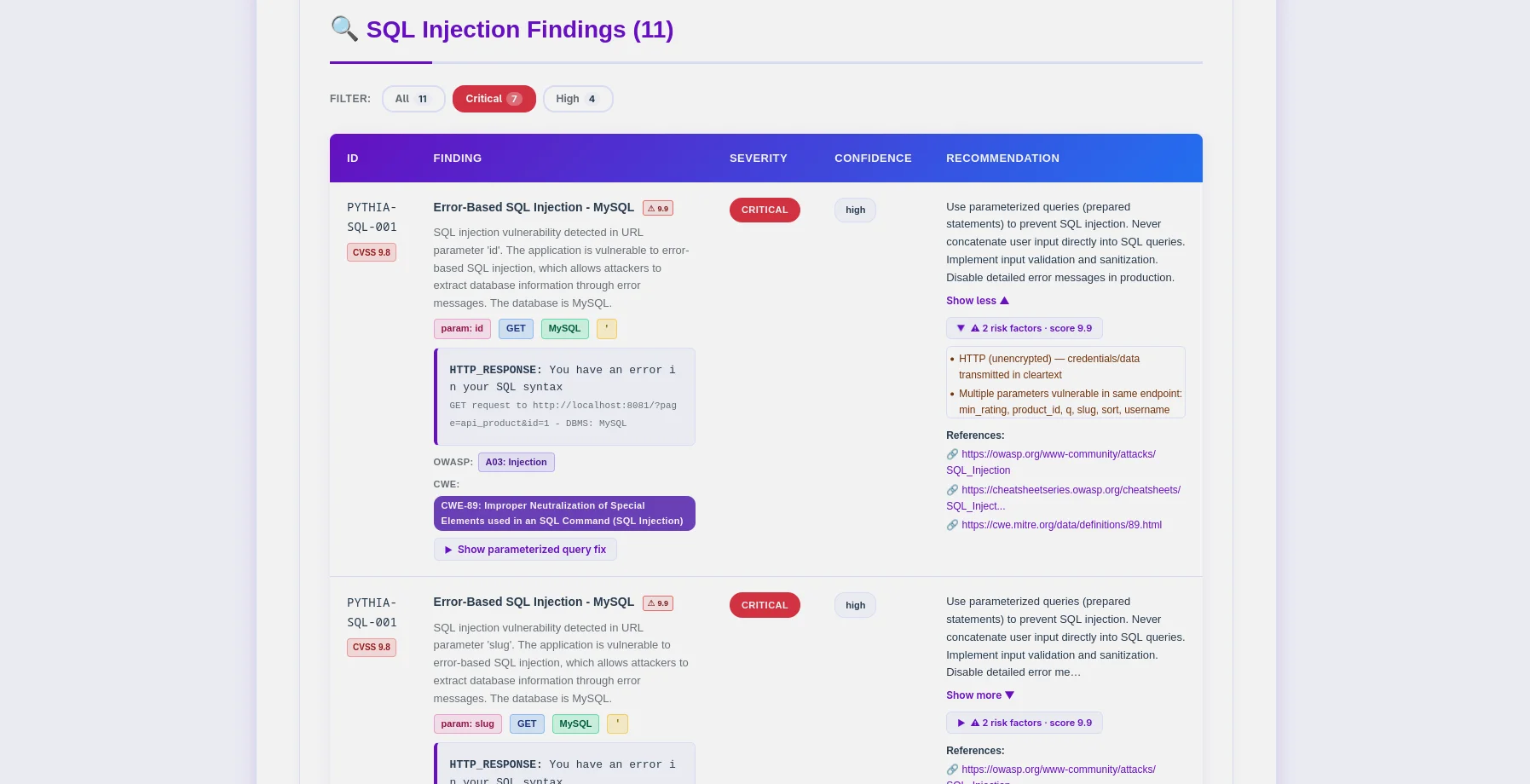
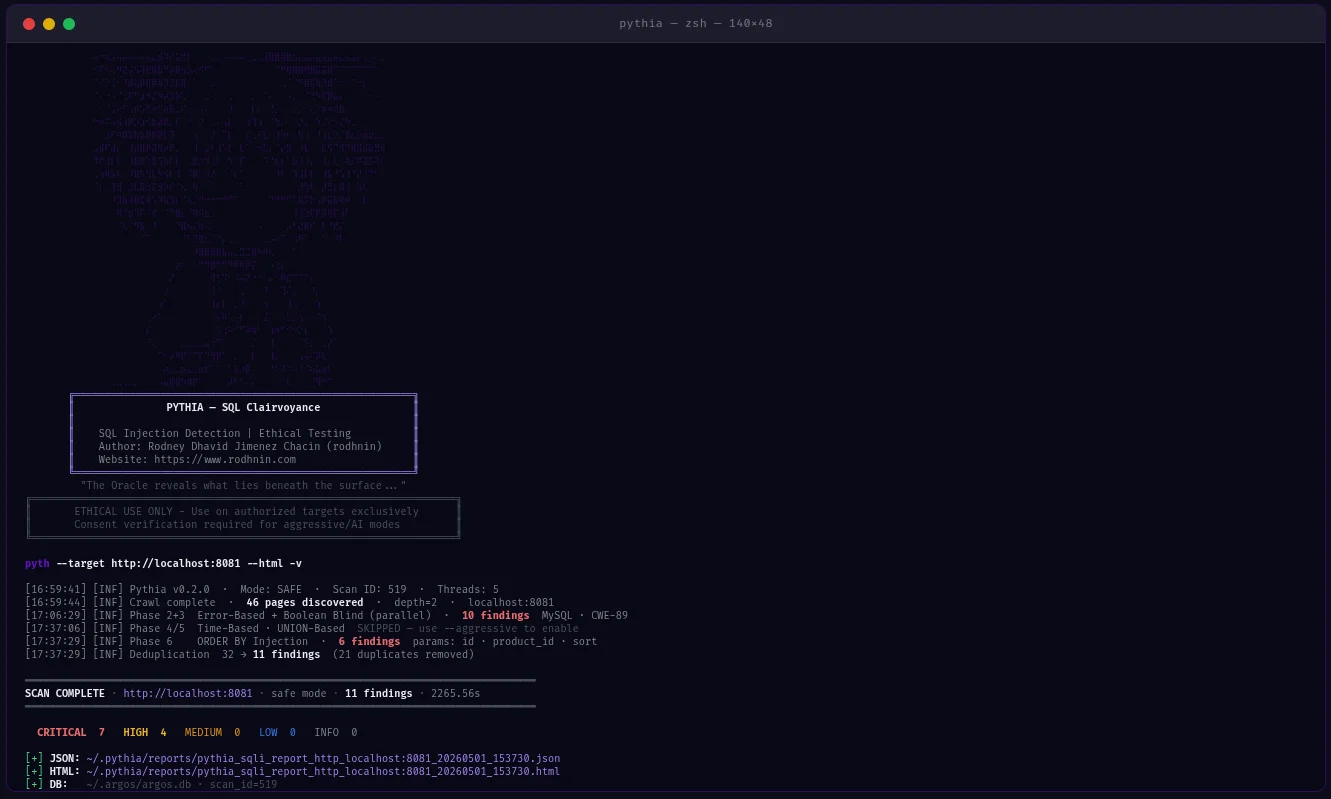
Findings table — PYTHIA-SQL codes, DBMS detection, CWE-89 mapping |
Pythia is a production-ready SQL injection detection scanner that puts ethics first. Built for penetration testers, security researchers, and DevSecOps engineers, it identifies SQL injection vulnerabilities across 6 detection methods and integrates directly into CI/CD pipelines.
--fail-on, --sarif, --diff flags for pipeline integration~/.argos/argos.db)# One command, comprehensive SQLi analysis
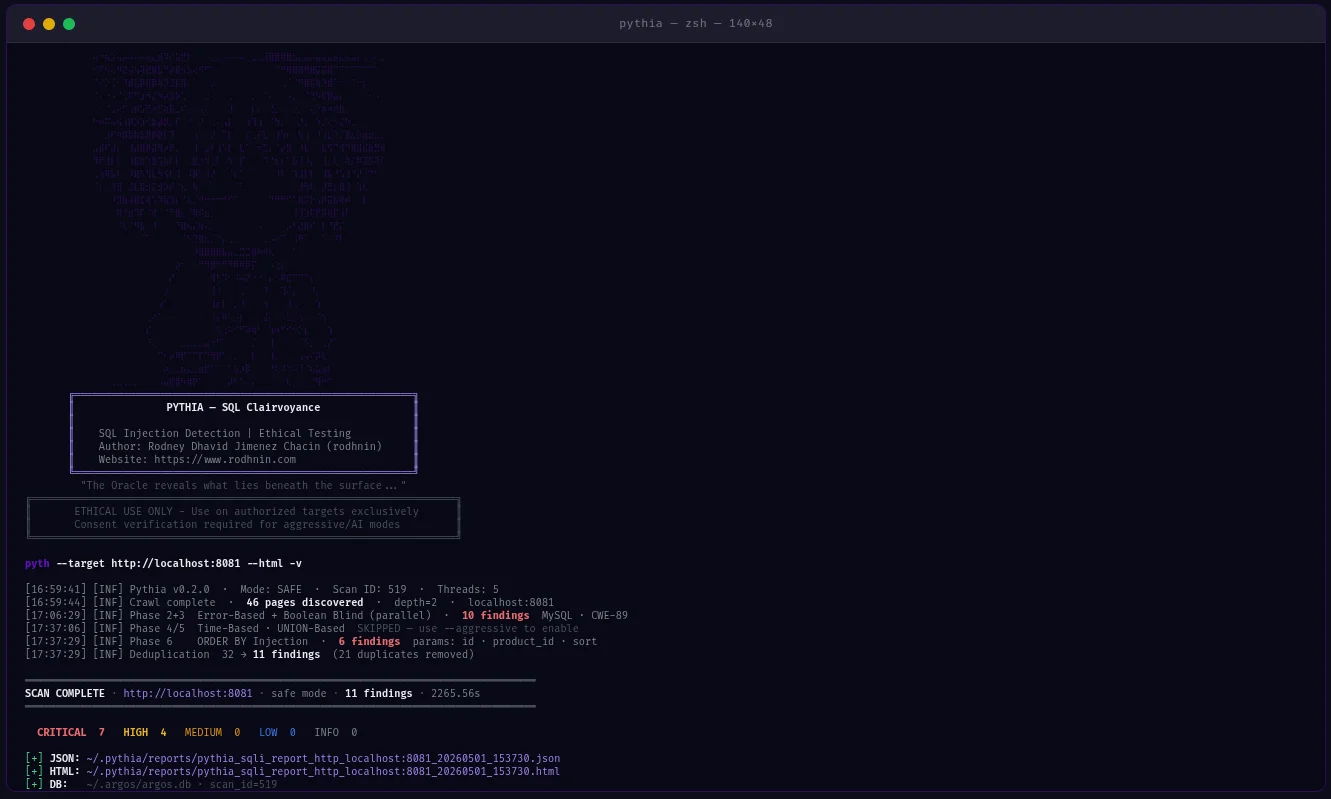
python -m pyth --target http://example.com/products?id=1 --html
--js), sitemap, robots.txt# Pipeline-friendly: exit 10 if high+ findings found
python -m pyth --target https://staging.app.com --aggressive --fail-on high
echo $? # 0=clean, 10=findings found, 1=error
# SARIF for GitHub Security / GitLab SAST
python -m pyth --target https://app.com --aggressive --sarif > results.sarif
# Compare vs last scan — show what's new, what's fixed
python -m pyth --target https://app.com --aggressive --diff last --html
# Scan authenticated endpoints (JWT, API keys, custom cookies)
python -m pyth --target https://api.example.com/v1/users \
--auth-header "Authorization: Bearer eyJhbGc..." \
--auth-header "X-API-Key: sk-prod-xxx" \
--aggressive --html
Pass --auth-header multiple times for multiple headers.
Choose your AI provider from the command line:
# Standard analysis
python -m pyth --target http://example.com --use-ai --ai-tone technical --html
# Agent mode: AI queries NVD for real CVEs (no API key for NVD)
python -m pyth --target http://example.com --use-ai --ai-agent --html
# Multi-provider comparison
python -m pyth --target http://example.com --use-ai \
--ai-compare "openai:gpt-4o-mini,anthropic:claude-3-5-haiku-20241022" --html
# With budget cap
python -m pyth --target http://example.com --use-ai --ai-budget 0.05 --html
JSON Reports (Machine-Readable, v0.2.0 schema)
{
"tool": "pythia",
"version": "0.2.0",
"target": "http://localhost:8081",
"mode": "aggressive",
"summary": { "total": 26, "critical": 18, "high": 6, "medium": 2 },
"findings": [
{
"id": "PYTHIA-SQL-001",
"title": "Error-Based SQL Injection (MySQL/MariaDB)",
"severity": "critical",
"confidence": "high",
"parameter": "id",
"vector": "GET",
"dbms": "MySQL 8.0.32",
"cvss": 9.8,
"contextual_score": 9.9,
"risk_factors": ["no_ssl", "pii_detected"],
"payload": "' OR '1'='1' --",
"owasp": { "id": "A03", "name": "Injection" },
"cwe": { "id": "CWE-89", "name": "SQL Injection" },
"detection_method": "error-based"
}
],
"notes": {
"scan_duration_seconds": 87.3,
"requests_sent": 342,
"rate_limit_applied": "5.0 req/s",
"false_positive_disclaimer": "..."
},
"diff": null
}
HTML Reports (Human-Friendly)
#6a11cb) — deliverable to clients without editingAll codes → OWASP A03 Injection / CWE-89 SQL Injection
Pythia v0.2.0 has been empirically validated using controlled Docker-based vulnerable applications.
Key Validations:
--fail-on exit codes (0/10/1) correct--diff last comparison working--auth-header passes headers through all requests1. Clone the repository
git clone https://github.com/rodhnin/pythia-sql-clairvoyance.git
cd pythia-sql-clairvoyance
2. Create and activate virtual environment
python3 -m venv .venv
source .venv/bin/activate
3. Install dependencies
python -m pip install --upgrade pip
python -m pip install -r requirements.txt
4. Configure API keys (if using cloud AI)
export OPENAI_API_KEY="sk-..."
export ANTHROPIC_API_KEY="sk-ant-..."
5. Verify installation
python -m pyth --version
# Output: Pythia v0.2.0
# Basic scan (safe mode, no consent required)
python -m pyth --target "http://testphp.vulnweb.com/artists.php?artist=1"
# With HTML report
python -m pyth --target "http://testphp.vulnweb.com/artists.php?artist=1" --html
# Aggressive mode (requires consent)
python -m pyth --gen-consent example.com
python -m pyth --verify-consent http --domain example.com --token verify-abc123
python -m pyth --target http://example.com --aggressive --html
Reports saved to ~/.pythia/reports/.
Scan Options:
--target URL Target URL to scan
--safe Safe mode (default): error-based + boolean-blind
--aggressive Aggressive mode: all 6 techniques + WAF bypass payloads
Auth:
--cookie COOKIE Session cookie string
--auth-header HEADER Custom HTTP header (pass multiple times for multiple headers)
--auto-csrf Automatically detect and include CSRF tokens
Crawler:
--max-depth N Max crawl depth (default: 2)
--max-pages N Max pages to crawl (default: 100)
--no-robots Ignore robots.txt
--no-crawl Skip BFS crawl, test target URL only
--js JS-aware popup/onclick URL extraction
Output:
--report-dir DIR Output directory for reports (default: ~/.pythia/reports/)
--html Generate HTML report
--db Save findings to database
--diff SCAN_ID Compare vs previous scan (use "last" for most recent)
--sarif Output SARIF 2.1.0 to stdout (logs redirect to stderr)
--fail-on SEVERITY Exit 10 if findings found at this severity or higher
CI/CD:
--fail-on SEVERITY Exit codes: 0=clean, 10=findings found, 1=error
Logging:
-v / -vv / -vvv Verbosity levels
-q Quiet mode (errors only)
--log-file FILE Log to file
--log-json Structured JSON logging
--no-color Disable colored output
AI:
--use-ai Enable AI analysis
--ai-tone TONE Analysis tone: technical, non_technical, both
--api-key-env VAR Environment variable name for API key
--ai-provider NAME AI provider: openai, anthropic, ollama
--ai-model MODEL Model name (e.g. gpt-4o-mini, claude-3-5-haiku-20241022)
--ai-stream Stream AI output token by token
--ai-compare LIST Compare providers (e.g. "openai,anthropic" or "openai:gpt-4o-mini,anthropic:claude-3-5-haiku-20241022")
--ai-agent Agent mode: NVD CVE lookup + iterative analysis
--ai-budget AMOUNT Cost cap per scan in USD
Consent:
--gen-consent DOMAIN Generate consent token for domain
--verify-consent METHOD Verify consent: http or dns
--domain DOMAIN Domain for consent verification
--token TOKEN Consent token value
Advanced:
--rate N Request rate limit (default: 2.0 safe, 5.0 aggressive)
--timeout N HTTP timeout in seconds (default: 10)
--user-agent STRING Custom User-Agent
--no-verify-ssl Disable SSL verification
--threads N Worker threads (default: 5)
--version Show version and exit
# Safe mode (default) - error-based + boolean-blind
python -m pyth --target "http://example.com/search?q=test"
# Generate HTML report
python -m pyth --target "http://example.com/products?id=1" --html
# Increase verbosity
python -m pyth --target "http://example.com/api/users?id=1" -vv
# Skip crawler, test target URL directly
python -m pyth --target "http://example.com/api/users?id=1" --no-crawl
# Exit 10 if high or critical findings exist (blocks pipeline)
python -m pyth \
--target https://staging.myapp.com \
--aggressive \
--fail-on high
# SARIF output for GitHub Security tab
python -m pyth \
--target https://staging.myapp.com \
--aggressive \
--sarif > results.sarif
# Compare vs last scan to see what changed
python -m pyth \
--target https://staging.myapp.com \
--aggressive \
--diff last \
--html
# JWT Bearer token
python -m pyth \
--target https://api.example.com/v1/products \
--aggressive \
--auth-header "Authorization: Bearer eyJhbGc..." \
--html
# Multiple headers
python -m pyth \
--target https://api.example.com/v1/users \
--aggressive \
--auth-header "Authorization: Bearer eyJhbGc..." \
--auth-header "X-API-Key: sk-prod-xxx" \
--html
# Session cookie (DVWA example)
python -m pyth \
--target "http://localhost:8080/vulnerabilities/sqli/?id=1&Submit=Submit" \
--no-crawl \
--aggressive \
--cookie "PHPSESSID=abc123; security=low"
# Extract popup/onclick URLs for complex navigation patterns
python -m pyth \
--target http://localhost:8082 \
--js \
--aggressive \
--html
# DVWA high: session-variable form (needs popup URL extraction)
python -m pyth \
--target "http://localhost:8080/vulnerabilities/sqli/" \
--js \
--max-pages 2 \
--aggressive \
--cookie "PHPSESSID=abc123; security=high"
The --js flag uses regex extraction from onclick attributes — no Playwright dependency required.
# Step 1: Generate consent token
python -m pyth --gen-consent example.com
# Output: Token: verify-a3f9b2c1d8e4...
# Step 2: Place token at https://example.com/.well-known/verify-a3f9b2c1d8e4.txt
# Step 3: Verify consent
python -m pyth --verify-consent http \
--domain example.com \
--token verify-a3f9b2c1d8e4
# Step 4: Run aggressive scan (all 6 techniques + WAF bypass)
python -m pyth \
--target http://example.com \
--aggressive \
--html -v
Pythia provides two Docker deployment options:
cd docker
./deploy.sh
NEVER expose testing lab to public internet — LOCAL TESTING ONLY!
# Start vulnerable applications
sudo docker compose -f docker/compose.testing.yml up -d
# Expected targets:
# DVWA: http://localhost:8080
# PHP Shop: http://localhost:8081
# Flask Blog: http://localhost:8082
# Scan from host
python -m pyth --target http://localhost:8081 --aggressive --html
# Stop lab
sudo docker compose -f docker/compose.testing.yml down
Pythia uses LangChain v1.0.0 with support for multiple AI providers.
# CLI flags (v0.2.0) — no YAML editing required
python -m pyth --target http://example.com --use-ai --ai-provider anthropic --ai-model claude-3-5-haiku-20241022 --html
python -m pyth --target http://example.com --use-ai --ai-provider ollama --ai-model llama3.2 --html
YAML config (config/default.yaml) can still be used as fallback. CLI flags take priority.
For complete AI integration guide, see docs/AI_INTEGRATION.md
~/.pythia/
├── reports/
│ ├── pythia_sqli_report_localhost_20260318_143022.json
│ └── pythia_sqli_report_localhost_20260318_143022.html
~/.argos/
├── argos.db # Shared Argos Suite database
├── costs.json # AI cost tracking (shared)
└── logs/
└── pythia.log # Scan logs
SQLite database shared with Argos ecosystem (~/.argos/argos.db):
# Query recent Pythia scans
sqlite3 ~/.argos/argos.db "SELECT * FROM scans WHERE tool='pythia' ORDER BY scan_id DESC LIMIT 10"
# Find critical SQL injections
sqlite3 ~/.argos/argos.db "SELECT * FROM findings WHERE severity='critical' AND scan_id IN (SELECT scan_id FROM scans WHERE tool='pythia')"
# View AI cost summary
sqlite3 ~/.argos/argos.db "SELECT provider, model, ROUND(SUM(cost_usd),4) FROM ai_costs WHERE tool='pythia' GROUP BY provider, model"
pythia-sql-clairvoyance/
├── pyth/
│ ├── checks/
│ │ ├── crawler.py # BFS web crawler (JS-aware with --js)
│ │ ├── error_based.py # PYTHIA-SQL-001..005
│ │ ├── boolean_blind.py # PYTHIA-SQL-010..011
│ │ ├── time_based.py # PYTHIA-SQL-020..022
│ │ ├── union_based.py # PYTHIA-SQL-030..031
│ │ ├── second_order.py # PYTHIA-SQL-040
│ │ ├── order_injection.py # PYTHIA-SQL-050
│ │ ├── waf_bypass.py # WAF bypass payloads (aggressive only)
│ │ └── forms.py # Form analysis
│ ├── core/
│ │ ├── ai.py # AI integration + AICostTracker
│ │ ├── config.py # Config loader
│ │ ├── consent.py # Consent token system
│ │ ├── cve_lookup.py # NVD CVE API client
│ │ ├── db.py # ArgosDB (shared SQLite)
│ │ ├── diff.py # Diff reports
│ │ ├── http_client.py # Rate-limited HTTP session
│ │ ├── logging.py # Structured logging + secret redaction
│ │ ├── owasp.py # OWASP/CWE mapper
│ │ ├── report.py # Report generation (JSON + HTML + SARIF)
│ │ └── risk_scoring.py # Contextual CVSS scoring
│ ├── cli.py # CLI argument parser (35+ flags)
│ ├── scanner.py # Main scan orchestrator
│ └── __init__.py # version = "0.2.0"
├── config/
│ ├── default.yaml
│ └── prompts/ # AI prompt templates
├── db/migrate.sql # Shared DB schema
├── schema/report.schema.json # JSON Schema Draft 2020-12
├── templates/report.html.j2 # HTML template (oracle purple theme)
├── docker/ # Docker deployment + vulnerable labs
└── docs/
├── AI_INTEGRATION.md
├── CONSENT.md
├── DATABASE_GUIDE.md
├── ETHICS.md
├── REPORT_FORMAT.md
├── ROADMAP.md
└── TESTING_GUIDE.md
Status: Released
Status: Released
--fail-on, --sarif, --diff)--ai-provider/--ai-model flagsPlanned:
python -m pyth config set)python -m pyth db scans list)--targets targets.txt)Planned:
For detailed feature descriptions, see docs/ROADMAP.md
Only scan systems you own or have explicit written permission to test.
For complete ethical guidelines, see docs/ETHICS.md
We welcome contributions — bug reports, feature requests, documentation improvements, and code contributions.
git checkout -b feature/amazing-feature)git clone https://github.com/YOUR-USERNAME/pythia-sql-clairvoyance.git
cd pythia-sql-clairvoyance
python -m pip install -r requirements.txt
python -m pip install pytest black flake8 mypy
black pyth/
flake8 pyth/
pytest tests/
This project is licensed under the MIT License — see the LICENSE file for details.
IMPORTANT: This tool is for authorized security testing only.
By using Pythia, you acknowledge and agree that:
Rodney Dhavid Jimenez Chacin (rodhnin)
Built for ethical hackers, penetration testers, and DevSecOps engineers worldwide
Report Bug • Request Feature • Documentation
Pythia v0.2.0 — May 2026
| Detection Method | Description | Mode Required |
|---|
| Error-Based | SQL errors in responses (MySQL, PostgreSQL, MSSQL, Oracle, SQLite) | Safe |
| Boolean-Blind | Response differences from TRUE/FALSE conditions | Safe |
| Time-Based Blind | Response delays from SLEEP/WAITFOR payloads | Aggressive |
| UNION-Based | Data extraction via UNION SELECT | Aggressive |
| Second-Order | Store→retrieve injection patterns (POST→GET chain) | Aggressive |
| ORDER BY Injection | Numeric sort parameter injection | Aggressive |
| Provider | Best For | Speed | Cost | Privacy |
|---|
| OpenAI gpt-4o-mini (default) | Production quality, low cost | Fast | ~$0.02/scan | Standard |
| Anthropic Claude | Privacy-focused, code remediation | Fast | ~$0.06/scan | Enhanced |
| Ollama (Local) | Complete privacy | Slow (CPU) | Free | 100% Offline |
| Code | Type | DBMS / Vector | Mode |
|---|
PYTHIA-SQL-001 | Error-Based | MySQL / MariaDB | Safe |
PYTHIA-SQL-002 | Error-Based | PostgreSQL | Safe |
PYTHIA-SQL-003 | Error-Based | MSSQL | Safe |
PYTHIA-SQL-004 | Error-Based | Oracle | Safe |
PYTHIA-SQL-005 | Error-Based | SQLite | Safe |
PYTHIA-SQL-010 | Boolean Blind | Any DBMS | Safe |
PYTHIA-SQL-011 | Boolean Blind | Via header injection | Safe |
PYTHIA-SQL-020 | Time-Based | MySQL SLEEP() | Aggressive |
PYTHIA-SQL-021 | Time-Based | MSSQL WAITFOR | Aggressive |
PYTHIA-SQL-022 | Time-Based | PostgreSQL pg_sleep() | Aggressive |
PYTHIA-SQL-030 | UNION-Based | GET/POST parameter | Aggressive |
PYTHIA-SQL-031 | UNION-Based | Via cookie | Aggressive |
PYTHIA-SQL-040 | Second-Order | Store → retrieve pattern | Aggressive |
PYTHIA-SQL-050 | ORDER BY Injection | Numeric sort parameter | Aggressive |
| Target | Mode | Findings | Notes |
|---|
| PHP Lab (8081) | --aggressive | 26 findings | All 4 techniques + second-order + ORDER BY |
| Flask Lab (8082) | --js --aggressive | 18 findings | Session-var + second-order + ORDER BY |
| DVWA Low | --no-crawl --aggressive | 4/4 techniques | PYTHIA-SQL-001/010/020/030 |
| DVWA Medium | --no-crawl --aggressive | 4/4 techniques | POST form, all techniques |
| DVWA High | --js --max-pages 2 --aggressive | 4/4 techniques | Session-variable POST→GET chain |
| False Positive Test | --aggressive | 0 findings | Static URL — confirmed no false positives |
| Code | Meaning |
|---|
0 | Scan completed, no findings at --fail-on threshold (or no --fail-on used) |
1 | Technical error (connection, timeout, database) |
10 | Findings found at or above --fail-on severity threshold |
130 | User cancelled (Ctrl+C) |
| Mode | Tests | Consent Required | Rate Limit |
|---|
| Safe | Error-Based, Boolean-Blind | No | 2.0 req/s |
| Aggressive | All 6 techniques | Yes | 5.0 req/s |
| AI Analysis | Remediation guide | Yes | N/A |
| Document | Description |
|---|
| AI_INTEGRATION.md | Complete AI setup guide (providers, streaming, agent, cost tracking) |
| CONSENT.md | Consent token system technical details |
| DATABASE_GUIDE.md | SQLite schema v1.1, queries, ai_costs table |
| ETHICS.md | Legal framework and ethical guidelines |
| REPORT_FORMAT.md | Full JSON schema, SARIF, diff format |
| ROADMAP.md | Feature history and development plans |
| TESTING_GUIDE.md | Docker lab setup and v0.2.0 test scenarios |