 rodhnin/hephaestus-server-forger
server security auditor scanning Apache, Nginx, and IIS configurations with AI-powered hardening guides and professional reporting.

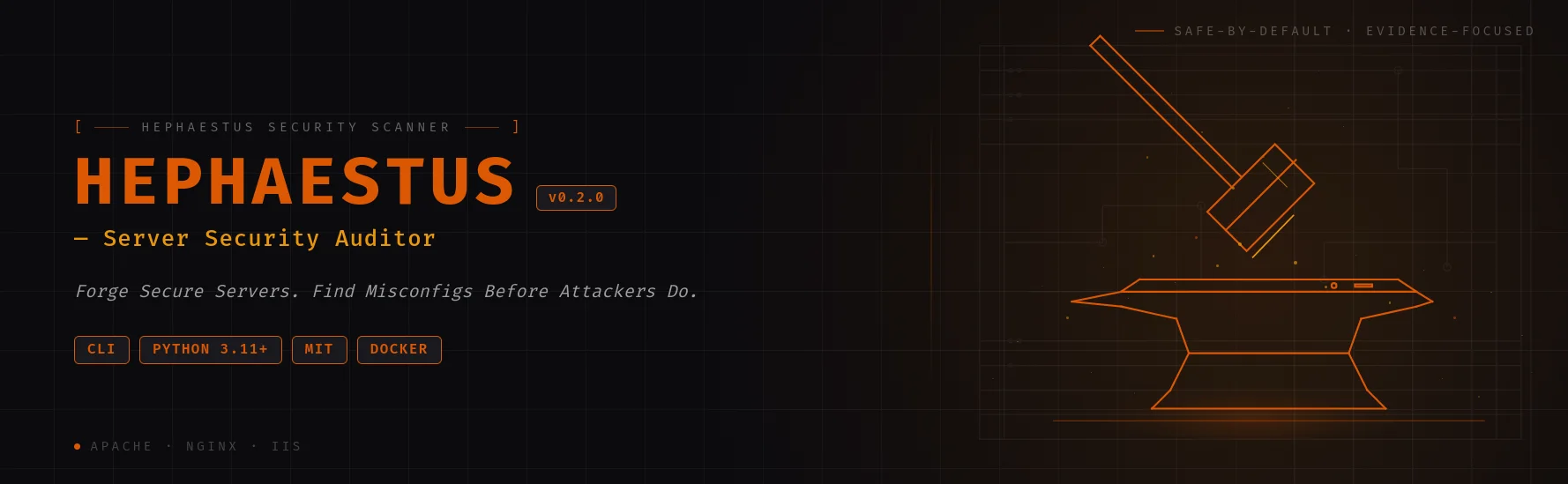





Server security auditor for Apache, Nginx & IIS — 13 scan phases, 70+ finding codes, AI-powered hardening guides.
Quick Start · Documentation · Docker · AI Analysis · Star on GitHub
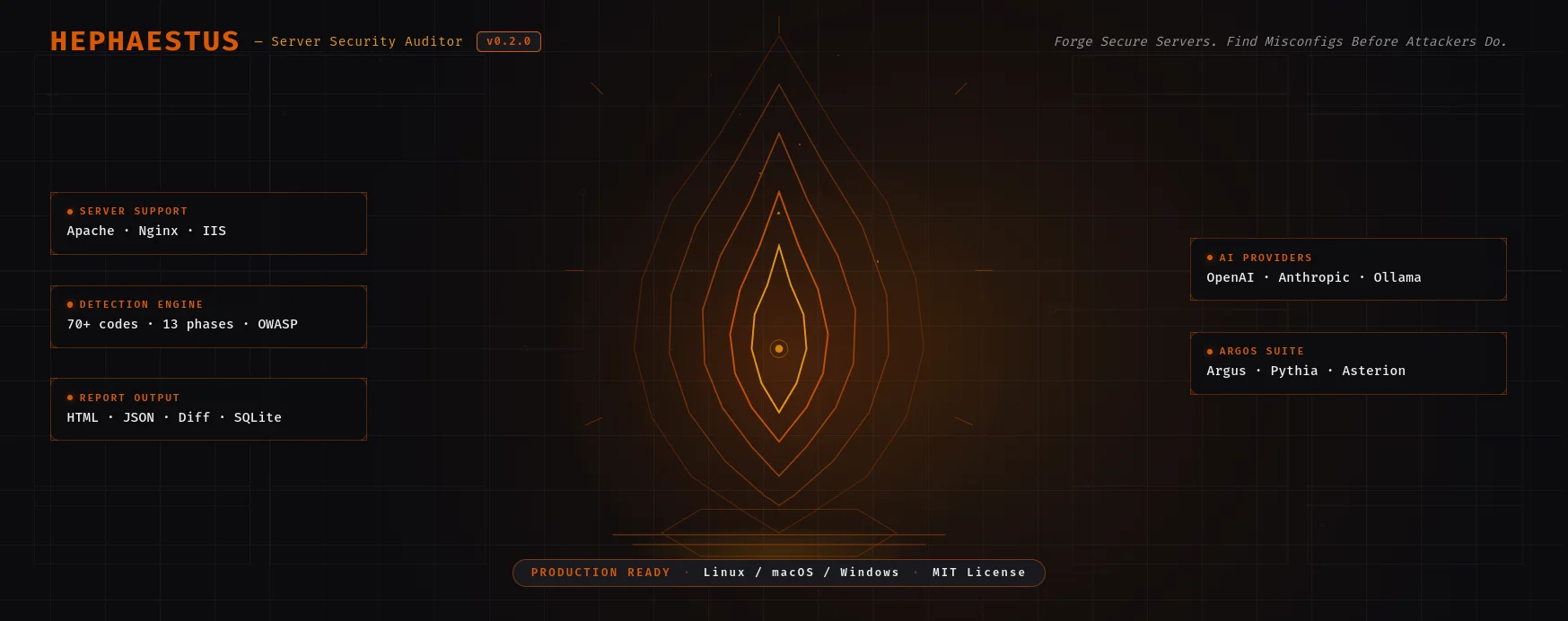
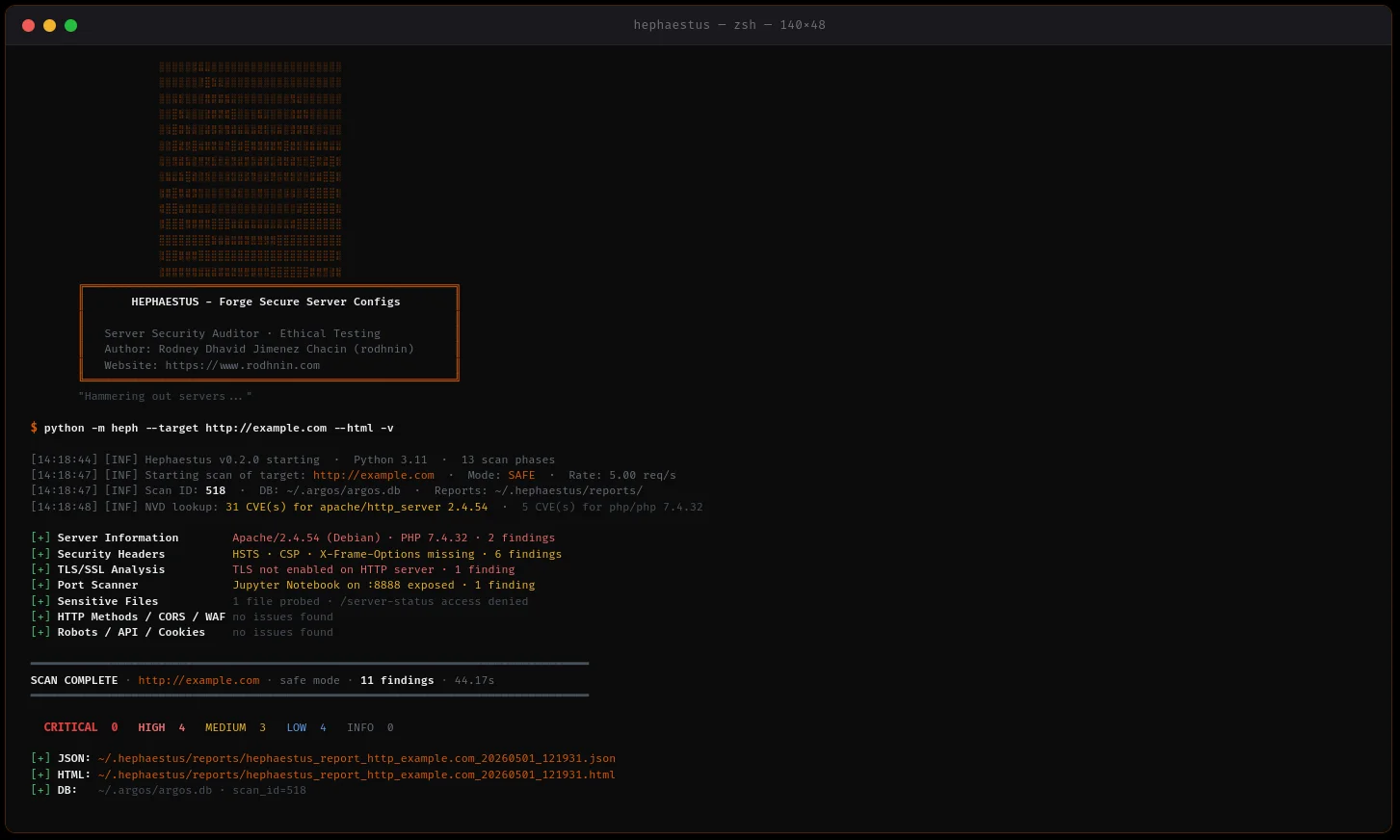
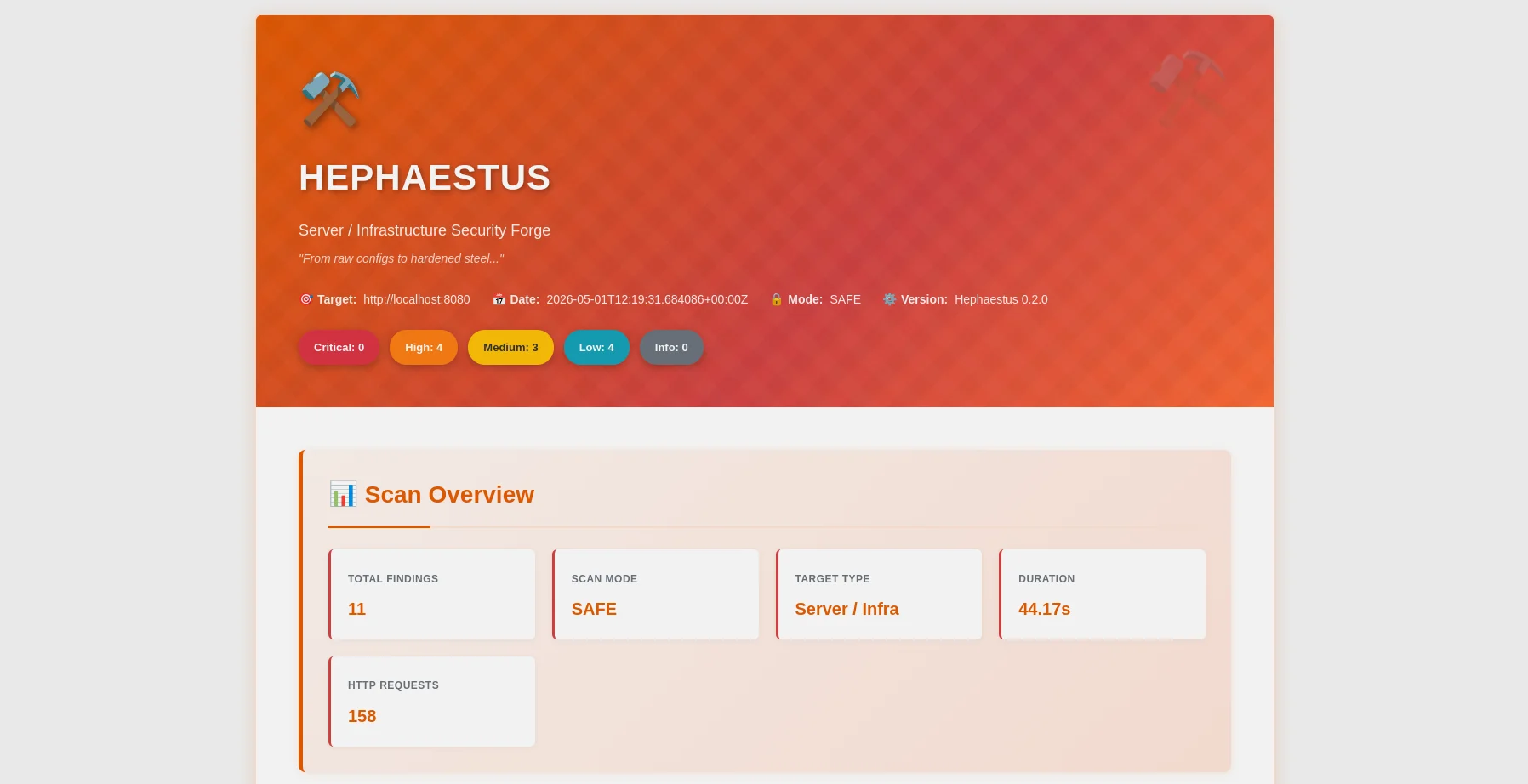
HTML report — severity breakdown, OWASP mapping, filter bar |
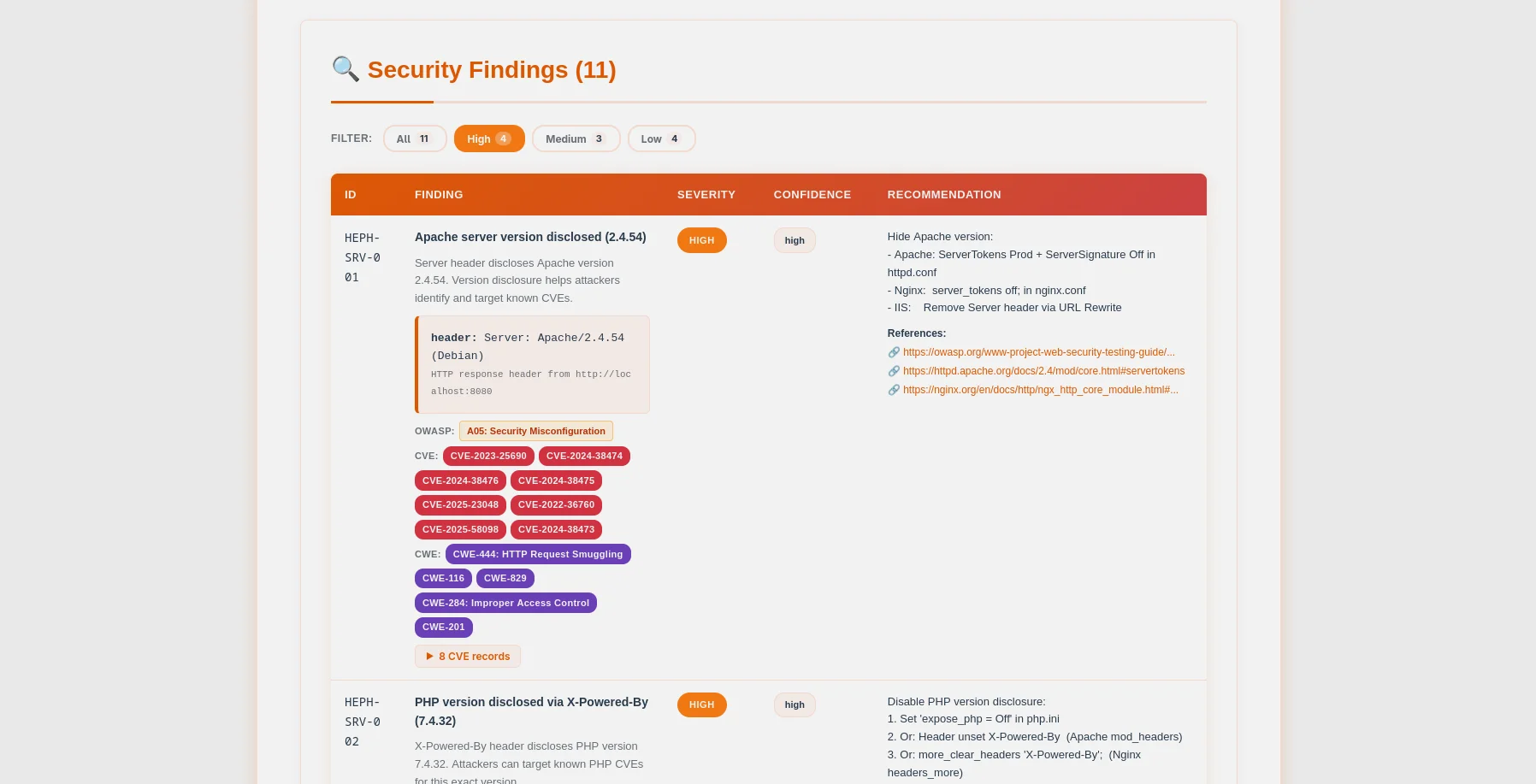
Findings table — CVE/CWE badges, expandable evidence, config snippets |
Hephaestus is a production-ready server security auditor that puts ethics first. Built for system administrators, DevOps engineers, and penetration testers, it scans web server configurations (Apache, Nginx, IIS) to identify critical misconfigurations before attackers exploit them.
~/.argos/argos.db)| Check Category | Details |
|---|---|
| Server Information | Apache/Nginx/IIS version disclosure via headers & error pages |
| Sensitive Files | .env, .git, phpinfo.php, server-status, backups, config files (70+ paths) |
| HTTP Methods | Unsafe methods (PUT, DELETE, TRACE, OPTIONS) |
| Security Headers | HSTS, CSP, X-Frame-Options, X-Content-Type-Options, Referrer-Policy, Permissions-Policy |
| TLS/SSL Configuration | Deep analysis: cipher suites, protocol versions, certificate validity, CVE correlation |
| Directory Listing | Apache/Nginx autoindex enabled on sensitive directories |
| CORS Detection | Wildcard, null-origin, reflection probes (COR-001 to COR-006) |
| Robots.txt | Disallowed path analysis, live accessibility probes in aggressive mode |
| WAF Detection | 13 signatures including Cloudflare, Sucuri, ModSecurity, AWS WAF, Imperva |
| API Discovery | Swagger/OpenAPI spec exposure, GraphQL introspection, unauthenticated endpoints |
| Cookie Security | Per-cookie HttpOnly/Secure/SameSite analysis across authenticated paths |
| phpinfo() Analysis | 9 dangerous PHP settings: display_errors, allow_url_include, open_basedir, and more |
| Config File Parser | Offline analysis of httpd.conf / nginx.conf for misconfigurations |
| Port Scanner | 37 common ports with banner grabbing and CVE enrichment |
# One command, comprehensive server analysis
python -m heph --target https://example.com --html
Choose your AI provider based on your needs:
| Provider | Best For | Speed | Cost | Privacy |
|---|---|---|---|---|
| OpenAI GPT-4 | Production quality | ⚡ Fast (35s) | 💰 $0.25/scan | 🔒 Standard |
| Anthropic Claude | Privacy-focused | ⚡ Fast (45s) | 💰 $0.30/scan | 🔒 Enhanced |
| Ollama (Local) | Complete privacy | 🐢 Slow (28min) | 💰 Free | 🔐 100% Offline |
Two Analysis Modes:
JSON Reports (Machine-Readable)
{
  "tool": "hephaestus",
  "version": "0.2.0",
  "target": "https://example.com",
  "mode": "safe",
  "summary": {
    "critical": 3,
    "high": 2,
    "medium": 5,
    "low": 3,
    "info": 0
  },
  "findings": [...],
  "diff": {...}
}
HTML Reports (Human-Friendly)
Aggressive scanning and AI analysis require proof of ownership:
# 1. Generate token
python -m heph --gen-consent example.com

# 2. Place token on your server
echo "verify-abc123..." > .well-known/verify-abc123.txt

# 3. Verify ownership
python -m heph --verify-consent http --domain example.com --token verify-abc123

# 4. Now you can use aggressive mode
python -m heph --target https://example.com --aggressive --use-ai
SQLite database SHARED with Argos suite (~/.argos/argos.db):
# Query recent scans
sqlite3 ~/.argos/argos.db "SELECT * FROM scans WHERE tool='hephaestus' ORDER BY scan_id DESC LIMIT 10"

# Find critical issues
sqlite3 ~/.argos/argos.db "SELECT * FROM findings WHERE severity='critical' AND tool='hephaestus'"
Hephaestus v0.2.0 has been empirically validated using controlled Docker-based vulnerable labs (Apache & Nginx).
| Metric | Result |
|---|---|
| Test Suite | 55/55 tests passing (13 phases) |
| Apache Detection | 42 findings across all 13 scan phases |
| Nginx Detection | 25 findings across all 13 scan phases |
| Precision | 100% (zero false positives) |
| Recall | 100% (zero false negatives) |
| F1-Score | 100% (perfect balance) |
| Average Scan Duration | 30-35 seconds |
| Database Operations | 80 scans tracked, 1159+ findings stored |
Test Coverage (13 phases):
Key Findings:
--diff last) working across scan historyVerdict: Hephaestus is production-ready for server security assessments.
1. Clone the repository
git clone https://github.com/rodhnin/hephaestus-server-forger.git
cd hephaestus-server-forger
2. (Optional) Install venv if not already available
# Debian/Ubuntu
sudo apt update && sudo apt install -y python3-venv

# Fedora/RHEL
sudo dnf install python3-virtualenv

# macOS (via Homebrew)
brew install [email protected]
3. Create and activate virtual environment
python3 -m venv .venv
source .venv/bin/activate
# You should see (.venv) in your terminal prompt
4. Upgrade pip
python -m pip install --upgrade pip
5. Install dependencies
python -m pip install -r requirements.txt
6. Configure API keys (if using cloud AI)
# OpenAI
export OPENAI_API_KEY="sk-..."

# Anthropic
export ANTHROPIC_API_KEY="sk-ant-..."
7. Verify installation
python -m heph --version
# Output: heph 0.2.0
# Basic scan (safe mode, no consent required)
python -m heph --target https://example.com

# With HTML report
python -m heph --target https://example.com --html

# With AI hardening guide (requires consent)
python -m heph --target https://example.com --use-ai --html
cd docker && ./deploy.sh
docker compose exec hephaestus python -m heph --target http://vulnerable-apache
🎉 Success! Check ~/.hephaestus/reports/ for your reports.
# Safe mode (default) - Non-intrusive checks
python -m heph --target https://example.com

# Generate HTML report
python -m heph --target https://example.com --html

# Increase verbosity for debugging
python -m heph --target https://example.com -vv

# Quiet mode (errors only)
python -m heph --target https://example.com -q
# Control scan speed (1-20 req/s)
python -m heph --target https://example.com --rate 10

# Control concurrency (1-20 threads)
python -m heph --target https://example.com --threads 8

# Custom timeout (useful for slow servers)
python -m heph --target https://example.com --timeout 60

# Custom output directory
python -m heph --target https://example.com --report-dir ./my-reports

# Custom User-Agent
python -m heph --target https://example.com --user-agent "MyBot/1.0"

# Disable SSL verification (testing only)
python -m heph --target https://self-signed.badssl.com --no-verify-ssl
Step 1: Configure your provider
Edit config/defaults.yaml:
ai:
    langchain:
        provider: "openai" # Options: openai, anthropic, ollama
        model: "gpt-4o-mini-2024-07-18"
        temperature: 0.3
Step 2: Test your setup
# Verify AI provider works
python -m heph.core.ai openai
Step 3: Run AI-powered scan
# Technical hardening guide (for sysadmins)
python -m heph --target https://example.com \
  --use-ai \
  --ai-tone technical \
  --html

# Executive risk summary (for management)
python -m heph --target https://example.com \
  --use-ai \
  --ai-tone non_technical \
  --html

# Both analyses in one report
python -m heph --target https://example.com \
  --use-ai \
  --ai-tone both \
  --html

# Stream AI output token-by-token
python -m heph --target https://example.com \
  --use-ai \
  --ai-stream \
  --html

# Compare two AI providers in parallel
python -m heph --target https://example.com \
  --use-ai \
  --ai-compare openai,anthropic \
  --html

# Agent mode with live NVD CVE lookup
python -m heph --target https://example.com \
  --use-ai \
  --ai-agent \
  --html

# Set a cost budget cap (USD)
python -m heph --target https://example.com \
  --use-ai \
  --ai-budget 0.50 \
  --html
# Step 1: Generate consent token
python -m heph --gen-consent example.com
# Output: Token: verify-a3f9b2c1d8e4...

# Step 2: Place token on your server
# Create: https://example.com/.well-known/verify-a3f9b2c1d8e4.txt
# Content: verify-a3f9b2c1d8e4

# Step 3: Verify consent
python -m heph --verify-consent http \
  --domain example.com \
  --token verify-a3f9b2c1d8e4

# Step 4: Run aggressive scan (deeper checks, higher rate limit)
python -m heph --target https://example.com --aggressive
Hephaestus uses LangChain 1.0.0 with support for multiple AI providers.
Best for: Production use
export OPENAI_API_KEY="sk-..."
python -m pip install langchain-openai==1.0.0
Best for: Enhanced privacy
export ANTHROPIC_API_KEY="sk-ant-..."
python -m pip install langchain-anthropic==1.0.0
Best for: Complete privacy
# Install Ollama: https://ollama.ai
ollama pull llama3.2
python -m pip install "langchain-ollama>=0.3.0,<0.4.0"
Automatic Sanitization
Before sending to AI providers, Hephaestus automatically removes:
Opt-In Only
--use-ai flagFor Maximum Privacy: Use Ollama locally.
⚠️ NEVER scan production sites without written permission!
Use our Docker labs to practice safely:
# Run the interactive deployment script
cd docker && ./deploy.sh
The script provides 5 options:
Testing Lab Only:
# Start vulnerable servers (Apache + Nginx)
docker compose -f docker/compose.testing.yml up -d

# Wait for initialization (~15 seconds)
sleep 15

# Verify services
docker compose -f docker/compose.testing.yml ps
curl -I http://localhost:8080  # Apache
curl -I http://localhost:8081  # Nginx
Production Scanner:
# Start Hephaestus scanner service
docker compose -f docker/compose.yml up -d

# Run a scan
docker compose -f docker/compose.yml exec hephaestus heph --target https://example.com

# View reports
ls -lh docker/reports/
Both Environments:
# Start both production and testing
docker compose -f docker/compose.yml up -d
docker compose -f docker/compose.testing.yml up -d

# Scan the testing labs from host
python -m heph --target http://localhost:8080 --html
python -m heph --target http://localhost:8081 --html
# Scan Apache lab (from host)
python -m heph --target http://localhost:8080 --html

# Scan Nginx lab (from host)
python -m heph --target http://localhost:8081 --html

# AI-powered analysis (requires OPENAI_API_KEY)
python -m heph --target http://localhost:8080 --use-ai --html

# OR from inside production container (using container name)
docker compose -f docker/compose.yml exec hephaestus python -m heph --target http://hephaestus-vulnerable-apache --html
Apache Lab (localhost:8080):
Nginx Lab (localhost:8081):
Stop services:
# Using script
cd docker && ./deploy.sh  # Choose option 4 (Stop All)

# OR manually
docker compose -f docker/compose.yml down
docker compose -f docker/compose.testing.yml down
Remove everything (WARNING: deletes data and reports):
# Using script (with confirmation)
cd docker && ./deploy.sh  # Choose option 5 (Remove All)

# OR manually
docker compose -f docker/compose.yml down -v
docker compose -f docker/compose.testing.yml down -v
rm -rf docker/data docker/reports
Hephaestus provides two Docker deployment options:
Production Scanner Service:
# Start long-running scanner service
docker compose -f docker/compose.yml up -d

# Run scans
docker compose -f docker/compose.yml exec hephaestus heph --target https://example.com --html

# View reports
ls -lh docker/reports/

# Stop service
docker compose -f docker/compose.yml down
Testing Lab (Vulnerable Servers):
# Start Apache + Nginx vulnerable servers
docker compose -f docker/compose.testing.yml up -d

# Scan from host
python -m heph --target http://localhost:8080 --html

# Stop lab
docker compose -f docker/compose.testing.yml down
Interactive Deployment Script:
# Use the interactive menu
cd docker && ./deploy.sh
Build the image:
docker build -f docker/Dockerfile -t hephaestus:0.2.0 .
Run a one-off scan:
docker run --rm \
  -v $(pwd)/docker/reports:/reports \
  -v $(pwd)/docker/data:/data \
  hephaestus:0.2.0 \
  --target https://example.com \
  --html
With AI analysis:
docker run --rm \
  -v $(pwd)/docker/reports:/reports \
  -e OPENAI_API_KEY="$OPENAI_API_KEY" \
  hephaestus:0.2.0 \
  --target https://example.com \
  --use-ai \
  --ai-tone both \
  --html
Scan local testing lab:
# Start testing lab first
docker compose -f docker/compose.testing.yml up -d

# Scan from container (join the testing lab network)
docker run --rm \
  --network hephaestus-lab \
  hephaestus:0.2.0 \
  --target http://hephaestus-vulnerable-apache
~/.hephaestus/
├── reports/
│   ├── hephaestus_report_example_20251021_143022.json
│   └── hephaestus_report_example_20251021_143022.html
└── (shared with Argos)
    ~/.argos/
    ├── argos.db          # Shared database
    └── logs/
        └── hephaestus.log
HEPH-SRV-001: Server version disclosed (Apache/Nginx/IIS)
HEPH-SRV-004: Server disclosed in error page
HEPH-SRV-016: PHP version disclosed in Server header
HEPH-SRV-017: OpenSSL version disclosed in Server header
HEPH-FILE-001: Environment file exposed (.env)
HEPH-FILE-002: Git repository exposed
HEPH-FILE-003: PHP information page exposed
HEPH-FILE-004: Apache server-status exposed
HEPH-HTTP-003: Unsafe HTTP method in OPTIONS (TRACE)
HEPH-HTTP-008: TRACE method enabled (XST vulnerability)
HEPH-HDR-001: Missing security header: HSTS
HEPH-HDR-002: Missing security header: CSP
HEPH-HDR-003: Missing security header: X-Frame-Options
HEPH-HDR-004: Missing security header: X-Content-Type-Options
HEPH-HDR-005: Missing security header: Referrer-Policy
HEPH-HDR-006: Missing security header: Permissions-Policy
HEPH-CFG-001: Directory listing enabled
HEPH-TLS-000: TLS not enabled
HEPH-TLS-001: Weak TLS protocol (SSLv3, TLS 1.0)
HEPH-TLS-002: Weak cipher suite enabled
COR-001 to COR-006: CORS misconfiguration findings
ROB-001/002/003: Robots.txt intelligence findings
WAF-001/002: WAF detection findings
API-001 to API-005: API discovery findings
COO-001 to COO-005: Cookie security findings
PHP-001 to PHP-009: phpinfo() dangerous settings
hephaestus-server-forger/
│
├── heph/                       # Main application package
│   ├── checks/                 # Security check modules (13 phases)
│   │   ├── __init__.py
│   │   ├── api_discovery.py    # Phase 11: Swagger/OpenAPI/GraphQL exposure
│   │   ├── config.py           # Phase 5: Directory listing detection
│   │   ├── config_file.py      # Phase 14: Offline httpd.conf/nginx.conf parser
│   │   ├── cookies.py          # Phase 12: HttpOnly/Secure/SameSite analysis
│   │   ├── cors.py             # Phase 8: CORS wildcard & reflection probes
│   │   ├── files.py            # Phase 2: 70+ sensitive file paths
│   │   ├── headers.py          # Phase 4: Security headers analysis
│   │   ├── http_methods.py     # Phase 3: Unsafe HTTP methods (PUT/DELETE/TRACE)
│   │   ├── phpinfo.py          # Phase 13: phpinfo() dangerous settings
│   │   ├── ports.py            # Phase 7: 37-port scanner with banner grabbing
│   │   ├── robots.py           # Phase 9: robots.txt disallowed path analysis
│   │   ├── server_info.py      # Phase 1: Apache/Nginx/IIS fingerprinting
│   │   ├── tls.py              # Phase 6: Deep TLS/SSL + CVE correlation
│   │   └── waf.py              # Phase 10: 13 WAF signatures detection
│   │
│   ├── core/                   # Core infrastructure
│   │   ├── __init__.py
│   │   ├── ai.py               # LangChain AI (GPT-4/Claude/Ollama) + cost tracking
│   │   ├── config.py           # Configuration loader
│   │   ├── consent.py          # Consent token system (HTTP + DNS)
│   │   ├── cve_lookup.py       # NVD CVE API integration
│   │   ├── db.py               # SQLite — shared with Argos suite (~/.argos/argos.db)
│   │   ├── diff.py             # Scan diff engine (--diff last / --diff <id>)
│   │   ├── http_client.py      # Token-bucket rate-limited HTTP client
│   │   ├── logging.py          # Structured logging
│   │   ├── owasp.py            # HEPH-* code → OWASP Top 10 2021 mapper
│   │   └── report.py           # JSON + HTML report generation
│   │
│   ├── __init__.py             # Package metadata
│   ├── __main__.py             # Entry point
│   ├── cli.py                  # CLI (30+ flags incl. --use-ai, --diff, --config-file)
│   └── scanner.py              # Orchestrator — 13 parallel phases
│
├── assets/
│   └── ascii.txt               # Hephaestus braille ASCII art
│
├── config/                     # Configuration files
│   ├── defaults.yaml           # Default settings
│   └── prompts/                # AI prompt templates
│       ├── technical.txt       # Technical hardening prompt
│       └── non_technical.txt   # Executive summary prompt
│
├── db/
│   └── migrate.sql             # Shared database schema (Argos suite)
│
├── docker/                     # Docker deployment
│   ├── vulnerable-apache/      # Vulnerable Apache lab (port 8080/8443)
│   │   └── docker-entrypoint.sh
│   ├── vulnerable-nginx/       # Vulnerable Nginx lab (port 8081/8444)
│   │   └── docker-entrypoint.sh
│   ├── compose.yml             # Production stack
│   ├── compose.testing.yml     # Vulnerable lab stack
│   ├── deploy.sh               # Interactive deployment script
│   └── Dockerfile              # Production image
│
├── docs/                       # Documentation
│   ├── media/                  # README visual assets
│   │   ├── hephaestus-banner.webp  # Banner 1280×400
│   │   ├── hephaestus-hero.webp    # Hero 1600×640
│   │   ├── console.webp            # Terminal scan output
│   │   ├── report_html.webp        # HTML report header
│   │   └── report_findings.webp    # Findings table with CVE badges
│   ├── AI_INTEGRATION.md       # AI providers setup guide
│   ├── CONSENT.md              # Consent system details
│   ├── DATABASE_GUIDE.md       # Shared database reference
│   ├── ETHICS.md               # Ethical use guidelines
│   ├── REPORT_FORMAT.md        # JSON/HTML report specification
│   ├── ROADMAP.md              # v0.3.0 tickets and priorities
│   └── TESTING_GUIDE.md        # Safe testing practices
│
├── schema/
│   └── report.schema.json      # JSON report schema (OWASP + CVE fields)
│
├── scripts/
│   └── cli-examples.md         # CLI usage examples
│
├── templates/
│   └── report.html.j2          # HTML report template — forge theme
│
├── CHANGELOG.md                # Version history
├── CODE_OF_CONDUCT.md          # Community guidelines
├── CONTRIBUTING.md             # Contribution guide
├── LICENSE                     # MIT License
├── README.md                   # This file
├── requirements.txt            # Python dependencies
└── setup.py                    # Package installer
Status: 🎉 Released (superseded by v0.2.0)
~/.argos/argos.db)Status: 🎉 Released
--config-file): Offline analysis of httpd.conf/nginx.conf--ai-budget): Budget limits, costs.json, ai_costs table--ai-stream): Real-time token-by-token output--ai-compare): Run two providers in parallel--ai-agent): LangChain agent with NVD CVE lookup--diff last / --diff SCAN_ID): new/fixed/persisting findingsFocus: Usability, scale, interactive AI
heph --show-options, heph --set)heph db scans list, heph db findings search)Focus: ML, automation, advanced AI
Commercial product for enterprises
IN PROCESS
For detailed feature descriptions, see ROADMAP.md
Only scan systems you own or have explicit written permission to test.
Hephaestus implements technical controls to prevent misuse:
| Mode | Checks | Consent Required | Rate Limit |
|---|---|---|---|
| Safe | Non-intrusive | ❌ No | 5 req/s |
| Aggressive | Deep probing | ✅ Yes | 12 req/s |
| AI Analysis | Hardening guide | ✅ Yes | N/A |
Unauthorized access to computer systems is illegal in most jurisdictions:
For complete ethical guidelines, see docs/ETHICS.md
We welcome contributions! Whether it's:
git checkout -b feature/amazing-feature)git commit -m 'Add amazing feature')git push origin feature/amazing-feature)# Clone your fork
git clone https://github.com/YOUR-USERNAME/hephaestus-server-forger.git
cd hephaestus-server-forger
# Install development dependencies
python -m pip install -r requirements.txt
python -m pip install pytest black flake8 mypy
# Run code formatting
black heph/
# Run linting
flake8 heph/
mypy heph/
# Run tests (when available)
pytest tests/
Found a bug? Have a feature request?
Open an issue: https://github.com/rodhnin/hephaestus-server-forger/issues
Please include:
python -m heph --version)python --version)Comprehensive documentation available in the docs/ directory:
| Document | Description |
|---|---|
| AI_INTEGRATION.md | Complete AI setup guide (all 3 providers) |
| CONSENT.md | Consent token system technical details |
| DATABASE_GUIDE.md | SQLite schema, queries, management |
| ETHICS.md | Legal framework and ethical guidelines |
| REPORT_FORMAT.md | JSON schema and HTML specifications |
| TESTING_GUIDE.md | Safe testing with Docker labs |
| ROADMAP.md | Future features and development plans |
This project is licensed under the MIT License - see the LICENSE file for details.
MIT License

Copyright (c) 2026 Rodney Dhavid Jimenez Chacin

Permission is hereby granted, free of charge, to any person obtaining a copy
of this software and associated documentation files (the "Software"), to deal
in the Software without restriction, including without limitation the rights
to use, copy, modify, merge, publish, distribute, sublicense, and/or sell
copies of the Software, and to permit persons to whom the Software is
furnished to do so, subject to the following conditions:

The above copyright notice and this permission notice shall be included in all
copies or substantial portions of the Software.

THE SOFTWARE IS PROVIDED "AS IS", WITHOUT WARRANTY OF ANY KIND, EXPRESS OR
IMPLIED, INCLUDING BUT NOT LIMITED TO THE WARRANTIES OF MERCHANTABILITY,
FITNESS FOR A PARTICULAR PURPOSE AND NONINFRINGEMENT.
IMPORTANT: This tool is for authorized security testing only.
By using Hephaestus, you acknowledge and agree that:
If you discover vulnerabilities using Hephaestus:
Don't scan. If you're unsure whether you have permission, you probably don't.
Hephaestus stands on the shoulders of giants:
Special thanks to all security researchers who practice and promote ethical hacking.
Rodney Dhavid Jimenez Chacin (rodhnin)
For questions, feedback, or collaboration inquiries, please visit rodhnin.com to contact me.
Built with ❤️ for ethical hackers and sysadmins worldwide
⭐ Star this repo if you find it useful! ⭐
Report Bug • Request Feature • Documentation
Hephaestus v0.2.0 — May 2026

