 robcholz/vibebox
Ultrafast CLI on Apple Silicon macOS for fast, sandboxed development and LLM agents.


an ultrafast, open-source sandbox for running coding agents safely.



VibeBox is a per-project micro-VM sandbox for running coding agents on macOS (Apple Virtualization Framework). It’s optimized for a daily-driver workflow: fast warm re-entry, explicit mounts, and reusable sessions.
Who it’s for: macOS users running coding agents who want real isolation without giving up a fast daily workflow.
Quick facts: warm re-entry is typically <5s on my M3 (varies by machine/cache); first run downloads and provisions a Debian base image (network dependent).
Security model: Linux guest VM with explicit mount allowlists from vibebox.toml (repo-first, everything else
opt-in).
vibebox drops you into a reusable sandbox for the current repo# from any repo
cd my-project
vibebox
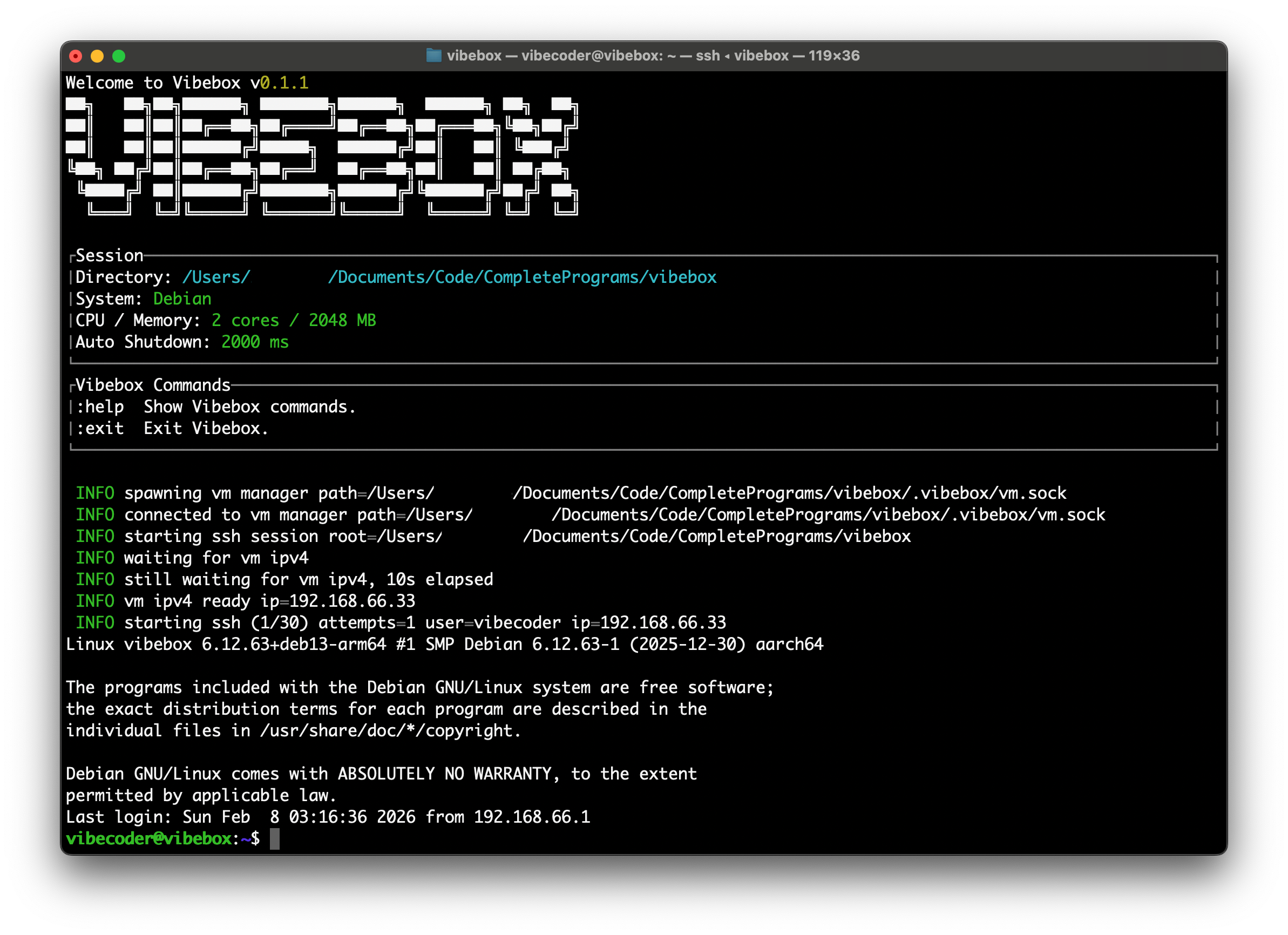
What you should see (roughly):
vibebox: starting (session: my-project)
vibebox: attaching...
vibecoder@vibebox:~/my-project$
I use coding agents daily, and I wanted to give them a real shell without handing them my host machine. Lock things down and you get nonstop confirmations; loosen it up and you worry about deleting files, touching secrets, or wandering outside the repo.
VibeBox is the middle ground: a per-repo sandbox with a hard VM boundary, fast re-entry, and explicit mounts. It’s built to be “always on” for agent work without turning safety into a chore.
Containers are great. VibeBox isn’t trying to replace Docker/devcontainers for building services.
I specifically wanted a VM-shaped default for agent workflows on macOS:
Here’s why I didn’t just use existing options:
That’s what pushed me to build VibeBox: I wanted a per-project sandbox that’s fast to enter (just vibebox),
supports real configuration + sessions, and keeps a hard isolation boundary.
# install script
curl -fsSL https://raw.githubusercontent.com/robcholz/vibebox/main/install | bash

# package managers
cargo install vibebox

# manual install
curl -LO https://github.com/robcholz/vibebox/releases/download/latest/vibebox-macos-arm64.zip
unzip vibebox-macos-arm64.zip
mkdir -p ~/.local/bin
mv vibebox ~/.local/bin
export PATH="$HOME/.local/bin:$PATH"
Requirements
First Run
The first vibebox run downloads a Debian base image and provisions it. After that, per-project instances reuse the
cached base image for much faster startups.
Quick Start
cd /path/to/your/project
vibebox
On first run, VibeBox creates vibebox.toml in your project (if missing) and a .vibebox/ directory for instance data.
Configuration (vibebox.toml)
vibebox.toml lives in your project root by default. You can override it with vibebox -c path/to/vibebox.toml or the
VIBEBOX_CONFIG_PATH env var, but the path must stay inside the project directory.
Default config (auto-created when missing):
[box]
cpu_count = 2
ram_mb = 2048
disk_gb = 5
mounts = [
    "~/.codex:~/.codex:read-write",
    "~/.claude:~/.claude:read-write",
]

[supervisor]
auto_shutdown_ms = 20000
disk_gb is only applied when the instance disk is first created. If you change it later, run vibebox reset to
recreate the disk.
Mounts
~/<project-name>, and the shell starts there..git directory exists, it is masked with a tmpfs mount inside the VM to discourage accidental edits from the
guest.box.mounts with the format host:guest[:read-only|read-write].~ expansion. Relative guest paths are treated as /root/<path>.~ are linked into /home/<ssh-user> for convenience. Run vibebox explain to see the resolved
host/guest mappings.CLI Commands
vibebox             # start or attach to the current project VM
vibebox list        # list known project sessions
vibebox reset       # delete .vibebox for this project and recreate on next run
vibebox purge-cache # delete the global cache (~/.cache/vibebox)
vibebox explain     # show mounts and network info
Inside the VM
vibecodervibeboxgit, curl, ripgrep, openssh-server, and sudo.mise and configures tools like uv, node, @openai/codex, and
@anthropic-ai/claude-code (best-effort).:help and :exit.State & Cache
.vibebox/ (instance disk, SSH keys, logs, manager socket/pid). vibebox reset removes it.~/.cache/vibebox (base image + shared guest cache). vibebox purge-cache clears it.~/.vibebox/sessions and is shown by vibebox list.If you're interested in contributing to VibeBox, please read our contributing docs before submitting a pull request.
