
[Official] Android reverse engineering tool focused on dynamic instrumentation automation leveraging Frida. It disassembles dex, analyzes it statically, generates hooks, discovers reflected methods, stores intercepted data and does new things from it. Its aim is to be an all-in-one Android reverse engineering platform.










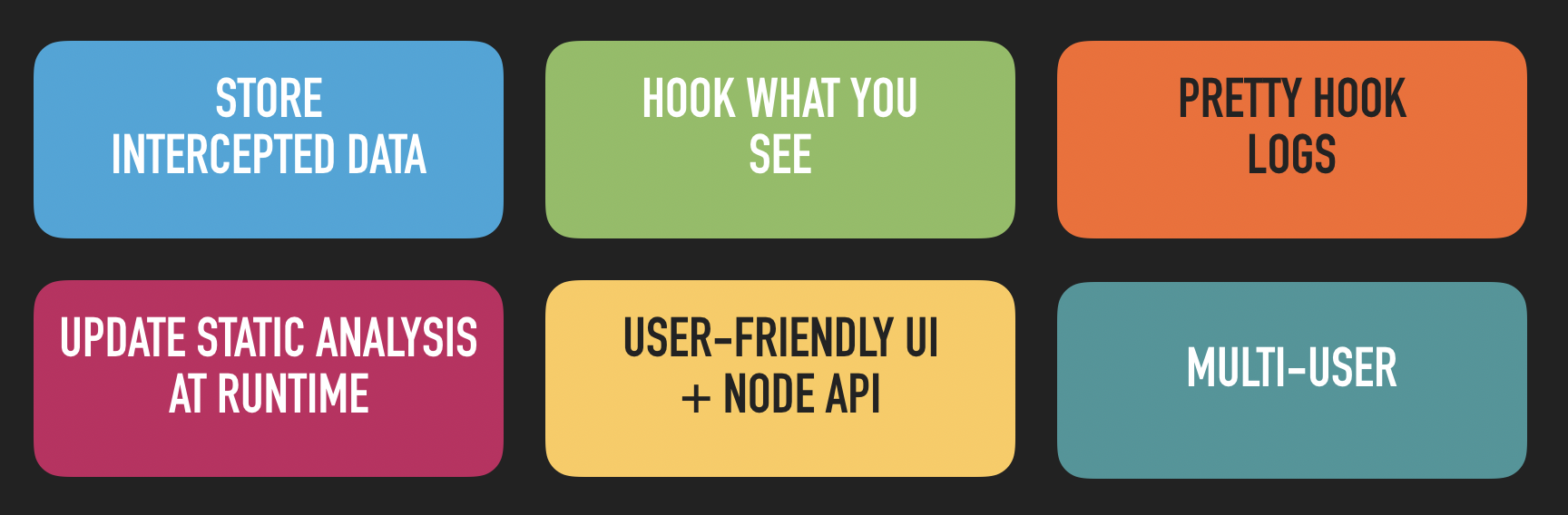
Dexcalibur is an Android reverse engineering platform focus on instrumentation automation. Its particularity is to use dynamic analysis to improve static analysis heuristics. It aims automate boring tasks related to dynamic instrumentation, such as :
Do you want share something or do you need some help ? Join our official chats :
Telegram - the quickiest way to give a response

Official documentation is available here (website - work in progress).
See the latest news here : http://docs.dexcalibur.org/News.html
Show Dexcalibur demo videos : Demo: Less than 1 minute to hook 61 methods ? Not a problem. (youtube)
Contribute !
Don't hesitate ! There are several ways to contribute :
Go to Install doc
Alternative: use Docker
adb (and an Android emulator if appropriate)docker-compose build android-dexcaliburdocker run --rm -it --net=host -v /tmp/dexcalibur:/shared -p 8000:8000 dexcalibur:2023.01 /bin/bashFor Linux and MacOS
NPM Install : If Dexcalibur has been installed globaly using NPM (-g option), then Dexcalibur can be launch from terminal by doing $ dexcalibur, else the location it can be launch by $ node $(node root -g dexcalibur)/dexcalibur/dexcalibur.js.
Install from source : from dexcalibur folder, run $ dexcalibur or $ node dexcalibur.js.
For Windows
NPM Install : Event if Dexcalibur is installed globaly using NPM (-g option), Dexcalibur must be launched from terminal by running the following command from a terminal node <NPM_ROOT>/dexcalibur/dexcalibur.js.
Install from source : from dexcalibur folder, into the terminal, run the command node dexcalibur.js.
You are using a previous version of Dexcalibur ?
Follow same steps than a new install, and when you should enter workspace path, enter your current workspace location.
Just by doing:
$ npm install -g dexcalibur
Existing configuration and workspace will be detected automatically.
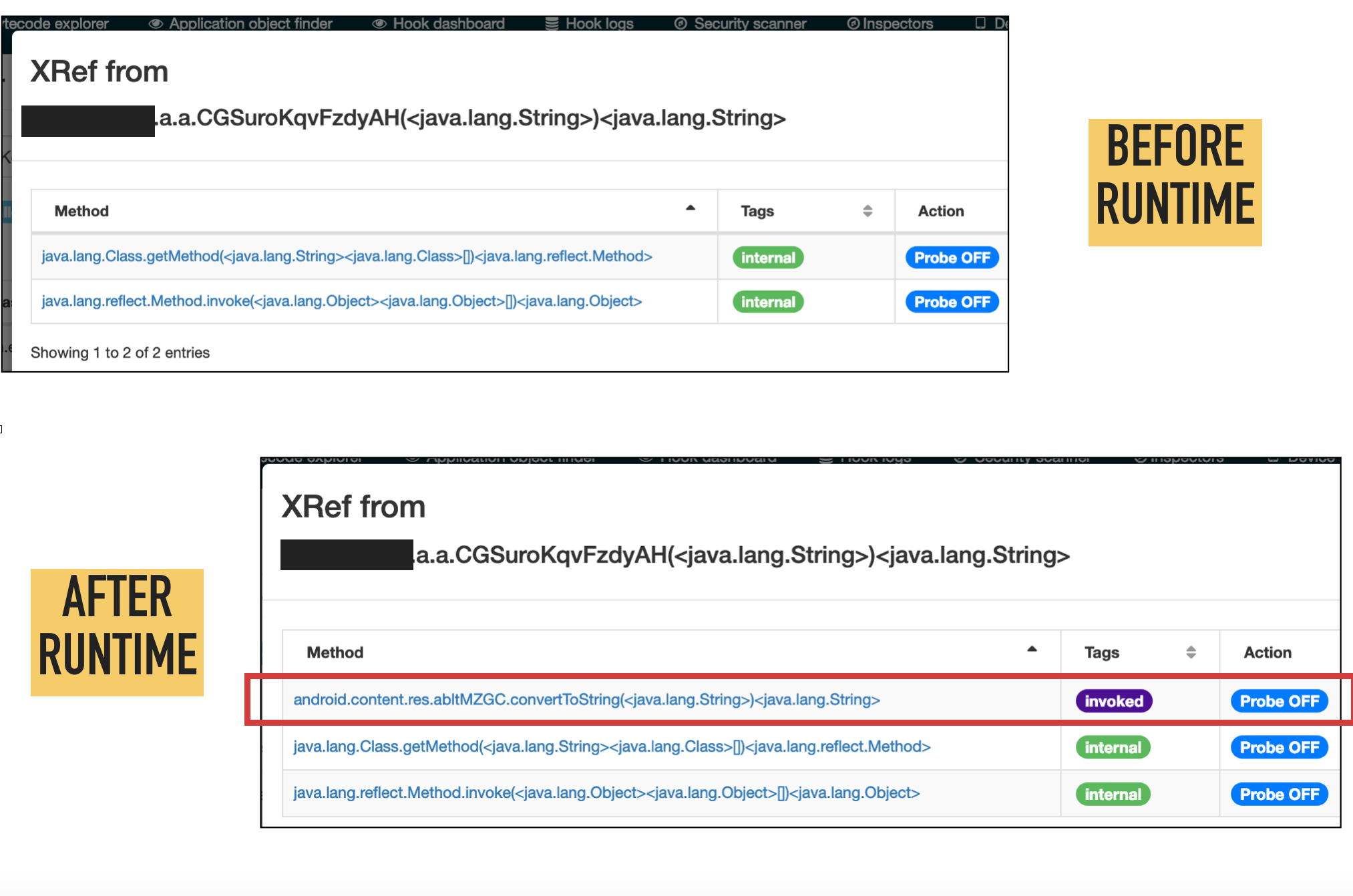
Following screenshots illustrate the automatic update of xrefs at runtime.
Actually, the biggest limitation is Dexcalibur is not able to generate source code of hook targeting native function (into JNI library). However, you can declare manually a Frida's Interceptor by editing a hook.
Assuming Dexcalibur does not provide (for the moment) features to analyse native part such as JNI library or JNA, only features and limitations related to Java part have been detailled.
Analysis accuracy depends of the completeness of the Android API image used during early steps of the analysis. That means, if you use a DEX file generated from the Android.jar file from Android SDK, some references to internal methods, fields, or classes from Android java API could be missing. Better results are obtained when the analysis start from a "boot.oat" file extracted directly from a real device running the expected Android version.
TODO : write text
TODO : write text
Tracked behaviors
Static analyzer involved into "Run smali (VM)" action is able to discover and accept but track following behaviors :
Actually, handlers/listeners for such invalid instruction are not supported but events are tracked and rendered.
Dexcalibur IR
The VM produces a custom and simplified Intermediate Representation (IR) which is displayed only to help analyst to perform its analysis.
Depending of the value of the callstack depth and configuration, IR can include or not instruction executed into called function. If the execution enters into a try block and continues to return, but never excute catch, then the catch block will not be rendered. In fact the purpose of Dexcalibur IR is to render only "what is executed" or "what could be executed depending of some symbol's value" into VM context.
Dexcalibur IR helps to read a cleaned version of bytcode by removing useless goto and opaque predicate. Dexcalibur IR can be generated by the VM with 2 simplifying levels :
1st level IR, could be used if you don't trust 2th level IR :
2th level :
Android API mock
TODO
Details
Smali VM follows steps :
How VM handles invoke-* instruction ?
