 razkom/ghost
ESP32-S3 firmware for standalone WPA/WPA2 handshake capture and deauthentication testing via TFT UI, with pcap download over WiFi AP.

General Hacking & Observation Security Tool
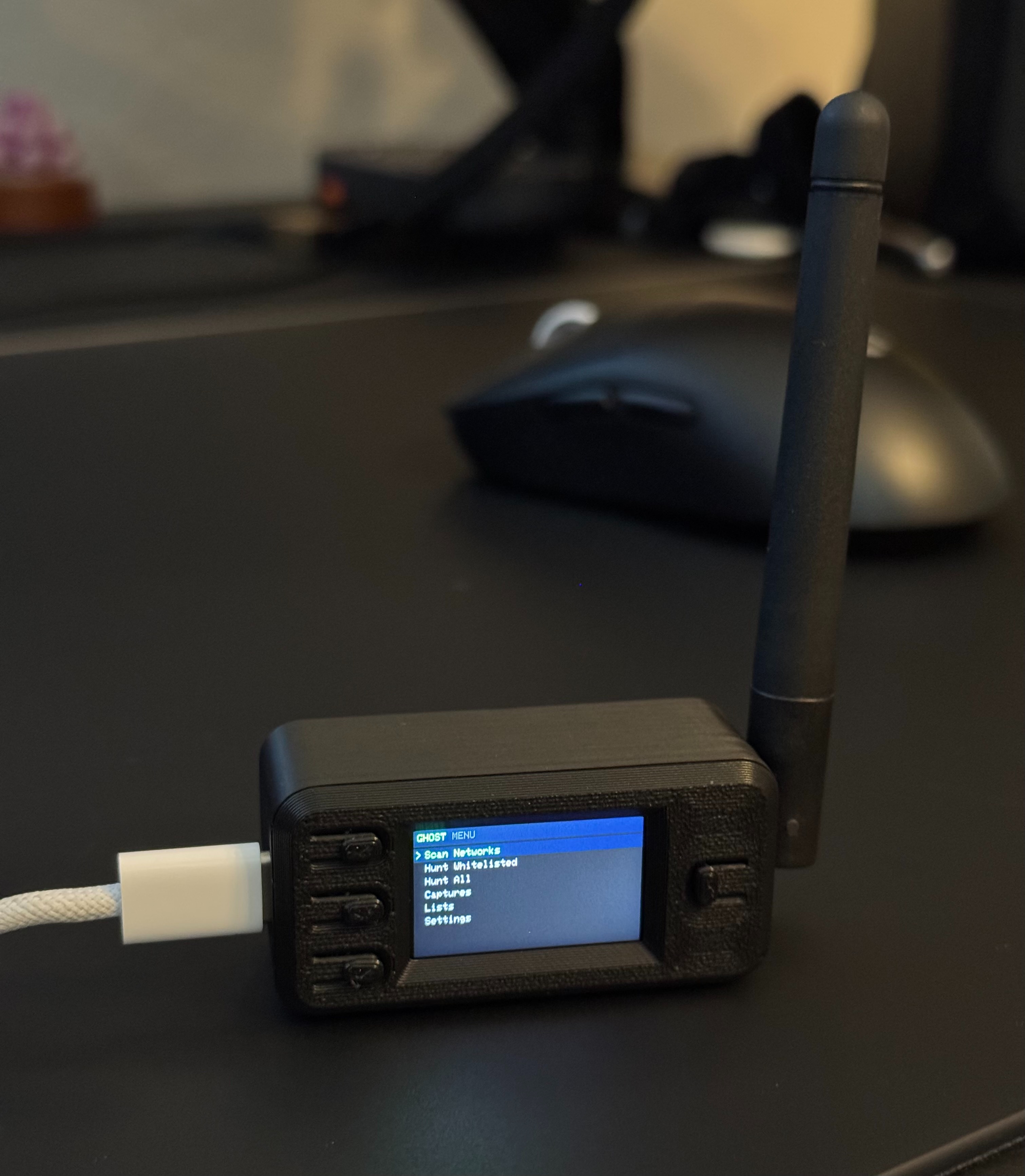
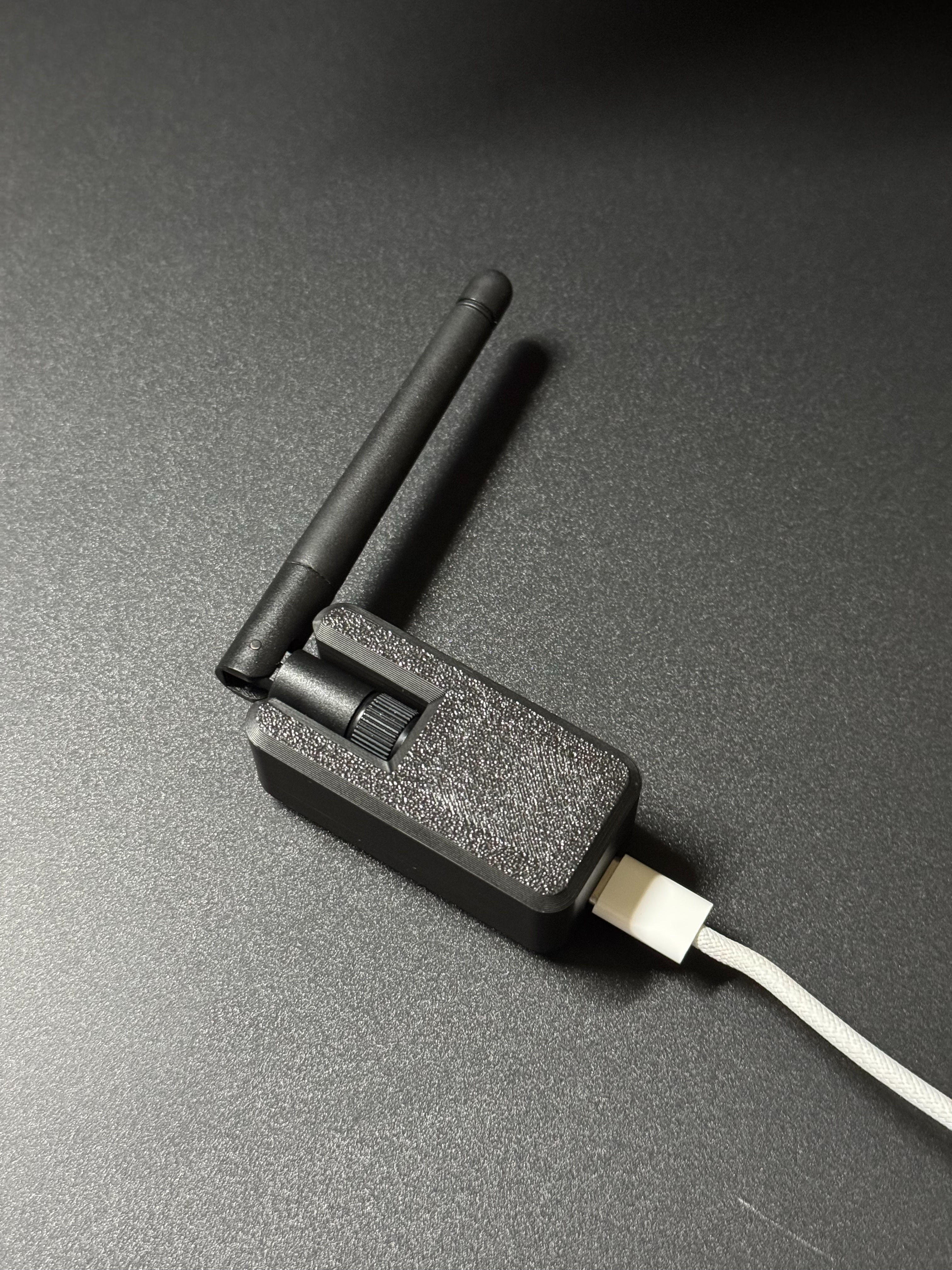
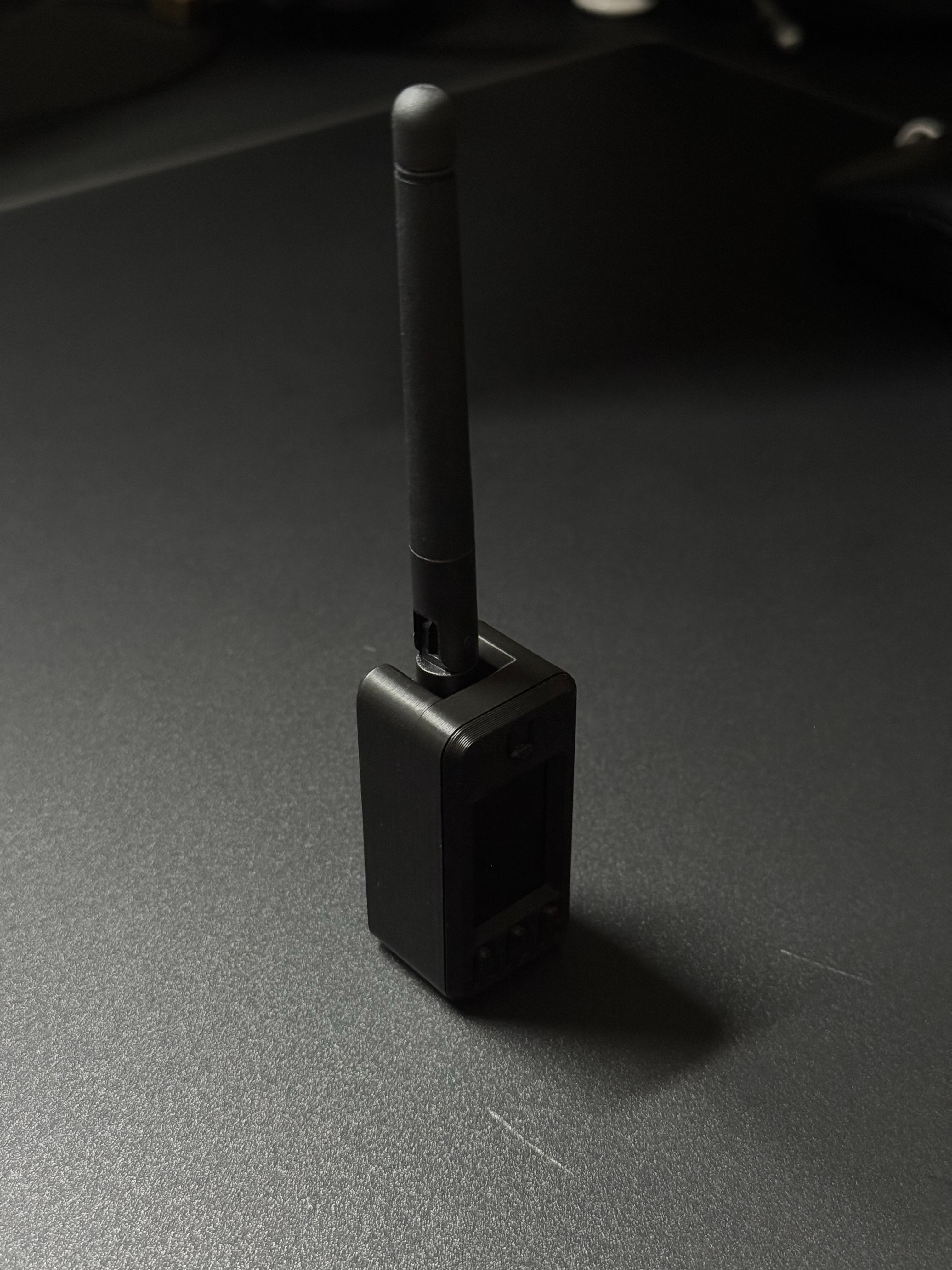
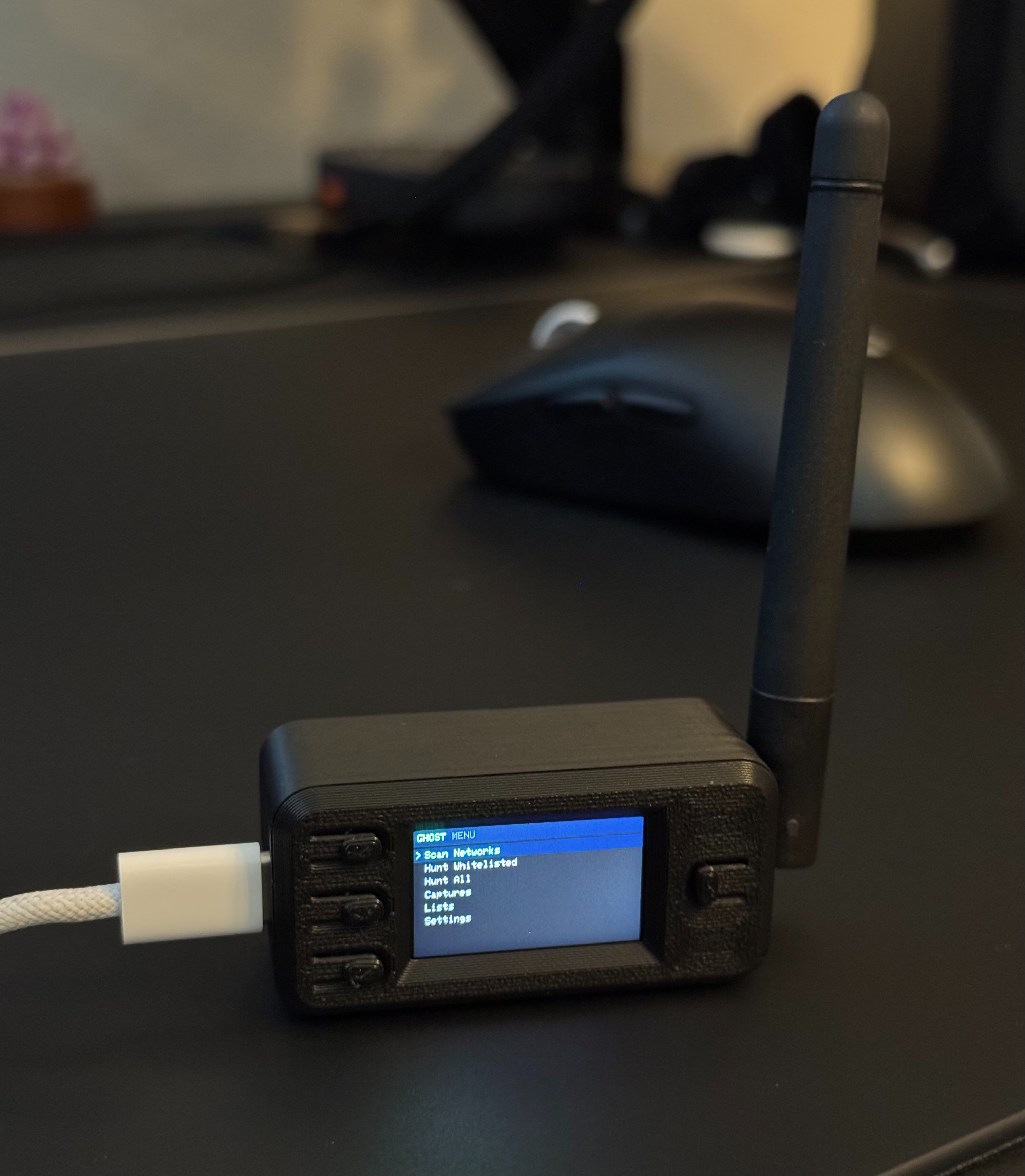
Standalone WPA/WPA2 handshake capture firmware for the Adafruit ESP32-S3 Reverse TFT Feather: built-in 240×135 TFT and three buttons — no companion phone app or browser required for normal use. Captures are saved as .pcap on LittleFS; Captures → Download AP exposes a small WiFi network so you can list and download files to another device.
FOR EDUCATIONAL AND AUTHORIZED TESTING ONLY. Use only on networks you own or have explicit permission to test.
On an authorized target, the firmware can send deauthentication frames, capture the WPA 4-way handshake as clients reconnect, and store the result on flash. The UI is entirely on the TFT; the download web UI runs only when you start Download AP from Captures.
.pcap files, clear storage, or start Download AP| Part | Adafruit | Price (approx.) |
|---|---|---|
| Adafruit ESP32-S3 Reverse TFT with w.FL Antenna | Product 6303 | See store |
| RP-SMA to w.FL / MHF3 / IPEX3 Adapter | Product 5444 | $2.95 |
| 2.4GHz Dipole Swivel Antenna with RP-SMA — 2dBi | Product 944 | $7.95 |
The w.FL board uses an external 2.4 GHz path: w.FL / IPEX3 (not u.FL) → RP-SMA pigtail → dipole (Feather guide).
You need a USB-C cable for power and flashing.
Power (no battery required): You can run the board from USB-C (charger, laptop, or phone with a suitable cable/OTG). A LiPoly on the JST is optional; this build often omits it after the board mod below.
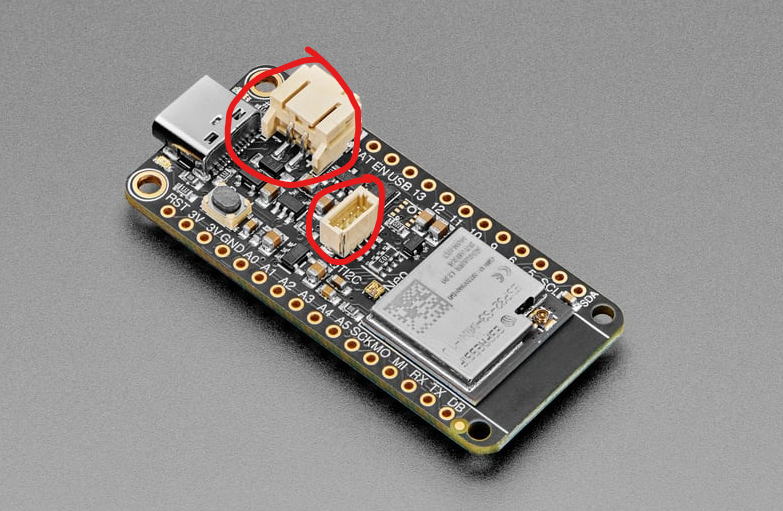
Remove two through-hole connectors on the component side for enclosure clearance / routing: the JST-PH battery connector (near USB-C) and the STEMMA QT / JST-SH I²C connector (mid-board). Desolder carefully.
No extra wiring; defaults are in config_s3.h.
arduino.cc — 2.x is fine.
File → Preferences → Additional Boards Manager URLs:
https://raw.githubusercontent.com/espressif/arduino-esp32/gh-pages/package_esp32_index.json
Tools → Board → Boards Manager → install esp32 by Espressif (3.x, ESP32-S3 capable).
The ESP32 WiFi stack blocks raw deauth frames unless the firmware can override ieee80211_raw_frame_sanity_check (implemented in GHOST_TFT.ino). The linker must allow that symbol to override the SDK copy — add -zmuldefs to compiler.c.elf.libs in your installed platform.txt (same change used in many ESP32 “raw frame” sketches):
Find platform.txt:
Windows: C:\Users\<USERNAME>\AppData\Local\Arduino15\packages\esp32\hardware\esp32\<VERSION>\platform.txt
Mac:     ~/Library/Arduino15/packages/esp32/hardware/esp32/<VERSION>/platform.txt
Linux:   ~/.arduino15/packages/esp32/hardware/esp32/<VERSION>/platform.txt
Change:
compiler.c.elf.libs="@{compiler.sdk.path}/flags/ld_libs"
to:
compiler.c.elf.libs="@{compiler.sdk.path}/flags/ld_libs" -zmuldefs
Save and restart Arduino IDE.
GHOST_TFT.ino (keep all .h files in the same folder).The sketch folder name must match the .ino filename (this repo: GHOST_TFT / GHOST_TFT.ino).
SELECT_LONG_PRESS_MS in config_s3.h) to finishFrom Captures, start Download AP, join that SSID on another device (password shown on the TFT and in Settings), open the IP shown (often http://192.168.4.1), download .pcap files, then stop the AP with Select.
GHOST_TFT/
├── assets/
│   └── logo.svg
├── docs/images/
├── GHOST_TFT.ino
├── config_s3.h
├── types.h
├── display.h
├── input.h
├── storage.h
├── attack.h
├── download_server.h
└── logo.h
unsupport frame type / deauth not working — add -zmuldefs and restart the IDE; confirm the line in platform.txt.
Upload failures on ESP32-S3 — data-capable USB cable; BOOT/reset per Adafruit.
Incomplete or missing handshake in the capture — signal, PMF, 5 GHz clients, or timeout; tune Settings and retest on a lab network you control.
Educational and authorized security testing only. Sending deauthentication traffic or capturing handshakes on networks you are not allowed to test is illegal in many jurisdictions.
