 r57-labs/chaos
Origin IP scanning utility developed with ChatGPT

chaos is an 'origin' IP scanner developed by RST in collaboration with ChatGPT. It is a niche utility with an intended audience of mostly penetration testers and bug hunters.
An origin-IP is a term-of-art expression describing the final public IP destination for websites that are publicly served via 3rd parties. If you'd like to understand more about why anyone might be interested in Origin-IPs, please check out our blog post.
chaos was rapidly prototyped from idea to functional proof-of-concept in less than 24 hours using our principles of DevOps with ChatGPT.
usage: chaos.py [-h] -f FQDN -i IP [-a AGENT] [-C] [-D] [-j JITTER] [-o OUTPUT] [-p PORTS] [-P] [-r] [-s SLEEP] [-t TIMEOUT] [-T] [-v] [-x]
         _..._
     .-'`     `'-.
   __|___________|__
   \               /
    `._  CHAOS _.'
       `-------`
         /   \\
        /     \\
       /       \\
      /         \\
     /           \\
    /             \\
   /               \\
  /                 \\
 /                   \\
/_____________________\\
CHAtgpt Origin-ip Scanner
 _______ _______ _______ _______ _______
|\\     /|\\     /|\\     /|\\     /|\\/|
| +---+ | +---+ | +---+ | +---+ | +---+ |
| |H  | | |U  | | |M  | | |A  | | |N  | |
| |U  | | |S  | | |A  | | |N  | | |C  | |
| |M  | | |E  | | |N  | | |D  | | |O  | |
| |A  | | |R  | | |C  | | |   | | |L  | |
| +---+ | +---+ | +---+ | +---+ | +---+ |
|/_____|\\_____|\\_____|\\_____|\\_____\\

 Origin IP Scanner developed with ChatGPT
 cha*os (n): complete disorder and confusion
 (ver: 0.9.4)
cd path/to/chaospip3 install -U pip setuptools virtualenvvirtualenv envsource env/bin/activate(env) pip3 install -U -r ./requirements.txt(env) ./chaos.py -h-h, --help show this help message and exit
-f FQDN, --fqdn FQDN Path to FQDN file (one FQDN per line)
-i IP, --ip IP IP address(es) for HTTP requests (Comma-separated IPs, IP networks, and/or files with IP/network per line)
-a AGENT, --agent AGENT
User-Agent header value for requests
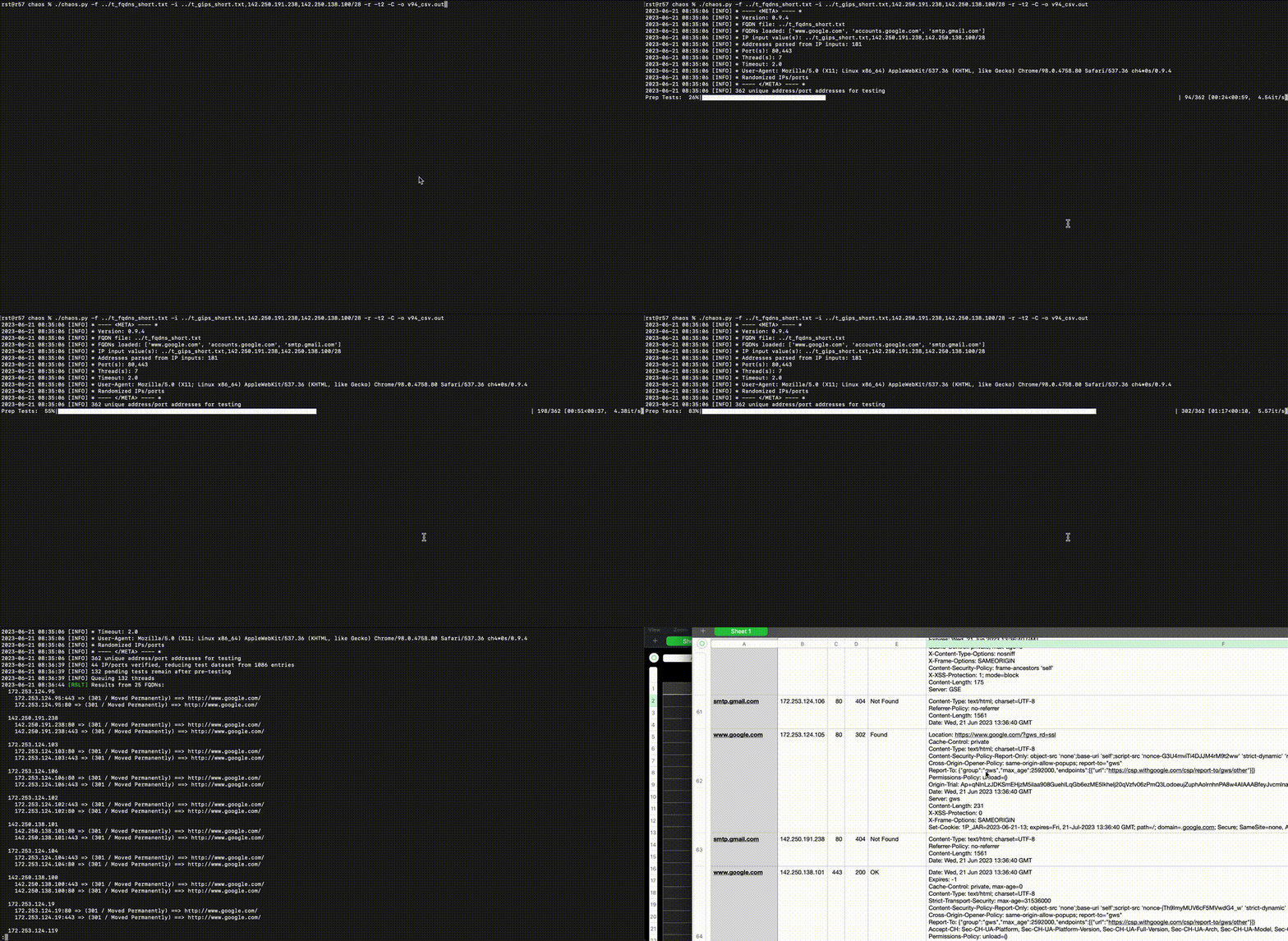
-C, --csv Append CSV output to OUTPUT_FILE.csv
-D, --dns Perform fwd/rev DNS lookups on FQDN/IP values prior to request; no impact to testing queue
-j JITTER, --jitter JITTER
Add a 0-N second randomized delay to the sleep value
-o OUTPUT, --output OUTPUT
Append console output to FILE
-p PORTS, --ports PORTS
Comma-separated list of TCP ports to use (default: "80,443")
-P, --no-prep Do not pre-scan each IP/port with `GET /` using `Host: {IP:Port}` header to eliminate unresponsive hosts
-r, --randomize Randomize(ish) the order IPs/ports are tested
-s SLEEP, --sleep SLEEP
Add N seconds before thread completes
-t TIMEOUT, --timeout TIMEOUT
Wait N seconds for an unresponsive host
-T, --test Test-mode; don't send requests
-v, --verbose Enable verbose output
-x, --singlethread Single threaded execution; for 1-2 core systems; default threads=(cores-1) if cores>2
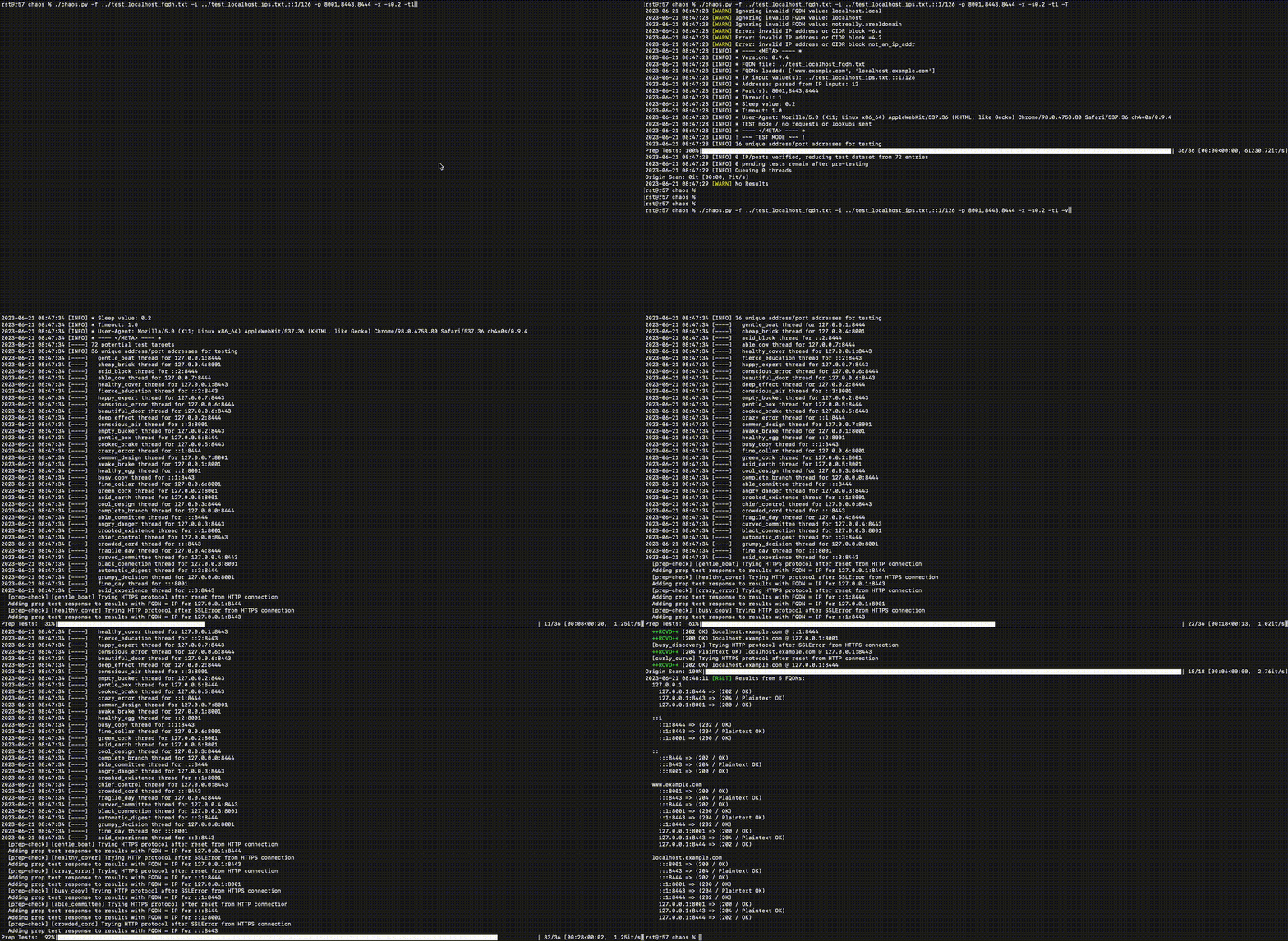
Launch python HTTP server
% python3 -u -m http.server 8001
Serving HTTP on :: port 8001 (http://[::]:8001/) ...
Launch ncat as HTTP on a port detected as SSL; use a loop because --keep-open can hang
% while true; do ncat -lvp 8443 -c 'printf "HTTP/1.0 204 Plaintext OK\n\n<html></html>\n"'; done
Ncat: Version 7.94 ( https://nmap.org/ncat )
Ncat: Listening on [::]:8443
Ncat: Listening on 0.0.0.0:8443
Also launch ncat as SSL on a port that will default to HTTP detection
% while true; do ncat --ssl -lvp 8444 -c 'printf "HTTP/1.0 202 OK\n\n<html></html>\n"'; done
Ncat: Version 7.94 ( https://nmap.org/ncat )
Ncat: Generating a temporary 2048-bit RSA key. Use --ssl-key and --ssl-cert to use a permanent one.
Ncat: SHA-1 fingerprint: 0208 1991 FA0D 65F0 608A 9DAB A793 78CB A6EC 27B8
Ncat: Listening on [::]:8444
Ncat: Listening on 0.0.0.0:8444
Prepare an FQDN file:
% cat ../test_localhost_fqdn.txt
www.example.com
localhost.example.com
localhost.local
localhost
notreally.arealdomain
Prepare an IP file / list:
% cat ../test_localhost_ips.txt
127.0.0.1
127.0.0.0/29
not_an_ip_addr
-6.a
=4.2
::1
Run the scan