 qianlitp/crawlergo
A powerful browser crawler for web vulnerability scanners



A powerful browser crawler for web vulnerability scanners
English Document | 中文文档
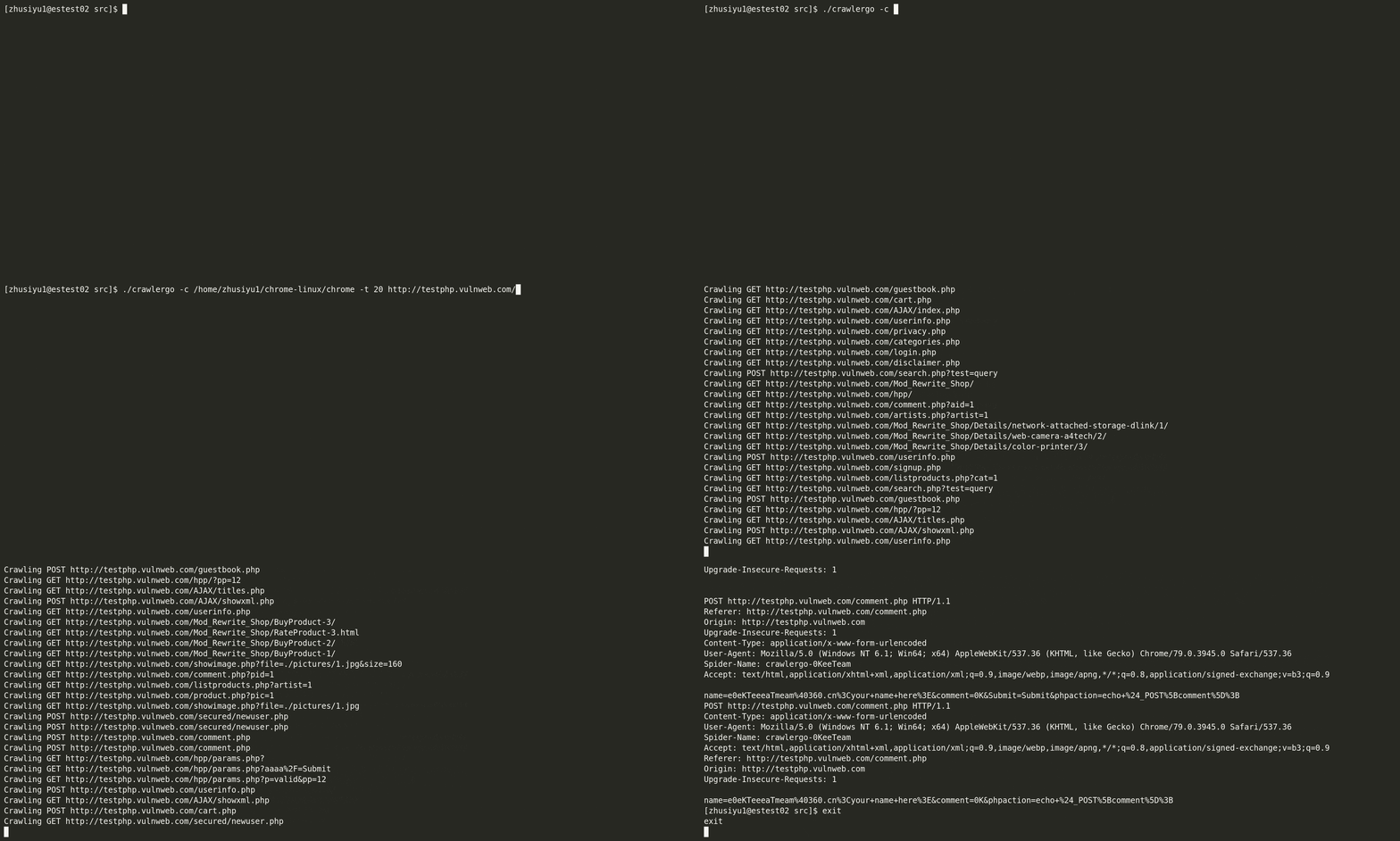
crawlergo is a browser crawler that uses chrome headless mode for URL collection. It hooks key positions of the whole web page with DOM rendering stage, automatically fills and submits forms, with intelligent JS event triggering, and collects as many entries exposed by the website as possible. The built-in URL de-duplication module filters out a large number of pseudo-static URLs, still maintains a fast parsing and crawling speed for large websites, and finally gets a high-quality collection of request results.
crawlergo currently supports the following features:
Please read and confirm disclaimer carefully before installing and using。
Build
make build
make build_all
If you are using a linux system and chrome prompts you with missing dependencies, please see TroubleShooting below
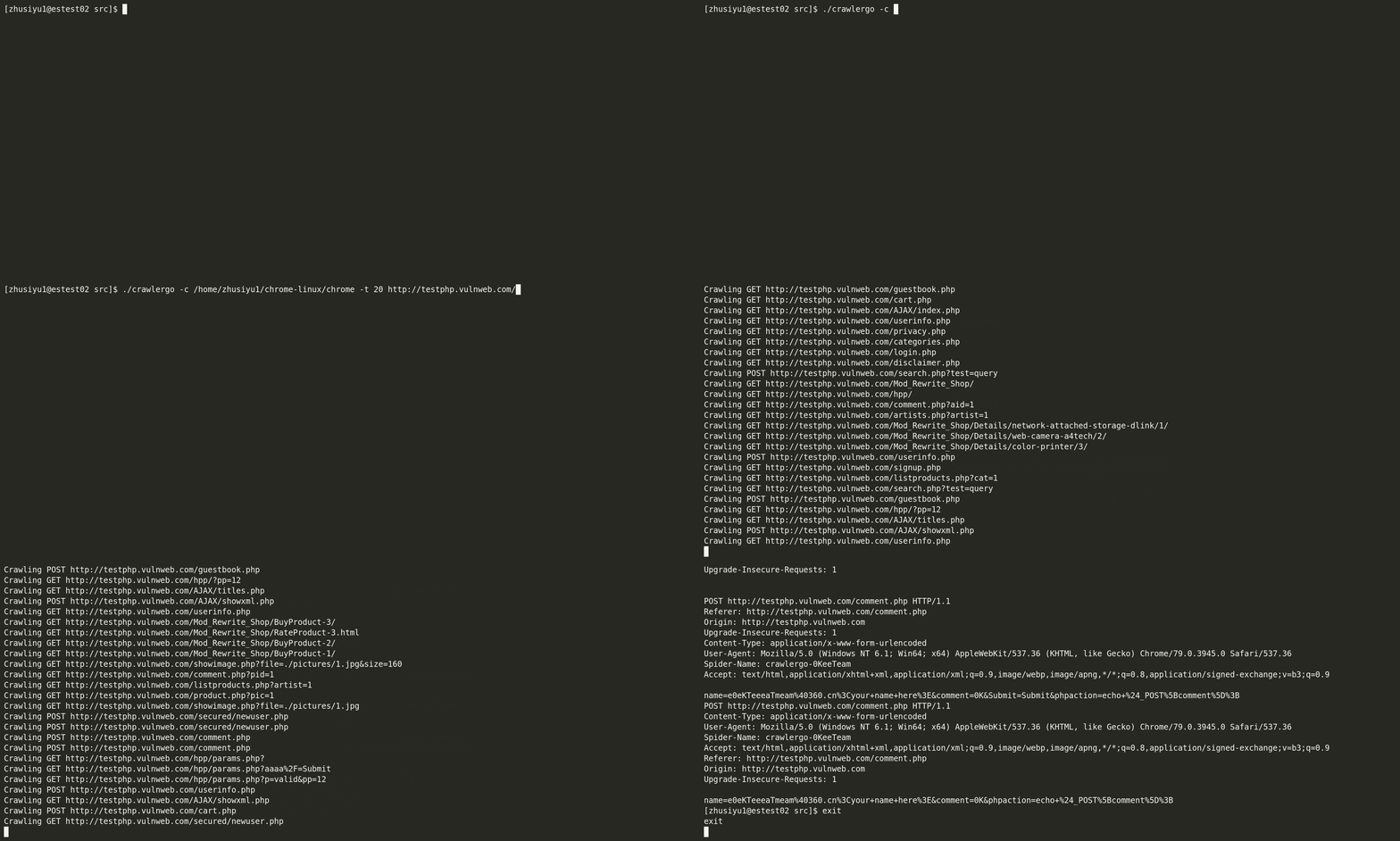
Assuming your chromium installation directory is /tmp/chromium/, set up 10 tabs open at the same time and crawl the testphp.vulnweb.com:
bin/crawlergo -c /tmp/chromium/chrome -t 10 http://testphp.vulnweb.com/
You can also use this with docker without headache:
git clone https://github.com/Qianlitp/crawlergo
docker build . -t crawlergo
docker run crawlergo http://testphp.vulnweb.com/
bin/crawlergo -c /tmp/chromium/chrome -t 10 --request-proxy socks5://127.0.0.1:7891 http://testphp.vulnweb.com/
By default, crawlergo prints the results directly on the screen. We next set the output mode to json, and the sample code for calling it using python is as follows:
#!/usr/bin/python3
# coding: utf-8

import simplejson
import subprocess


def main():
    target = "http://testphp.vulnweb.com/"
    cmd = ["bin/crawlergo", "-c", "/tmp/chromium/chrome", "-o", "json", target]
    rsp = subprocess.Popen(cmd, stdout=subprocess.PIPE, stderr=subprocess.PIPE)
    output, error = rsp.communicate()
	#  "--[Mission Complete]--"  is the end-of-task separator string
    result = simplejson.loads(output.decode().split("--[Mission Complete]--")[1])
    req_list = result["req_list"]
    print(req_list[0])


if __name__ == '__main__':
    main()
When the output mode is set to json, the returned result, after JSON deserialization, contains four parts:
all_req_list: All requests found during this crawl task, containing any resource type from other domains.req_list:Returns the current domain results of this crawl task, pseudo-statically de-duplicated, without static resource links. It is a subset of all_req_list .all_domain_list:List of all domains found.sub_domain_list:List of subdomains found.crawlergo returns the full request and URL, which can be used in a variety of ways:
Used in conjunction with other passive web vulnerability scanners
First, start a passive scanner and set the listening address to: http://127.0.0.1:1234/
Next, assuming crawlergo is on the same machine as the scanner, start crawlergo and set the parameters:
--push-to-proxy http://127.0.0.1:1234/
Host binding (not available for high version chrome) (example)
Custom Cookies (example)
Regularly clean up zombie processes generated by crawlergo (example) , contributed by @ring04h
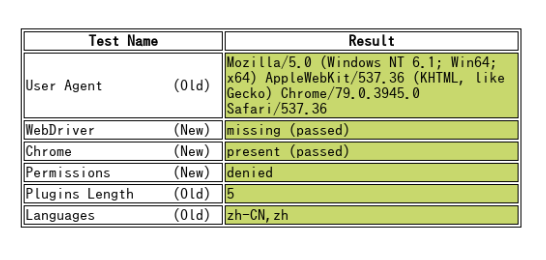
crawlergo can bypass headless mode detection by default.
https://intoli.com/blog/not-possible-to-block-chrome-headless/chrome-headless-test.html
'Fetch.enable' wasn't found
Fetch is a feature supported by the new version of chrome, if this error occurs, it means your version is too low, please upgrade the chrome version.
chrome runs with missing dependencies such as xxx.so
// Ubuntu
apt-get install -yq --no-install-recommends \
     libasound2 libatk1.0-0 libc6 libcairo2 libcups2 libdbus-1-3 \
     libexpat1 libfontconfig1 libgcc1 libgconf-2-4 libgdk-pixbuf2.0-0 libglib2.0-0 libgtk-3-0 libnspr4 \
     libpango-1.0-0 libpangocairo-1.0-0 libstdc++6 libx11-6 libx11-xcb1 libxcb1 libgbm1 \
     libxcursor1 libxdamage1 libxext6 libxfixes3 libxi6 libxrandr2 libxrender1 libxss1 libxtst6 libnss3

// CentOS 7
sudo yum install pango.x86_64 libXcomposite.x86_64 libXcursor.x86_64 libXdamage.x86_64 libXext.x86_64 libXi.x86_64 \
     libXtst.x86_64 cups-libs.x86_64 libXScrnSaver.x86_64 libXrandr.x86_64 GConf2.x86_64 alsa-lib.x86_64 atk.x86_64 gtk3.x86_64 \
     ipa-gothic-fonts xorg-x11-fonts-100dpi xorg-x11-fonts-75dpi xorg-x11-utils xorg-x11-fonts-cyrillic xorg-x11-fonts-Type1 xorg-x11-fonts-misc -y

sudo yum update nss -y
Run prompt Navigation timeout / browser not found / don't know correct browser executable path
Make sure the browser executable path is configured correctly, type: chrome://version in the address bar, and find the executable file path:

