 pvharmo2/gha-lab-ca4fa82ac5
Security-research lab: reproduction of CVE-2026-29075 (GHSA-3j55-5q6x-2h48) in mesa/mesa benchmarks.yml pull_request_target workflow — single-commit snapshot for authorized vulnerability reproduction.

Automated research artifact — not the upstream project.
This repository is a disposable lab built by an automated harness for a master's thesis at Université Laval on reproducing published GitHub Actions workflow vulnerabilities. It is a verbatim snapshot of
mesa/mesaat commit821c14475afebc6a68a45bb4b8e87be4d36a0c41(2026-03-04), redistributed under that project's own licence, whose file is included unchanged in this snapshot.The upstream project is not involved, is never targeted, and the vulnerability studied here is already public. Every secret and variable in this repository is a randomly generated dummy value — no real credential is present. Action references and runner images are pinned to what they resolved to on 2026-03-04; see
pinning.mdin the harness output for every change made to the snapshot.Questions or objections: [email protected]
For GSoC, checkout our Google Summer of Code 2026 guide
| CI/CD |   |
| Package |    |
| Meta |     |
| Chat |  |
| Cite |  |
Mesa allows users to quickly create agent-based models using built-in core components (such as spatial grids and agent schedulers) or customized implementations; visualize them using a browser-based interface; and analyze their results using Python's data analysis tools. Its goal is to be the Python-based alternative to NetLogo, Repast, or MASON.
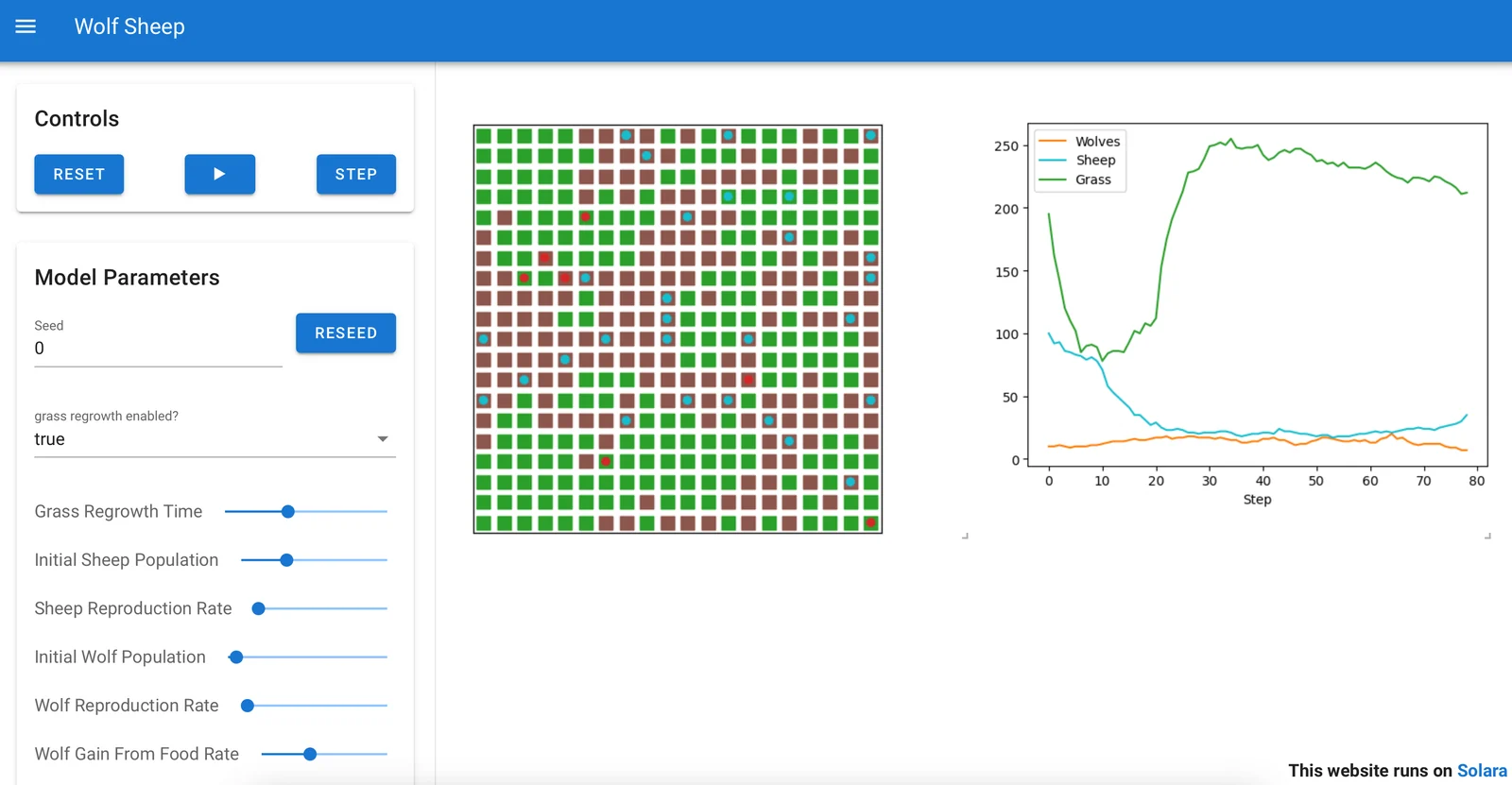
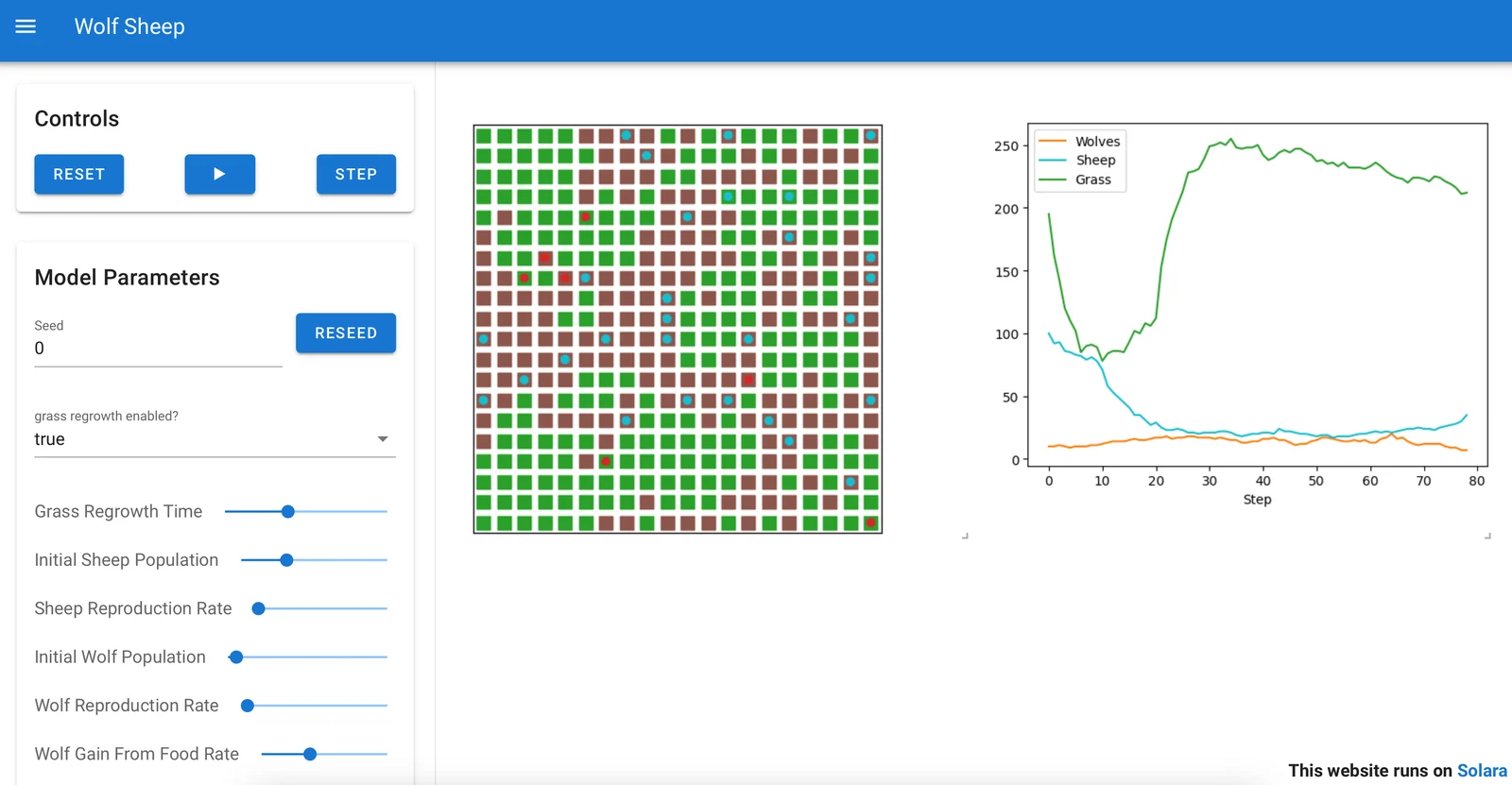
Above: A Mesa implementation of the WolfSheep model, this can be displayed in browser windows or Jupyter. An online demo is available here.
To install our latest stable release, run:
pip install -U mesa
Starting with Mesa 3.0, we don't install all our dependencies anymore by default.
# You can customize the additional dependencies you need, if you want. Available are:
pip install -U "mesa[network,viz]"

# This is equivalent to our recommended dependencies:
pip install -U "mesa[rec]"

# To install all, including developer, dependencies:
pip install -U "mesa[all]"
You can also use pip to install the latest GitHub version:
pip install -U -e git+https://github.com/mesa/mesa@main#egg=mesa
Or any other (development) branch on this repo or your own fork:
pip install -U -e git+https://github.com/YOUR_FORK/mesa@YOUR_BRANCH#egg=mesa
For resources or help on using Mesa, check out the following:
You can run Mesa in a Docker container in a few ways.
If you are a Mesa developer, first install Docker Compose and then, in the folder containing the Mesa Git repository, you run:
$ docker compose up
# If you want to make it run in the background, you instead run
$ docker compose up -d
This runs the Schelling model, as an example.
With the docker-compose.yml file in this Git repository, the docker compose up command does two important things:
If you are a model developer that wants to run Mesa on a model, you need to:
MODEL_DIR variable in docker-compose.yml to point to
the path of your modelThen, you just need to run docker compose up -d to have it
accessible from localhost:8765.
Want to join the Mesa team or just curious about what is happening with Mesa? You can...
- Join our Matrix chat room in which questions, issues, and ideas can be (informally) discussed.
- Come to a monthly dev session (you can find dev session times, agendas and notes on Mesa discussions).
- Just check out the code on GitHub.
If you run into an issue, please file a ticket for us to discuss. If possible, follow up with a pull request.
If you would like to add a feature, please reach out via ticket or join a dev session (see Mesa discussions). A feature is most likely to be added if you build it!
Don't forget to checkout the Contributors guide.
To cite Mesa in your publication, you can refer to our peer-reviewed article in the Journal of Open Source Software (JOSS):
Our CITATION.cff can be used to generate APA, BibTeX and other citation formats.
