 pvharmo2/gha-lab-8e9316151c
Controlled security-research lab reproducing CVE-2024-1540 (GitHub Actions command injection in gradio-app/gradio deploy+test-visual.yml) — flattened snapshot of gradio-app/gradio @ f35f615e33a5dd90bfeb106b6f5dca689849fcef

Automated research artifact — not the upstream project.
This repository is a disposable lab built by an automated harness for a master's thesis at Université Laval on reproducing published GitHub Actions workflow vulnerabilities. It is a verbatim snapshot of
gradio-app/gradioat commitf35f615e33a5dd90bfeb106b6f5dca689849fcef(2024-02-09), redistributed under that project's own licence, whose file is included unchanged in this snapshot.The upstream project is not involved, is never targeted, and the vulnerability studied here is already public. Every secret and variable in this repository is a randomly generated dummy value — no real credential is present. Action references and runner images are pinned to what they resolved to on 2024-02-09; see
pinning.mdin the harness output for every change made to the snapshot.Questions or objections: [email protected]
Gradio is an open-source Python package that allows you to quickly build a demo or web application for your machine learning model, API, or any arbitrary Python function. You can then share a link to your demo or web application in just a few seconds using Gradio's built-in sharing features. No JavaScript, CSS, or web hosting experience needed!
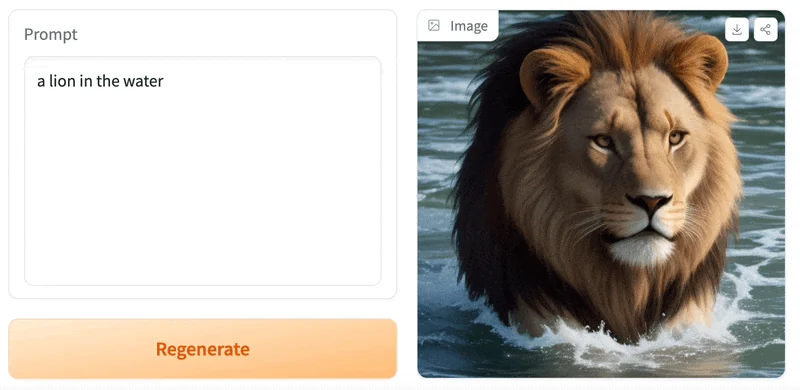
It just takes a few lines of Python to create a beautiful demo like the one above, so let's get started 💫
Prerequisite: Gradio requires Python 3.8 or higher
We recommend installing Gradio using pip, which is included by default in Python. Run this in your terminal or command prompt:
pip install gradio
[!TIP] It is best to install Gradio in a virtual environment. Detailed installation instructions for all common operating systems are provided here.
You can run Gradio in your favorite code editor, Jupyter notebook, Google Colab, or anywhere else you write Python. Let's write your first Gradio app:
import gradio as gr

def greet(name, intensity):
    return "Hello " * intensity + name + "!"

demo = gr.Interface(
    fn=greet,
    inputs=["text", "slider"],
    outputs=["text"],
)

demo.launch()
[!TIP] We shorten the imported name from
gradiotogrfor better readability of code. This is a widely adopted convention that you should follow so that anyone working with your code can easily understand it.
Now, run your code. If you've written the Python code in a file named, for example, app.py, then you would run python app.py from the terminal.
The demo below will open in a browser on http://localhost:7860 if running from a file. If you are running within a notebook, the demo will appear embedded within the notebook.
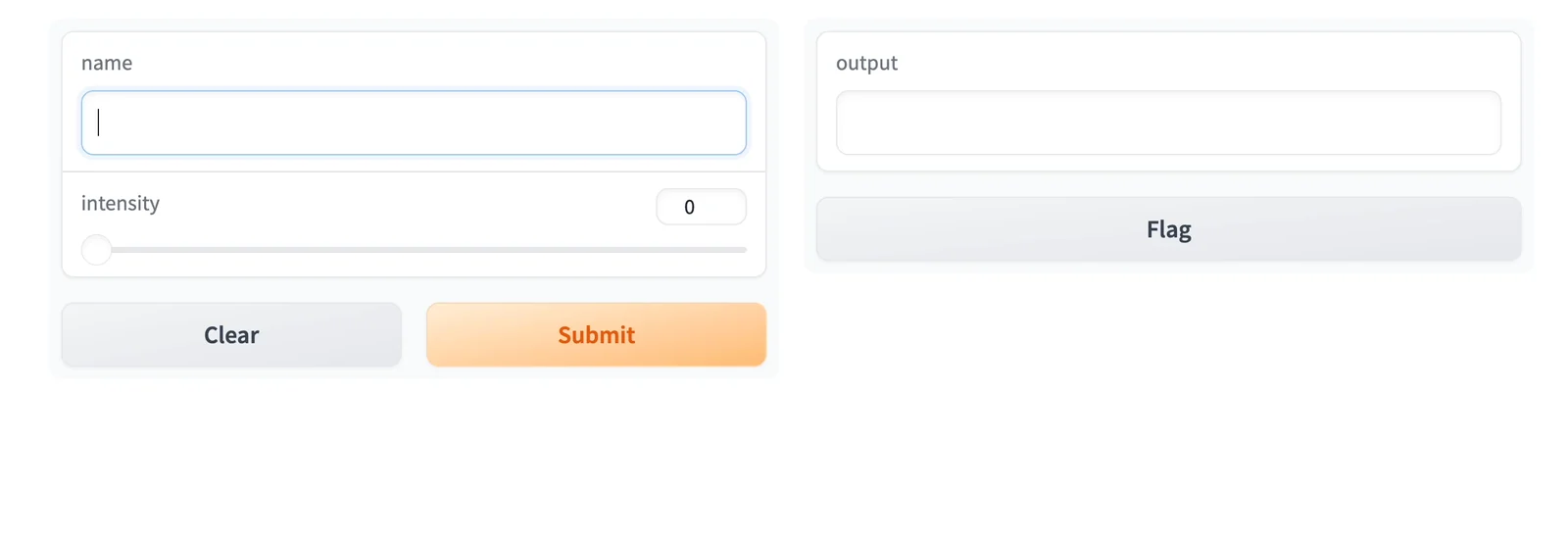
Type your name in the textbox on the left, drag the slider, and then press the Submit button. You should see a friendly greeting on the right.
[!TIP] When developing locally, you can run your Gradio app in hot reload mode, which automatically reloads the Gradio app whenever you make changes to the file. To do this, simply type in
gradiobefore the name of the file instead ofpython. In the example above, you would type:gradio app.pyin your terminal. Learn more about hot reloading in the Hot Reloading Guide.
Understanding the Interface Class
You'll notice that in order to make your first demo, you created an instance of the gr.Interface class. The Interface class is designed to create demos for machine learning models which accept one or more inputs, and return one or more outputs.
The Interface class has three core arguments:
fn: the function to wrap a user interface (UI) aroundinputs: the Gradio component(s) to use for the input. The number of components should match the number of arguments in your function.outputs: the Gradio component(s) to use for the output. The number of components should match the number of return values from your function.The fn argument is very flexible -- you can pass any Python function that you want to wrap with a UI. In the example above, we saw a relatively simple function, but the function could be anything from a music generator to a tax calculator to the prediction function of a pretrained machine learning model.
The input and output arguments take one or more Gradio components. As we'll see, Gradio includes more than 30 built-in components (such as the gr.Textbox(), gr.Image(), and gr.HTML() components) that are designed for machine learning applications.
[!TIP] For the
inputsandoutputsarguments, you can pass in the name of these components as a string ("textbox") or an instance of the class (gr.Textbox()).
If your function accepts more than one argument, as is the case above, pass a list of input components to inputs, with each input component corresponding to one of the arguments of the function, in order. The same holds true if your function returns more than one value: simply pass in a list of components to outputs. This flexibility makes the Interface class a very powerful way to create demos.
We'll dive deeper into the gr.Interface on our series on building Interfaces.
What good is a beautiful demo if you can't share it? Gradio lets you easily share a machine learning demo without having to worry about the hassle of hosting on a web server. Simply set share=True in launch(), and a publicly accessible URL will be created for your demo. Let's revisit our example demo, but change the last line as follows:
import gradio as gr

def greet(name):
    return "Hello " + name + "!"