CVE-2025-55854 - Stored Cross-Site Scripting (XSS) Vulnerability
Vulnerability Overview
CVE ID: CVE-2025-55854
Vulnerability Type: Stored Cross-Site Scripting (XSS)
Severity: High
Affected Component: User Profile Bio Field
Affected Application: FreelanceHub (https://github.com/nooncarlett/FreelanceHub)
Description
A stored Cross-Site Scripting (XSS) vulnerability has been discovered in the FreelanceHub application's user profile functionality. The vulnerability exists due to insufficient input sanitization in the Bio field, allowing attackers to inject malicious JavaScript code that executes when other users view the affected profile page.
This vulnerability enables an attacker to:
- Execute arbitrary JavaScript in the context of other users' browsers
- Steal session tokens and cookies
- Perform actions on behalf of authenticated users
- Redirect users to malicious websites
- Deface the application interface
Affected Versions
- FreelanceHub (all versions prior to patch)
- Tested on: localhost deployment running on port 8080
Technical Details
Root Cause
The application fails to properly sanitize user input in the Bio field before storing it in the database and rendering it on the profile page. The HTML is rendered directly without escaping special characters or removing potentially dangerous tags and event handlers.
Attack Vector
- Attack Type: Stored XSS
- Input Vector: User Profile Bio field
- Execution Context: Any user viewing the attacker's profile
- Authentication Required: Yes (attacker needs a valid account)
Proof of Concept
Prerequisites
- Running instance of FreelanceHub application
- Web browser (Chrome, Firefox, Edge, etc.)
- Access to create a user account
Step-by-Step Reproduction
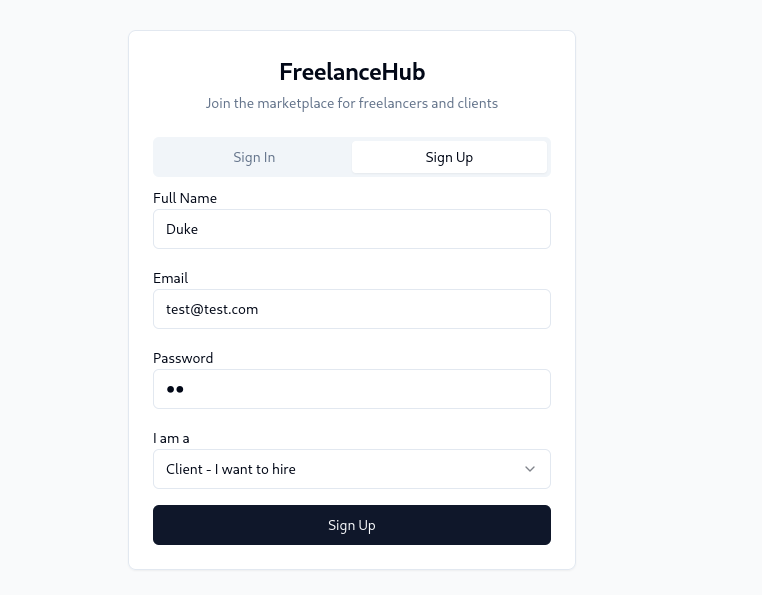
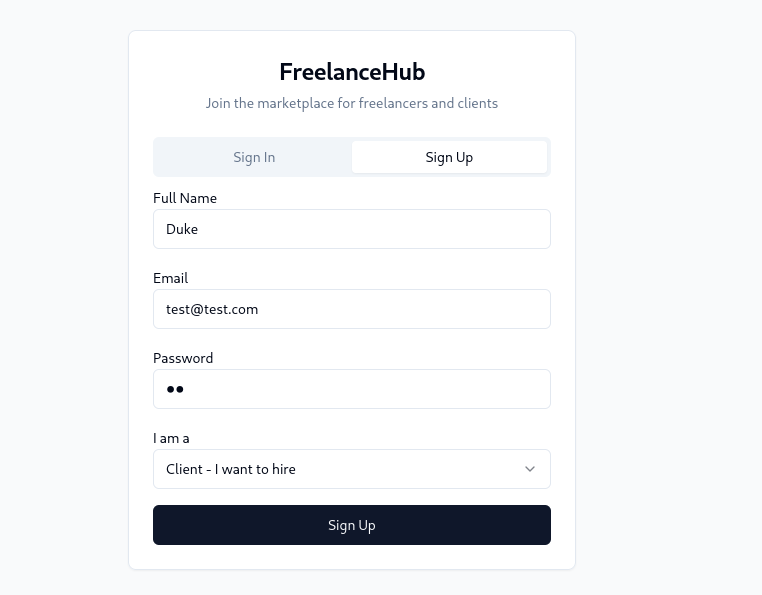
Step 1: Create a New Account
- Navigate to
http://localhost:8080/auth
- Sign up for a new user account using valid credentials
- Complete the registration process and log in
Step 2: Navigate to Profile Page
- After successful login, navigate to
http://localhost:8080/profile
- Locate the Bio field in the profile edit form
Step 3: Inject XSS Payload
- In the Bio field, enter the following payload:
- Click the Save or Update Profile button
- Wait for the confirmation that the profile has been updated
Step 5: Trigger the XSS
- Visit or reload the profile page:
http://localhost:8080/profile
- The JavaScript alert box will execute automatically
- Result: The JavaScript code executes successfully, confirming the stored XSS vulnerability
Expected Behavior
The application should sanitize the input and either:
- Strip all HTML tags from the Bio field
- Encode special characters (
<, >, ", ', etc.)
- Implement Content Security Policy (CSP) headers
Actual Behavior
The malicious HTML/JavaScript payload is stored in the database and executed when the profile page is rendered, without any sanitization or encoding.
Impact Assessment
Severity: HIGH
CVSS v3.1 Score: 8.1 (High)
Vector String: CVSS:3.1/AV:N/AC:L/PR:L/UI:N/S:U/C:H/I:H/A:N
Real-World Impact
- Session Hijacking: Attackers can steal session tokens and impersonate users
- Credential Theft: Malicious scripts can create fake login forms to capture credentials
- Data Exfiltration: Sensitive user data can be sent to attacker-controlled servers
- Malware Distribution: Users can be redirected to malicious websites
- Phishing Attacks: The trusted domain can be used to host convincing phishing content
- Account Takeover: Combined with other vulnerabilities, this can lead to full account compromise
 pushkarayengar/cve-2025-55854-poc
