Nuclei Template Generator Burp Plugin


A Burp Suite plugin intended to help with nuclei template generation.
Features
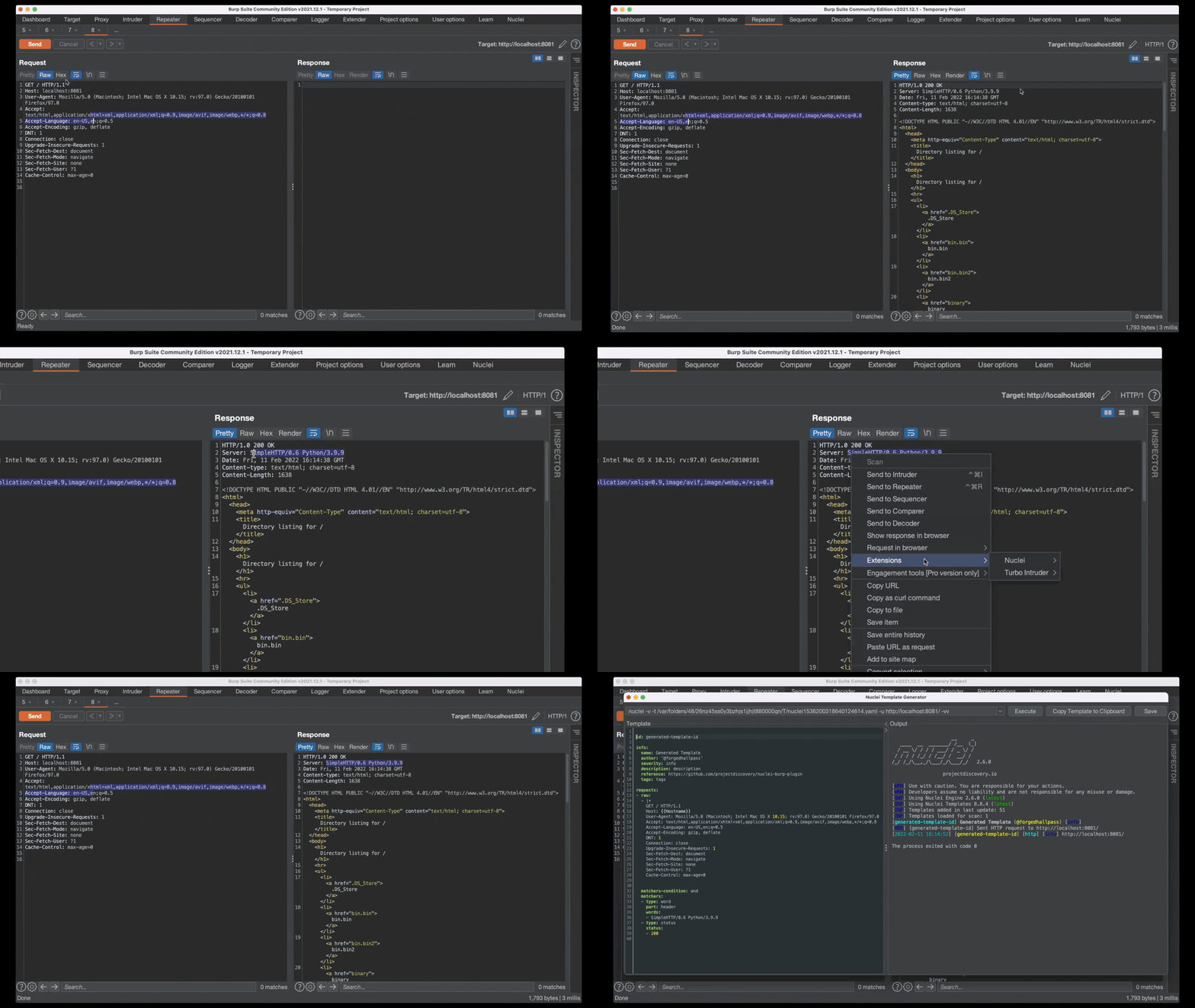
Template matcher generation
Word and Binary matcher creation using selected response snippets from Proxy history or Repeater contexts- Multi-line selections are split to separate words for readability
- Binary matchers are created for selections containing non-
ASCII characters
- The
part field is auto-set based on whether the selection was in the request header or body
- Every generated template auto-includes a
Status matcher, using the HTTP status code of the response
Modifying generated templates
- New matchers and requests can be added to previously generated templates, by highlighting a part of a response
- In case of a CVE, template information fields can be filled in automatically (Right-click on a template, Add → Classification → CVE)
Request template generation
- In the
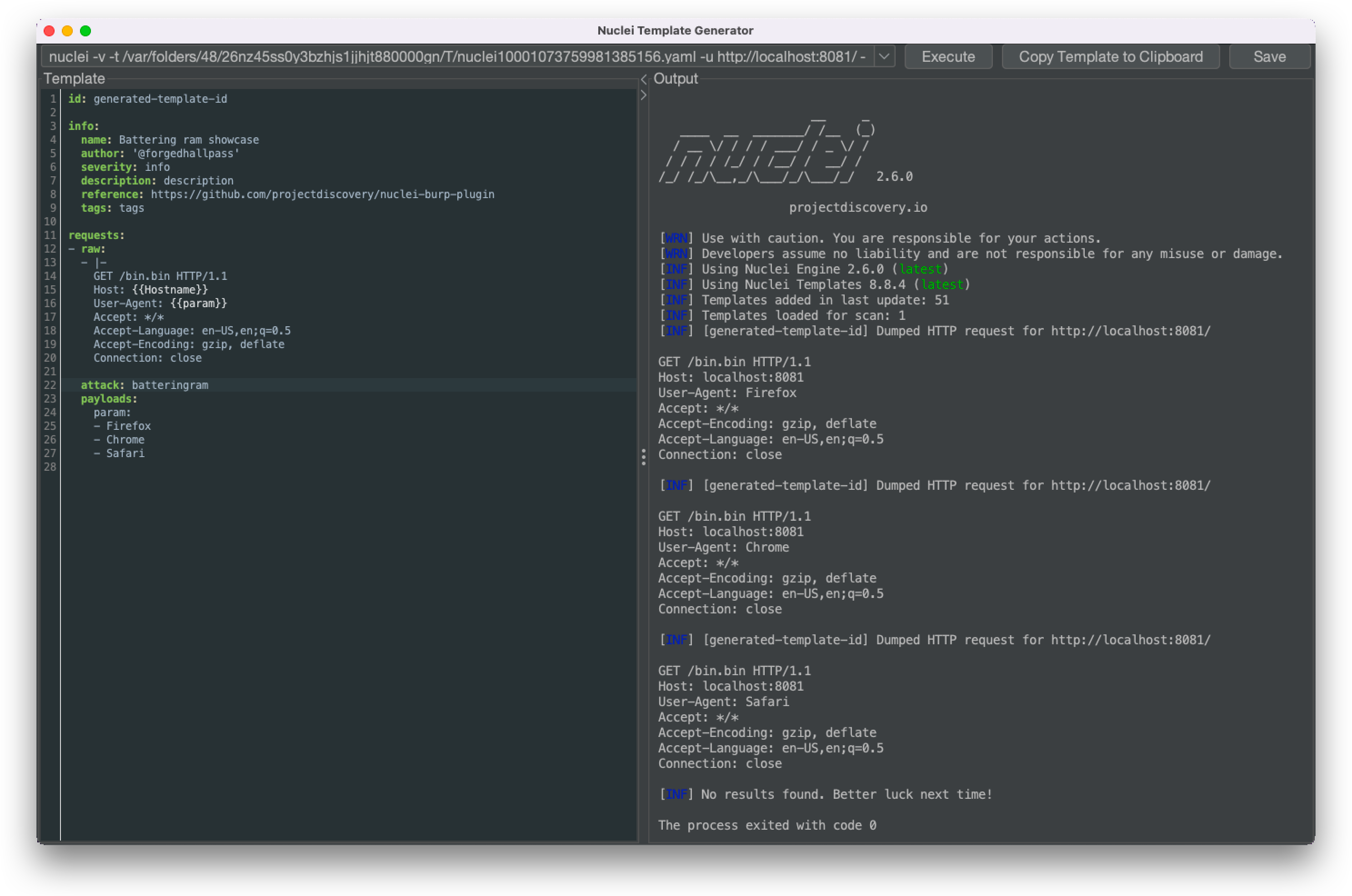
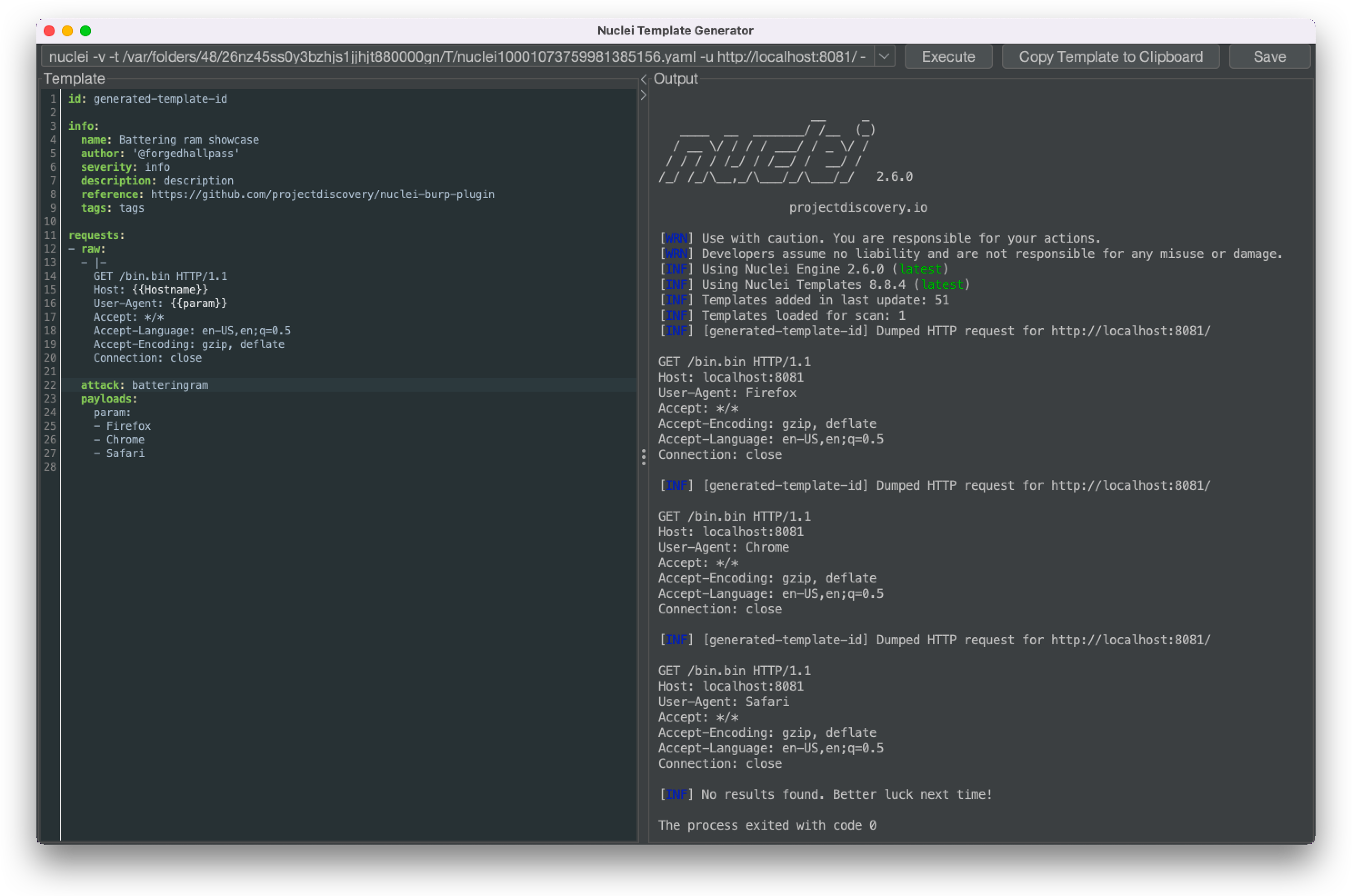
Intruder tab, selected payload positions can be used to generate request templates, using one of the following attack types: Battering ram, Pitchfork or Cluster bomb
- The selected text snippet from an
HTTP request under the Proxy or Repeater tab can be used to generate a request template with the attack type defaulting to Battering ram
- Templates containing multiple requests can be generated by selecting multiple proxy items and clicking generate
Template execution
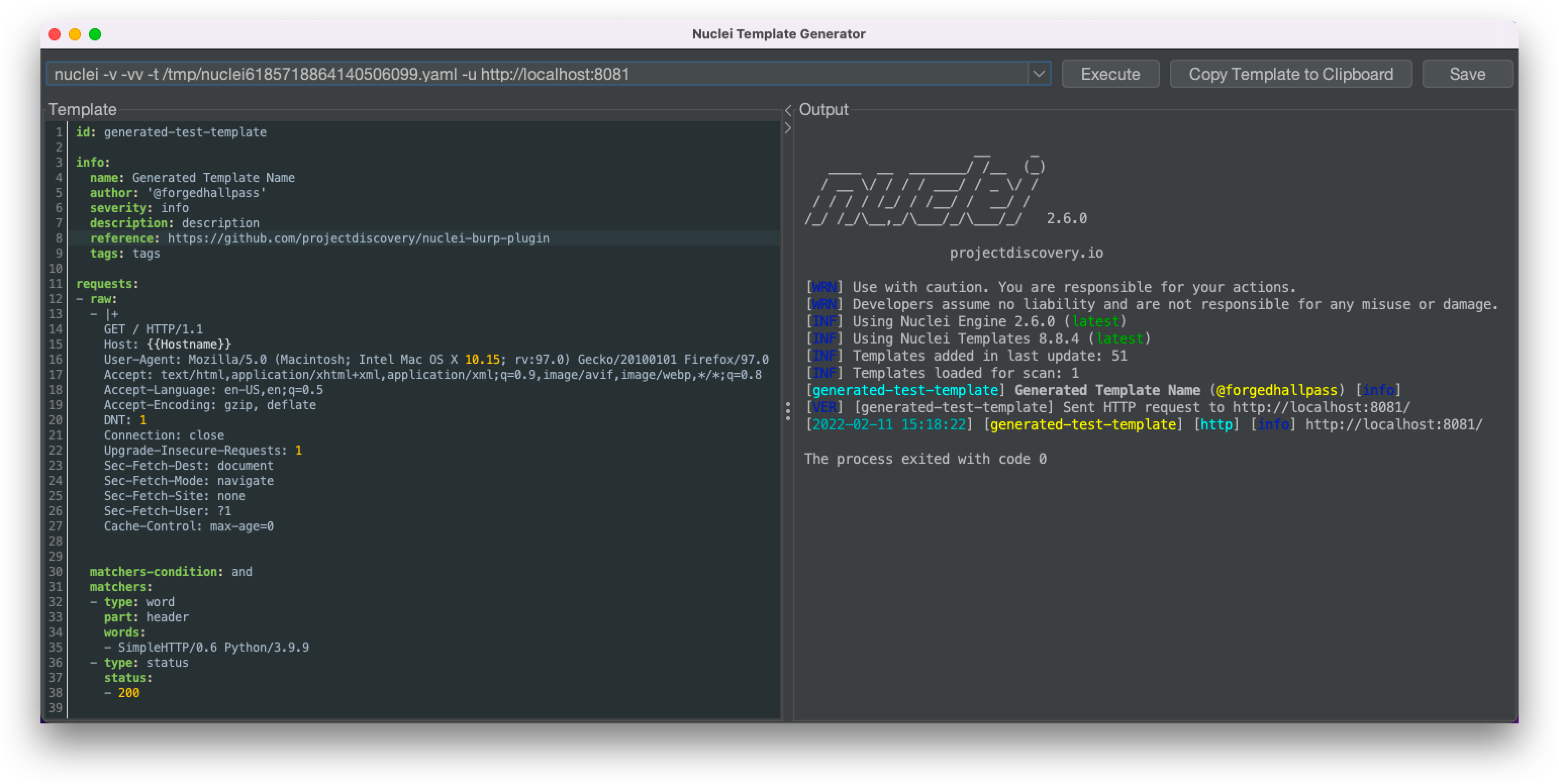
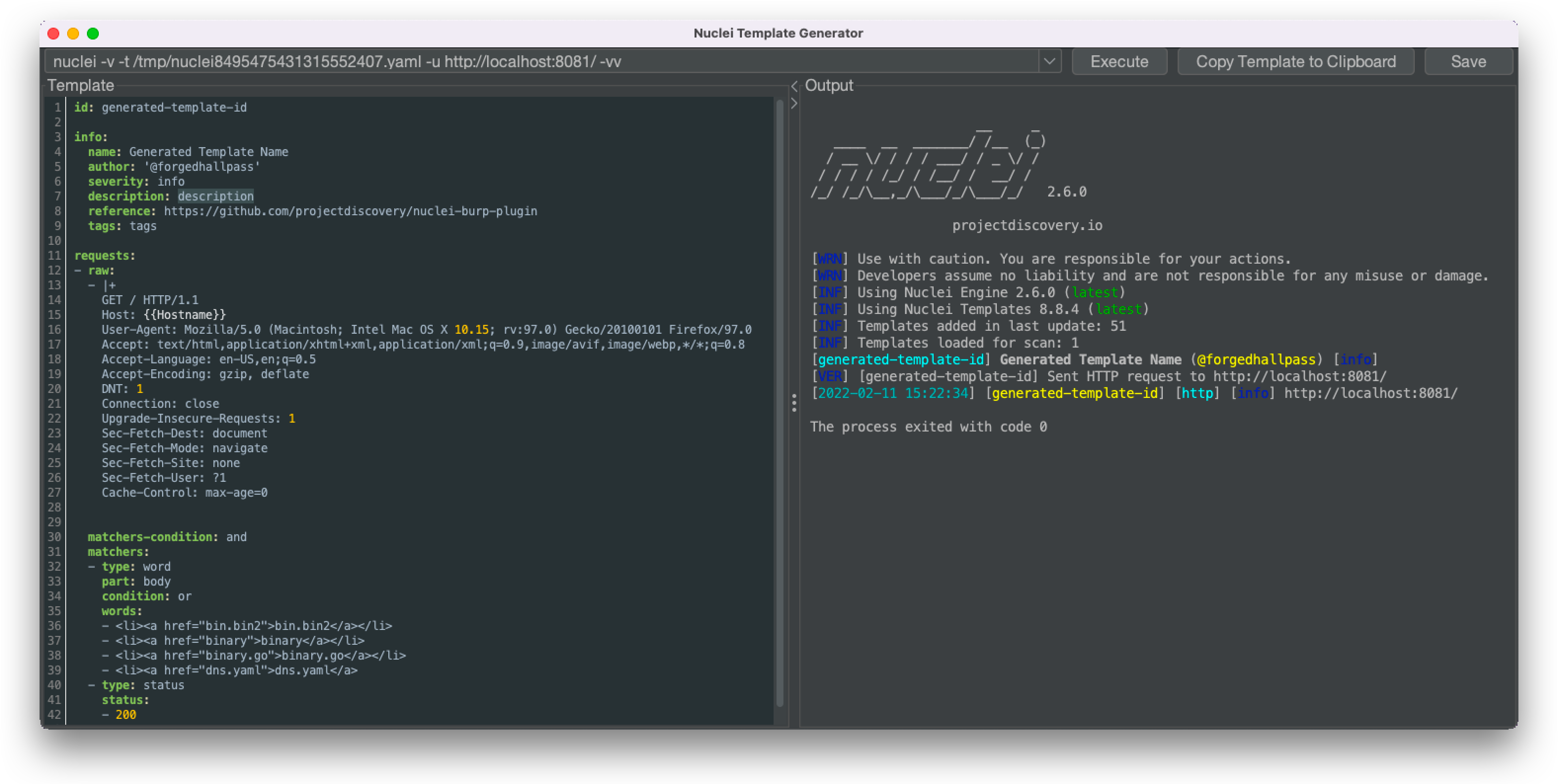
- Generated templates can be executed instantly, and the output is shown in the same window for convenience
- The plugin auto-generates the CLI command, using the absolute nuclei path, absolute template path and target information extracted from the desired request
- History of unique, executed commands are stored, can be quick searched and re-executed within the current session
- CLI flag filtering and completion support can be accessed using the
CTRL + R keyboard shorcut
Experimental features
- (Non-contextual)
YAML property and value auto-complete, using reserved words from the nuclei JSON schema
- Syntax highlighting of
YAML properties, based on reserved words
Productivity
- Almost every action can be triggered using keyboard shortcuts:
- F1: open nuclei template documentation
- Ctrl + Enter: execute current template
- Ctrl + Shift + E: jump to the template editor
- Ctrl + L: jump to the CLI input field
- Ctrl + R: show CLI argument helper
- Ctrl + S: save the current template
- Ctrl + Plus/Minus: increase/decrease font size
- Ctrl + Q: quit
- Tab support:
- Ctrl + Tab or Ctrl + PageDown: open next tab
- Ctrl + Shift + Tab or Ctrl + PageUp: open previous tab
- Ctrl + [1-9]: move to n-th tab
- Mouse Scroll Up/Down over the tabs: navigate to next or previous tab
- Ctrl + W or Middle Mouse Button Click: close current tab
- The template path is auto-updated if the template is saved to a new location
- The
template-id is recommended as file name when saving
Settings
- The plugin attempts to auto-detect and complete the configuration values
- The code searches for the nuclei binary path, using the values from the process's environmental
PATH variable.
Note: the Burp Suite binary, opposed to the stand-alone BurpSuite jar, might not have access to
the current user's PATH variable.
- The target template path is calculated based on the default nuclei template directory, configured under
<USER_HOME>/.config/nuclei/.templates-config.json
- The name of the currently logged-in operating system user is used as a default value for the template author configuration
- The user can decide whether to display the generated template in a dedicated window or embedded under "Generator", within the Nuclei tab
Look and feel
- The template generator window supports Dark and Light themes. The presented theme is chosen based on the selected Burp Suite theme, under
User Options
- Support for colored nuclei output
- Modifiable font size in the template editor and command output
Building the code
Use mvn clean package -DskipTests to build the project yourself. It requires Maven 3.x and Java 11+.
On macOS the dependencies for the plugin can be met using Homebrew: brew install mvn openjdk@11
Alternatively, different builds can be downloaded from the Actions section. The built artifact can be found under the latest build's Artifacts
section. These artifacts are generated after every commit, but are only stored for a limited amount of time.
Installation
By building the code:
- Build the code yourself or download a pre-built/release version
- Go to
Extender in Burp Suite
- Click the
Add button in the Extensions tab
- Leave the
Extension Type on Java
- Select the path to the plugin (
.jar)
Through BApp Store:
- Go to
Extender in Burp Suite
- Select the
BApp Store tab
- Search for Nuclei Template Generator Plugin
- Clink on Install
Note: this plugin does NOT require Burp Suite Professional.
Screenshots
Credits
Created with ❤️ by @forgedhallpass
License
Nuclei and this plugin are distributed under MIT License.
 projectdiscovery/nuclei-burp-plugin