 praetorian-inc/titus
High-performance secrets scanner. CLI, Go library, Burp Suite extension, and Chrome extension. 487 detection rules with live credential validation.



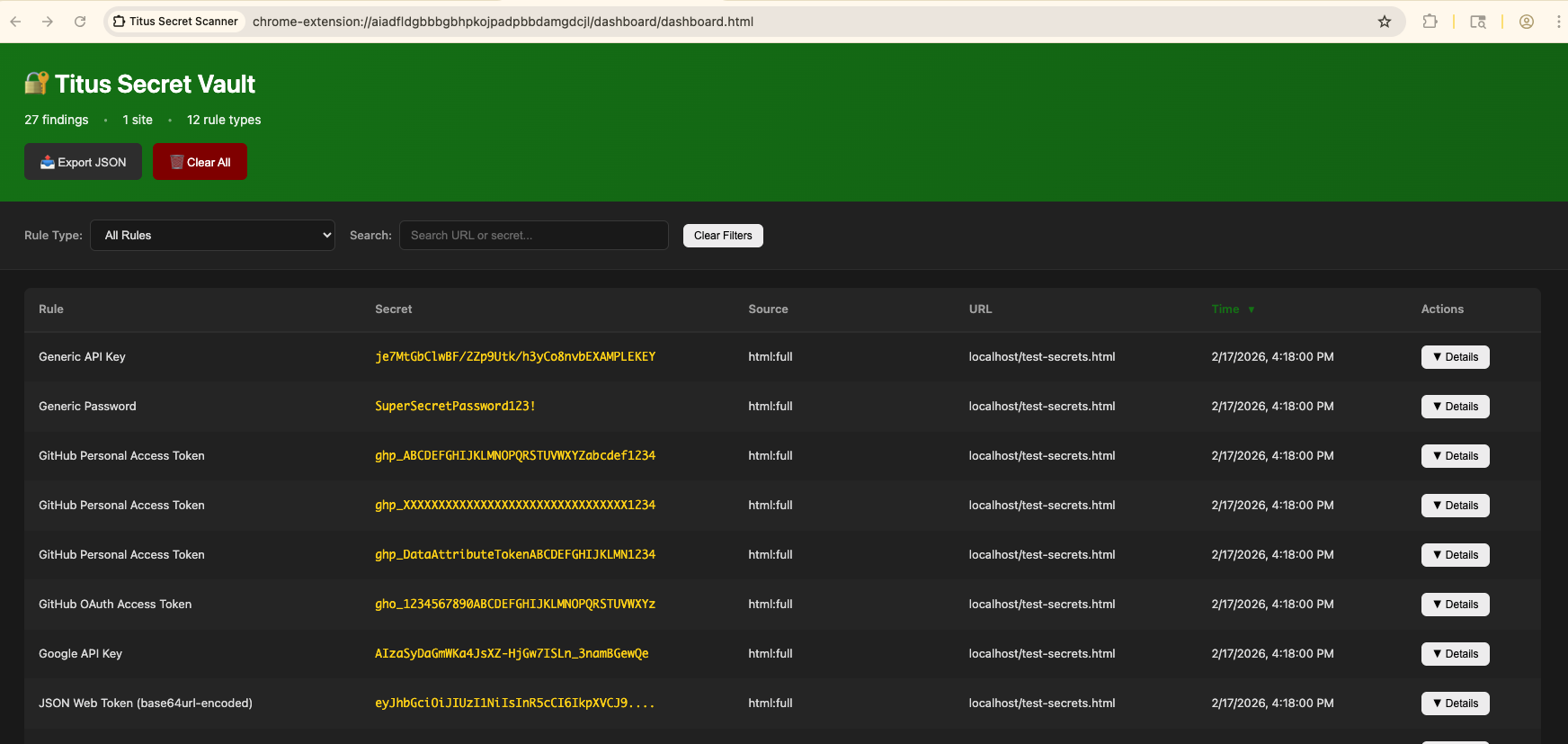
Titus is a high-performance secrets scanner that detects credentials, API keys, and tokens in source code, files, and git history. It ships with 487 detection rules covering hundreds of services and credential types, drawn from NoseyParker and Kingfisher. Titus runs as a CLI, a Go library, a Burp Suite extension, and a Chrome browser extension — all sharing the same detection engine and rule set.
Built for security engineers, penetration testers, and DevSecOps teams, Titus combines Hyperscan/Vectorscan-accelerated regex matching with live credential validation to find and verify leaked secrets across your entire codebase.
Download a prebuilt binary from the Releases page, or build from source:
make build
The binary will be at dist/titus.
# Scan a file for secrets
titus scan path/to/file.txt

# Scan a directory for leaked credentials
titus scan path/to/directory

# Scan a public GitHub repository (no token needed)
titus scan github.com/org/repo

# Scan a public GitLab project (no token needed)
titus scan gitlab.com/namespace/project

# Scan git history for secrets in past commits
titus scan --git path/to/repo

# Scan a Docker / OCI image (pulled from a registry — no docker daemon required)
titus scan --docker alpine:latest

# Validate detected secrets against source APIs
titus scan path/to/code --validate
Results are written to a datastore (titus.ds by default) and printed to the console.
Titus organizes its functionality into these focused subcommands:
titus analyze # Analyze a credential on demand — detect type, validate, score, and enumerate resources
titus enum    # Enumerate remote services for secrets
titus explore # Interactively explore scan results
titus report  # Generate a report from scan results
titus rules   # Manage detection rules
titus scan    # Scan a target for secrets
titus serve   # Run as streaming server for Burp extension integration
titus version # Show version information
Every subcommand accepts --help for its own flags. The top-level titus <provider> forms that predate titus enum <provider> still work, but they are hidden and deprecated rather than aliases, so they are listed in the generated reference instead of here.
The full reference — every subcommand, alias and flag, including the ones hidden from --help — is generated into docs/CLI.md.
Scan public repositories directly by URL — no API token required:
# Scan a GitHub repository
titus scan github.com/kubernetes/kubernetes

# Scan a GitLab project
titus scan gitlab.com/gitlab-org/cli

# Full URLs work too
titus scan https://github.com/org/repo
titus scan https://gitlab.com/namespace/project.git
For organization-wide or user-wide scanning, use the dedicated subcommands:
# Scan all public repos in a GitHub org
titus github --org kubernetes

# Scan all repos in a GitHub org with a token (private repos + higher rate limits)
titus github --org kubernetes --token $GITHUB_TOKEN

# Scan all repos for a GitHub user
titus github --user octocat

# Scan all projects in a GitLab group
titus gitlab scan --group mygroup --token $GITLAB_TOKEN

# Scan a single repo with git history (finds deleted secrets)
titus github scan owner/repo --git
Tokens are optional for public repositories. Set GITHUB_TOKEN or GITLAB_TOKEN (or use --token) for private repository access and higher API rate limits.
Scan container images directly — no docker daemon, no docker binary required. Titus pulls images straight from any OCI registry over HTTPS (using credentials from ~/.docker/config.json), or reads images from a local docker save tarball or OCI image layout directory. It then scans image manifest/config metadata and every regular file in every layer, including lower-layer files deleted by later layers (since secrets can remain recoverable from image history).
# Pull from a registry and scan
titus scan --docker alpine:latest
titus scan docker://ghcr.io/owner/repo:tag

# Scan an image saved to a tarball:
#   docker save my-app:latest -o my-app.tar
#   podman save my-app:latest -o my-app.tar
titus scan --docker ./my-app.tar

# Scan an OCI image layout directory:
#   docker buildx build --output type=oci,dest=./img/ .
#   skopeo copy docker://my-app:latest oci:./img:latest
titus scan --docker ./img/
Authentication uses your existing Docker / Podman config (~/.docker/config.json, ${XDG_RUNTIME_DIR}/containers/auth.json). Private registries that need a fresh login should first be authenticated with docker login (or podman login, or crane auth login) — titus does not prompt for credentials.
Use report to re-read findings from a previous scan:
# Human-readable summary of detected secrets
titus report

# JSON output for programmatic processing
titus report --format json

