 praetorian-inc/fingerprintx
Standalone utility for service discovery on open ports!





Features • Installation • Usage • Running fingerprintx • Using as a library • Why not nmap? • Notes • Acknowledgements
fingerprintx is a utility similar to httpx that also supports fingerprinting services like as RDP, SSH, MySQL, PostgreSQL, Kafka, etc. fingerprintx can be used alongside port scanners like Naabu to fingerprint a set of ports identified during a port scan. For example, an engineer may wish to scan an IP range and then rapidly fingerprint the service running on all the discovered ports.
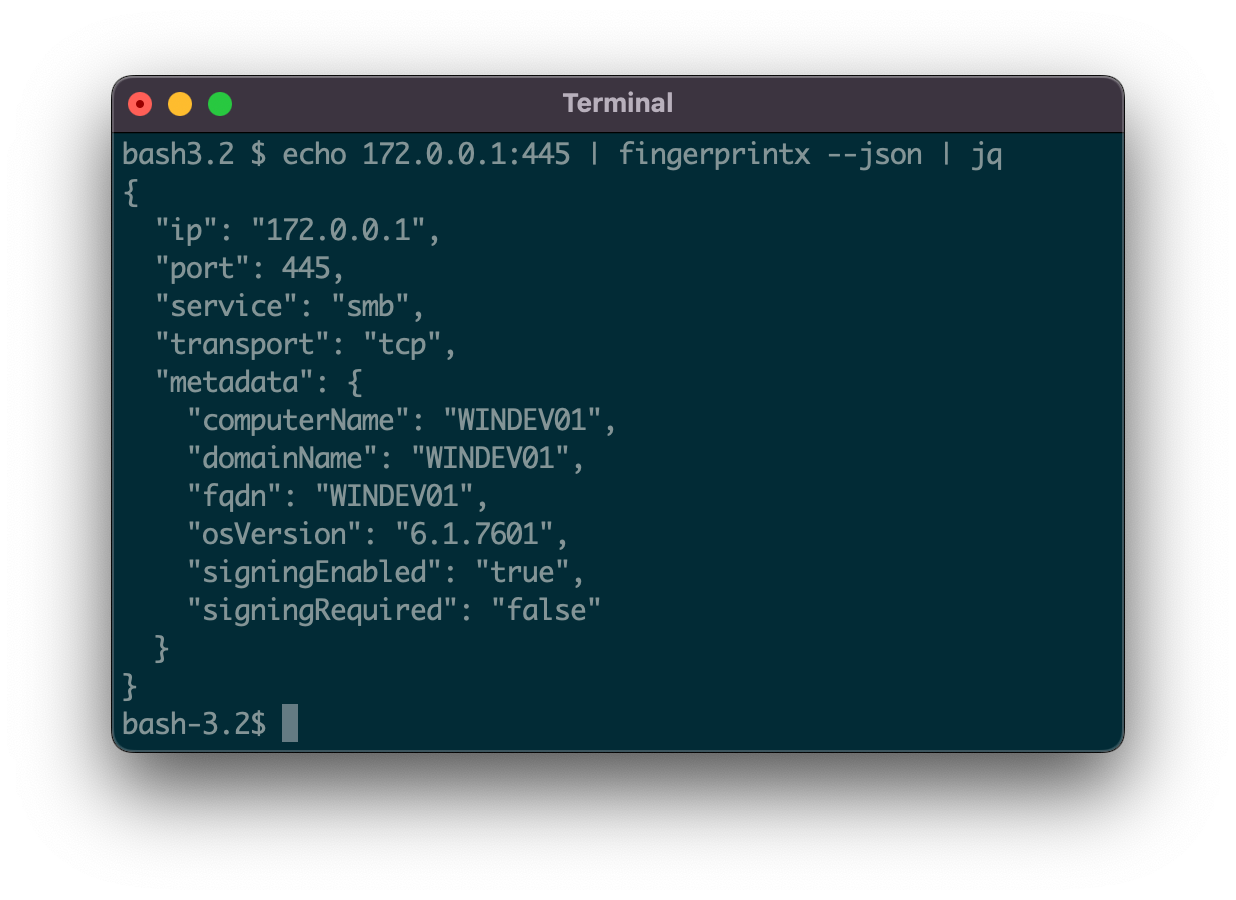
51 service detection plugins supporting TCP and UDP protocols:
| SERVICE | TRANSPORT |
|---|---|
| Cassandra | TCP |
| ChromaDB | TCP |
| CouchDB | TCP |
| DB2 | TCP |
| DHCP | UDP |
| Diameter | TCP |
| DNS | TCP/UDP |
| Echo | TCP |
| Elasticsearch | TCP |
| Firebird | TCP |
| FTP | TCP |
| HTTP/HTTPS | TCP |
| IMAP | TCP |
| InfluxDB | TCP |
| IPMI | TCP |
| IPSEC | UDP |
| Java RMI | TCP |
| JDWP | TCP |
| Kafka | TCP |
| LDAP | TCP |
| Linux RPC | TCP |
| Memcached | TCP |
| Milvus | TCP |
| Modbus | TCP |
| MongoDB | TCP |
| MQTT | TCP |
| MSSQL | TCP |
| MySQL | TCP |
| Neo4j | TCP |
| NetBIOS-NS | UDP |
| NTP | UDP |
| OpenVPN | UDP |
| OracleDB | TCP |
| Pinecone | TCP |
| POP3 | TCP |
| PostgreSQL | TCP |
| RDP | TCP |
| Redis | TCP |
| Rsync | TCP |
| RTSP | TCP |
| SMB | TCP |
| SMPP | TCP |
| SMTP | TCP |
| SNMP | UDP |
| SNPP | TCP |
| SSH | TCP |
| STUN | UDP |
| Sybase | TCP |
| Telnet | TCP |
| VNC | TCP |
From Github
go install github.com/praetorian-inc/fingerprintx/cmd/fingerprintx@latest
From source (go version > 1.18)
$ git clone [email protected]:praetorian-inc/fingerprintx.git
$ cd fingerprintx

# with go version > 1.18
$ go build ./cmd/fingerprintx
$ ./fingerprintx -h
Docker
$ git clone [email protected]:praetorian-inc/fingerprintx.git
$ cd fingerprintx

# build
docker build -t fingerprintx .

# and run it
docker run --rm fingerprintx -h
docker run --rm fingerprintx -t praetorian.com:80 --json
fingerprintx -h
The -h option will display all of the supported flags for fingerprintx.
Usage:
  fingerprintx [flags]
TARGET SPECIFICATION:
	Requires a host and port number or ip and port number. The port is assumed to be open.
	HOST:PORT or IP:PORT
EXAMPLES:
	fingerprintx -t praetorian.com:80
	fingerprintx -l input-file.txt
	fingerprintx --json -t praetorian.com:80,127.0.0.1:8000

Flags:
      --csv               output format in csv
  -f, --fast              fast mode
  -h, --help              help for fingerprintx
      --json              output format in json
  -l, --list string       input file containing targets
  -o, --output string     output file
  -t, --targets strings   target or comma separated target list
  -w, --timeout int       timeout (milliseconds) (default 500)
  -U, --udp               run UDP plugins
  -v, --verbose           verbose mode
The fast mode will only attempt to fingerprint the default service associated with that port for each target. For example, if praetorian.com:8443 is the input, only the https plugin would be run. If https is not running on praetorian.com:8443, there will be NO output. Why do this? It's a quick way to fingerprint most of the services in a large list of hosts (think the 80/20 rule).
With one target:
$ fingerprintx -t 127.0.0.1:8000
http://127.0.0.1:8000
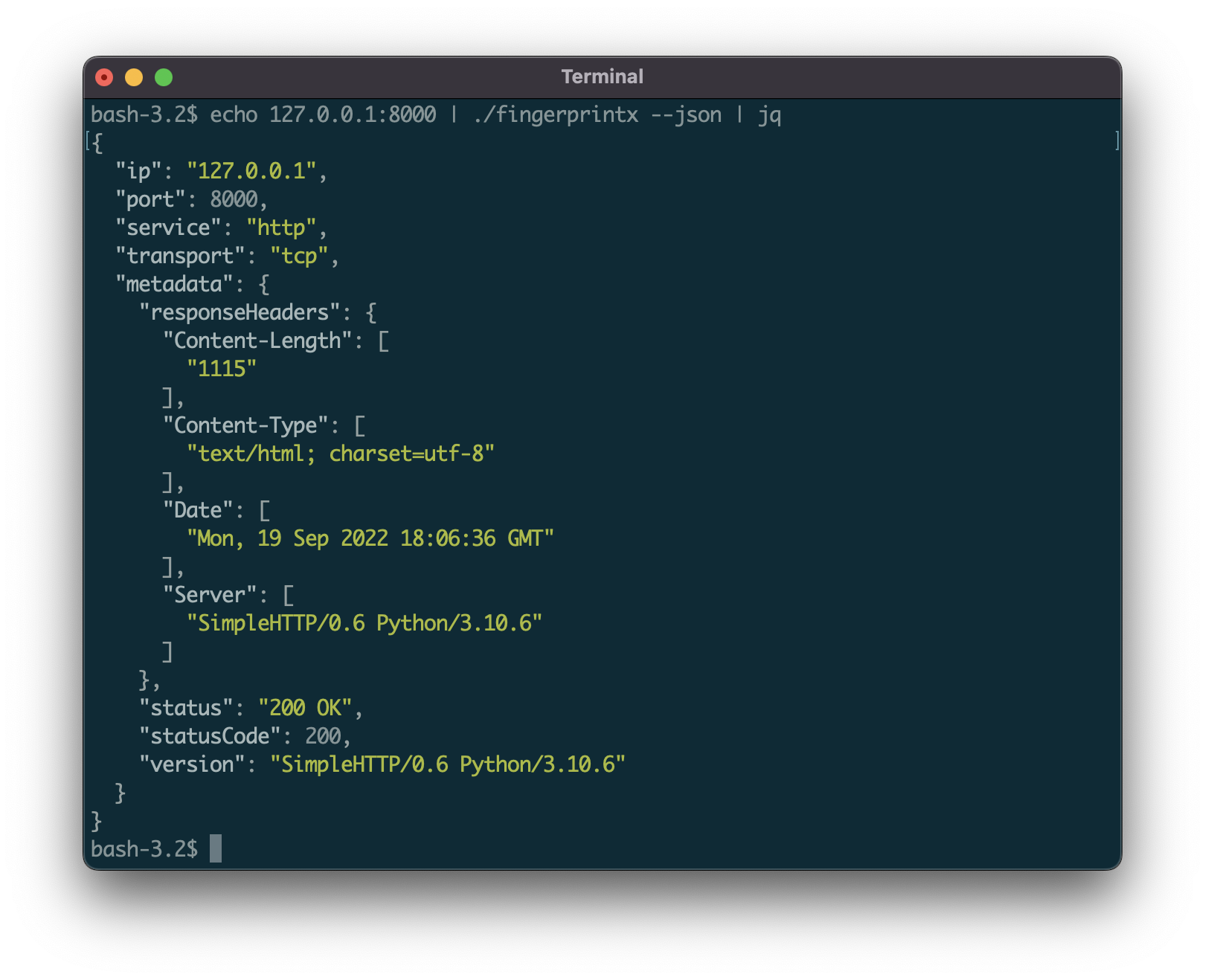
By default, the output is in the form: SERVICE://HOST:PORT. To get more detailed service output specify JSON with the --json flag:
$ fingerprintx -t 127.0.0.1:8000 --json
{"ip":"127.0.0.1","port":8000,"service":"http","transport":"tcp","metadata":{"responseHeaders":{"Content-Length":["1154"],"Content-Type":["text/html; charset=utf-8"],"Date":["Mon, 19 Sep 2022 18:23:18 GMT"],"Server":["SimpleHTTP/0.6 Python/3.10.6"]},"status":"200 OK","statusCode":200,"version":"SimpleHTTP/0.6 Python/3.10.6"}}
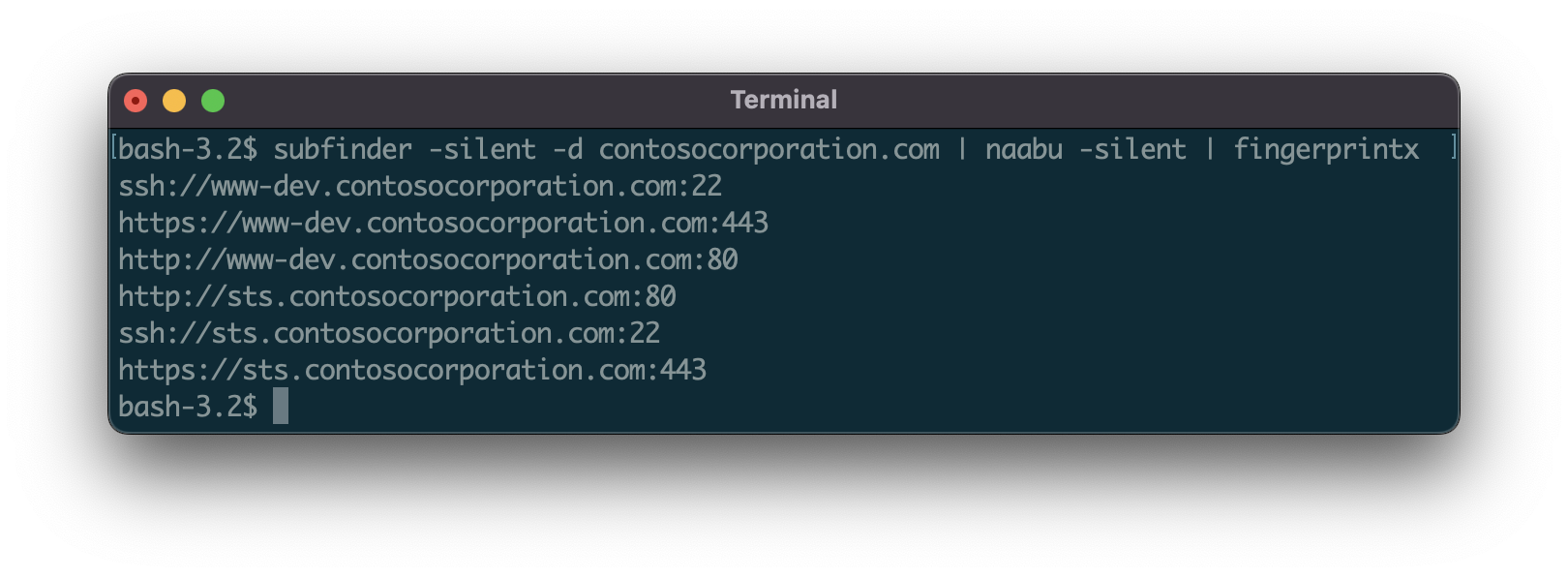
Pipe in output from another program (like naabu):
$ naabu 127.0.0.1 -silent 2>/dev/null | fingerprintx
http://127.0.0.1:8000
ftp://127.0.0.1:21
Run with an input file:
$ cat input.txt | fingerprintx
http://praetorian.com:80
telnet://telehack.com:23

# or if you prefer
$ fingerprintx -l input.txt
http://praetorian.com:80
telnet://telehack.com:23
With more metadata output:
$ cat input.txt | fingerprintx --json
{"host":"praetorian.com","ip":"146.148.61.165","port":80,"service":"http","transport":"tcp","metadata":{"responseHeaders":{"Connection":["keep-alive"],"Content-Type":["text/html"],"Date":["Mon, 19 Sep 2022 18:37:55 GMT"],"Etag":["W/\"5e3e263f-1703\""],"Keep-Alive":["timeout=20"],"Server":["nginx"],"Vary":["Accept-Encoding"]},"status":"404 Not Found","statusCode":404,"version":"nginx"}}
{"host":"telehack.com","ip":"64.13.139.230","port":23,"service":"telnet","transport":"tcp","metadata":{"serverData":"fffb03"}}
