 pl4tyz/cve-2025-53652-jenkins-git-parameter-analysis
CVE-2025-53652: Jenkins Git Parameter Analysis

This vulnerability arises because user-controlled input from Jenkins build parameters is injected unsafely into the Git checkout command.
User input is provided as a build parameter (e.g., gitParameters), which can contain malicious shell commands.
This parameter is wrapped into a GitParameterValue (extending StringParameterValue), whose buildEnvironment() method exposes it as an environment variable in the build context without sanitization.
During the SCM checkout process, Jenkins loads the build environment variables via build.getEnvironment().
The branch name used for the checkout (localBranchName) is obtained from these environment variables.
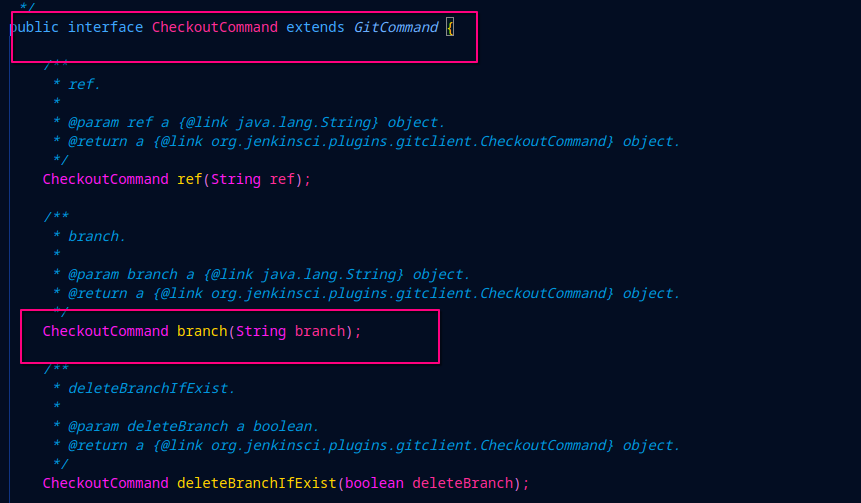
The branch name is then passed directly to the CheckoutCommand.branch() method.
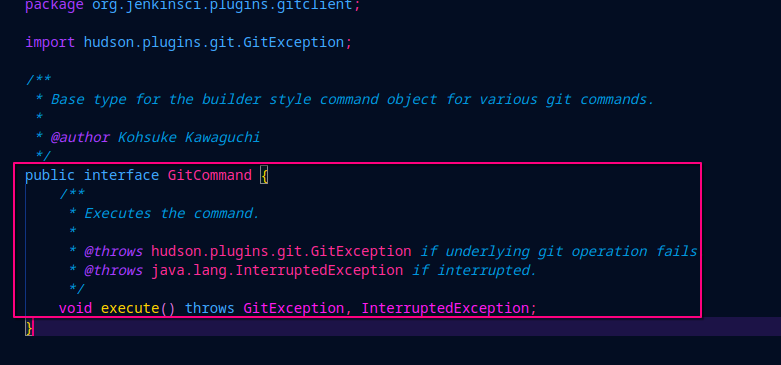
Finally, CheckoutCommand.execute() invokes the underlying Git CLI command, which concatenates the branch name without validation or escaping.
This enables command injection, allowing an attacker to execute arbitrary shell commands on the Jenkins build host.
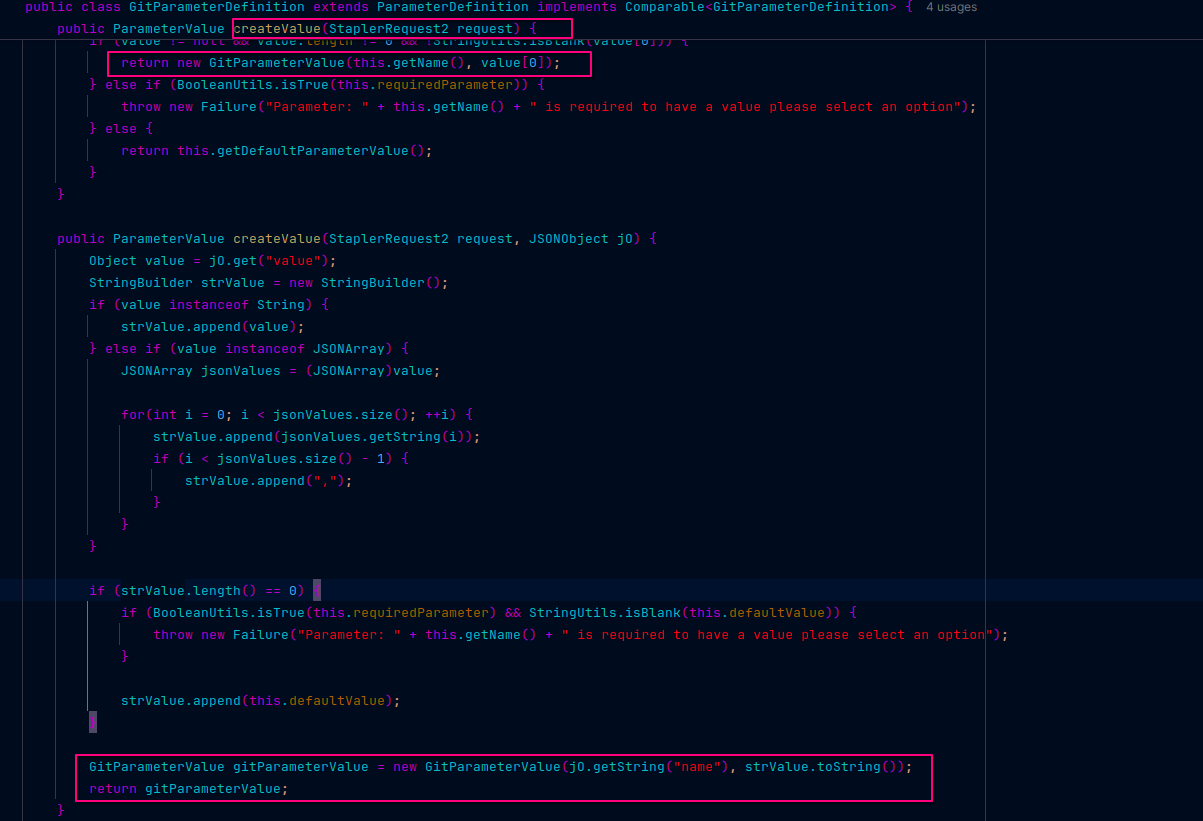
The method createValue that handles user input (e.g., from the HTTP POST JSON payload),This is where Jenkins accepts user-supplied parameter values via the request (for example, "selected": "master; rm -rf /").
The input is wrapped into a GitParameterValue, which extends StringParameterValue, without input sanitization or validation.
This means raw user data is accepted as a build parameter and stored as a ParameterValue instance.
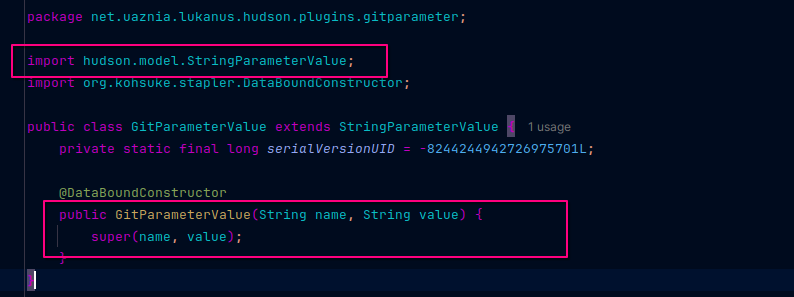
The GitParameterValue class extending StringParameterValue, GitParameterValue inherits from StringParameterValue but adds no sanitization.
The constructor chain means the user input is now stored in an object that will later be used by Jenkins to build environment variables.
This propagates malicious input into Jenkins' build environment variables.
 "
"
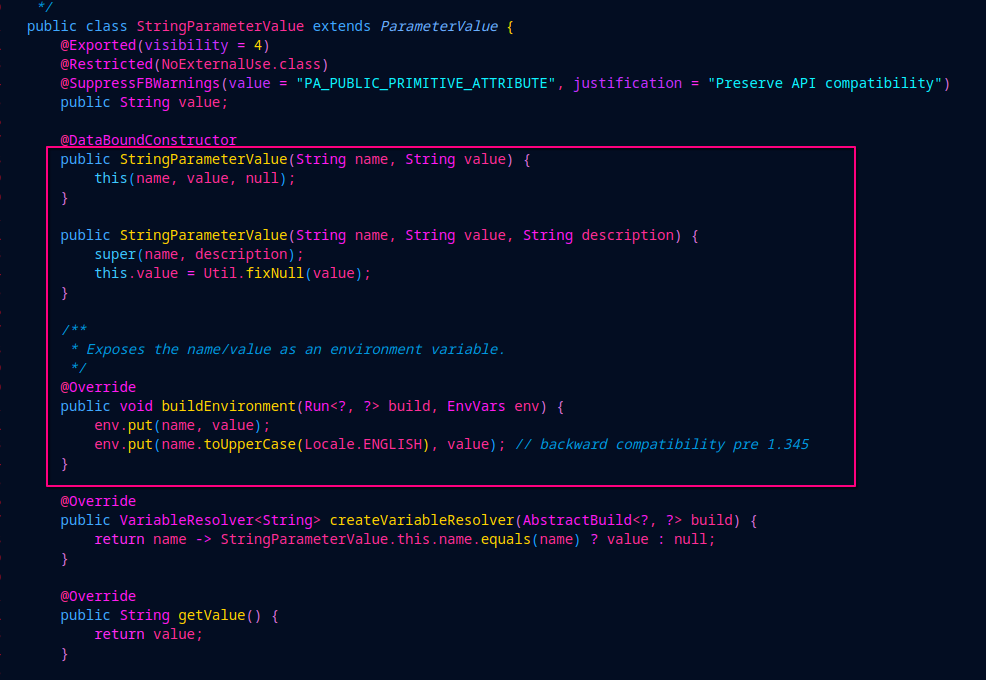
The StringParameterValue class and its buildEnvironment method, This method is crucial — it exposes the parameter as environment variables in the build context by doing
 "
"
env.put(name, value);
env.put(name.toUpperCase(Locale.ENGLISH), value);
Since the value is unsanitized user input, it allows malicious input to enter Jenkins’ environment variables, making it accessible to later processes like Git commands.
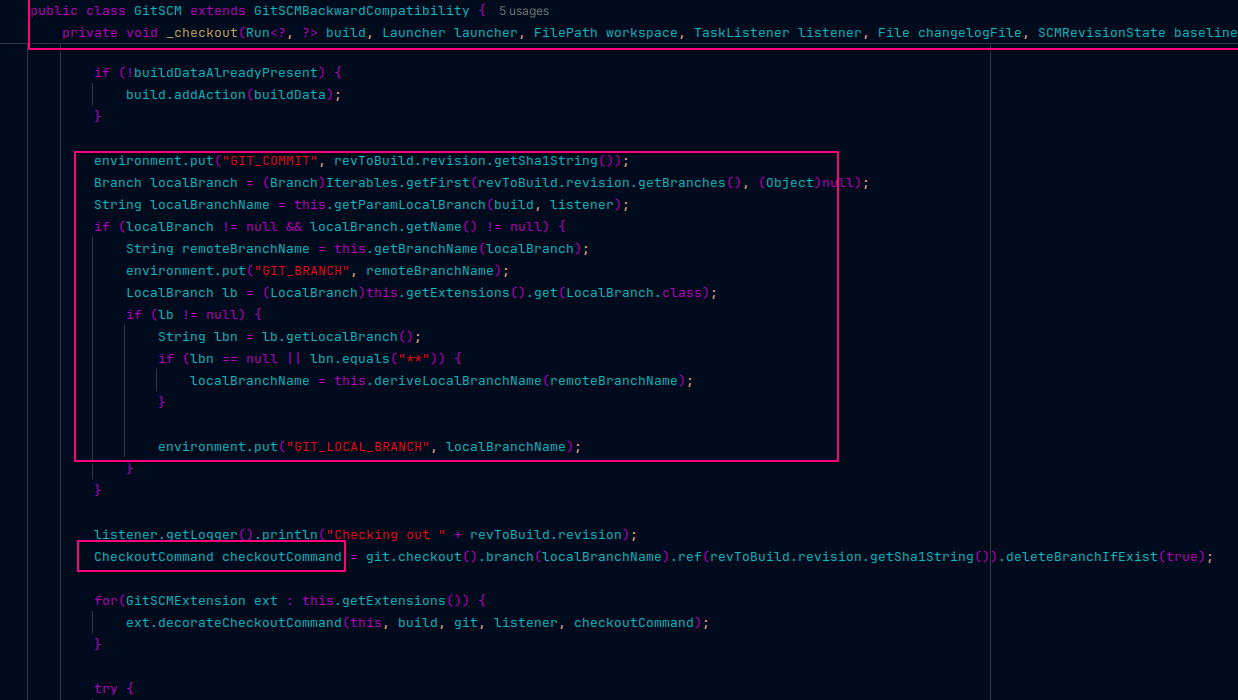
The _checkout method in the GitSCM plugin, This method calls build.getEnvironment(listener), which collects environment variables including the malicious one set earlier.
It uses these variables to get the branch name (via localBranchName), which is then passed to the CheckoutCommand.
The environment variable from the malicious parameter flows directly into the checkout process.
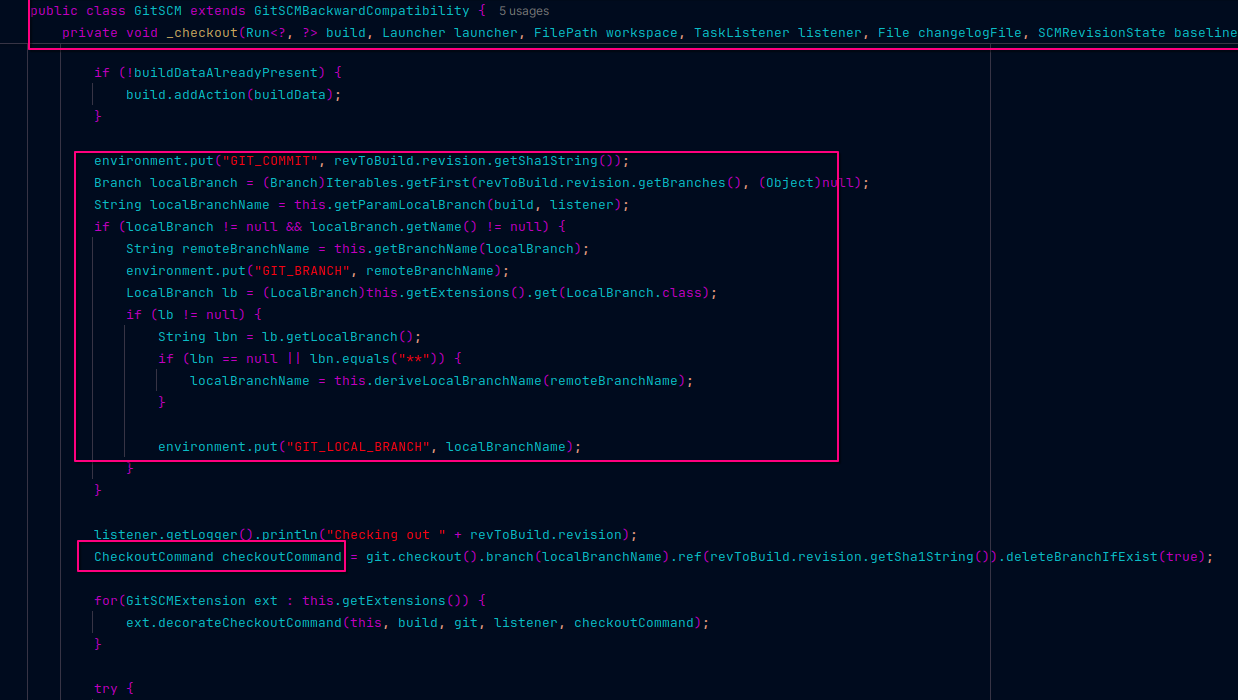
The creation of the CheckoutCommand and setting the branch/ref with the user input, The CheckoutCommand.branch(localBranchName) uses the unsanitized environment variable.
Since localBranchName came from user-controlled env vars, it injects arbitrary commands into the checkout, This sets the stage for command injection when execute() is called.
The CheckoutCommand.execute() method which runs the Git CLI command, This is the final step where the injected branch string is passed directly to the system’s Git CLI without escaping or sanitization, As a result, the malicious payload is executed as shell commands, enabling remote code execution on the Jenkins host.
This analysis reveals how Jenkins’ Git Parameter Plugin, combined with the Git SCM plugin, can lead to a critical command injection vulnerability. By unsafely exposing user-controlled parameter values as environment variables and subsequently passing them directly to Git CLI commands without proper sanitization, attackers can execute arbitrary commands on the Jenkins build server.
This chain of trust breakdown—from the initial malicious JSON payload to the final shell execution—highlights the importance of strict input validation and secure handling of build parameters in continuous integration systems.
Users and administrators should ensure they are running updated versions of Jenkins and all plugins, and carefully audit any parameters that influence shell commands. Mitigations such as input sanitization, whitelisting allowed branches, or isolating build environments can reduce the risk.
Understanding this flow equips security professionals and developers with the insight needed to detect, prevent, and remediate similar injection vulnerabilities in Jenkins or comparable CI/CD platforms.
