 pion/handoff
Start WebRTC in the browser—run it somewhere else





WebRTC is the real-time communication technology used for real-time media streaming. Used for things like Google Meet, Discord and Zoom on the web.
With Handoff you create your WebRTC session in the browser, but then move it to a process you control. This lets you do a few interesting things.
handoff and save media as it passes through.sequenceDiagram
participant Handoff
participant Browser
participant Website
Browser->>Website: Authenticate and use the site normally
Website->>Browser: WebRTC Signaling
Note over Browser: WebRTC API is mocked
Browser->>Handoff: Forward Signaling
Handoff->>Website: Establish WebRTC session
See examples directory. examples/datachannel shows a normal page with an
optional override, examples/media-save saves VP8 video on the backend while
still showing it in the browser, examples/media-send forwards VP8 RTP from
the backend into the browser, and examples/greasemonkey generates a
userscript that overrides RTCPeerConnection automatically.
Typically you will install the greasemonkey script and then run one of the examples.
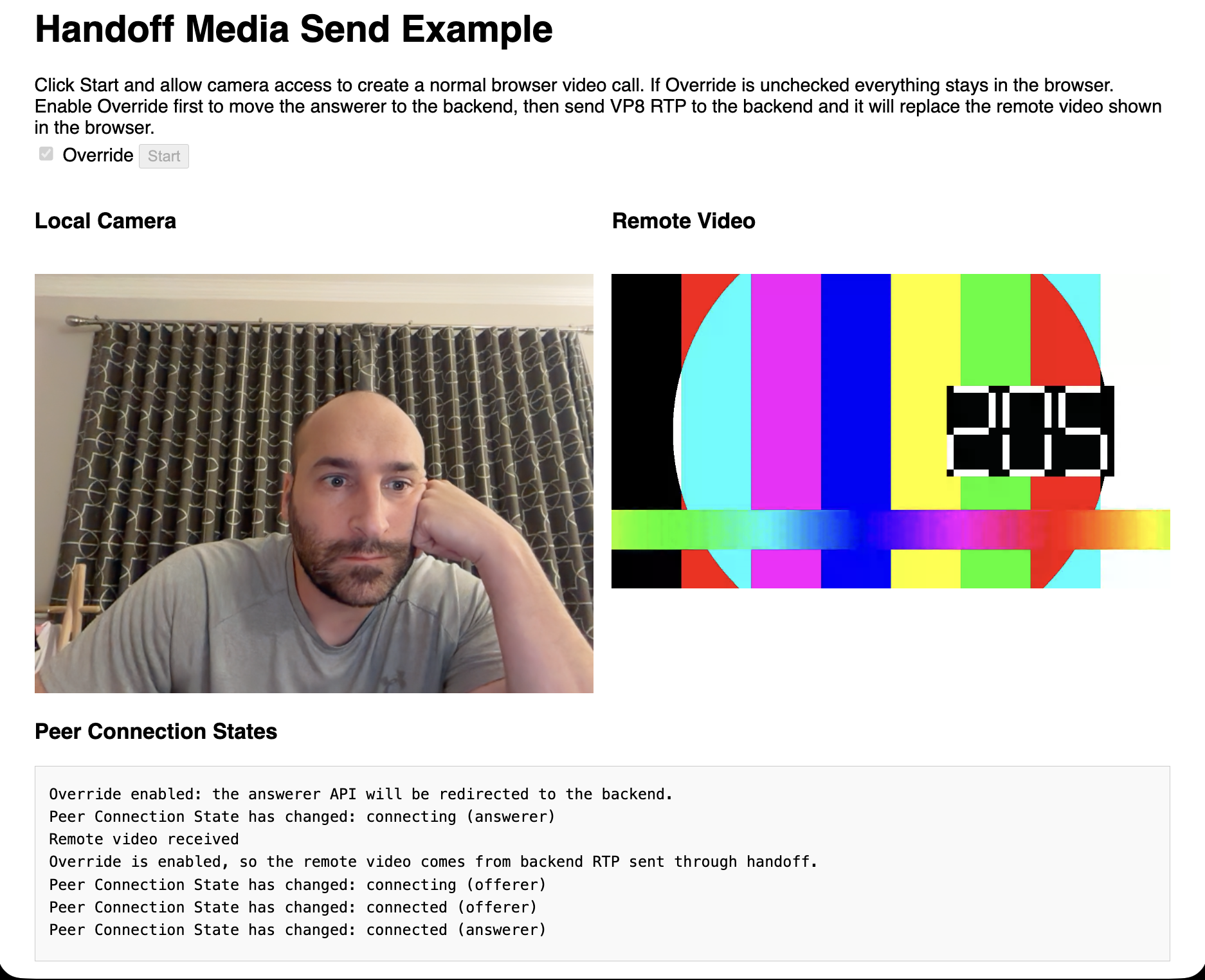
Below is an example of sending a users webcam to a WebRTC service, but replacing outgoing video with a ffmpeg testsrc. Handoff sits between the users so it can replace with any arbitrary video.
Pion has an active community on the Discord.
Follow the Pion Bluesky or Pion Twitter for project updates and important WebRTC news.
We are always looking to support your projects. Please reach out if you have something to build! If you need commercial support or don't want to use public methods you can contact us at [email protected]
Check out the contributing wiki to join the group of amazing people making this project possible
MIT License - see LICENSE for full text
