
Skip to content
KitploitKITPLOIT
ToolsExploitsBlog
Log in
Submit
ToolsExploitsBlog
Submit

Hacking, PenTest, and Cybersecurity Tools for Your Security Arsenal!

Kitploit is a directory of hacking, cybersecurity, and pentesting tools. Discover the latest project updates to find vulnerabilities, analyze systems, automate testing, and strengthen your security.

··Feeds·Contact·Privacy·© 2026 Kitploit

Tool Directory

Categories

View all categories
Loading categories
informer — A Telegram Mass Surveillance Bot in Python | Kitploit
Tools/GitHubGitHub/paulpierre/informer
OSINT (Open Source Intelligence)Impersonation ToolsData ExfiltrationInformation GatheringSocial EngineeringCrawler
GitHubpaulpierre/informer

informer

A Telegram Mass Surveillance Bot in Python

View Repository
1.7k2432811 months agoReviewed by Kitploit

Most Popular

View all →

Discover the most used tools by our community.

Explore all tools

Browse our collection of tools

View all tools →
Share
Website

image

Informer - Telegram Mass Surveillance

Update 10-20-2025

  • Security: Fixed high-severity vulnerability CVE-2022-1941 in mysql-connector-python
  • Security: Migrated from deprecated oauth2client to google-auth
  • Updated all dependencies to latest secure versions
  • Fixed quick_start.sh script bugs (venv creation and account_id parameter)
  • Fixed Docker MySQL connection issues for cross-platform compatibility
  • Improved Google Sheets setup documentation

Update 08-23-2021

  • Updated to latest Telethon 1.23.0
  • Fixed database issues by migrating to docker-compose
  • Made Google Spreadsheets optional in setup
  • Secure ENV files for setup
  • Easier setup
  • Replaced docker-compose in lieu of App Engine bc AE sux

About

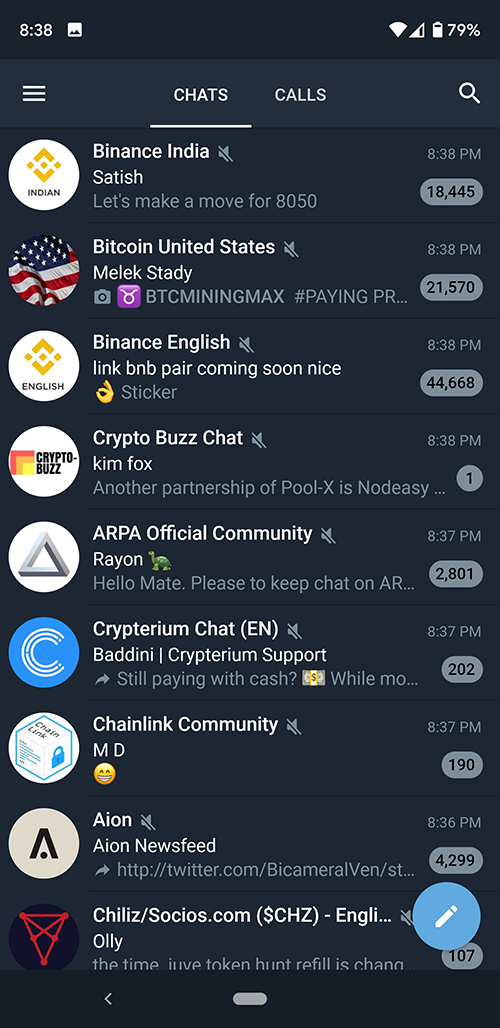
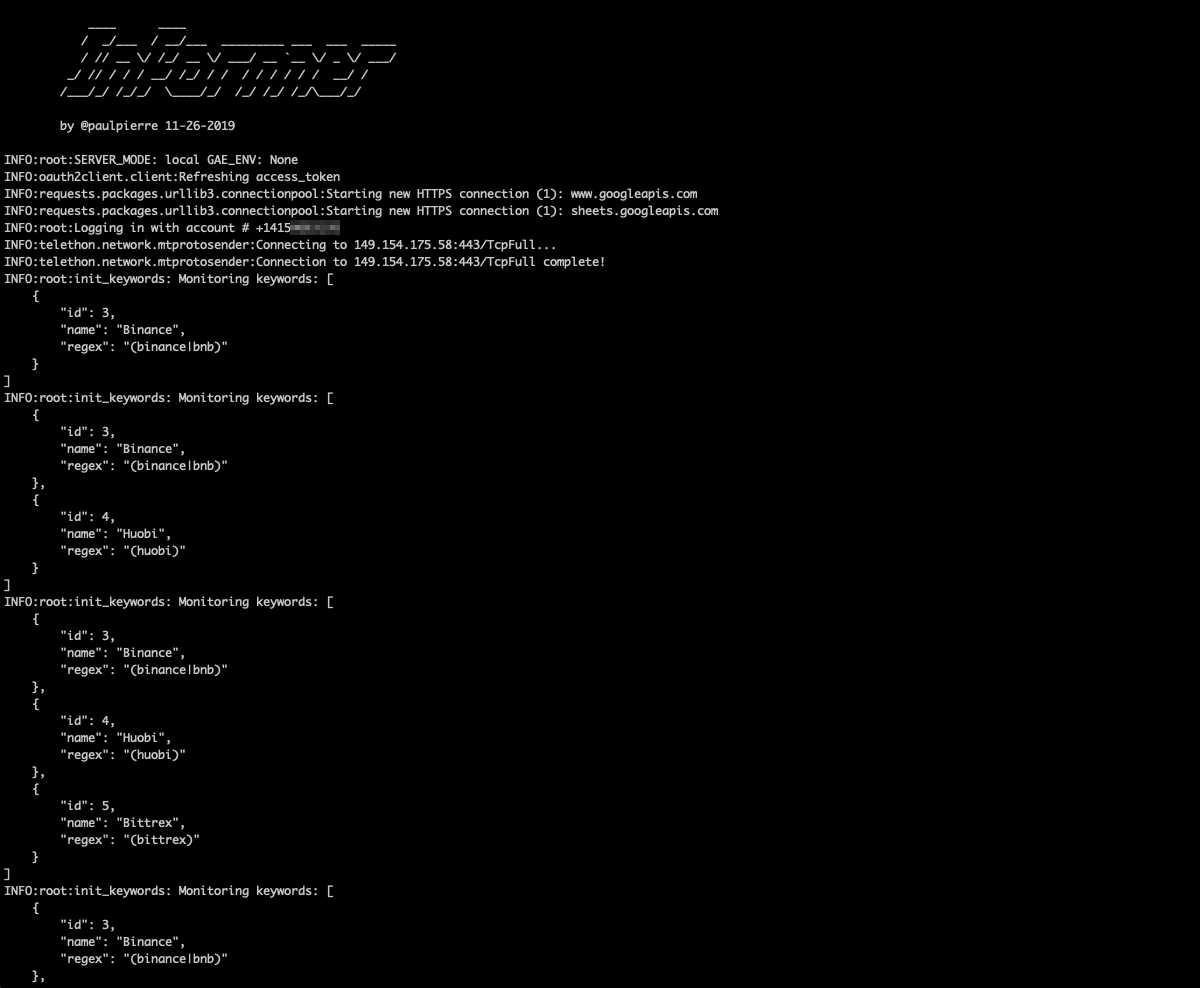
Informer (TGInformer) is a bot library that allows you to masquerade as multiple REAL users on telegram and spy on 500+ Telegram channels per account. Details are logged to a MySQL database, a private Google Sheet and your own private channel for analysis.

This is a functioning proof-of-concept project with known bugs. Feel free to fork, share and drop me a line.

image

Potential Business Applications

  • Sock puppeteering to overthrow a despotic regime
  • Brand monitoring and sentiment analysis
  • Shilling cryptocurrency at a moments notice for financial gain
  • Influencing sentiment on topical issues
  • Getting in on price action early
  • Running analysis of a telegram channel

Features

  • Run all your bots in the cloud while you sleep. Support for Docker Compose

image

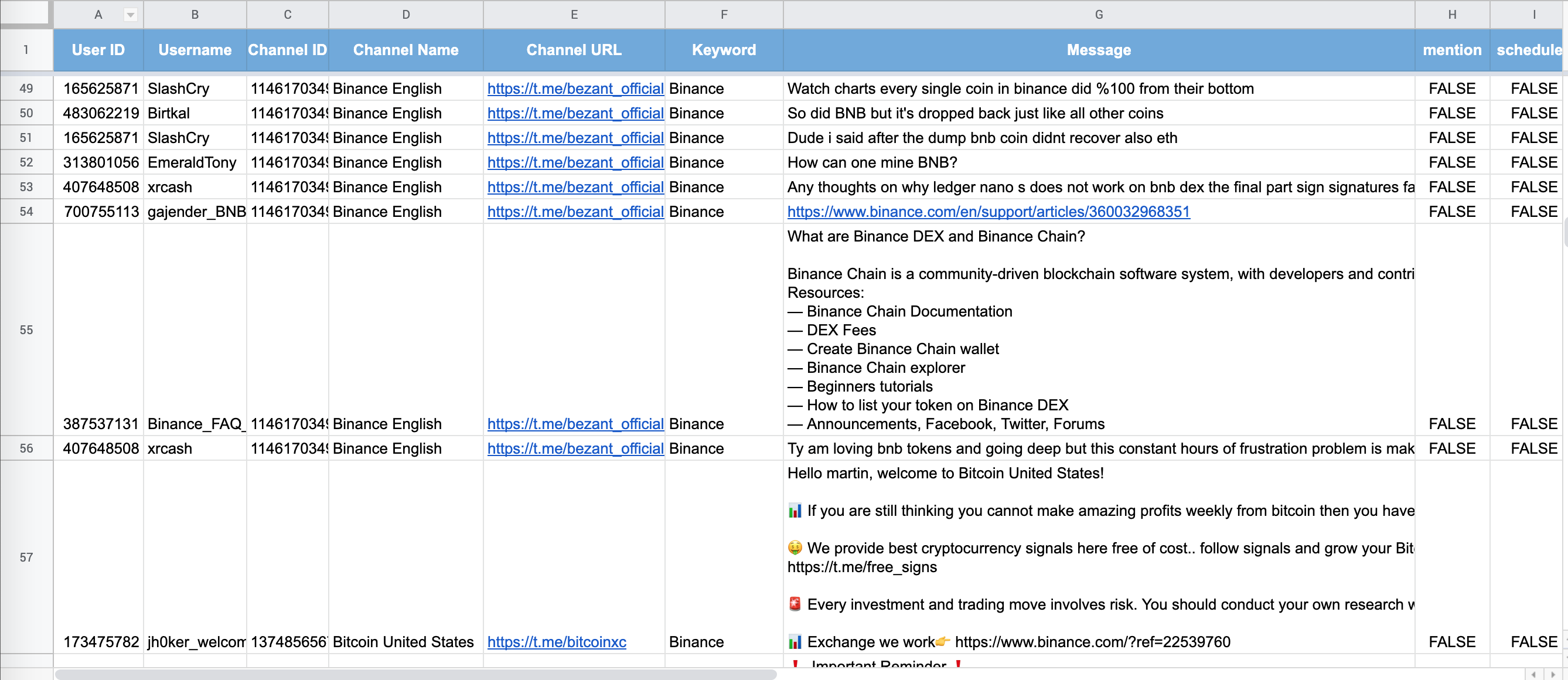
  • Write all notifications to private Google Sheet

image

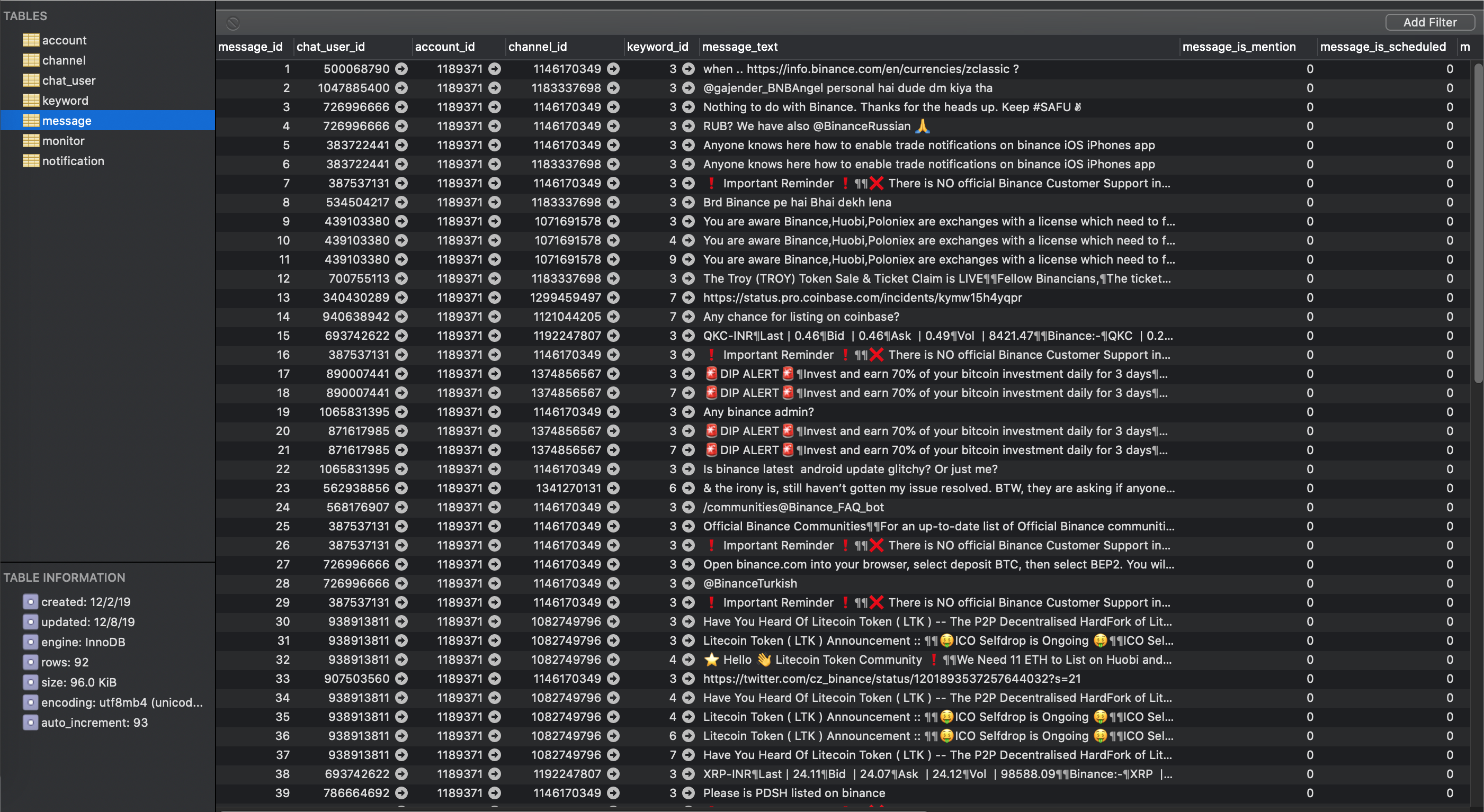
  • Supports regular expressions for keyword filtering

  • SQLAlchemy for agnostic data persistence
image

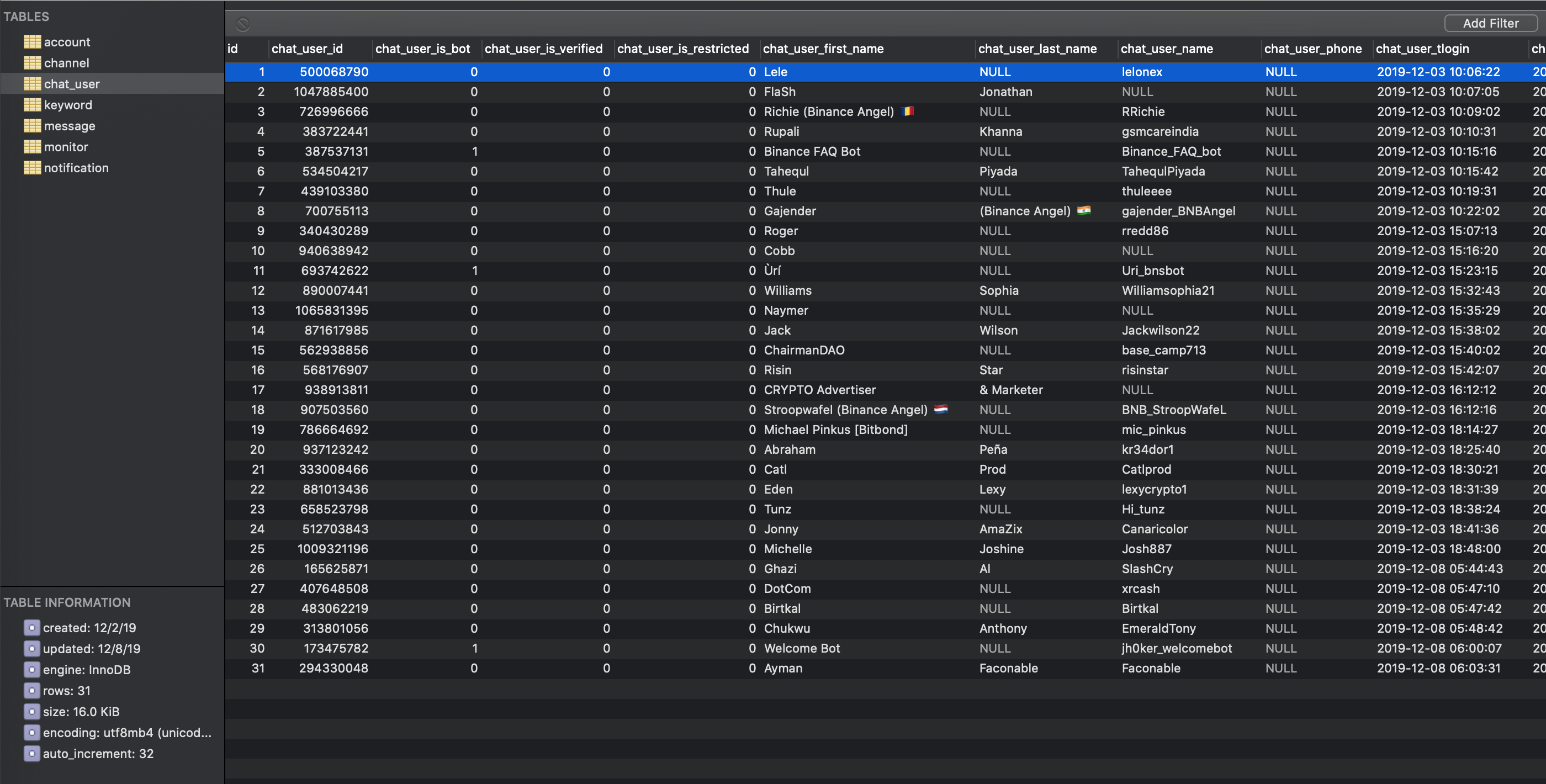
  • Logging contextual message and channel data to a private channel and database

  • Stores meta information about sender of message, channel, number of participants in the channel
image

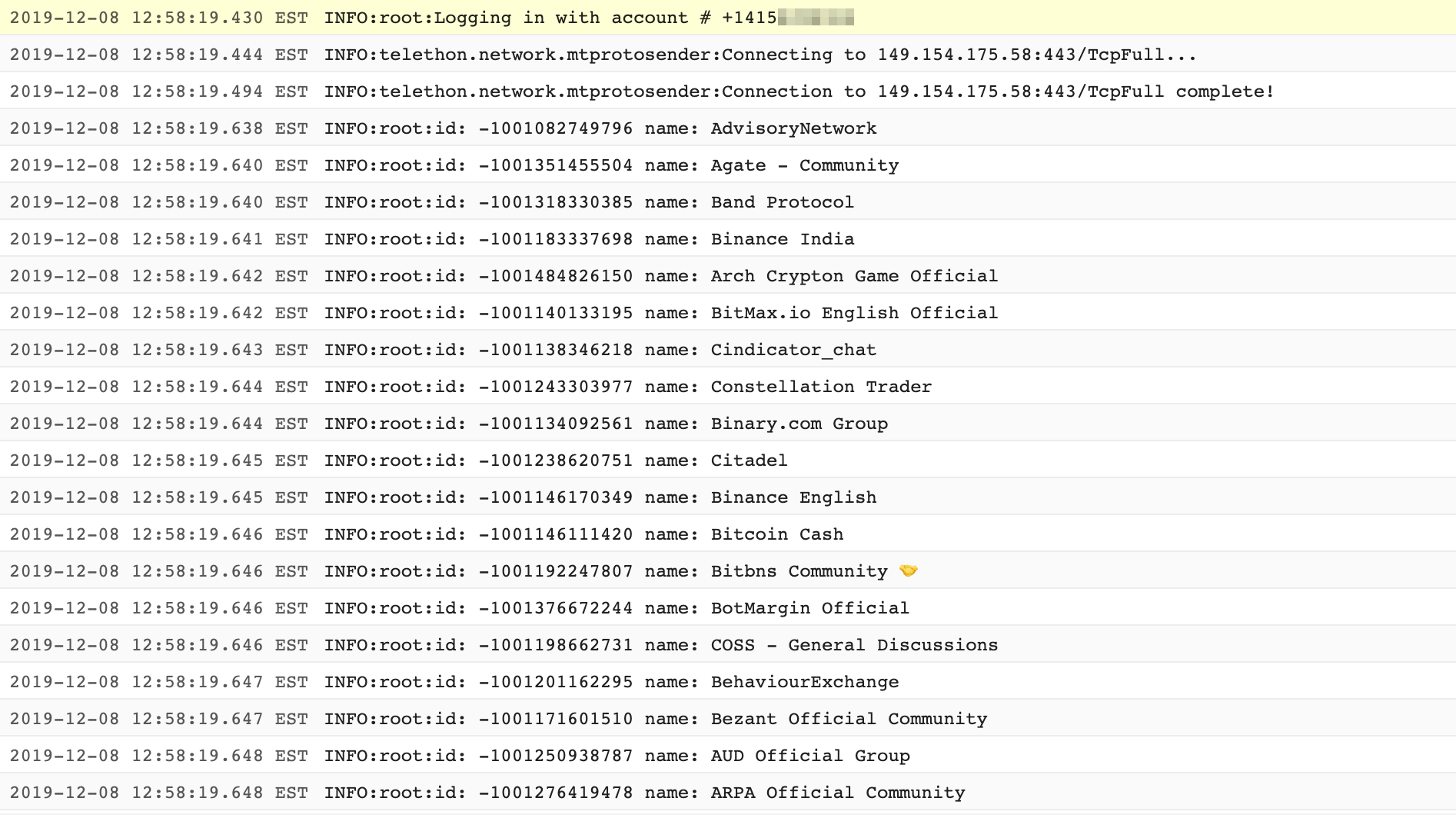
  • Auto-joins channels from CSV list containing Telegram channel URLs

image

  • Persists session of channels joined

  • Login once, bot stays logged in forever without needing 2FA re-authentication

  • Join up to 500 channels per account

image

  • Uses REAL accounts avoiding bot detection, THIS IS NOT A TELEGRAM BOT but a real automated user account. This is an important distinction because the official bot API is limited and bots are often restricted in public channels.

Requirements

OS / Infrastructure

  • Python 3+
  • Docker (optional)
  • Telegram (Desktop, Web or Mobile download: https://www.telegram.org/)
  • Burner app

Python packages

  • SQLAlchemy (1.4.54)
  • sqlalchemy-migrate (0.13.0)
  • Telethon (1.36.0)
  • mysql-connector-python (8.4.0)
  • gspread (6.1.4)
  • google-auth (2.37.0) - replaces deprecated oauth2client
  • python-dotenv (1.0.1)

Quick Start

Setup your ENV vars

Edit the file informer.env which contains all the required environmental variables for informer

You can retrieve the necessary Telegram-related information here:

Setup Your Telegram App

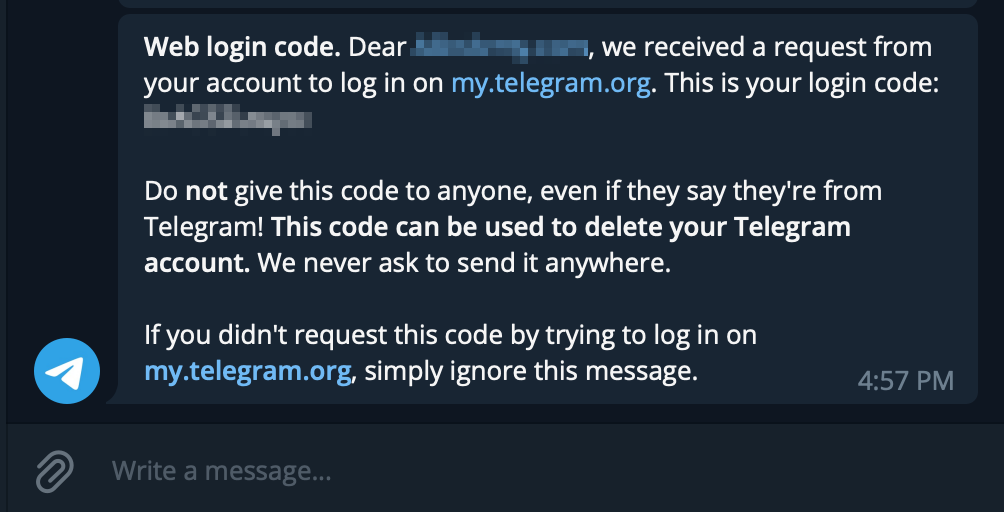
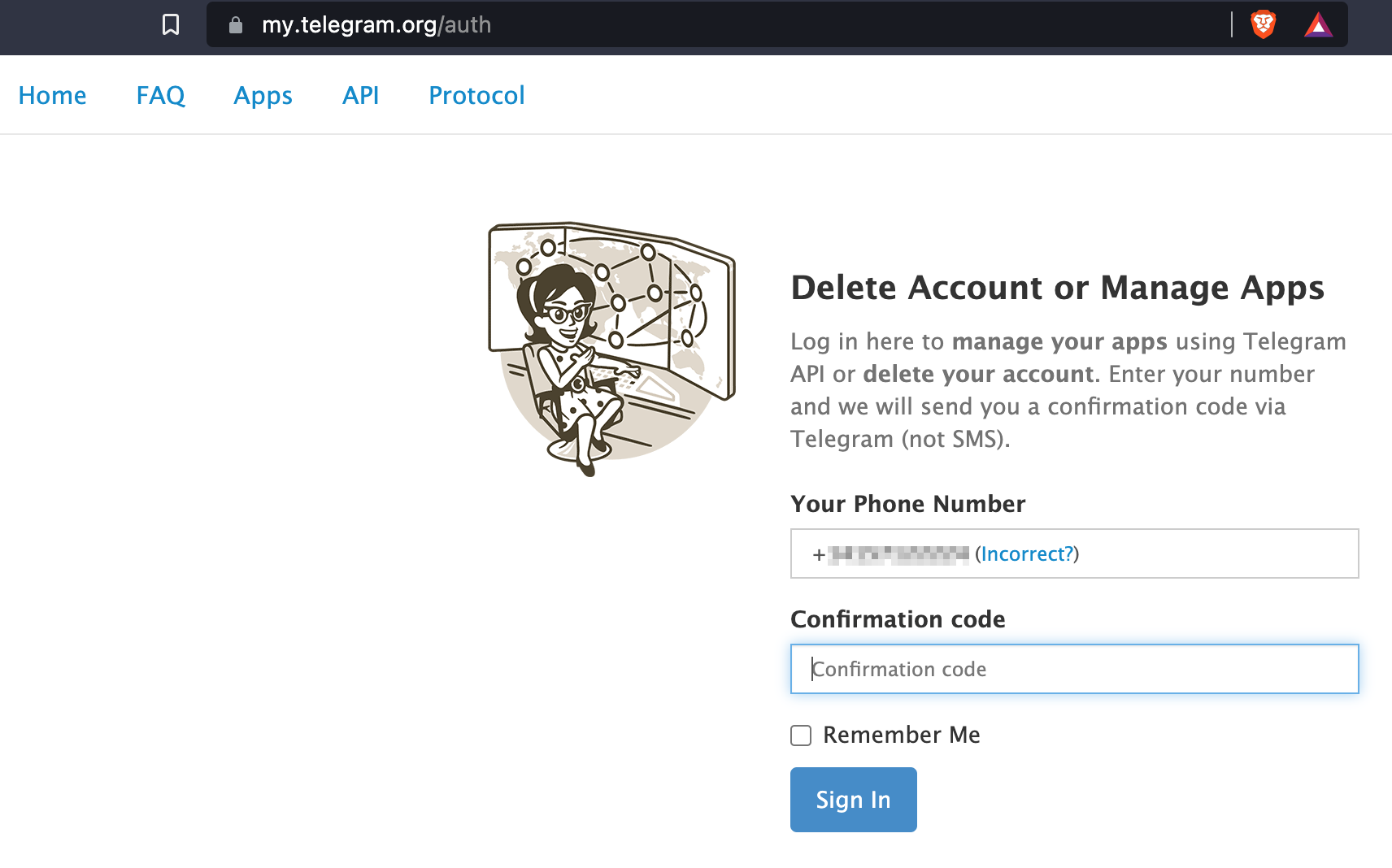
  1. Head over to https://my.telegram.org/auth to authenticate your account by providing a phone number and the confirmation code sent to your phone number (or Telegram) image
image

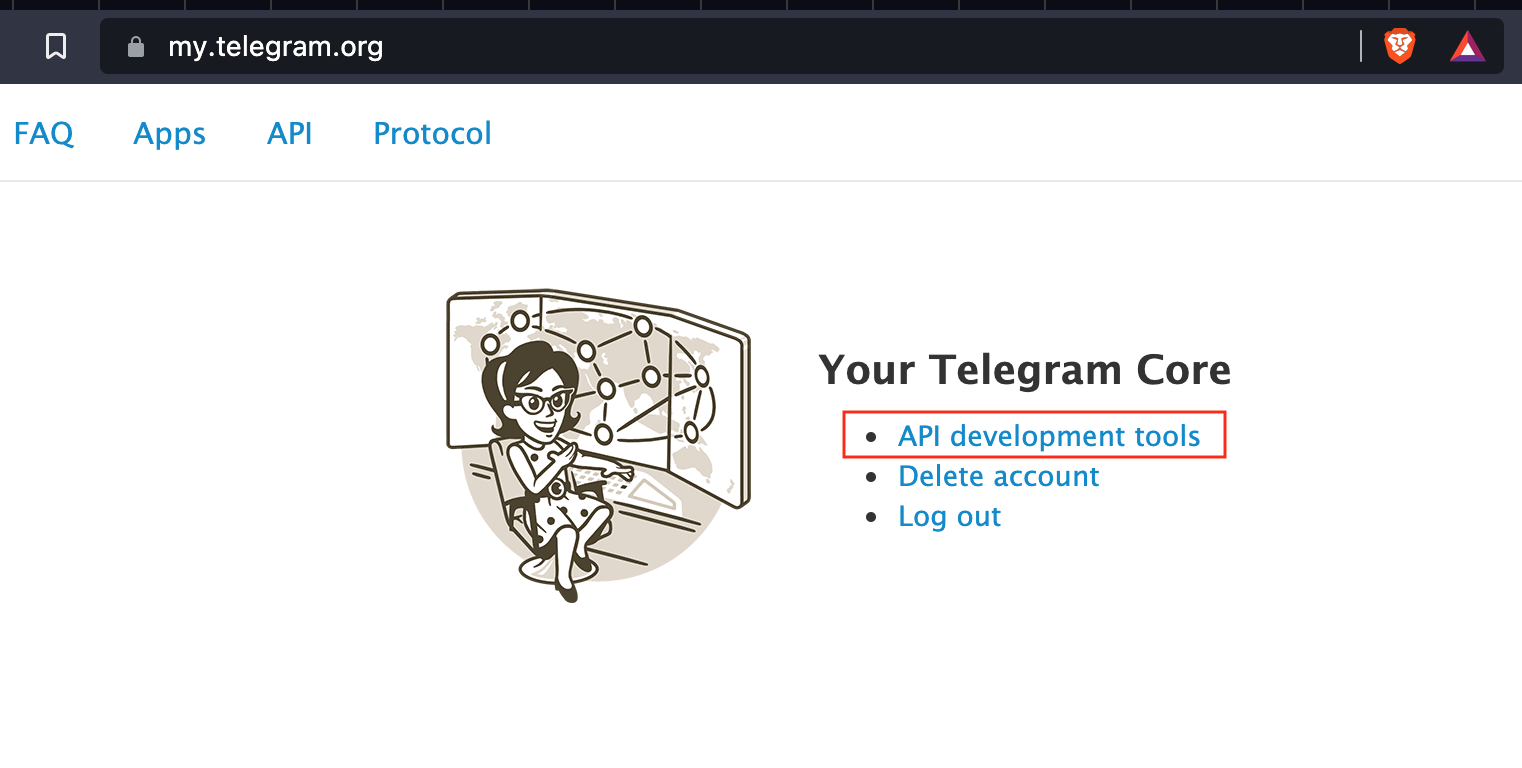
  1. Once you are authenticated, click on "API Development Tools" image
  2. Go ahead and create a New Application by filling out the form shown below image
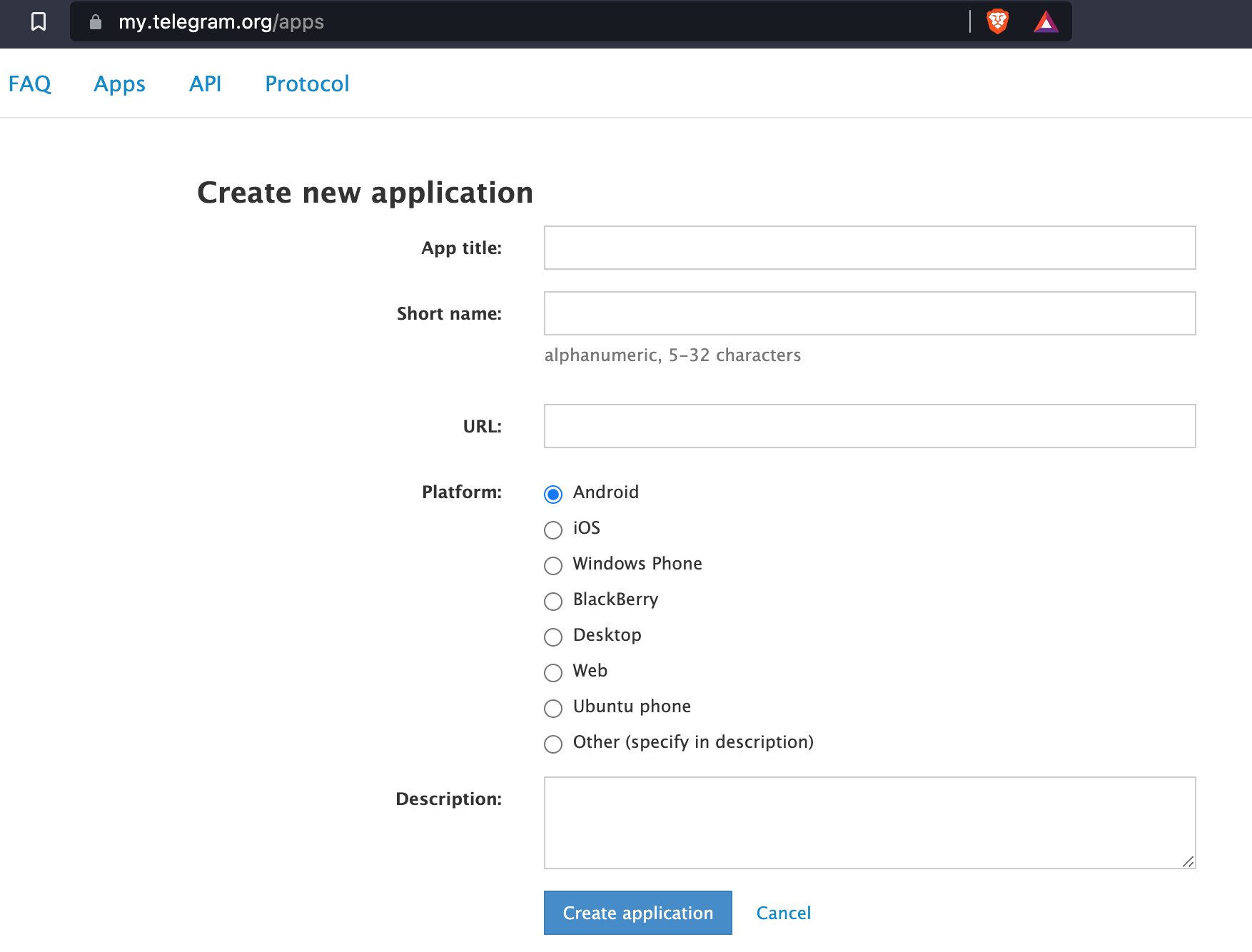
  3. You should now have the necessary parameter values for the informer.env file fields TELEGRAM_API_HASH and TELEGRAM_API_APP_ID
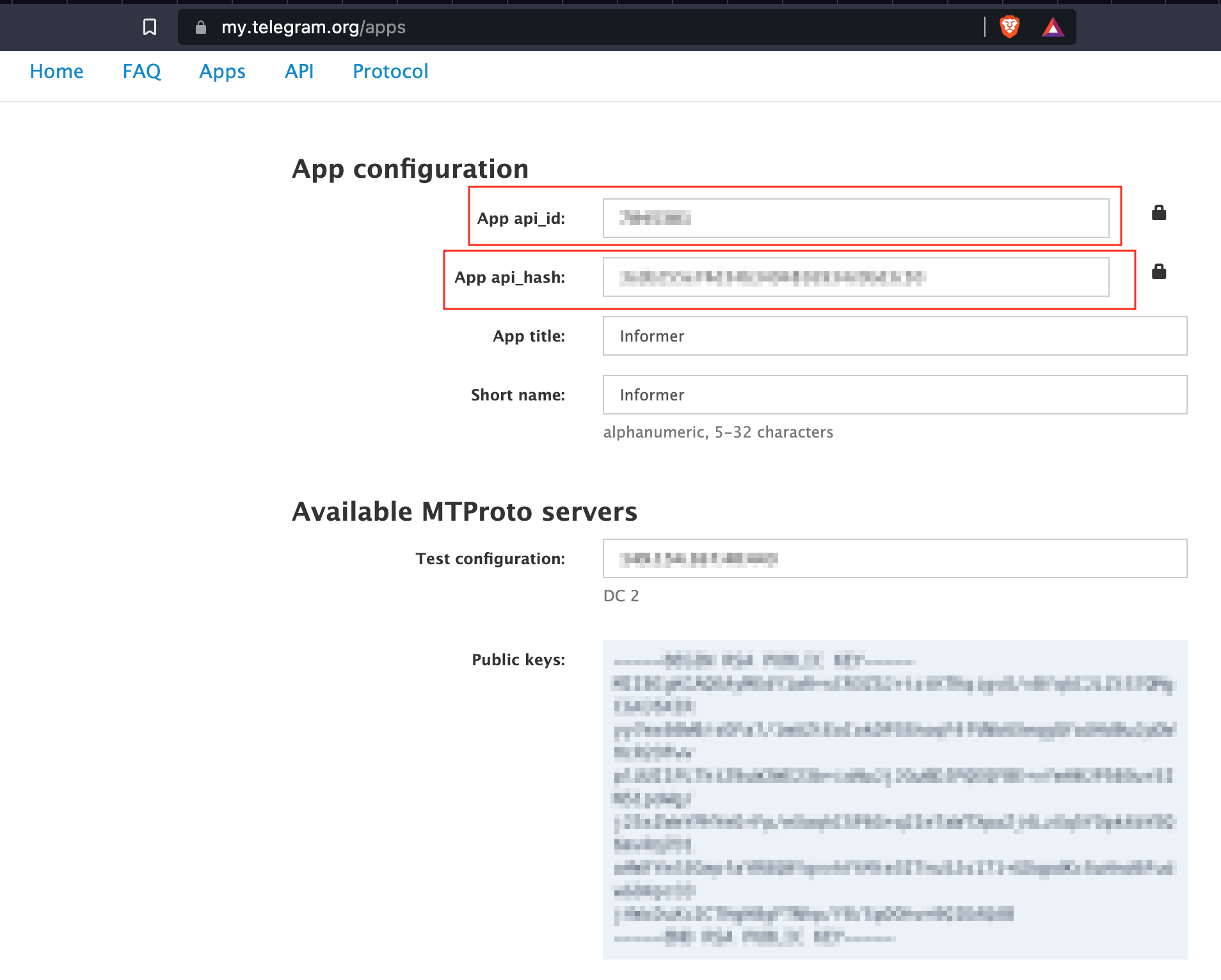
image

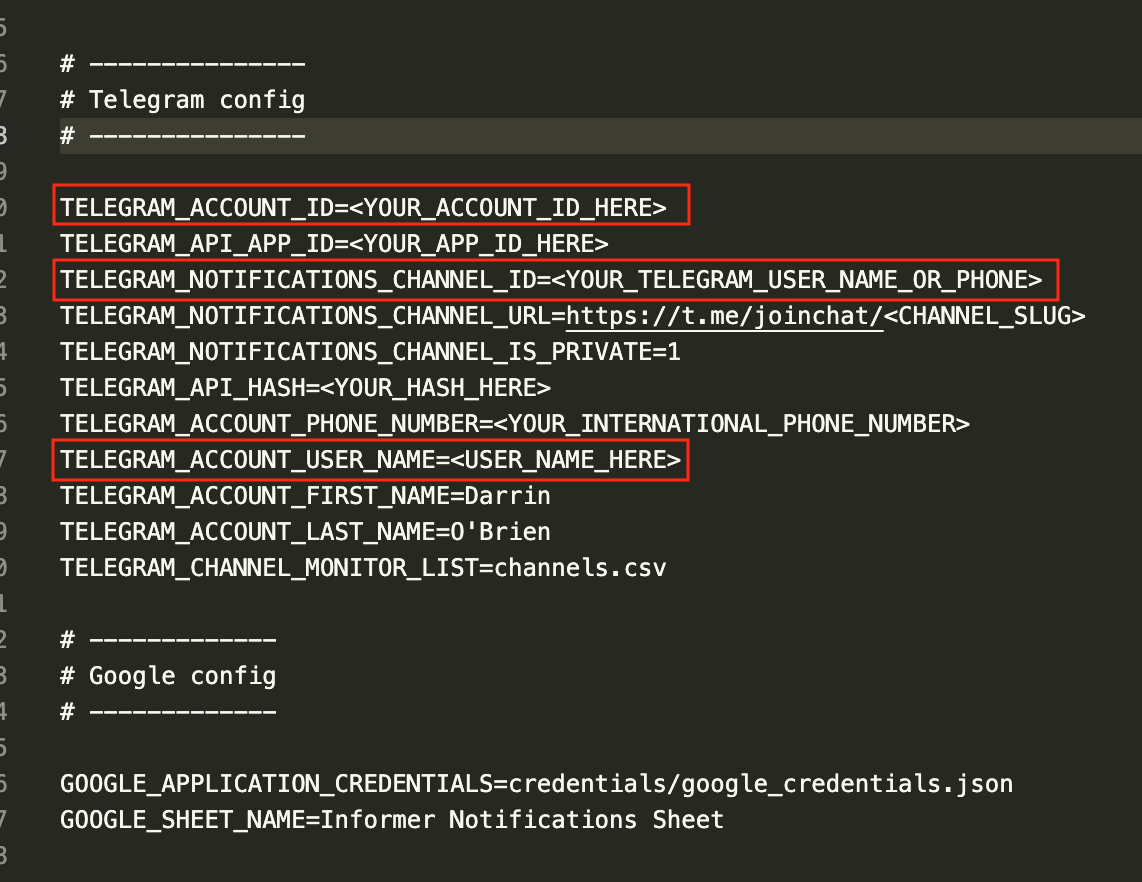
  1. Go ahead and replace the values, including TELEGRAM_ACCOUNT_PHONE_NUMBER and move on to the next section
image

Getting your Telegram ID

So far we have what we need for Telethon and Informer to access the Telegram APIs, next we need to acquire the indentifiers for your bot's account.

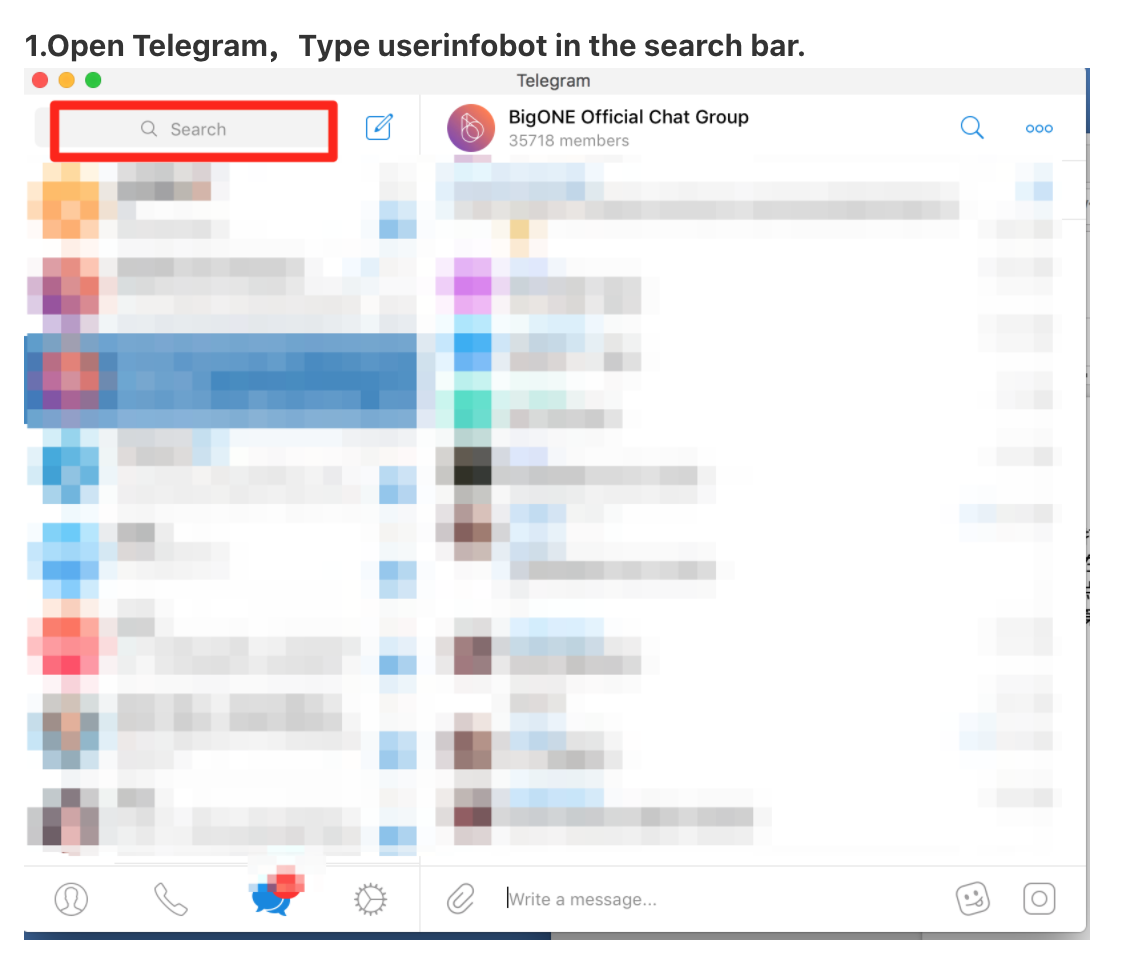
  1. Open Telegram and search for the user userinfobot.

image

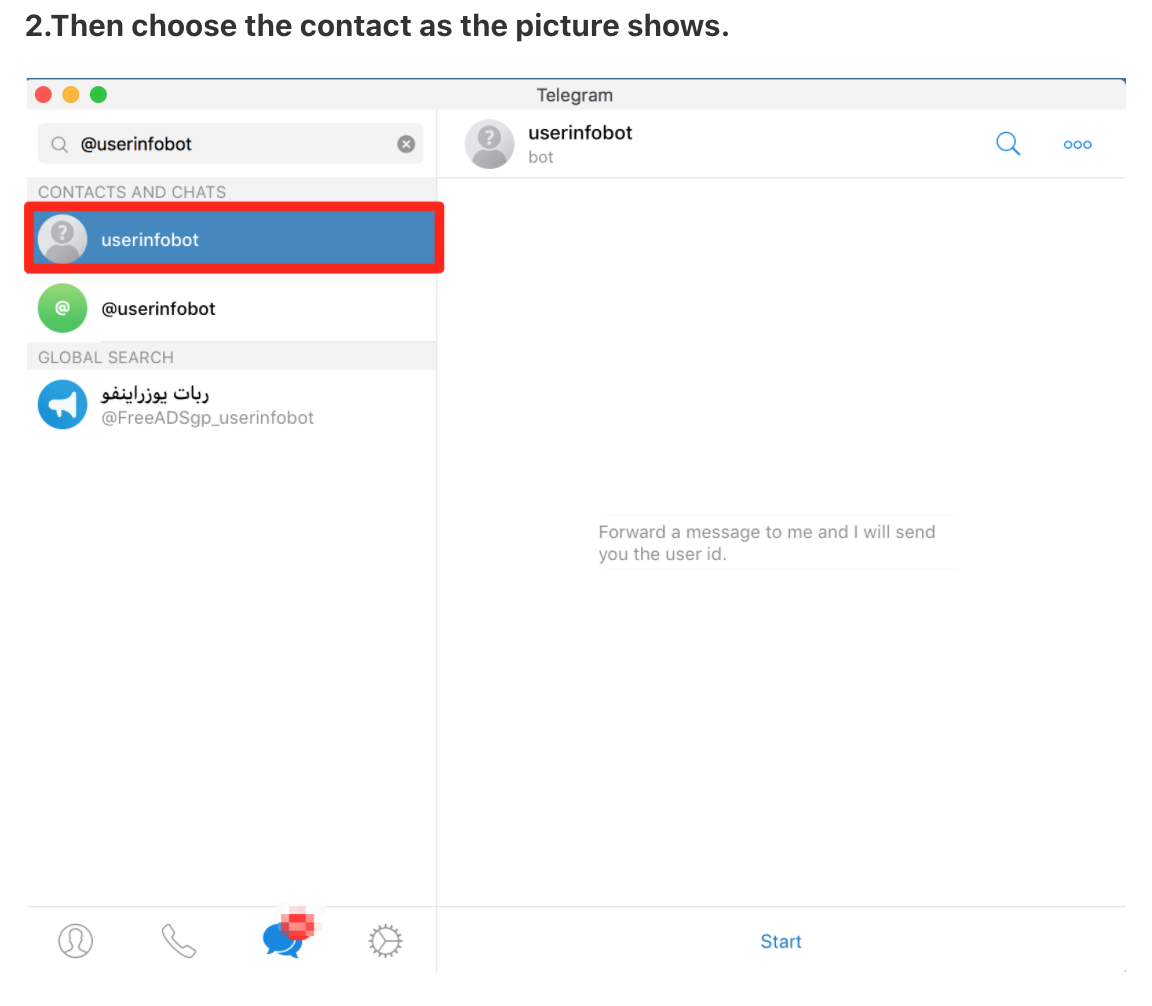
  1. You will see multiple, make sure you select the correctly spelled account.

image

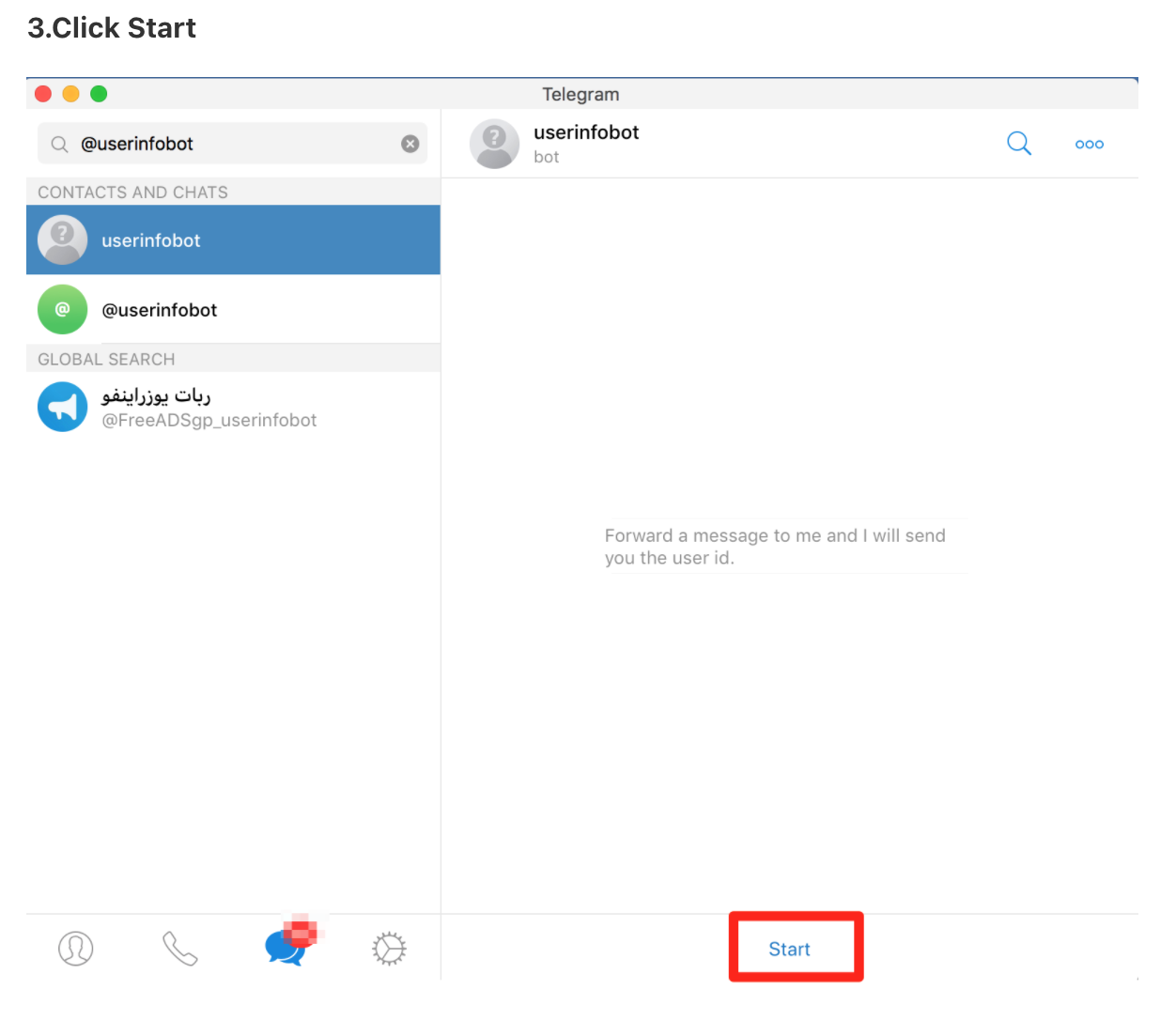
  1. Click on the user and you should see a dialog option at the bottom that says "Start". Click on this.

image

  1. The bot has a single purpose, to reflect back to you your current Telegram account's information.

You should receive your Telegram username and your Telegram account ID. This is important

image

  1. Go ahead and edit the informer.env file and fill in the values for TELEGRAM_ACCOUNT_ID which should be your Telegram account ID from the previous step and TELEGRAM_ACCOUNT_USER_NAME.

You can optionally fill in TELEGRAM_NOTIFICATIONS_CHANNEL_ID with your user name or a channel ID.

  1. Make sure you have TELEGRAM_ACCOUNT_PHONE_NUMBER filled out as this is key to generating the session. For creating multiple accounts, please check out the Burner App below.

Initialize and authenticate session

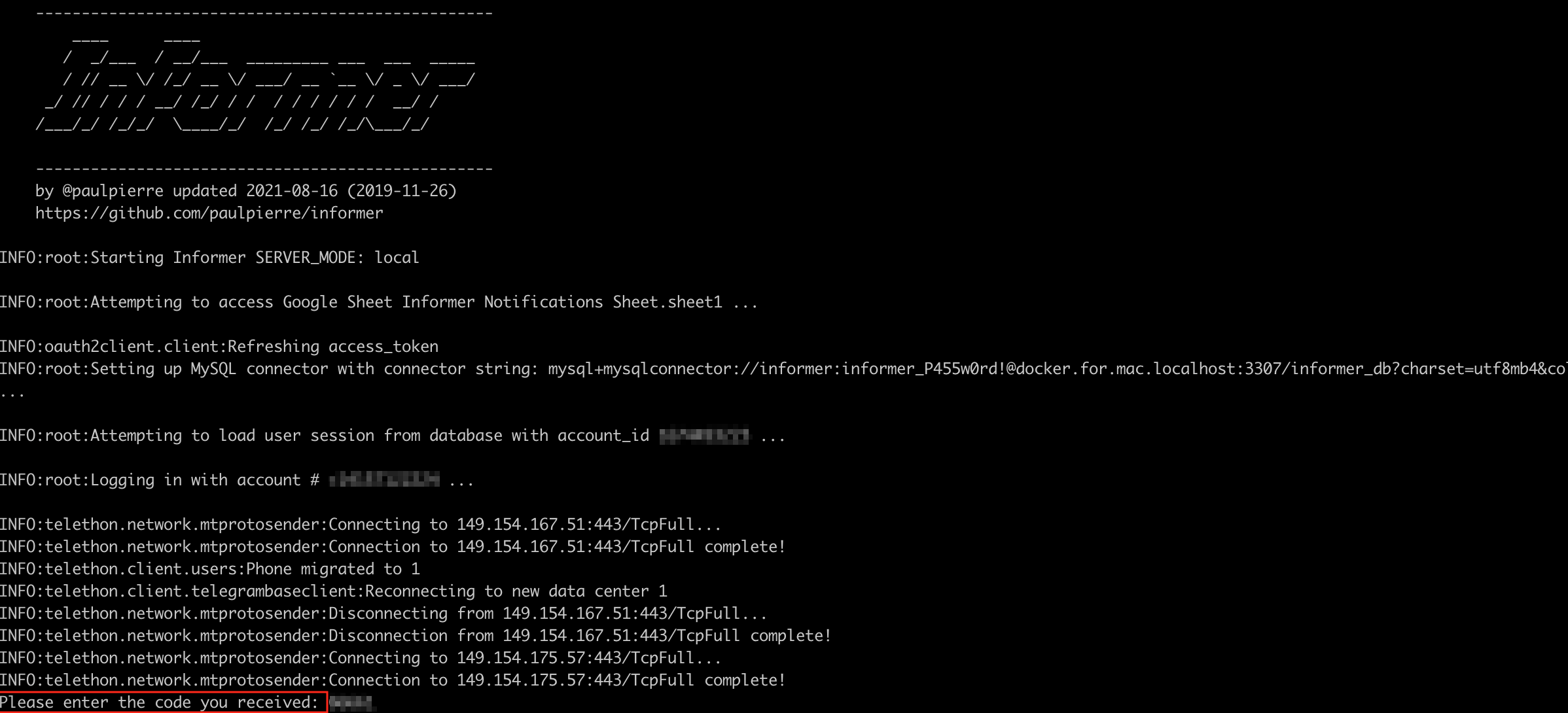
Make sure you are running python 3 and simply run ./quick_start.sh in the directory.

You must run this first so that you can authenticate with Telegram on the first run and generate a local session file

You can later copy the files for the different accounts in app/session and mount them via Docker should you choose to do so.
image

You will be prompted to enter in the authentication code you received either via Telegram if you have logged in before, or via SMS

image

Download Tool