 paradigmxyz/iron-proxy
An egress firewall for untrusted workloads.



CI jobs, AI coding agents, and sandboxed containers can make arbitrary outbound requests. A compromised dependency, a prompt injection, or a malicious build step can exfiltrate secrets, phone home, or open a reverse shell. Most teams have zero visibility into what's leaving their workloads, let alone any way to stop it.
iron-proxy is a MITM egress proxy with a built-in DNS server that sits between your untrusted workload and the internet. It enforces default-deny at the network boundary, so the workload can only reach domains you explicitly allow. Real secrets never enter the sandbox. Workloads use proxy tokens, and iron-proxy swaps in real credentials at egress, meaning a compromised workload can exfiltrate a token that's worthless outside the proxy.
Single binary. Single YAML config.
169.254.169.254,
fd00:ec2::254, and fd20:ce::254) and loopback are denied by default;
override via proxy.upstream_deny_cidrs or
IRON_PROXY_UPSTREAM_DENY_CIDRS.HTTP_PROXY, HTTPS_PROXY, or SOCKS5
settings.SET ROLE on the upstream
session, and rejects client attempts to mutate the role (SET ROLE,
set_config('role', ...), DO blocks, etc.) via a SQL AST walk. Pairs with
PostgreSQL row-level security to give per-tenant data isolation when the
application connects as a shared service-account user. Requires
PgBouncer (if used) to run in pool_mode = session — transaction or
statement pool modes silently rebind backends between queries and would
defeat the policy. See docs.iron.sh for details.Built for CI pipelines, GitHub Actions, AI agents (Claude Code, Cursor, Codex), and any environment where you run code you don't fully trust.
Docker images are available on Docker Hub and pre-built binaries for Linux/macOS (amd64/arm64) are on GitHub Releases.
Or build from source:
go build -o iron-proxy ./cmd/iron-proxy
cd examples/docker-compose
docker compose up
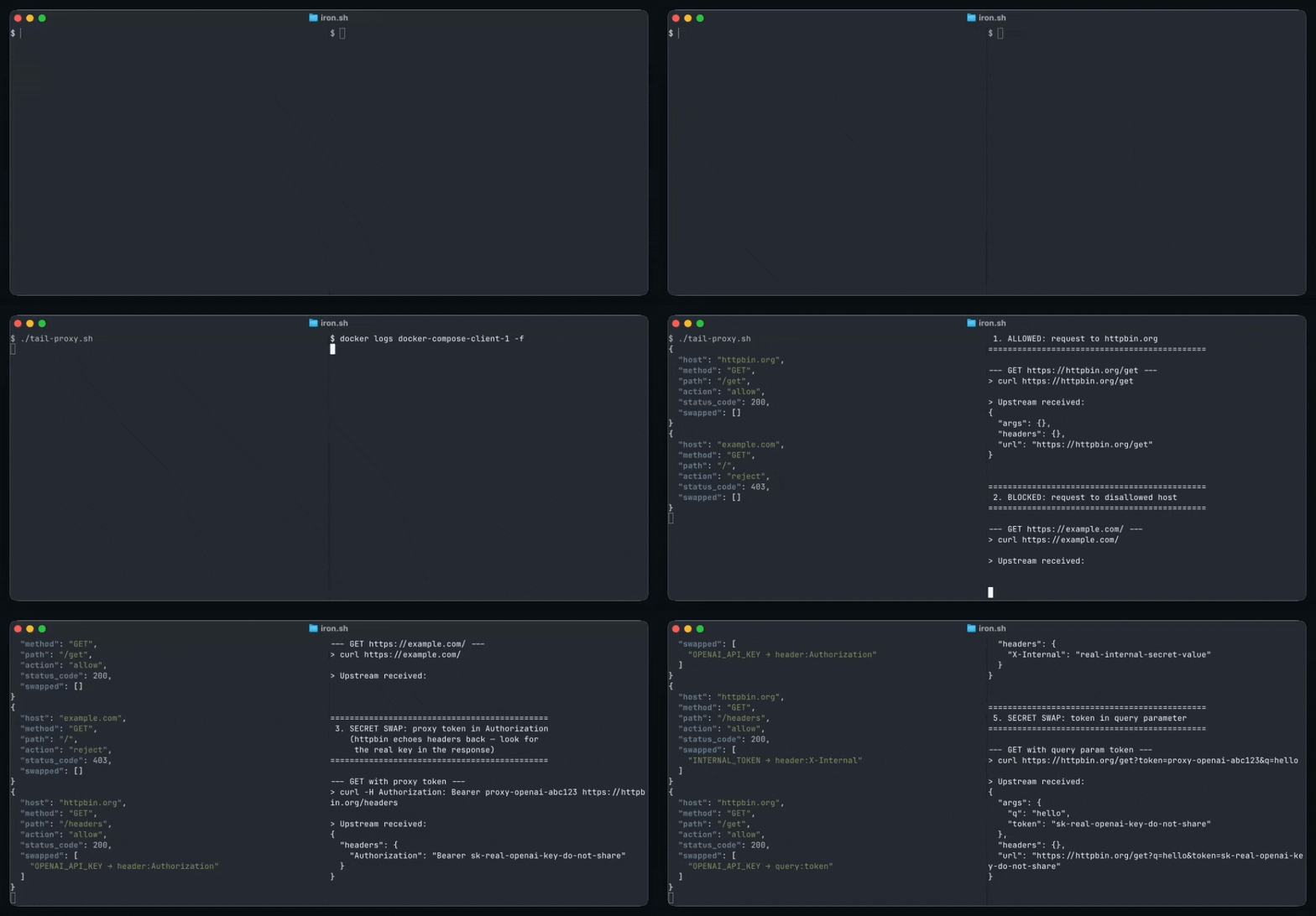
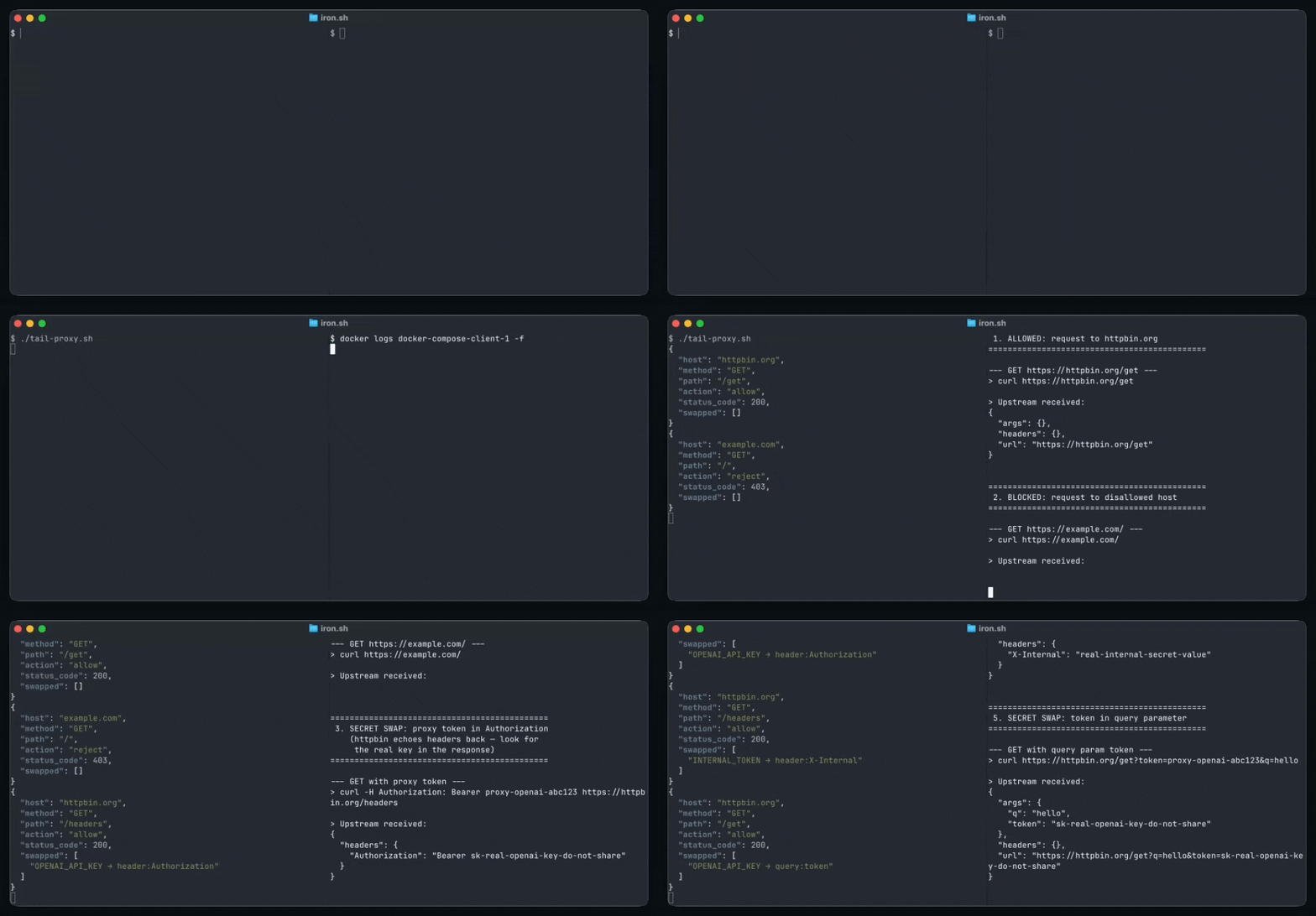
This starts iron-proxy and a demo client that fires five requests through the proxy. Check the logs to see allowed, blocked, and secret-rewritten requests:
docker compose logs proxy
Every request produces a structured JSON audit entry:
{
  "host": "httpbin.org",
  "method": "GET",
  "path": "/headers",
  "action": "allow",
  "status_code": 200,
  "duration_ms": 142,
  "request_transforms": [
    { "name": "allowlist", "action": "continue" },
    {
      "name": "secrets",
      "action": "continue",
      "annotations": { "swapped": [{ "secret": "OPENAI_API_KEY", "locations": ["header:Authorization"] }] }
    }
  ]
}
Rejected requests include a rejected_by field and log at WARN level. See
Audit log format for the full schema.
iron-proxy terminates TLS by generating leaf certificates on the fly, signed by a CA you provide. Client containers must trust this CA.
mkdir -p certs
openssl genrsa -out certs/ca.key 4096
openssl req -x509 -new -nodes \
    -key certs/ca.key \
    -sha256 -days 3650 \
    -subj "/CN=iron-proxy CA" \
    -addext "basicConstraints=critical,CA:TRUE" \
    -addext "keyUsage=critical,keyCertSign" \
    -out certs/ca.crt
iron-proxy needs a fixed IP so containers can point their DNS at it:
docker network create --subnet=172.20.0.0/24 iron-proxy
Create an env file with your secrets (keep this out of version control):
echo "OPENAI_API_KEY=sk-real-key" > .env
docker run -d --name iron-proxy \
  --network iron-proxy --ip 172.20.0.2 \
  -v $(pwd)/proxy.yaml:/etc/iron-proxy/proxy.yaml:ro \
  -v $(pwd)/certs/ca.crt:/etc/iron-proxy/ca.crt:ro \
  -v $(pwd)/certs/ca.key:/etc/iron-proxy/ca.key:ro \
  --env-file .env \
  ironsh/iron-proxy:latest -config /etc/iron-proxy/proxy.yaml
The simplest approach is DNS-based routing: point the container's DNS at iron-proxy and all hostname lookups resolve to the proxy IP, routing traffic through it automatically:
docker run --rm \
  --network iron-proxy \
  --dns 172.20.0.2 \
  -v $(pwd)/certs/ca.crt:/certs/ca.crt:ro \
  curlimages/curl --cacert /certs/ca.crt https://httpbin.org/get
For stronger enforcement, layer nftables rules to block non-proxy egress, or use TPROXY for kernel-level interception. See Routing traffic to the proxy for details on each approach.
| iron-proxy | Squid | mitmproxy | Envoy | |
|---|---|---|---|---|
| Default-deny egress | Built-in | Requires complex ACL config | Requires custom scripting | Requires RBAC/filter configuration |
| Secret injection | Built-in | No | No | No |
| Structured audit logging | Built-in, per-transform traces | Basic access logs | Plugin-based | Configurable access logs |
| Setup complexity | Single binary + YAML | Extensive config language | Python scripting | Complex YAML or control plane |