 papermtn/lil-pwny
Fast offline auditing of Active Directory passwords using Python.




Fast offline auditing of Active Directory passwords using Python.
Lil Pwny is a Python application to perform an offline audit of NTLM hashes of users' passwords, recovered from Active Directory, against known compromised passwords from Have I Been Pwned. Results will be output in JSON format containing the username, matching hash (can be obfuscated), and how many times the matching password has been seen in HIBP
More information about Lil Pwny can be found on my blog
Lil Pwny provides the functionality to enhance your custom password list by adding commonly used variants of your custom passwords. These include:
P@ssw0rd)PASSWORD, Password)password!, !password)password123!, !passwordabc, passwordpassword)
password1950, password2034)A custom password list of 100 plaintext passwords generates 49848660 variations.
Lil Pwny looks for users that are using variations of their username as their password.
It converts the users username into the following formats:
These are then converted to NTLM hashes, and audited against the AD hashes
This application has been developed to make the most of multiprocessing in Python, with the aim of it working as fast as possible on consumer level hardware.
Because it uses multiprocessing, the more cores you have available, the faster Lil Pwny should run. I have still had very good results with a low number of logical cores:
Lil Pwny will output results as either to stdout:
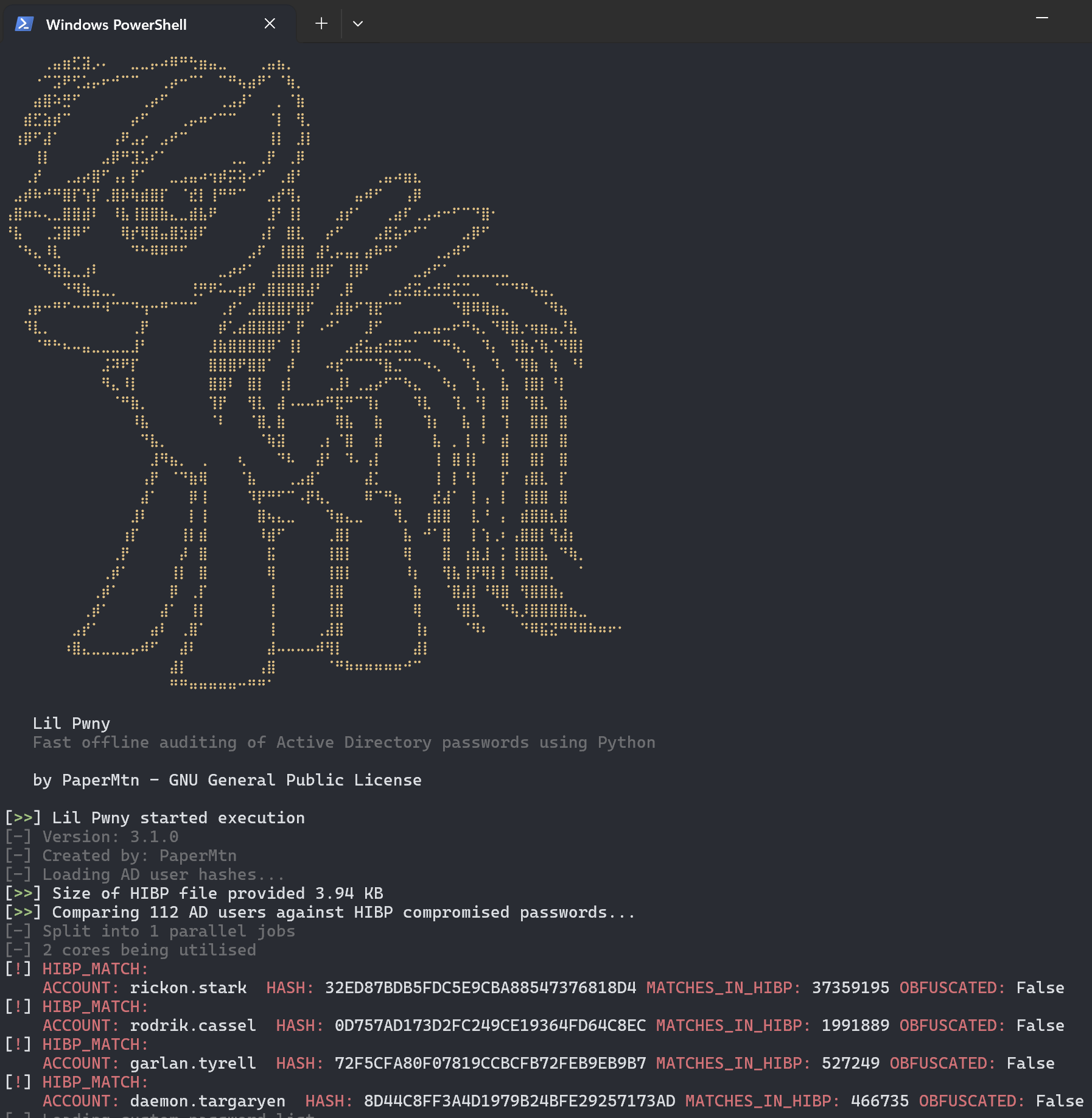
or JSON:
{"localtime": "2021-00-00 00:00:00,000", "level": "NOTIFY", "source": "Lil Pwny", "match_type": "hibp", "detection_data": {"username": "RICKON.STARK", "hash": "32ED87BDB5FDC5E9CBA88547376818D4", "matches_in_hibp": "24230577", "obfuscated": "True"}}
You can redirect the JSON output of Lil Pwny to file:
lil-pwny -ad ... > lil-pwny-results.json
This JSON formatted logging can be easily ingested in to a SIEM or other log analysis tool, and can be fed to other scripts or platforms for automated resolution actions.
Install via pip
pip install lil-pwny
Lil-pwny will be installed as a global command, use as follows:
usage: lil-pwny [-h] -hibp HIBP [-v] [-c CUSTOM] [-custom-enhance CUSTOM_ENHANCE] -ad AD_HASHES [-d] [-output {file,stdout,json}] [-o] [--verbose]

Fast offline auditing of Active Directory passwords using Python

options:
  -h, --help            show this help message and exit
  -hibp HIBP, --hibp HIBP
                        The .txt file containing HIBP NTLM hashes
  -v, --version         show program's version number and exit
  -c CUSTOM, --custom CUSTOM
                        .txt file containing additional custom passwords to check for
  -custom-enhance CUSTOM_ENHANCE, --custom-enhance CUSTOM_ENHANCE
                        generate an enhanced custom password list based on the provided custom password list. Must be used with -c/--custom flag. The enhanced list will stored in memory and not
                        written to disk. Provide the minimum length of the passwords you want. Default is 8
  -ad AD_HASHES, --ad-hashes AD_HASHES
                        The .txt file containing NTLM hashes from AD users
  -d, --duplicates      Output a list of duplicate password users
  -output {file,stdout,json}, --output {file,stdout,json}
                        Where to send results
  -o, --obfuscate       Obfuscate hashes from discovered matches by hashing with a random salt
  --verbose             Turn on verbose logging
Example:
lil-pwny -hibp ~/hibp_hashes.txt -ad ~/ad_user_hashes.txt -c ~/custom_passwords.txt -output stdout -do
On a domain controller use ntdsutil to generate an IFM dump of your AD domain. Run the following in an elevated PowerShell window:
ntdsutil
activate instance ntds
ifm
create full **output path**
To recover the NTLM hashes from the AD IFM data, the Powershell module DSInternals is required.
Once installed, use the SYSTEM hive in the IFM data to recover the hashes in the format usernme:hash and save them to the file ad_ntlm_hashes.txt
$bootKey = Get-BootKey -SystemHivePath '.\registry\SYSTEM'
Get-ADDBAccount -All -DBPath '.\Active Directory\ntds.dit' -BootKey $bootKey | Format-Custom -View HashcatNT | Out-File ad_ntlm_hashes.txt -Encoding ASCII
The file can be downloaded from the HIBP API using a .net utility here
The PowerShell script in the scripts directory can be used to remove unwanted accounts from the IFM output before processing. These include:
