 owl4444/jsdeob-workbench
Reverse engineer obfuscated JavaScript visually. Chain transforms, inspect AST changes, write reusable deobfuscation plugins.

A visual workbench for deobfuscating JavaScript. Build transform chains, step through them, write your own plugins.
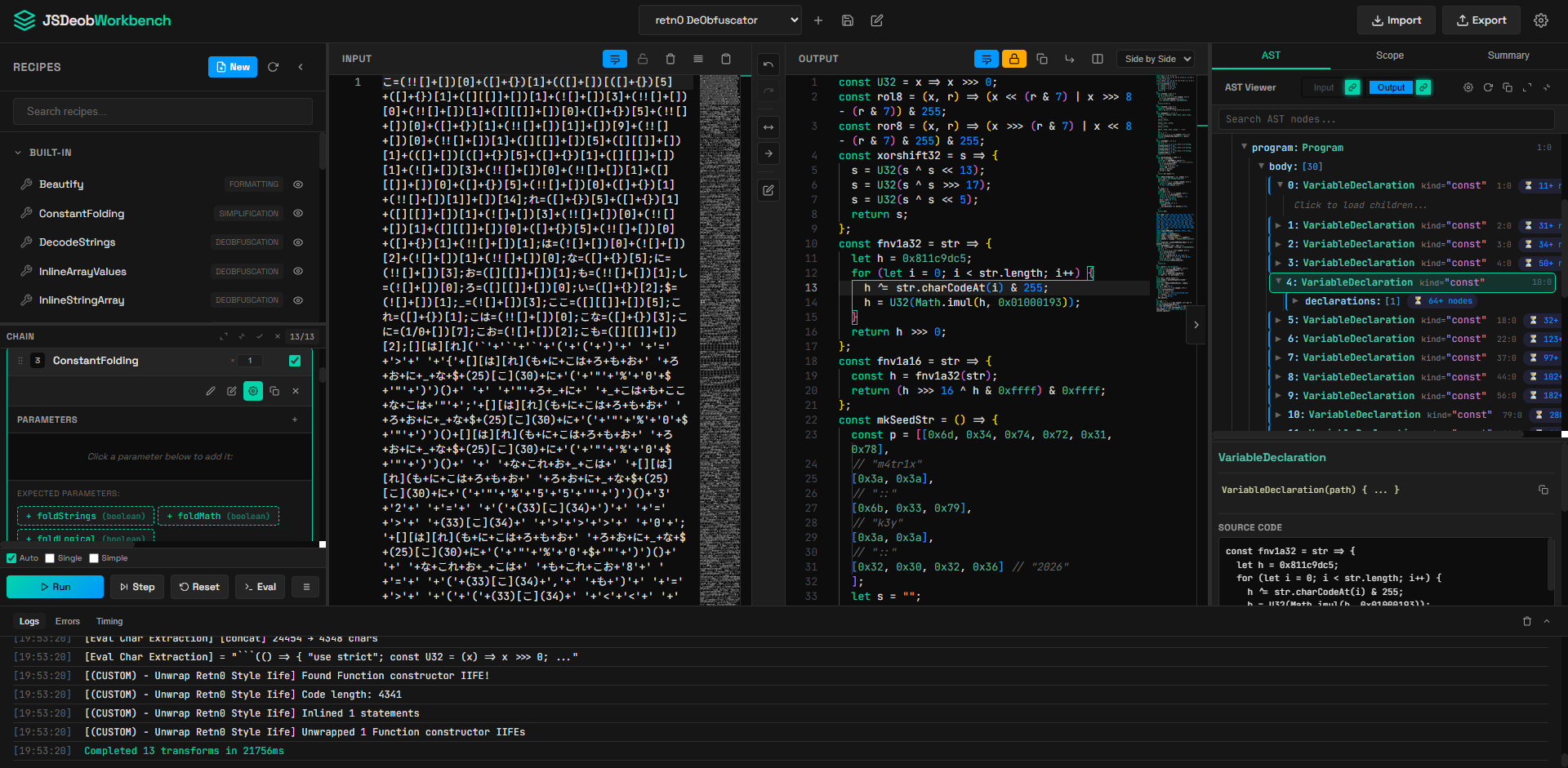
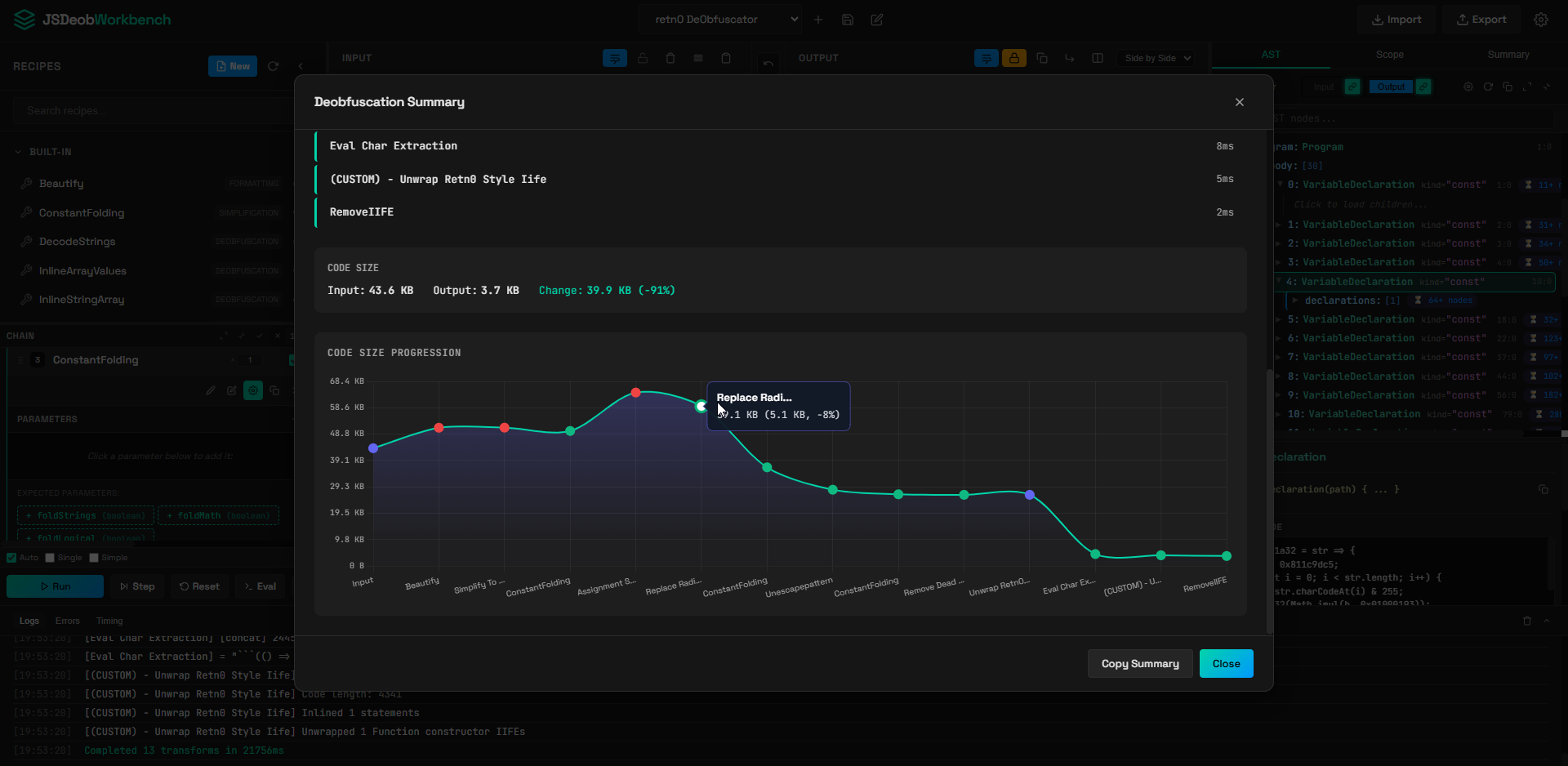
This application reveals the Abstract Syntax Tree (AST) of JavaScript program. The idea came about when analyzing a obfuscatio.io related malware sample which ended up with me learning more about BabelJS for deobfuscation. If you've ever tried to reverse engineer obfuscated JS (think: webpack bundles, obfuscator.io output, packed malware samples), you know it's painful. This tool lets you:
npm install
npm start
# Open http://localhost:3000
That's it.
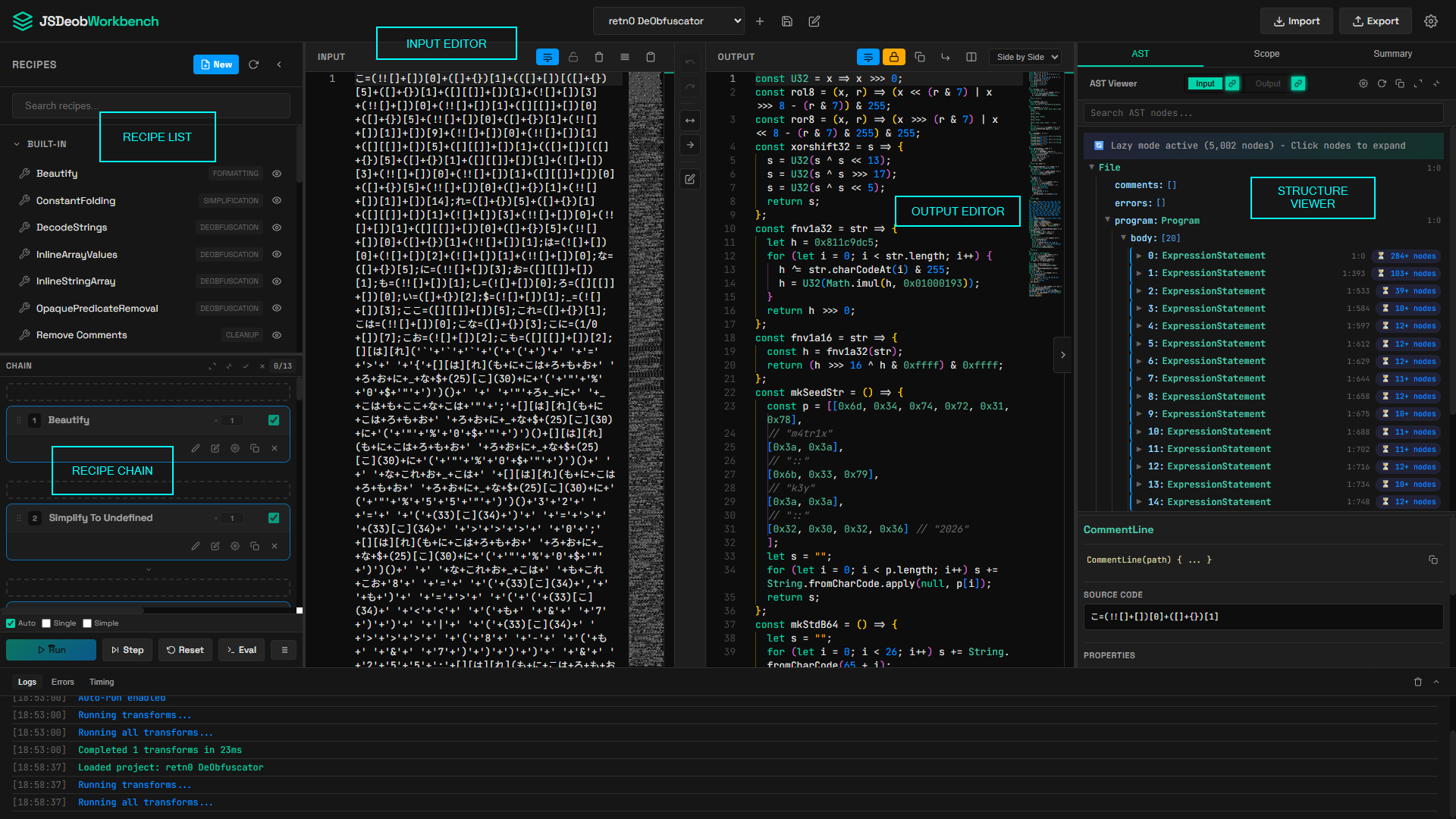
Left sidebar - All available transforms (built-ins + your recipe as plugins) including the recipe chain. (Think Cyberchef)
Middle - Input/Output editors. Paste your obfuscated code on the left and view transformed code on the right.
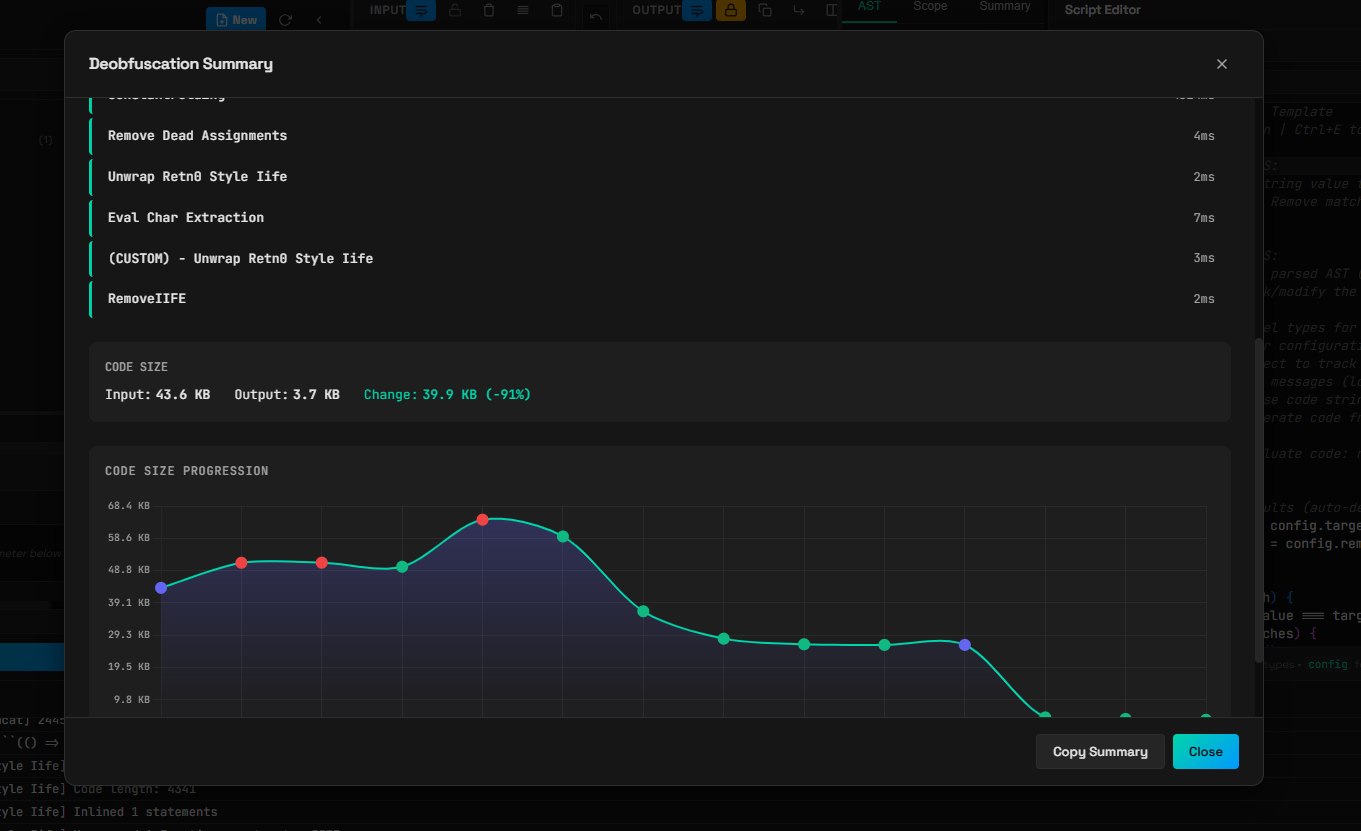
Right panels - AST viewer, scope analyzer, easy to view summary.
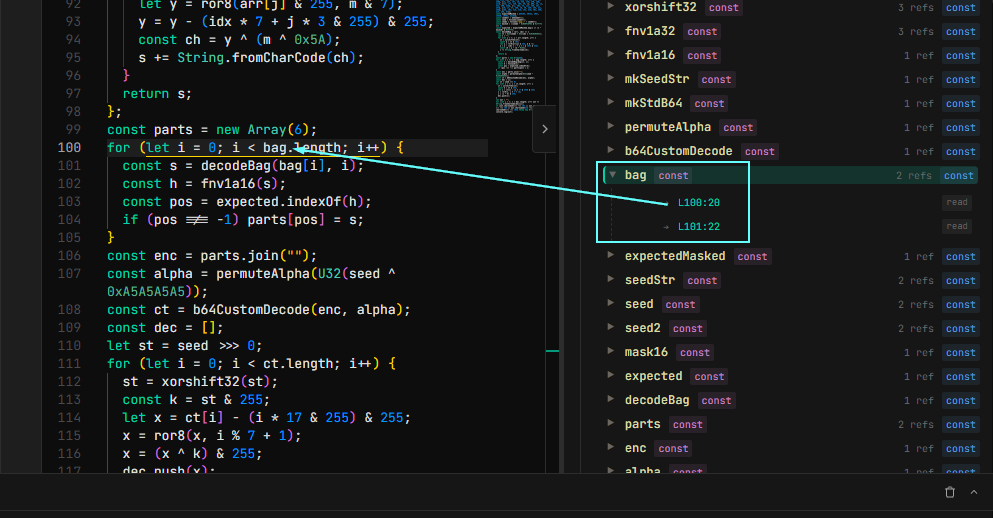
BabelJS allows us to view the scope and bindings. This is especially useful to see if there are any unused variables for example. This view also allows us to look for locations where a variable is being referenced from.
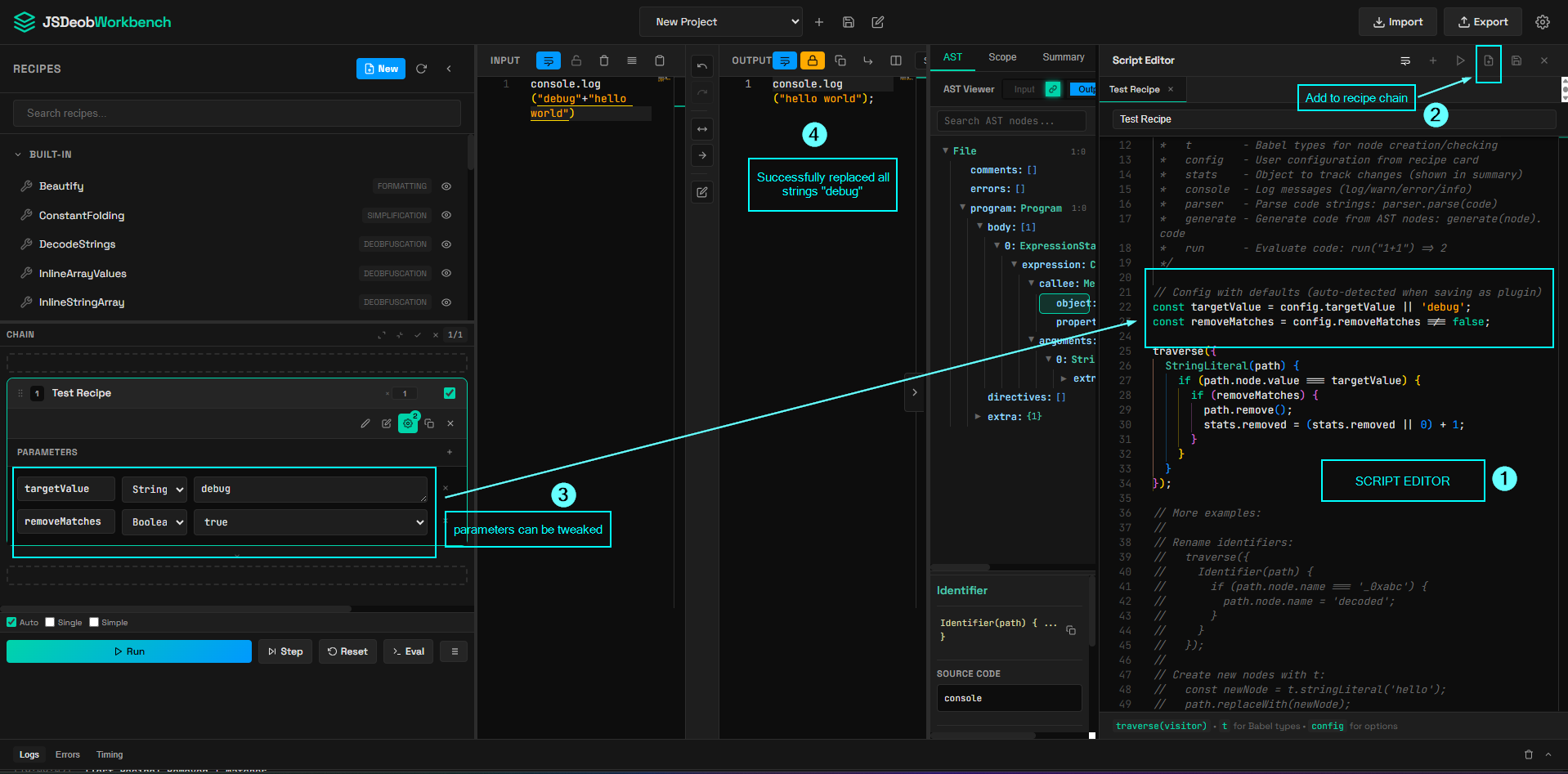
Hit the + button or press Ctrl+N to open the script editor. Transforms are just JS code with access to:
// Available globals:
ast        // The parsed Babel AST
traverse   // Walk the tree: traverse({ Identifier(path) { ... } })
t          // Babel types: t.isStringLiteral(node), t.identifier('x')
config     // User config from the recipe card
stats      // Track your changes: stats.replaced = 5
parser     // Parse code: parser.parse('var x = 1')
generate   // Generate code: generate(node).code
run        // Eval helper: run('1+1') => 2 (DANGER. THIS IS MEANT TO BE RUN ON YOUR OWN MACHINE IN A SANDBOX)
Example - remove all "debug" strings (StringLiteral):
// The following two will appear as parameter in recipe chain as seen in the next screenshot
const targetValue = config.targetValue || 'debug';
const removeMatches = config.removeMatches !== false;

traverse({
  StringLiteral(path) {
    if (path.node.value === targetValue) {
      if (removeMatches) {
        path.remove();
        stats.removed = (stats.removed || 0) + 1;
      }
    }
  }
});
You can choose to:
The screenshot below shows:
Note that these may fail depending on the obfuscation technique and might require custom scripts. You can also modify them and save as new custom script too.
| Name | What it does |
|---|---|
| Beautify | Formats code nicely |
| Constant Folding | 1 + 2 → 3, "a" + "b" → "ab" |
| Decode Strings | Decodes \x48\x65\x6c\x6c\x6f → "Hello" |
| Inline Array Values | Inlines simple array element accesses |
| Inline String Array | Inlines string arrays used by obfuscators |
| Opaque Predicate Removal | Removes always-true/false conditions |
| Remove Comments | Strips all comments from code |
| Remove IIFE | Unwraps (function(){...})() wrappers |
| Remove Unused Code | Deletes dead variables and functions |
| Simplify Literals | !0 → true, void 0 → undefined |
Drop your own .js files in plugins/<category>/ subfolders. They'll show up in the sidebar grouped by folder.
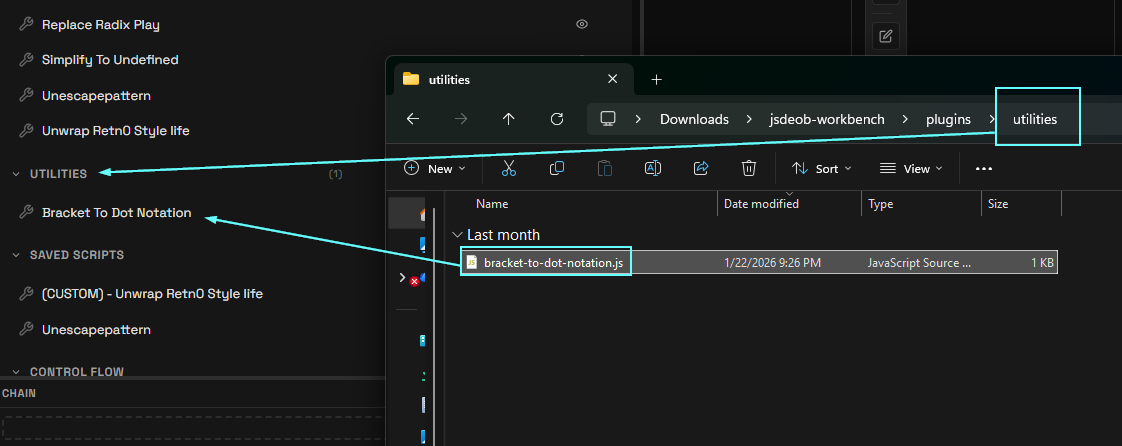
For example:
Bracket-to-dot-notation.js → "Decode Strings")plugins/Utilities/ → category "nyx")/**
* Bracket to Dot Notation
* Changes things like console["log"] to console.log
*
* Category: utilities
*/
// Script Editor - Ctrl+Enter to run, Ctrl+E to close
// Use traverse(visitor) to modify the AST
// Access 't' for Babel types
traverse({
MemberExpression(path) {
if(path.node.computed === true){
// this is the bracket notation
prop = path.node.property
if(t.isStringLiteral(prop) &&
/^[a-zA-Z_][a-zA-Z_0-9]*$/.test(prop.value)
){
path.node.computed = false; // step 1
// step 2 change literal to identifier
path.node.property = t.identifier(prop.value)
}
}
}
});
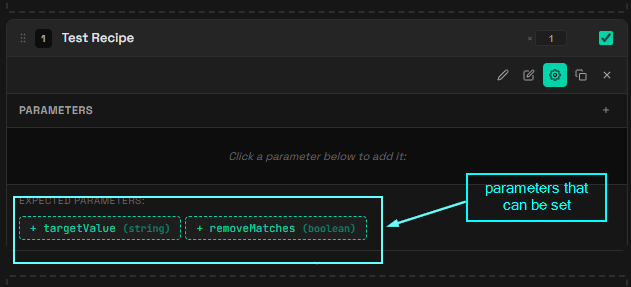
There are two methods to add parameters:
targetValue and removeMatches
)const targetValue = config.targetValue || 'debug';
const removeMatches = config.removeMatches !== false;
Includes:
| Key | Action |
|---|---|
Ctrl+E | Toggle script editor |
Ctrl+Shift+E | Toggle eval panel (DANGEROUS) |
Ctrl+S | Save project |
NOTE THAT STANDALONE MIGHT HAVE ISSUES IF THERE ARE LOTS OF NESTED NODES. THE WORK AROUND MIGHT NOT WORK AT TIMES.
To build with npm, we can use the following
npm run build # Windows only
Output goes to dist/. Copy the plugins/ folder next to the exe if you want your custom transforms.
Deeply nested code (like JSFuck) can blow the stack. The build script tries to increase it automatically on Windows. If you get stack overflows, try to run from source with npm start (uses --stack-size=65536)
I have no figured out how to increase stack size when building into a standalone executable. Please let me know if you know how to!
