 otterhacker/m365pwned
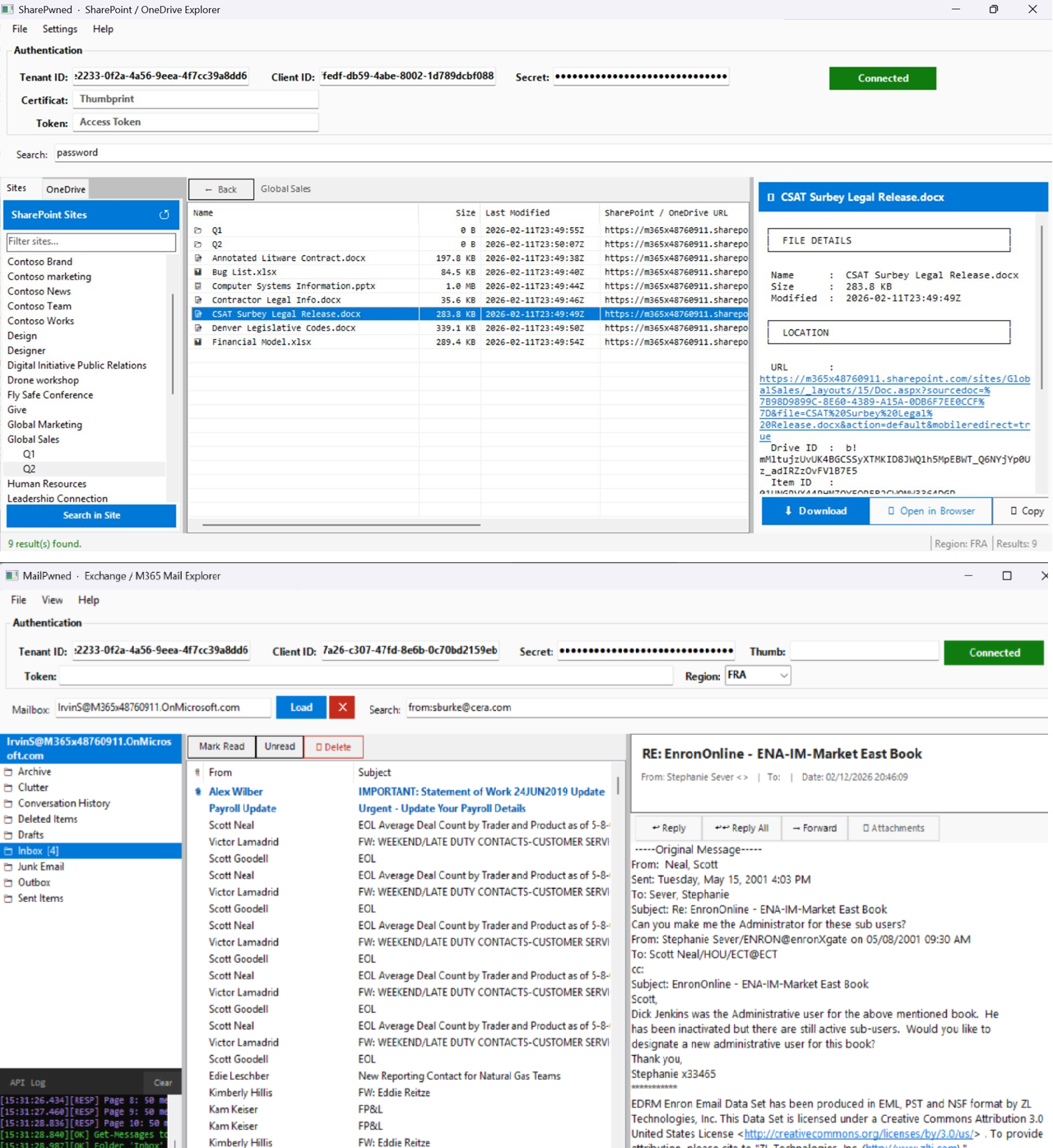
Two WinForms GUI tools for enumerating, searching, and exfiltrating data from M365 environments using application-level OAuth tokens

Red Team tooling for Microsoft 365 exploitation via Microsoft Graph API.
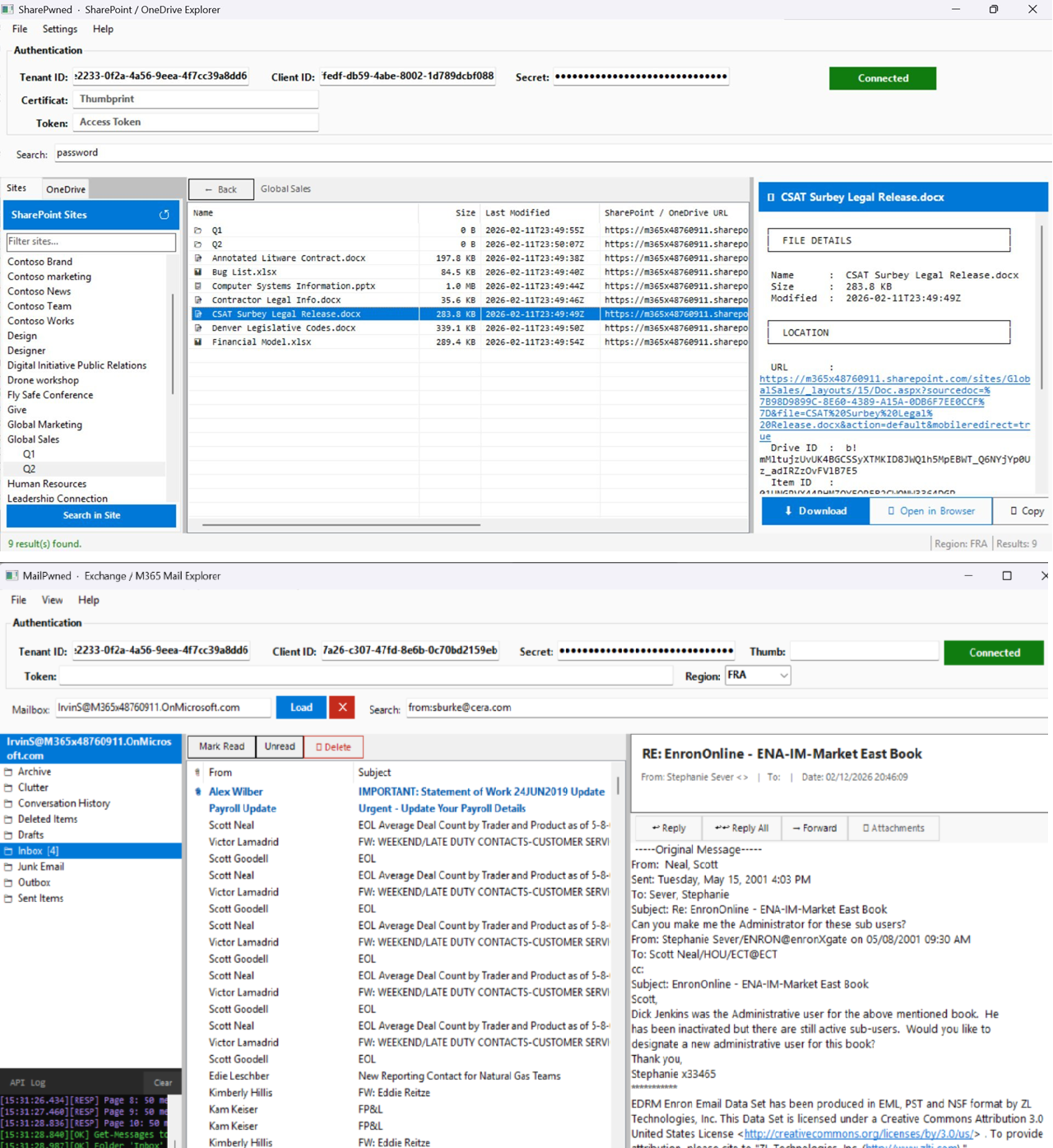
Two WinForms GUI tools for enumerating, searching, and exfiltrating data from M365 environments using application-level OAuth tokens — no user interaction required.
| Tool | Target | What it does |
|---|---|---|
MailPwned-GUI.ps1 | Exchange Online / Outlook | Browse mailboxes, search mail, download attachments, send impersonation emails |
SharePwned-GUI.ps1 | SharePoint / OneDrive | Browse sites and drives, search files, preview and download documents |
These tools are intended exclusively for authorised red team engagements, penetration testing, and security research.
Using them against systems you do not own or have explicit written permission to test is illegal and may violate computer fraud laws (CFAA, Computer Misuse Act, etc.).
The authors accept no liability for any misuse or damage caused.
Three authentication methods are supported by both tools:
-TenantId <guid> -ClientId <guid> -ClientSecret <secret>
-TenantId <guid> -ClientId <guid> -CertificateThumbprint <thumb>
-AccessToken <jwt>
WinForms GUI for enumerating, searching, reading, and exfiltrating email from M365/Exchange Online environments.
| Permission | Required for |
|---|---|
Mail.Read | Read mail in all mailboxes |
Mail.ReadWrite | Send/reply/forward/delete (optional) |
User.Read.All | Enumerate all mailboxes (global search) |
Note:
/v1.0/search/querywithmessageentityType does not support application permissions. User enumeration + per-mailbox search is the only viable approach with app tokens — this is exactly what MailPwned implements.
powershell.exe -STA -File .\MailPwned-GUI.ps1
-STA(Single-Threaded Apartment) is required for WinForms.
password, credentials, VPN, secret, etc.A CLI version developped by Ethical-Kaizoku can be found here
WinForms GUI for enumerating, browsing, searching, previewing, and downloading files from SharePoint sites and OneDrive drives across the tenant.
| Permission | Required for |
|---|---|
Sites.Read.All | Enumerate all SharePoint sites and browse drives |
Files.Read.All | Read and download files from any drive |
User.Read.All | Enumerate OneDrive drives for all users (optional) |
Fallback: When
Sites.Read.Allis unavailable, SharePwned falls back to per-user drive enumeration viaFiles.Read.All.
powershell.exe -STA -File .\SharePwned-GUI.ps1
/v1.0/search/query with driveItem entity)Sites.Read.All is absentpassword, secret, private key, config files, .env, etc.The Prefer: exchange.region=<region> header routes requests to the correct datacenter. Required when targeting tenants in non-default regions.
| Code | Region |
|---|---|
| EUR | Europe |
| FRA | France (sovereign) |
| NAM | North America |
| GBR | United Kingdom |
| APC | Asia Pacific |
| AUS | Australia |
| CAN | Canada |
| IND | India |
| JPN | Japan |
https://graph.microsoft.com — no proxy or relayroles claim; Graph logs will show application-level access under the registered app's identityMailPwned) avoids calling GET /users — lower footprint when a UPN list is already available from OSINT or prior accessdata: URIs — no outbound requests when openedFor educational and authorised security testing use only.
