 oryxlabs/polardns
PolarDNS is a specialized authoritative DNS server suitable for penetration testing and vulnerability research.

 PolarDNS is a specialized authoritative DNS server written in Python 3.x, originally developed as a tool for security testing of DNS recursive resolvers from the server-side.
_
PolarDNS can be used for testing of:
It supports both UDP and TCP protocols, and it gives the operator full control over the DNS protocol layer.
PolarDNS server can produce variety of non-standard and non-compliant DNS responses, DNS responses violating the RFC specifications, including highly abnormal and malformed DNS responses.
This can be useful for:
There are three available methods to install PolarDNS.
PolarDNS requires Python 3.11 or newer and has no additional dependencies.
This is the easiest way to install and run PolarDNS:
pip install polardns
polardns
You can also clone the repository and run PolarDNS directly:
git clone https://github.com/oryxlabs/PolarDNS.git
cd PolarDNS
python polardns.py
This method is recommended if you plan to debug or modify the code, or add new features.
You can also run PolarDNS in a Docker container:
docker run -p 53:53/tcp -p 53:53/udp oryxlabs/polardns
PolarDNS server is configurable via the polardns/polardns.toml configuration file.
Upon starting PolarDNS, you should see output similar to the following:
python polardns.py
1741599804.9039893 | PolarDNS v1.6.1 server starting up
1741599804.9039893 | Using '/path/to/your/polardns/polardns.toml' config file
1741599804.9039893 | Starting listener at tcp://0.0.0.0:53
1741599804.9039893 | Starting listener at udp://0.0.0.0:53
This indicates that the server is up and running.
By default, the server starts listening on all interfaces on UDP and TCP port 53 (0.0.0.0:53), ready to answer DNS queries.
You can test it locally by asking the following sample query, which should always resolve to something.
Ask in UDP mode:
dig always.yourdomain.com @127.0.0.1
Ask in TCP mode:
dig always.yourdomain.com @127.0.0.1 +tcp
You should receive an A record with the 2.3.4.5 IP address, similarly like in this screenshot:
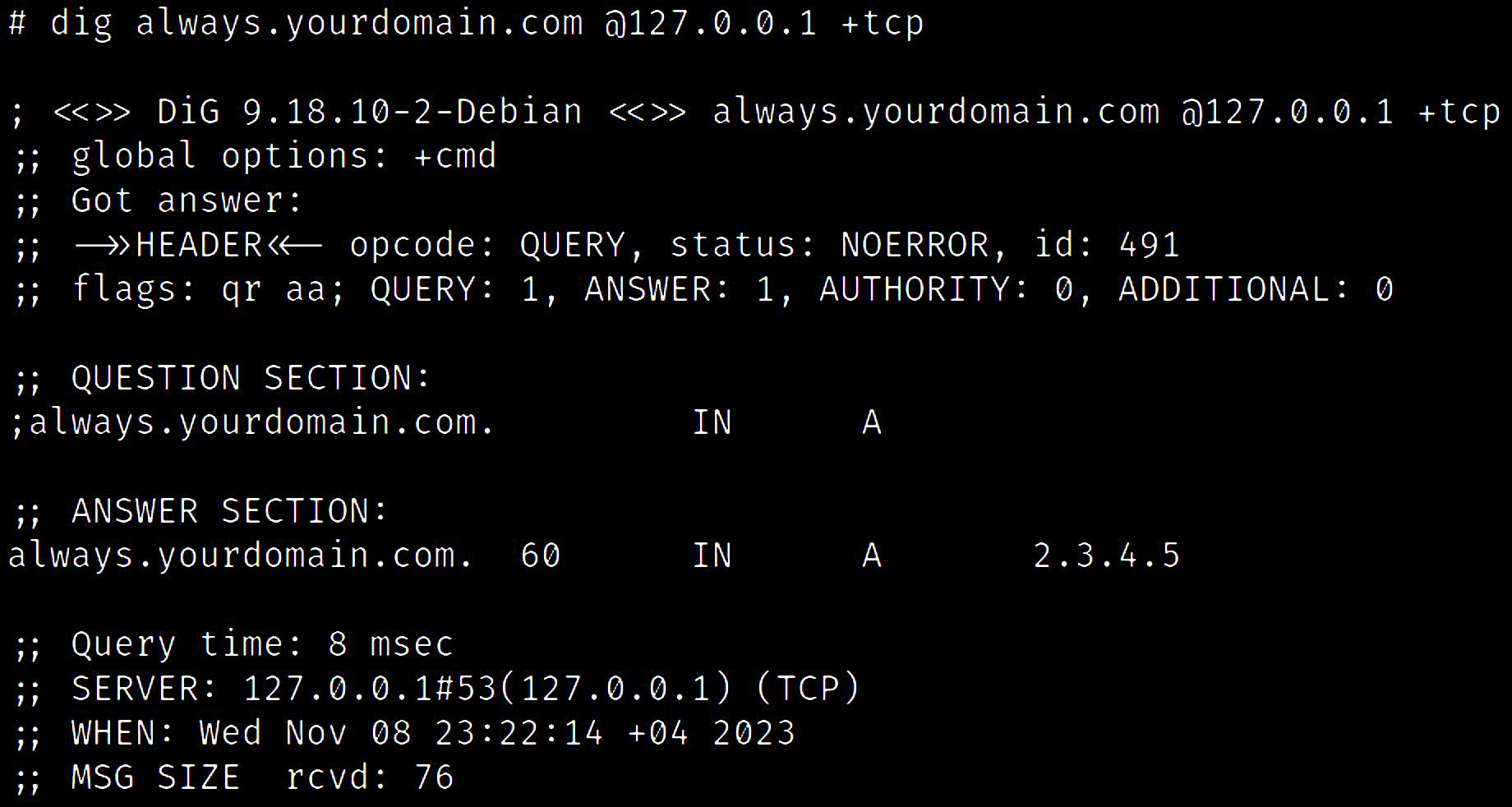
This indicates that the server is working properly.
By asking the PolarDNS server to resolve something, you are essentially giving it instructions how it should respond to you. This means that you (the client) dictate the PolarDNS server what kind of response it should produce for you.
For instance, consider the following query:
dig always.ttl2000000000.slp1500.yourdomain.com @127.0.0.1
You should receive an A record with the 2.3.4.5 IP address again, but this time with a TTL value of 2,000,000,000 (63.4 years) and after a delay of 1.5 seconds:
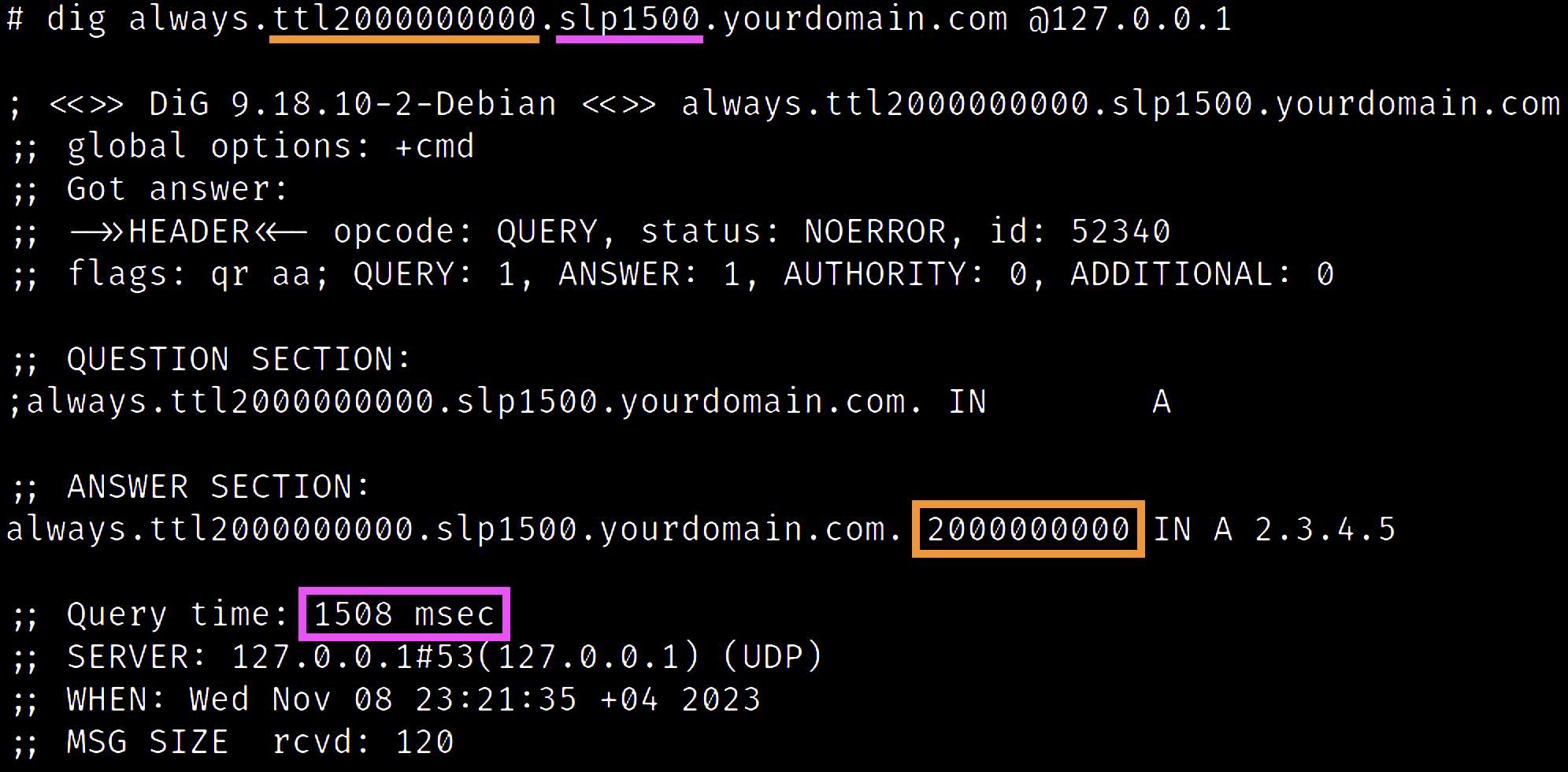
In the above example, we have used the always basic feature (which always resolves to something), and combined it with the ttl modifier to adjust the TTL value and the slp modifier to wait before sending the response out.
PolarDNS has the following main functionalities:
There are over 70 different features and 19 response modifiers currently implemented. By using different features and combining them together with different response modifiers, it is possible to produce countless variants of given response.
See the included catalogue of all implemented features and response modifiers.
This gives PolarDNS capacity to produce highly unusual, abnormal, and even malformed DNS responses, allowing the operator to see how the receiving side handles such situations and whether the receiving side is technically robust and mature.
Some examples of DNS responses which PolarDNS can produce contain:
These can lead to discovery of various vulnerabilities such as:
See the BlackHat MEA 2023 presentations (including BONUS slides) for more details, many more examples and use-cases.
Here's a high-level overview of what you need in order to start testing recursive DNS servers.
example123.com using your favorite domain registrar.polardns/polardns.toml configuration file on each instance and change your domain name and nameserver IP addresses accordingly - same configuration on both.Now your infrastructure should be ready for testing of any recursive DNS resolver of your choice.
In order to start testing a target DNS recursive resolver, you have to target your queries to the target DNS resolver, e.g.
dig always.example123.com @<TARGET-RESOLVER-IP>
For example, to test the CloudFlare public DNS:
dig always.example123.com @1.1.1.1
During the resolution, the target DNS resolver will contact your authoritative PolarDNS nameservers (managing your example123.com testing domain) to resolve the query.
One of your PolarDNS servers will respond to the target DNS resolver. The resolver will receive, parse, and process the response from PolarDNS. Afterwards, it will return the final answer to you (the client).
