 orange-cyberdefense/p3-loader
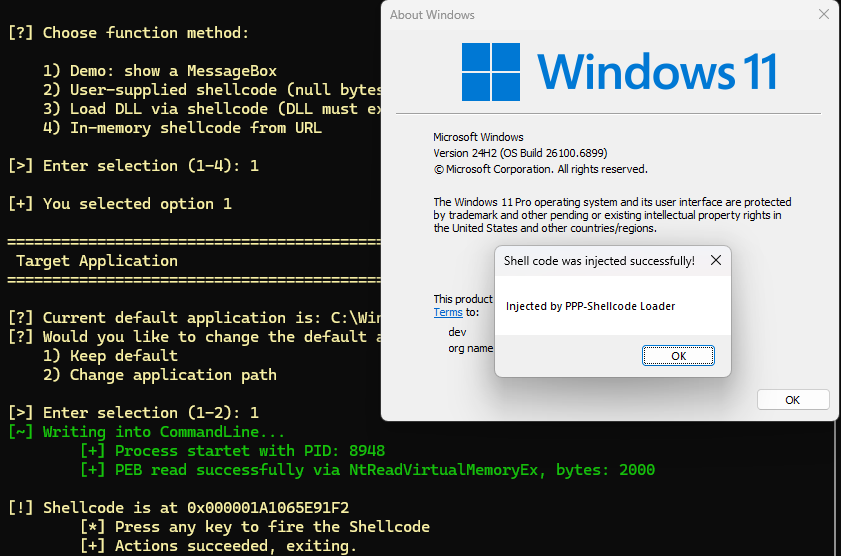
P³-Shellcode Loader is a loader that implements a code injection technique which leverages the Process Parameters structure as an execution and staging location for shellcode injection into remote processes, without triggering common detection mechanisms.

Authors: Max Hirschberger & Ogulcan Ugur
P³-Shellcode Loader is a loader that implements a code injection technique which leverages the Process Parameters structure (Process Parameter Poisoning) as an execution and staging location for shellcode injection into remote processes, without triggering common detection mechanisms.
A similar concept was described by the security researcher modexp, who demonstrated that the arguments passed to the CreateProcess-API can be leveraged for this purpose [1].
Attackers want to make their activities look less suspicious. With process injection, the attackers are able to perform their activities from a different process that is more trusted or expected to be performing the specific activity, thus lowering suspicion.
The following are the typical steps required to inject code into another process:
OpenProcess / NtOpenProcess or CreateProcess / NtCreateProcess).VirtualAllocEx or NtAllocateVirtualMemory).WriteProcessMemory / NtWriteVirtualMemory).VirtualProtectEx / NtProtectVirtualMemory).CreateRemoteThread bzw. NtCreateThreadEx).Additional injection techniques include but are not limited to the following:
NtSetContextThread)NtQueueApcThread)RtlCreateProcessReflection, that implements process forking.
In our testing, we observed that most EDRs focus on specific telemetry to detect process injection. EDRs primarily monitor the usage of WriteProcessMemory and VirtualAllocEx, as well as their underlying kernel system calls NtWriteVirtualMemory, NtAllocateVirtualMemory and NtAllocateVirtualMemoryEx.Windows provides the API function CreateProcessW for creating new processes, shown in Listing 1. The first three of its parameters lpCommandLine, lpEnvironment and lpStartupInfo are relevant for the described injection technique, since they are used to transfer data to the new process.
BOOL CreateProcessW(
    [in, optional]  LPCWSTR               lpApplicationName,
    [in, out, optional] LPWSTR            lpCommandLine,
    [in, optional]  LPSECURITY_ATTRIBUTES lpProcessAttributes,
    [in, optional]  LPSECURITY_ATTRIBUTES lpThreadAttributes,
    [in]            BOOL                  bInheritHandles,
    [in]            DWORD                 dwCreationFlags,
    [in, optional]  LPVOID                lpEnvironment,
    [in, optional]  LPCWSTR               lpCurrentDirectory,
    [in]            LPSTARTUPINFOW        lpStartupInfo,
    [out]           LPPROCESS_INFORMATION lpProcessInformation
);
Listing 1: Definition of CreateProcessW Windows API Function
The lpCommandLine parameter specifies the command line for the new process. It is limited to a maximum of 32,767 unicode characters, including the unicode null-terminator. For the unicode variant, it is necessary to provide a string that the function can write to. If a constant string is supplied, any write attempts made by the API function result in a memory access violation. If the value is NULL, the process's command line will be taken from the lpApplicationName parameter. If lpApplicationName is NULL, it has to be provided in the lpCommandLine field and is limited to MAX_PATH characters.
The lpEnvironment parameter provides a list of environment variables to the process. If the value is NULL, the environment of the creating process will be used. The list of environment variables consists of successive null-terminated strings of the format NAME=VALUE with another null-terminator at the end.
The lpStartupInfo parameter is a structure shown in Listing 2 with fields such as window station, desktop, standard input and output handles as well as fields that configure the main window of the new process. According to Microsoft documentation, the field lpReserved is reserved for internal use with no further documentation. Through analysis with the WinDbg debugger, it was possible to relate this parameter to the ShellInfo variable of the type UNICODE_STRING in the new process.
typedef struct _STARTUPINFOW {
    DWORD  cb;
    LPWSTR lpReserved;   // Copied to ShellInfo (UNICODE_STRING)
    LPWSTR lpDesktop;
    LPWSTR lpTitle;
    DWORD  dwX;
    DWORD  dwY;
    DWORD  dwXSize;
    // (...) additional fields
    WORD   wShowWindow;
    WORD   cbReserved2;
    LPBYTE lpReserved2;
    HANDLE hStdInput;
    // (...) additional fields
} STARTUPINFOW, *LPSTARTUPINFOW;
Listing 2: Layout of STARTUPINFOW data structure
