 olizimmermann/s3dns
Passive DNS server that detects exposed cloud storage buckets (AWS S3, GCP, Azure) by resolving DNS requests, tracing CNAME chains, and flagging potential subdomain takeovers during reconnaissance.

s3dns is a lightweight DNS server that helps uncover cloud storage buckets (AWS S3, Google Cloud Storage, and Azure Blob) by resolving DNS requests, tracing CNAMEs, and matching known bucket URL patterns.
It's a handy companion for pentesters, bug bounty hunters, and cloud security analysts who want to catch exposed cloud buckets during DNS traffic analysis.
If S3DNS saves you time on a recon session, consider giving it a ⭐️ — it helps others find the project.
CACHE_SIZE (default: 1000 entries, set to 0 to disable).RATE_LIMIT (default: 100 req/s, set to 0 to disable).NXDOMAIN, S3DNS flags it as a possible domain takeover. This indicates a dangling DNS record pointing to an unclaimed bucket that an attacker could register.max_cname_depth parameter.AZURE_IP_RANGES=false or AWS_IP_RANGES=false (default is true).regex_patterns and hardcoded patterns to the patterns folder as YAML files. You can add your own patterns.
regex_.53 (UDP and TCP)S3DNS listens on port 53 (UDP and TCP) for DNS queries. For every request it:
1.1.1.1) — over UDP for UDP clients, over TCP for TCP clientsIn parallel, it:
s3dns.log⚡ Use this as your DNS during recon, and it will passively surface cloud buckets and takeover candidates for every domain your tools or browser resolve.
You will only need one of the following:
Only needed if you want to run it locally with Python
git clone https://github.com/olizimmermann/s3dns.git
cd s3dns
(Using a virtual environment is recommended)
python3 -m venv venv
source venv/bin/activate
pip install -r requirements.txt
Port 53 requires elevated privileges:
sudo python s3dns.py
If sudo claims a missing module, try: sudo venv/bin/python s3dns.py
docker build -t ozimmermann/s3dns:latest .The easiest way to get started with S3DNS.
docker pull ozimmermann/s3dns:latest
docker run --rm -p 53:53/udp -p 53:53/tcp \
  -v "./bucket_findings/:/app/buckets/" \
  --name "s3dns" \
  ozimmermann/s3dns:latest
docker build -t ozimmermann/s3dns:latest .
docker run --rm -p 53:53/udp -p 53:53/tcp \
  -v "./bucket_findings/:/app/buckets/" \
  --name "s3dns" \
  ozimmermann/s3dns:latest
Findings are saved:
./bucket_findings/When using S3DNS on the same machine where you perform analysis, it may help to set the --network host flag:
docker run --rm -p 53:53/udp -p 53:53/tcp \
  -v "./bucket_findings/:/app/buckets/" \
  --network host \
  --name "s3dns" \
  ozimmermann/s3dns:latest
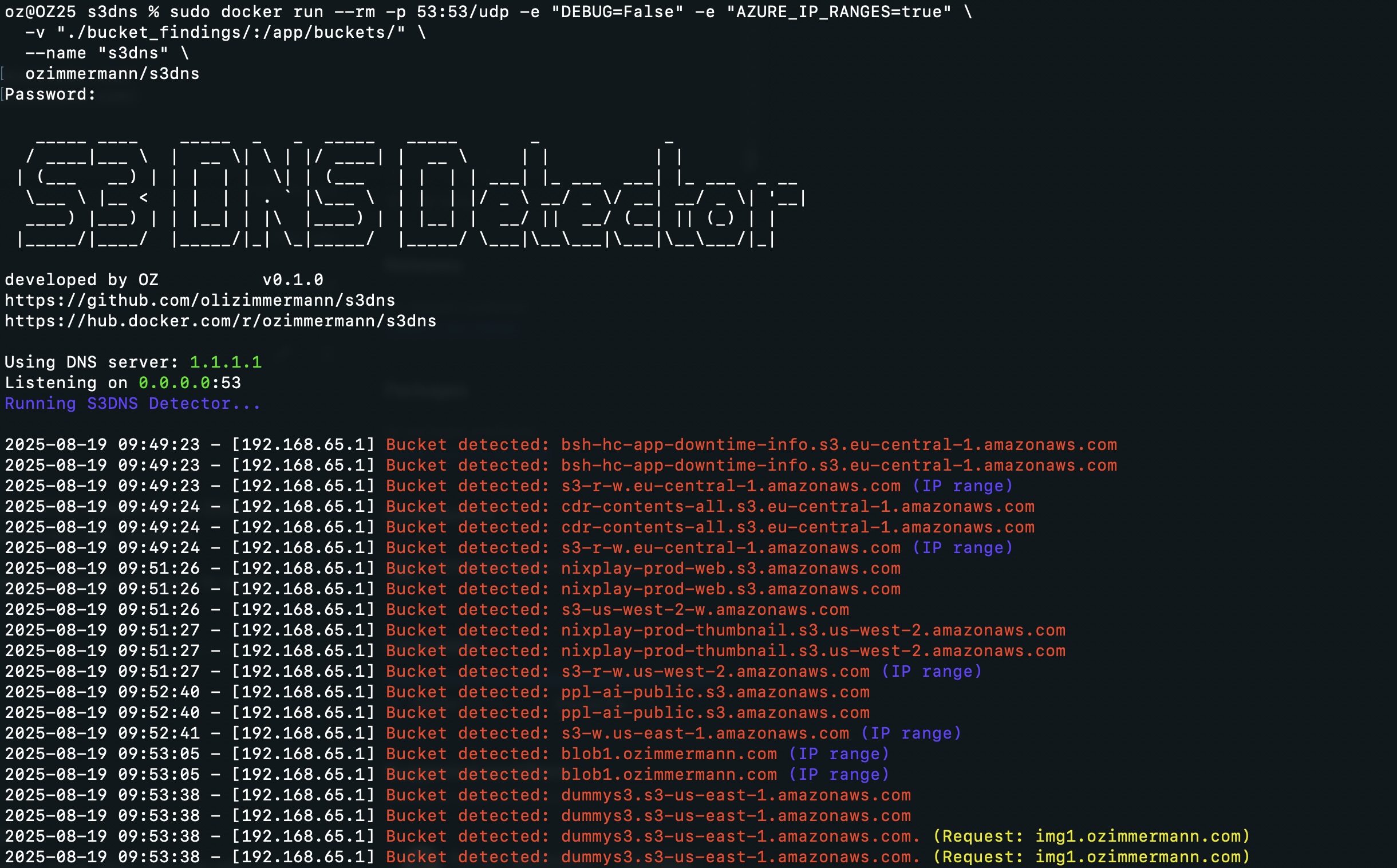
Since port 53 requires elevated privileges, some users (e.g., Mac users) may need sudo:
sudo docker run --rm -p 53:53/udp -p 53:53/tcp \
  -v "./bucket_findings/:/app/buckets/" \
  --name "s3dns" \
  ozimmermann/s3dns:latest
Set your system or tool's DNS resolver to your S3DNS instance.
While browsing or fuzzing your target, S3DNS analyzes every domain and tells you if it resolves to:
- An AWS S3 bucket
- A GCP bucket
- An Azure Blob container
- Any of 13 other supported cloud storage providers
It follows CNAMEs, so if a domain points to
cdn.example.com, which in turn points to a cloud bucket, it will catch that too.It also flags potential subdomain takeovers — if a domain matches a cloud storage pattern but the target does not exist (NXDOMAIN), the dangling record is highlighted as a possible takeover candidate.
Use it passively while analyzing a site to spot exposed buckets and takeover opportunities without active probing.
You can tweak behavior via command-line flags, environment variables, or by modifying s3dns.py.
Precedence for every option is: command-line flag > environment variable > interactive prompt / default. Running with no flags behaves exactly as before.
