 octoberfest7/zip_smuggling
Python3 utility for creating zip files that smuggle additional data for later extraction

This Python utility creates zip files that contain additional data embedded within the file structure. This extra data is not visible/does not display when the zip is examined or decompressed, but can be retrieved using powershell via a Windows shortcut file (LNK) within the zip file.
The script requires a name for your zip file / shortcut file / smuggled file, as well as the file/data you wish to smuggle:
python3 zip_smuggle.py important_data /home/ubuntu/zip_smuggling/testdata.txt
This will produce important_data.zip within the script folder. Transfer this zip file to a Windows machine, double-click into the zip or extract it, and then click the shortcut contained within. The data you provided to smuggle will be retrieved from the zip file, saved to disk, and opened as a text file.
This project leverages an older one of mine, lnk_generator, that allows you to create arbitrary shortcut files using a preset template. Check out that repo for more of the details / more complete scripts and notes on generating shortcut files.
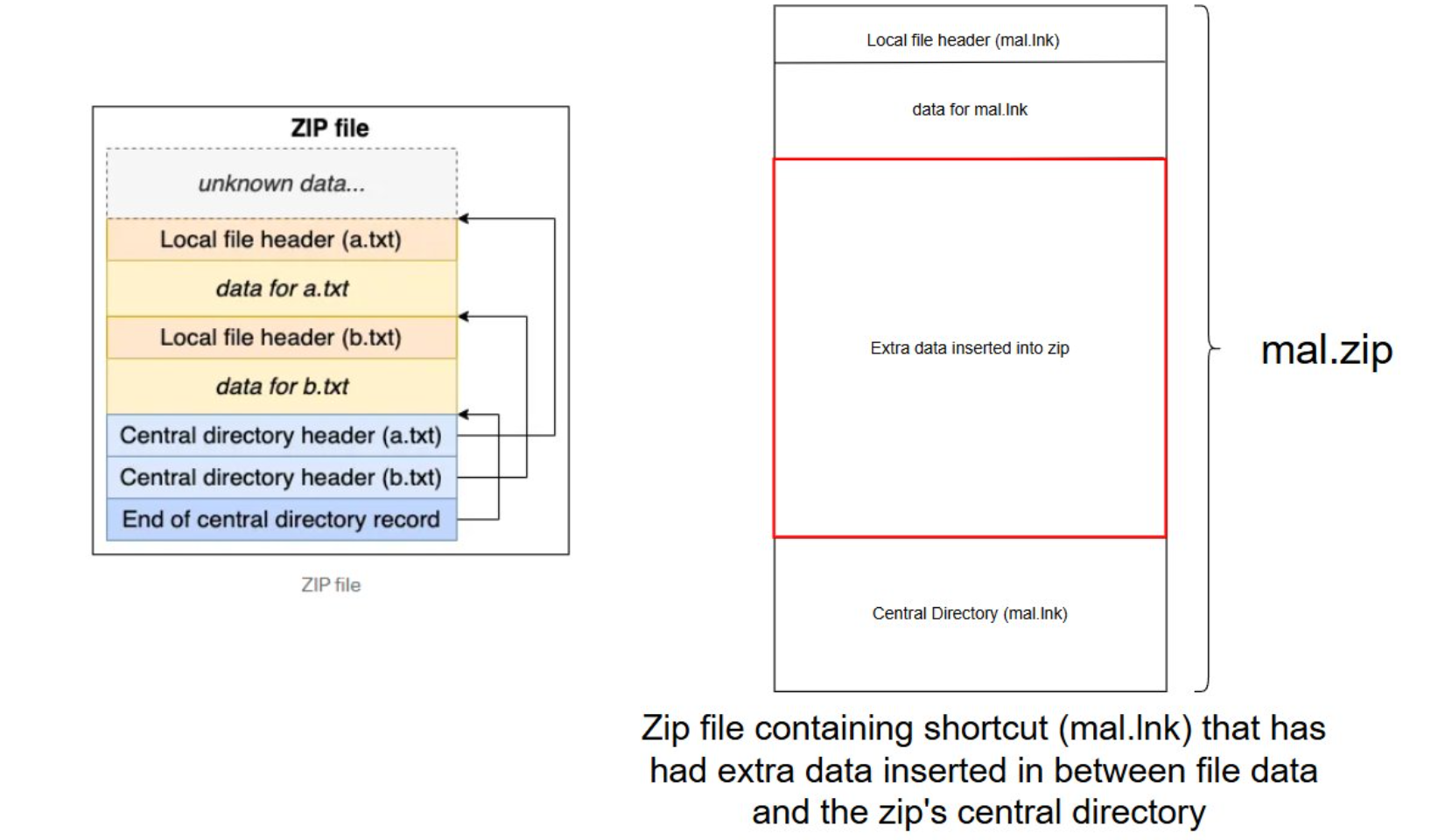
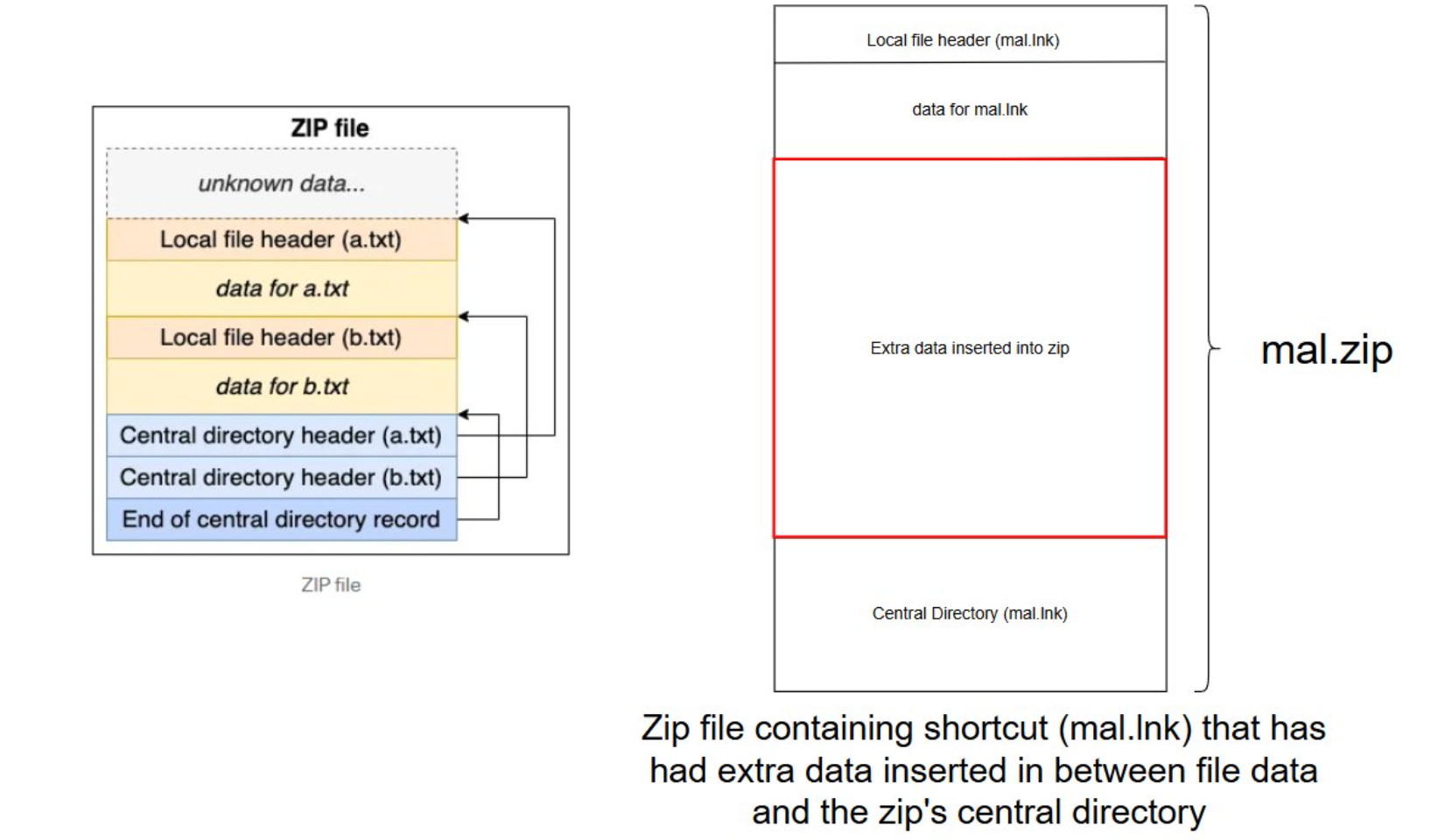
The data that is smuggled is placed in-between the data of the files contained within the archive and the archives central directory, which serves as a table of contents of sorts for the zip file. This central directory contains offsets of the files within the archive, so while our injected data is present within the zip it isn't tracked or indexed by the central directory and thus cannot be easily viewed or extracted. The python script finds "End of Central Directory" offset within the zip file and updates it with the new location of the central directory after the smuggled data has been injected. The following graphic displays the general structure of a zip on the left, and where our data has been inserted on the right:
The smuggled data is extracted using a powershell command:
powershell.exe -w 1 -c "$name = \"testing\";$file = (get-childitem -Pa $Env:USERPROFILE -Re -Inc *$name.zip).fullname;$bytes=[System.IO.File]::ReadAllBytes($file);$size = (0..($bytes.Length - 4) | Where-Object {$bytes[$_] -eq 0x55 -and $bytes[$_+1] -eq 0x55 -and $bytes[$_+2] -eq 0x55 -and $bytes[$_+3] -eq 0x55 })[0] + 4;$length=12;$chunk=$bytes[$size..($size+$length-1)];$out = \"$Env:TEMP\$name.txt\";[System.IO.File]::WriteAllBytes($out,$chunk);Invoke-Item $out"
This command:
0x55/0x55/0x55/0x55) marking the start of the smuggled dataThis POC has been left pretty general / weaponizing it to use other file types / etc will be left as an exercise to the reader.
