
XLL Phishing Tradecraft
With Microsoft's recent announcement regarding the blocking of macros in documents originating from the internet (email AND web download), attackers have began aggressively exploring other options to achieve user driven access (UDA). There are several considerations to be weighed and balanced when looking for a viable phishing for access method:
These are the major questions, however there are certainly more. Things get more complex as you realize that these factors compound each other; for example, if a client has a web proxy that prohibits the download of executables or DLL's, you may need to stick your payload inside a container (ZIP, ISO, etc). Doing so can present further issues down the road when it comes to detection. More robust defenses require more complex combinations of techniques to defeat.
This article will be written with a fictional target organization in mind; this organization has employed several defensive measures including email filtering rules, blacklisting certain file types from being downloaded, application whitelisting on endpoints, and Microsoft Defender for Endpoint as an EDR solution.
Real organizations may employ none of these, some, or even more defenses which can simplify or complicate the techniques outlined in this research. As always, know your target.
XLL's are DLL's, specifically crafted for Microsoft Excel. To the untrained eye they look a lot like normal excel documents.

XLL's provide a very attractive option for UDA given that they are executed by Microsoft Excel, a very commonly encountered software in client networks; as an additional bonus, because they are executed by Excel, our payload will almost assuredly bypass Application Whitelisting rules because a trusted application (Excel) is executing it. XLL's can be written in C, C++, or C# which provides a great deal more flexibility and power (and sanity) than VBA macros which further makes them a desirable choice.
The downside of course is that there are very few legitimate uses for XLL's, so it SHOULD be a very easy box to check for organizations to block the download of that file extension through both email and web download. Sadly many organizations are years behind the curve and as such XLL's stand to be a viable method of phishing for some time.
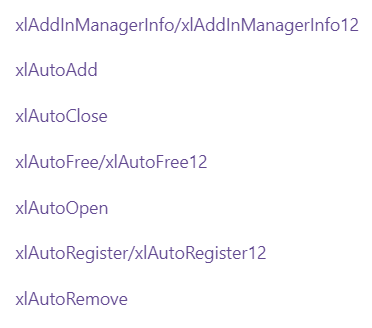
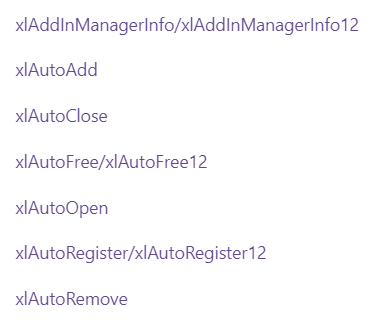
There are a series of different events that can be used to execute code within an XLL, the most notable of which is xlAutoOpen. The full list may be seen here:
Upon double clicking an XLL, the user is greeted by this screen:
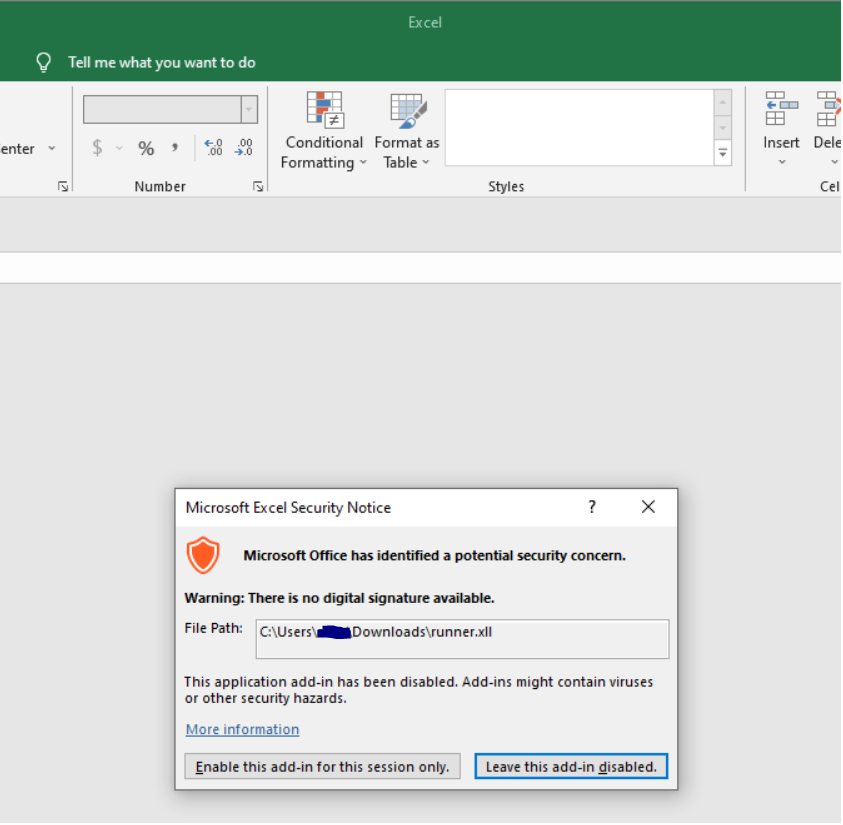
This single dialog box is all that stands between the user and code execution; with fairly thin social engineering, code execution is all but assured.
Something that must be kept in mind is that XLL's, being executables, are architecture specific. This means that you must know your target; the version of Microsoft Office/Excel that the target organization utilizes will (usually) dictate what architecture you need to build your payload for.
There is a pretty clean break in Office versions that can be used as a rule of thumb:
Office 2016 or earlier: x86
Office 2019 or later: x64
It should be noted that it is possible to install the other architecture for each product, however these are the default architectures installed and in most cases this should be a reliable way to make a decision about which architecture to roll your XLL for. Of course depending on the delivery method and pretexting used as part of the phishing campaign, it is possible to provide both versions and rely on the victim to select the appropriate version for their system.
The XLL payload that was built during this research was based on this project by edparcell. His repository has good instructions on getting started with XLL's in Visual Studio, and I used his code as a starting point to develop a malicious XLL file.
A notable deviation from his repository is that should you wish to create your own XLL project, you will need to download the latest Excel SDK and then follow the instructions on the previously linked repo using this version as opposed to the 2010 version of the SDK mentioned in the README.
Delivery of the payload is a serious consideration in context of UDA. There are two primary methods we will focus on:
Either via attaching a file or including a link to a website where a file may be downloaded, email is a critical part of the UDA process. Over the years many organizations (and email providers) have matured and enforced rules to protect users and organizations from malicious attachments. Mileage will vary, but organizations now have the capability to:
Fuzzing an organization's email rules can be an important part of an engagement, however care must always be taken so as to not tip one's hand that a Red Team operation is ongoing and that information is actively being gathered.
For the purposes of this article, it will be assumed that the target organization has robust email attachment rules that prevent the delivery of an XLL payload. We will pivot and look at web delivery.
Email will still be used in this attack vector, however rather than sending an attachment it will be used to send a link to a website. Web proxy rules and network mitigations controlling allowed file download types can differ from those enforced in regards to email attachments. For the purposes of this article, it is assumed that the organization prevents the download of executable files (MZ headers) from the web. This being the case, it is worth exploring packers/containers.
The premise is that we might be able to stick our executable inside another file type and smuggle it past the organization's policies. A major consideration here is native support for the file type; 7Z files for example cannot be opened by Windows without installing third party software, so they are not a great choice. Formats like ZIP, ISO, and IMG are attractive choices because they are supported natively by Windows, and as an added bonus they add very few extra steps for the victim.

