 octoberfest7/teamsphisher
Send phishing messages and attachments to Microsoft Teams users

                            ...
                        :-++++++=-.
                      .=+++++++++++-
                     .++++++++++++++=     :------:                            :-:--.
                     :+++++++++++++++.  .----------                           #= .-+.
                     :+++++++++++++++.  -----------:                         :#=  :#.
:--------------------------=++++++++-  .------------                          .=+  ++
----------------------------+++++*+-.   :+=-----===:                          -+-.+:
:---------------------------++++=-.      .=+++++=-.                           .=+:.
:------=%%%%%%%%%%%%--------:...           .:::..                              -*=-:
:------=****#@@#****--------=++++++++++++++-----------.                        -#++-
:----------:+@@+:-----------+++++++++++++++=-----------                        -#++-
:-----------+@@*------------+++++++++++++++=-----------.                       -*+*-
:-----------+@@*------------+++++++++++++++=-----------.                   .   -*++-
:-----------+@@*------------+++++++++++++++=-----------.                   --  -*++-
:-----------+@@*------------+++++++++++++++=-----------.           .       ==  -*++-                .=
:-----------+@@+------------+++++++++++++++=-----------.          .+       -=  :+==-                .*
:---------------------------+++++++++++++++=-----------.          =*       -=  -+=+=                .::
----------------------------+++++++++++++++=-----------           **       -+  -+=++.               .*=
.:-------------------------=+++++++++++++++=---------=:           #+       :=  ++-:*=                ==
                -++++++++++++++++++++++++++=-------=+=:          :#=       .:. *=: -*-               ==
                .=+++++++++++++++++++++++++*+++++++=-.           -#-        ::++=   :+=.            .==
                :++++++++++++++++++++++++=:.:::::.               -*:        .=+-.    .=+-.          -+:
                .=+*+++++++++++++++++++-                         -+-      .:-=.        .-====----:-==:
                    .-+**+++++++++++**+-.                        .++:   .-=-:             .:-====-:.
                    :-=++******+=-:                               .=+===--.
                        ..:::..                                      ...

                   _____                            ______  _      _       _
                  |_   _|                           | ___ \| |    (_)     | |
                    | |  ___   __ _  _ __ ___   ___ | |_/ /| |__   _  ___ | |__    ___  _ __
                    | | / _ \ / _` || '_ ` _ \ / __||  __/ | '_ \ | |/ __|| '_ \  / _ \| '__|
                    | ||  __/| (_| || | | | | |\__ \| |    | | | || |\__ \| | | ||  __/| |
                    \_  \___| \__,_||_| |_| |_||___/\_|    |_| |_||_||___/|_| |_| \___||_|

                    v1.2 developed by @Octoberfest73 (https://github.com/Octoberfest7)
TeamsPhisher is a Python3 program that facilitates the delivery of phishing messages and attachments to Microsoft Teams users whose organizations allow external communications.
It is not ordinarily possible to send files to Teams users outside one's organization. Max Corbridge (@CorbridgeMax) and Tom Ellson (@tde_sec) over at JUMPSEC recently disclosed a way to get around this restriction by manipulating Teams web requests in order to alter the recipient of a message with an attached file.
TeamsPhisher incorporates this technique in addition to some earlier ones disclosed by Andrea Santese (@Medu554).
It also heavily leans upon TeamsEnum, a fantastic piece of work from Bastian Kanbach (@bka) of SSE, for the authentication part of the attack flow as well as some general helper functions.
TeamsPhisher seeks to take the best from all of these projects and yield a robust, customizable, and efficient means for authorized Red Team operations to leverage Microsoft Teams for phishing for access scenarios.
See the end of this README for mitigation recommendations.
Give TeamsPhisher an attachment, a message, and a list of target Teams users. It will upload the attachment to the sender's Sharepoint, and then iterate through the list of targets.
TeamsPhisher will first enumerate the target user and ensure that the user exists and can receive external messages. It will then create a new thread with the target user. Note this is technically a "group" chat because TeamsPhisher includes the target's email twice; this is a neat trick from @Medu554 that will bypass the "Someone outside your organization messaged you, are you sure you want to view it" splash screen that can give our targets reason for pause. (v1.2)Note: this splash screen bypass was patched, but adding the target user to a group chat is still relevant to the current splash screen bypass.
With the new thread created between our sender and the target, the specified message will be sent to the user along with a link to the attachment in Sharepoint.
Once this initial message has been sent, the target user will be removed from the created group chat. This removes the sender's ability to further message the target, but it also removes the "This person is from outside your organization" splash screen and makes success much more likely. This current bypass was published by @pfiatde in one of his many blogs concerning Teams and unintended behavior and integrated into TeamsPhisher by Steve Nelson (@stevesec128) and Alex Martirosyan (@almartiros) of DenSecure.
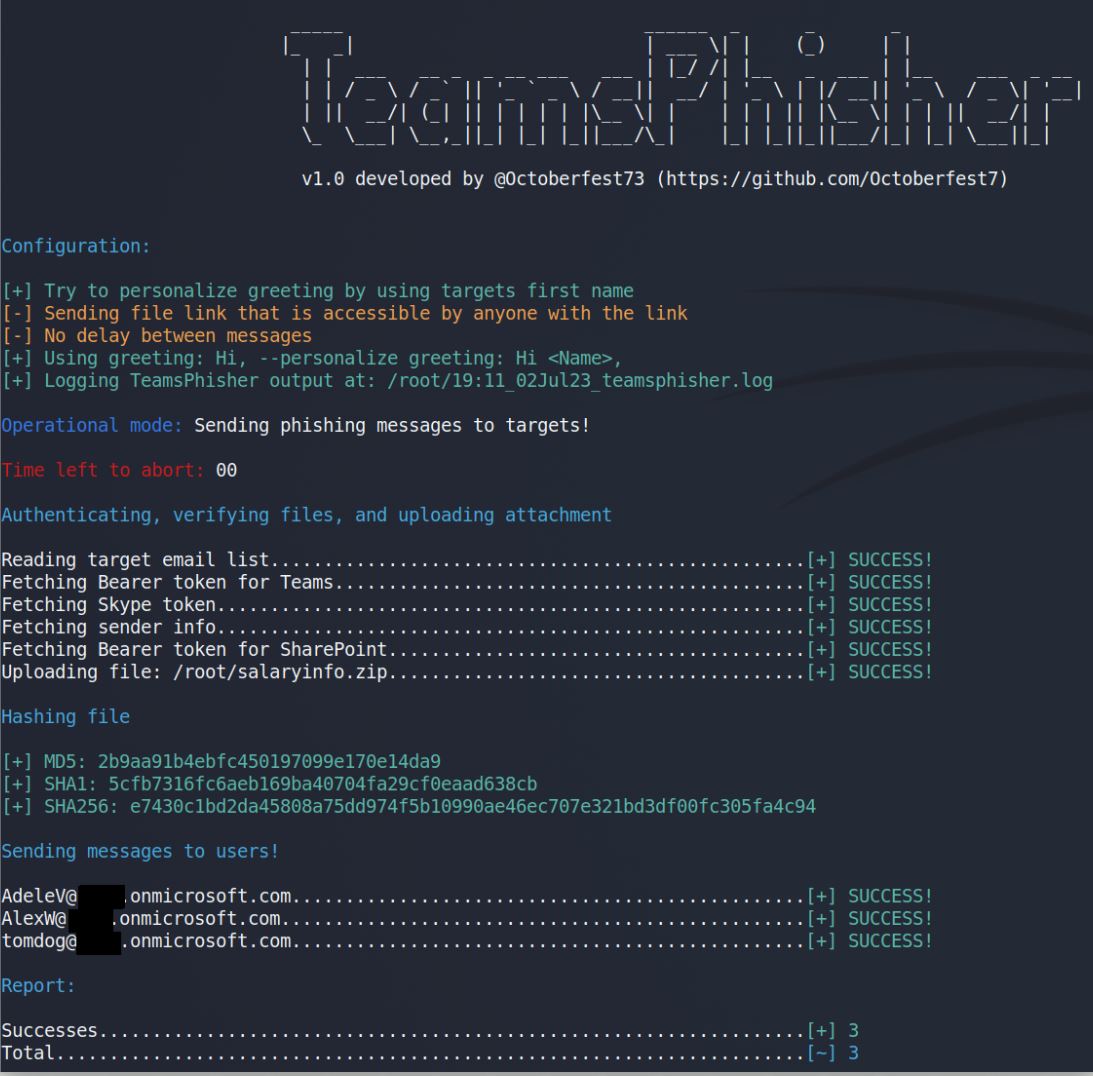
Run TeamsPhisher for real. Send phishing messages to targets.
Command:

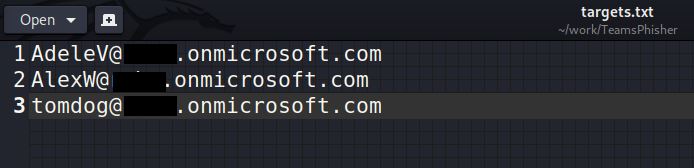
Targets.txt:
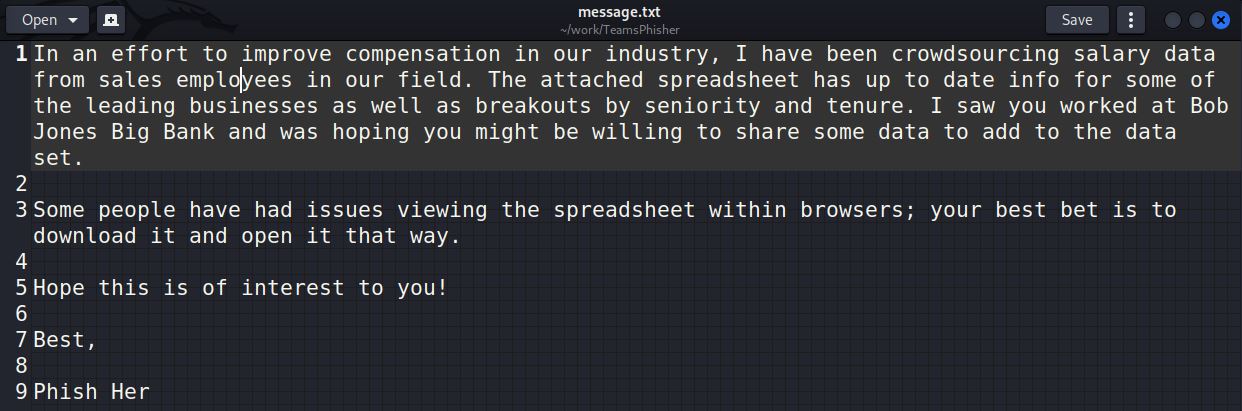
Message.txt:
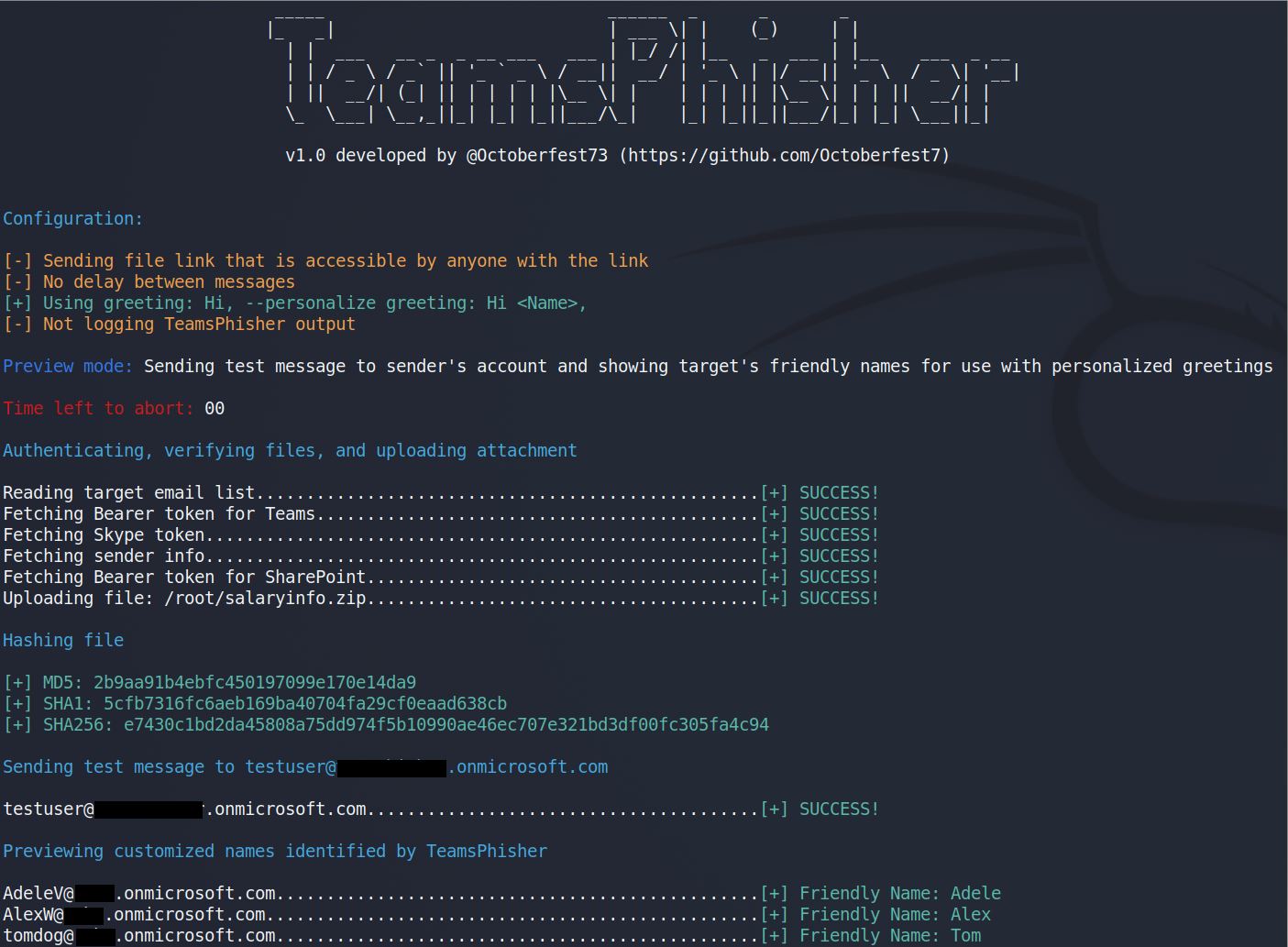
TeamsPhisher output:
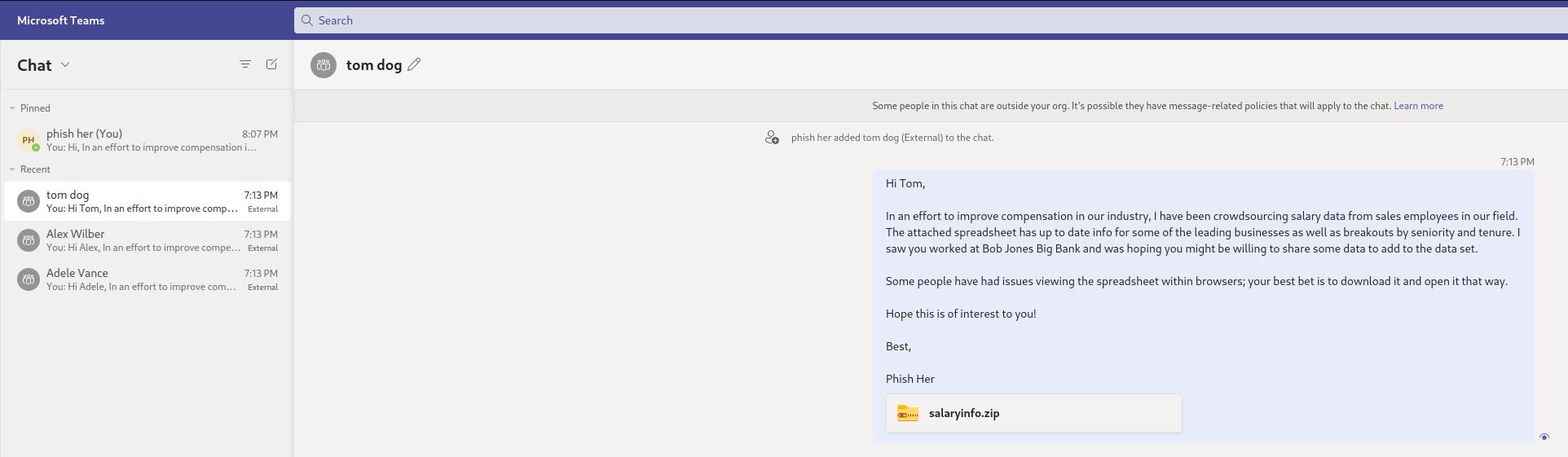
Sender's view:
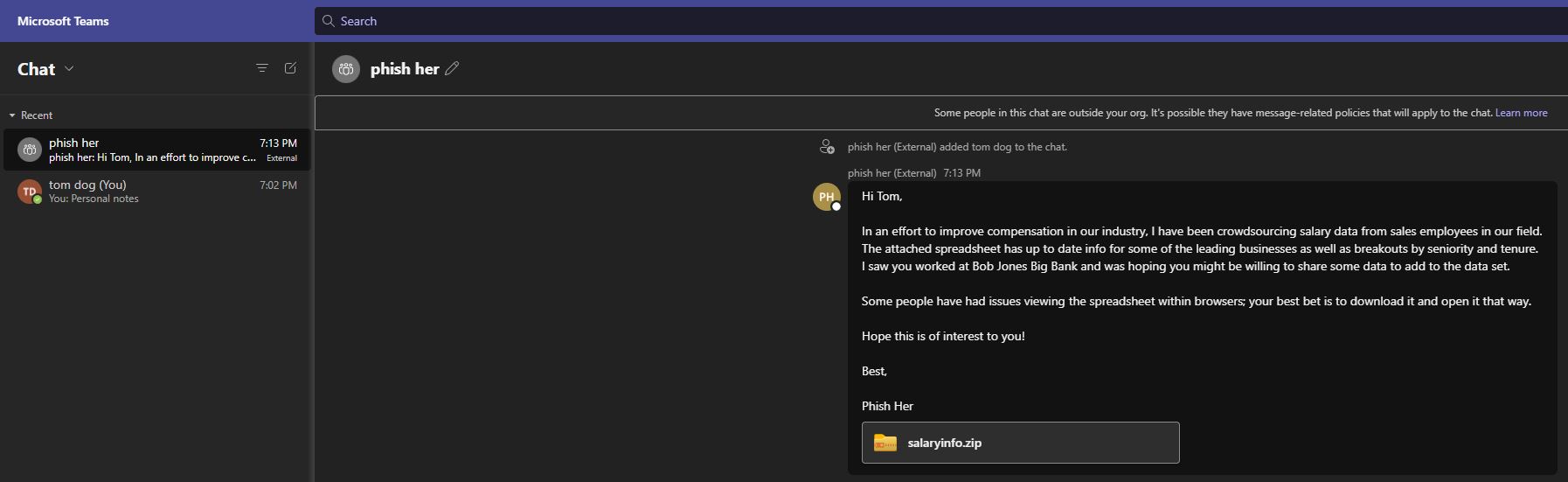
Targets view:
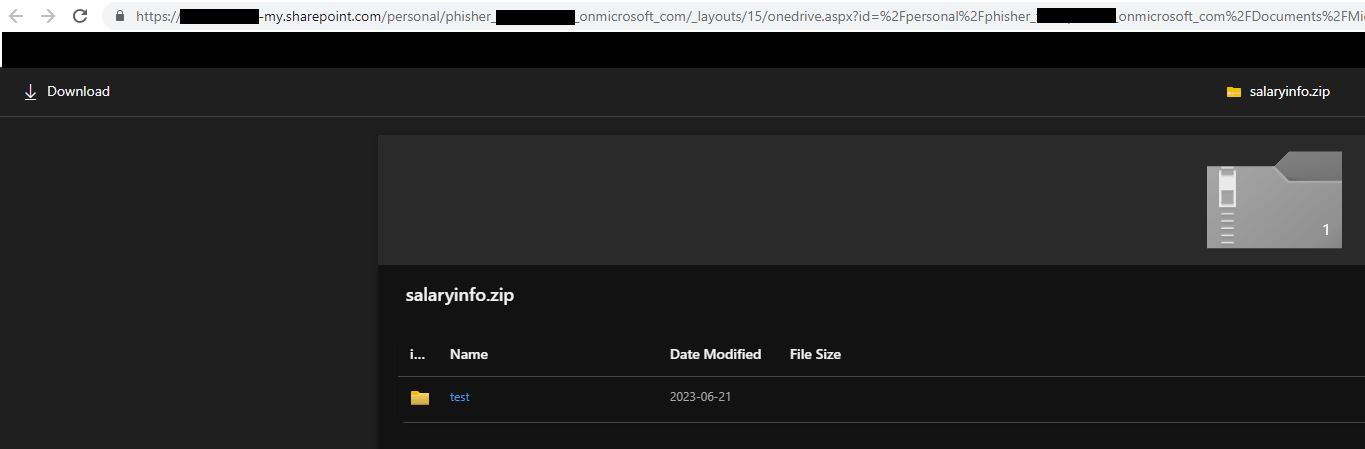
Attached file:
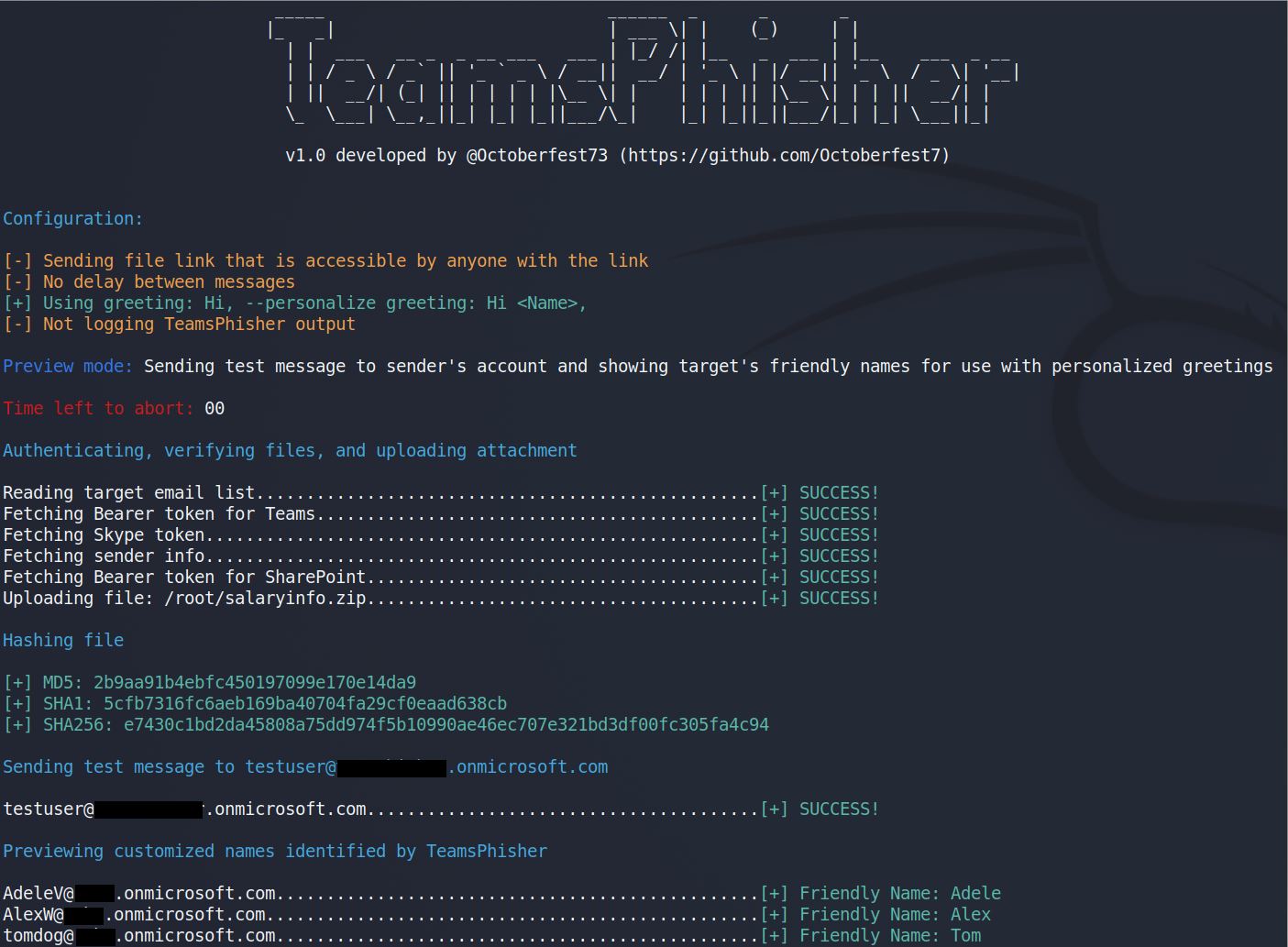
Run TeamsPhisher in preview mode in order to verify your list of targets, preview their "friendly names" (if TeamsPhisher can resolve them using the --personalize switch), and send a test message to your own sender's account in order to verify everything looks as you want it.
TeamsPhisher output: