
Skip to content
KitploitKITPLOIT
ToolsBlog
Submit
ToolsBlog
Submit

Hacking, PenTest, and Cybersecurity Tools for Your Security Arsenal!

Kitploit is a directory of hacking, cybersecurity, and pentesting tools. Discover the latest project updates to find vulnerabilities, analyze systems, automate testing, and strengthen your security.

··Feeds·Contact·Privacy·© 2026 Kitploit

Tool Directory

Categories

View all categories
Loading categories
TeamPass — Collaborative Passwords Manager | Kitploit
Tools/GitHubGitHub/nilsteampassnet/teampass
Authentication & AuthorizationPassword CrackingEncryption/Decryption ToolsConfiguration AuditingWeb SecurityCloud SecurityDevSecOpsPrivacyIdentity & Access Management (IAM)API SecurityDatabase Security
1.8k570105 days agoReviewed by Kitploit

Most Popular

View all →

Discover the most used tools by our community.

Explore all tools

Browse our collection of tools

View all tools →
Share
GitHub
nilsteampassnet/teampass

TeamPass

Collaborative Passwords Manager

View RepositoryWebsite
Teampass

Teampass

Self-hosted password management your whole team can trust

Folder-level access control · authenticated AES-256-GCM encryption · compliance evidence
Your secrets never leave your infrastructure.

🌐 teampass.net · 📖 Documentation · 💬 Discussions · 🐳 Docker Hub


Release License PHP Docker Pulls Stars

CodeQL Docker Build Security policy Sponsor


Contents

  • About
  • Who it's for
  • Security
  • Features
  • Get started
  • Documentation
  • Languages
  • Community
  • Support Teampass
  • License

About

Teampass is an open-source credential vault you run yourself. No account to create, no company behind the curtain holding your data — just a PHP/MySQL application on your own server, with folder-level access control, per-user encryption keys and a full audit trail.

It has been built and maintained since 2009, driven by what real teams actually run into: who should see which credential, how to prove it to an auditor, and how to stop passwords living in chat threads and spreadsheets.
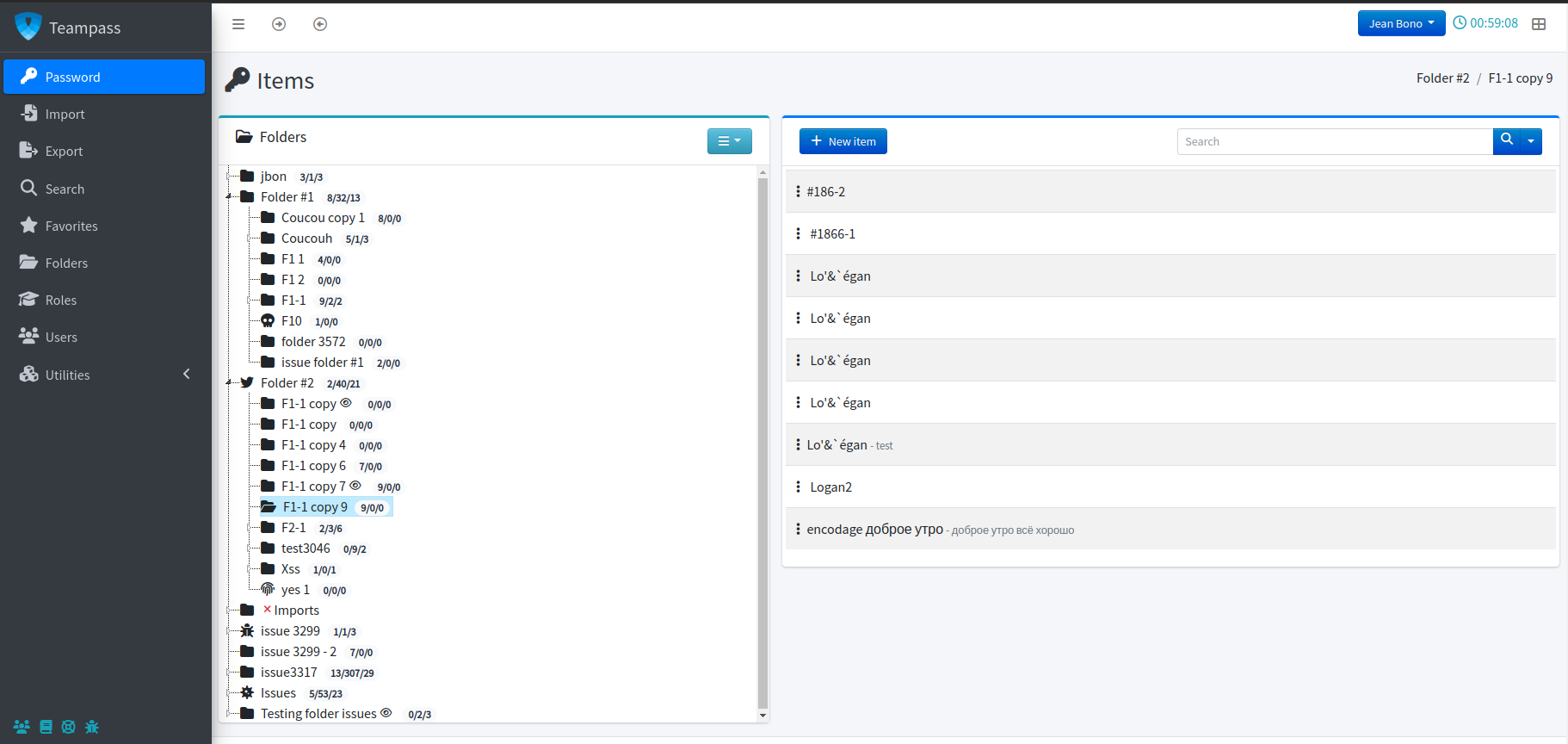
Teampass interface
📸 More screenshots

Items and secrets

Item list Item detail

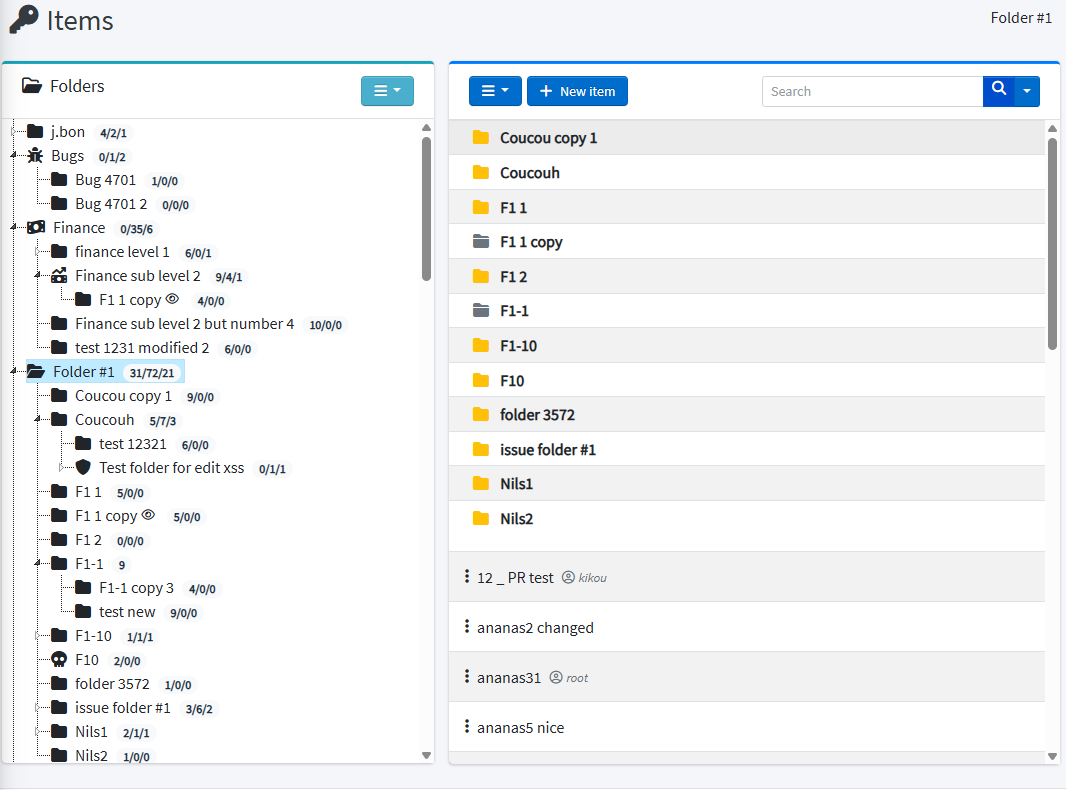
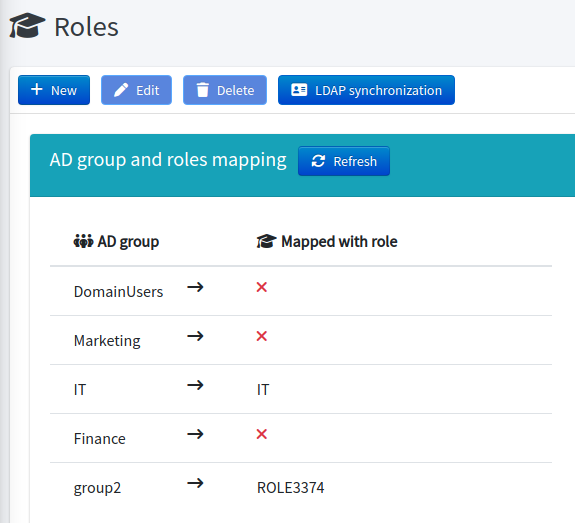
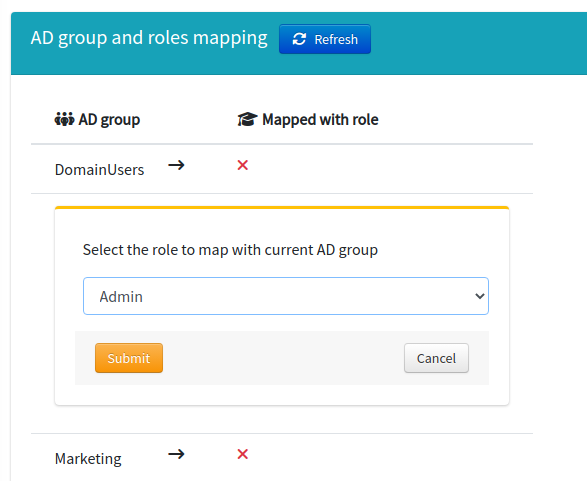
Folders and roles

Folder tree Roles Role rights Role assignment

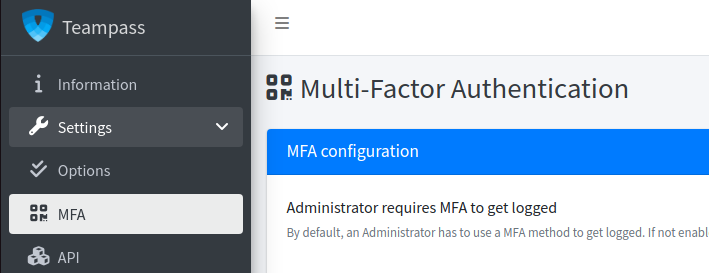
Authentication and MFA

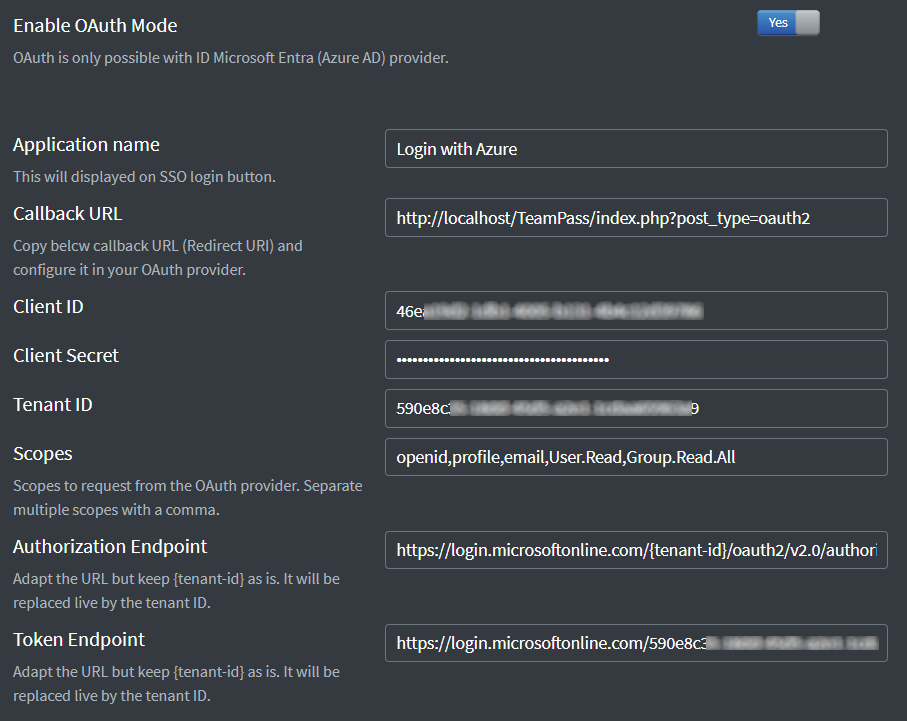
MFA setup OAuth2 settings

Encryption keys

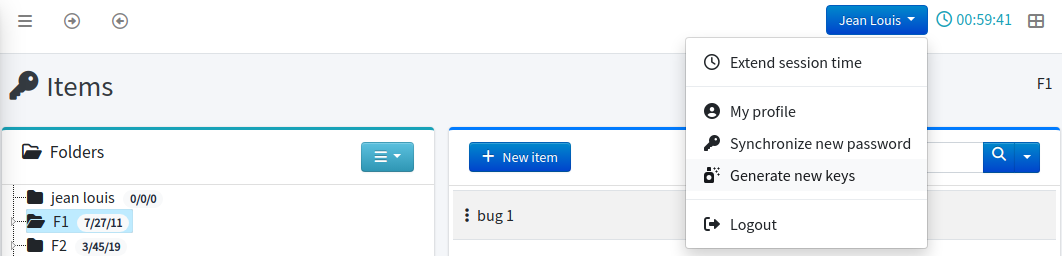
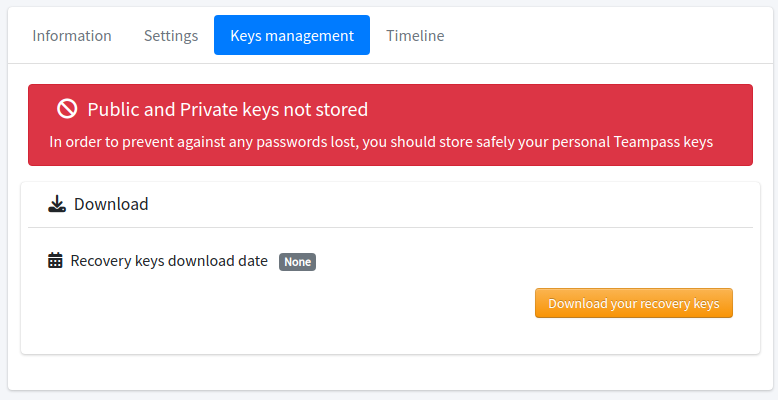
Key management Key regeneration

Search, export, one-time view

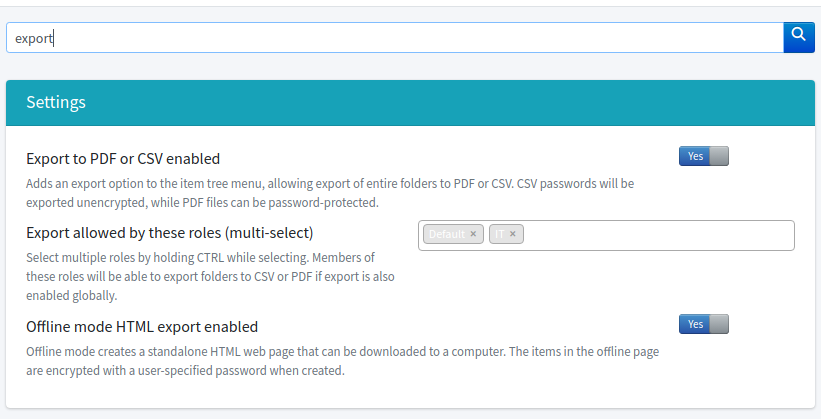
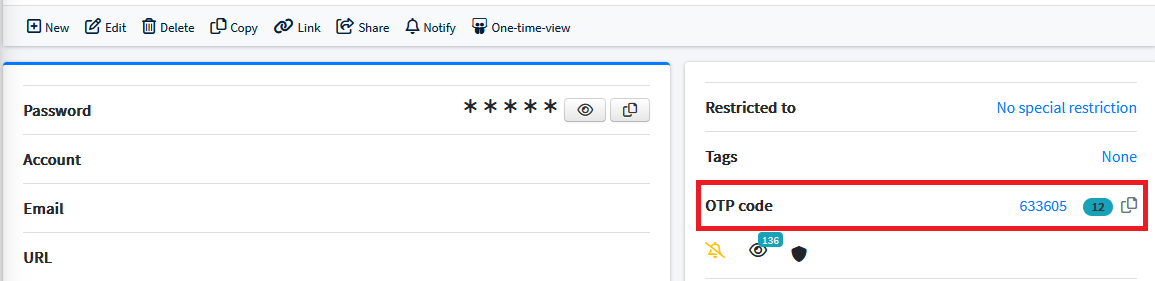
Keyword search Export One-time view TOTP

Who it's for


Security

Encryption you can describe to an auditor

Secrets are encrypted with AES-256-GCM using random nonces and per-secret salts, under 256-bit object keys. The private key that unlocks them is derived from your password with PBKDF2-SHA256 at 600 000 iterations.
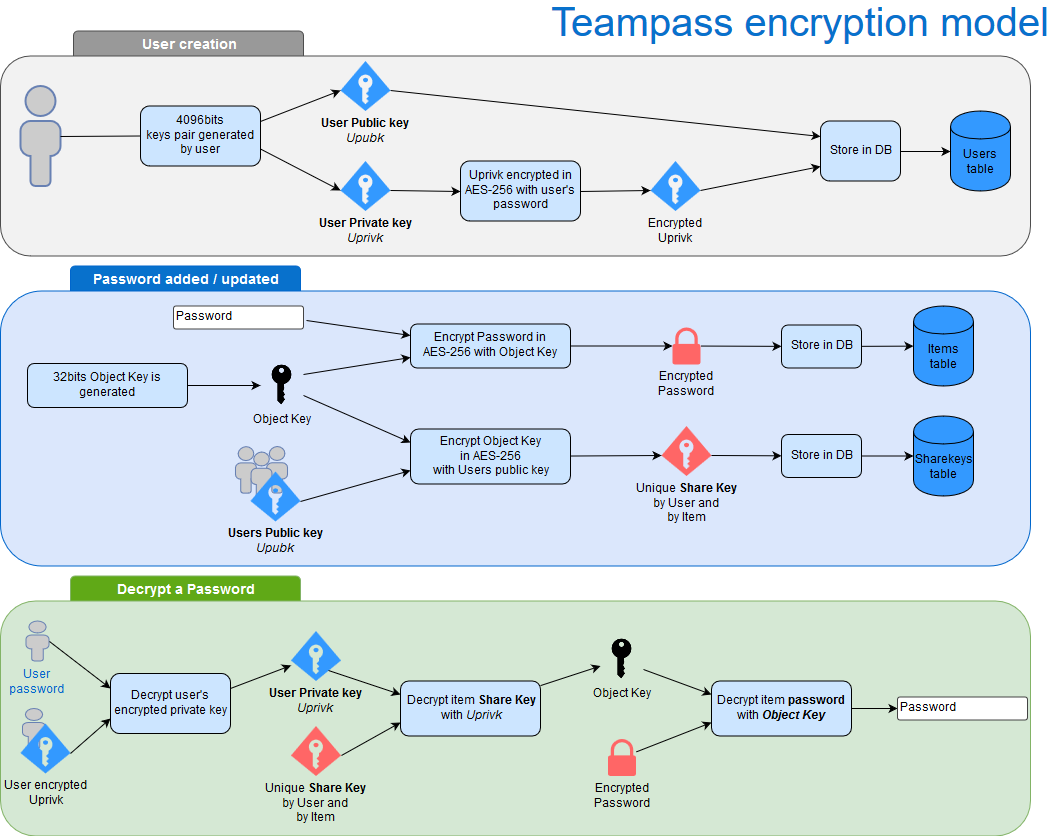
  • Authenticated encryption — tampering is detected, not silently decrypted - Per-user key distribution — every user holds their own RSA-wrapped copy of each object key, so removing an account actually revokes access instead of just hiding a button
  • Lazy migration — format upgrades happen on access, with no maintenance window
Teampass encryption model

Transparency over silence

A password manager that reports no vulnerabilities is not a password manager that has none.

Findings are triaged, fixed and published as GitHub Security Advisories with CVE identifiers.

  • 🔒 Security policy and how to report
  • 📋 Published advisories
  • 🛡️ Security hardening guide

Found a vulnerability? Please report it privately through GitHub Security Advisories — never in a public issue.


Features

🗂️ Folder and role access control
  • Folders — unlimited nesting, per-folder password complexity rules
  • Roles — grant access by role, not user by user
  • Rights — read, write, no-edit, no-delete, resolved least-permissive-wins
  • Users — per-user overrides on top of roles
  • Personal folders that nobody else can read, including administrators
🔐 Authenticated encryption
  • Encryption model — how keys are derived, wrapped and distributed
  • Encryption improvements — the AES-256-GCM format and its lazy migration
  • Key management — regeneration, recovery, per-user key repair
📊 Security posture
  • Security Posture Dashboard scoring weak, reused and breached credentials
  • Breach detection — Have I Been Pwned checks without sending your passwords
  • Password renewal — expiry policies and reminders
  • Micro-learning — in-app nudges instead of a yearly slideshow
🏛️ Governance and audit
  • Access reviews — recertification campaigns with immutable decisions
  • Compliance reports — evidence you can hand to an auditor
  • Rotation tracking — what was rotated, when, by whom
  • Leaver risk — what a departing user could still know
  • Data classification — ownership and sensitivity labels
🪪 Identity integration
  • Authentication — local, LDAP/AD with nested groups, OAuth2 / SSO
  • Multi-factor: TOTP (Google Authenticator), Duo Security, YubiKey, AGSES
  • Network ACL — restrict access by IP range
  • Session management — timeouts, concurrent sessions, Redis-backed storage
🤖 Automation
  • REST API — JWT-authenticated, OpenAPI 3.1 spec, Bash and PowerShell clients
  • Browser extension — autofill, capture, one-click auto-configuration
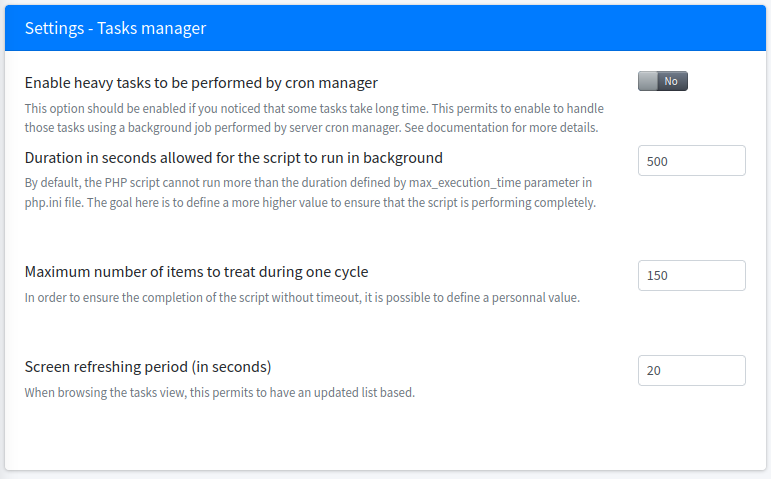
  • Background tasks — key distribution, notifications, maintenance
  • Real-time collaboration — WebSocket sync and edition locks
  • Backups — scheduled, encrypted database dumps
📦 Migration in and out
  • Import — Bitwarden, LastPass, 1Password, KeePassXC, CSV
  • Export — CSV, PDF, and a self-contained encrypted offline HTML vault
  • No lock-in: it is your database, on your server, under GPL-3.0
⚡ Daily productivity
  • Search — across labels, descriptions, tags and custom fields
  • Command palette — keyboard-first navigation
  • Favourites and quick access to recent items
  • Custom fields — individually encryptable, role-restricted
  • Knowledge base and notification center
  • One-time view links and Secure Send for sharing outside the vault

Get started

Requirements

Teampass follows active PHP support. Running the latest stable PHP release is strongly recommended for both security and performance.

🐳 Docker

root@kitploit:~
docker run -d --name teampass \
  -p 8080:80 \
  -v teampass_data:/var/www/html \
  teampass/teampass:latest

Images are published to both registries:

  • Docker Hub — teampass/teampass
  • GitHub Container Registry — ghcr.io/nilsteampassnet/teampass

📖 Docker guide · Migrating an existing install to Docker

🖥️ Bare metal (recommended for production)

Installing directly on a PHP/MySQL server gives the best performance and the most control over your environment.

  • 📖 Official installation guide
  • 🔄 Upgrade guide
  • 🔑 File permissions
  • 🎥 Video tutorial

Documentation


Languages

Teampass ships in 25 languages, translated by the community.

Translations are managed on POEditor — a few strings from you go a long way.

Help translate


Community

Contributing

Contributions of any kind are very welcome. Fork the repo, make your changes, then open a pull request — see CONTRIBUTING.md for the development setup, coding standards and branch conventions, and CODE_OF_CONDUCT.md for how we work together.

Submit a PR

Reporting bugs

If something does not work as it should, raise a ticket. Please include the steps to reproduce, your server configuration, and the diagnostic report from Admin → Bug icon (bottom left).

Raise an Issue

Asking questions

Questions, deployment advice and ideas belong in Discussions rather than the issue tracker.

Discussions

Contributors

Teampass is what it is thanks to these people.

Contributors

Star history

Star History Chart


Support Teampass

Teampass is free, GPL-3.0, and has been maintained by one person since 2009. There is no company behind it — which is exactly the point, and also why support matters.

What sponsorship funds

  • Security work — triaging reports, fixing them, and publishing advisories with CVEs
  • Releases — testing, upgrade paths, and keeping older installations able to move forward
  • Documentation — the guides at documentation.teampass.net
  • Translations — coordinating 25 languages
  • Infrastructure — Docker images, CI, and the project websites

Become a sponsor

The goal is 100 monthly sponsors. Every tier helps, and small recurring amounts help most because they make the work predictable.

Sponsor on GitHub Donate via PayPal

Sponsors

Huge thanks to everyone who sponsors this work — you keep Teampass free for everyone else.

Sponsors

Commercial support

Sponsorship funds the free server. The browser extension and professional services fund the roadmap.

Pro ExtensionBrowser autofill, capture and phishing protection — from €49/year, 30-day trial
ServicesFeature development, deployment assistance, priority handling — quoted per engagement

Pricing


License

Teampass is released under the GNU General Public License v3.0.

You are free to use, study, modify and redistribute it — including commercially — provided derivative works remain under the same license.

📋 Dependency license compliance report


Made in France

Built and maintained by Nils Laumaillé since 2009.

Copyright © 2009-2026 Nils Laumaillé


StandWithUkraine

Download Tool

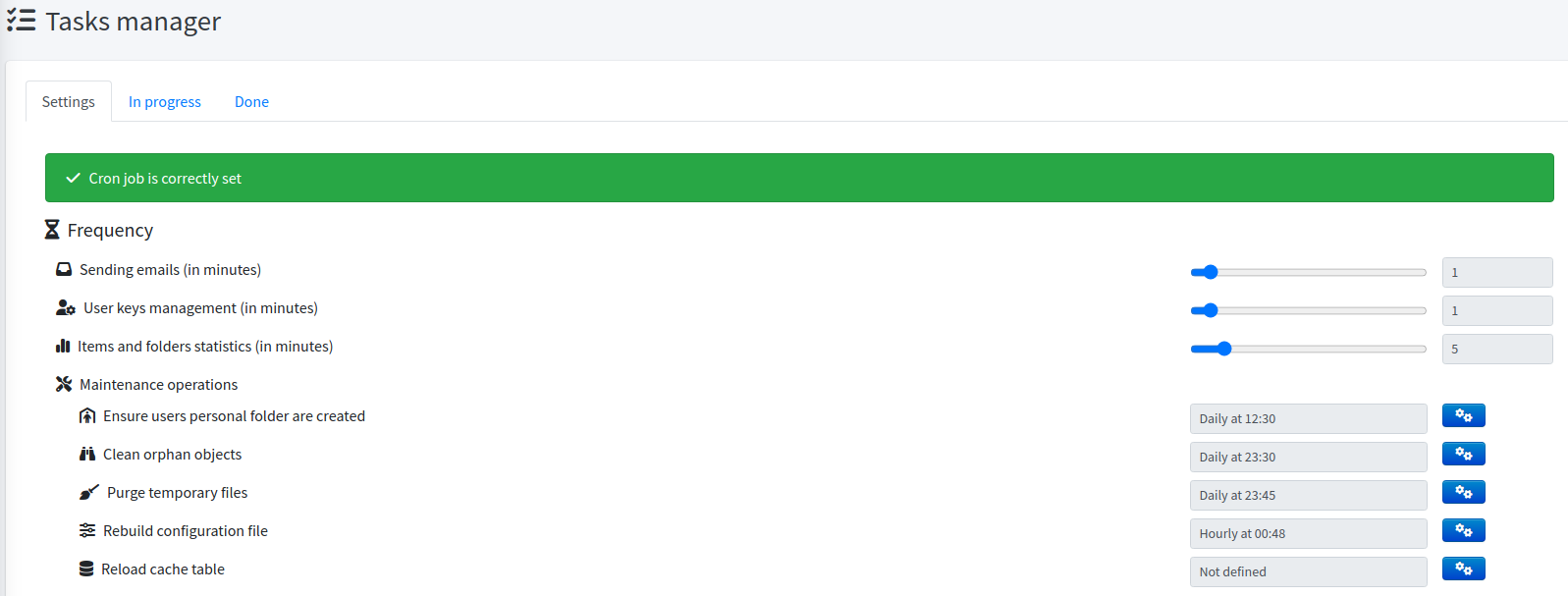
Background tasks

Tasks
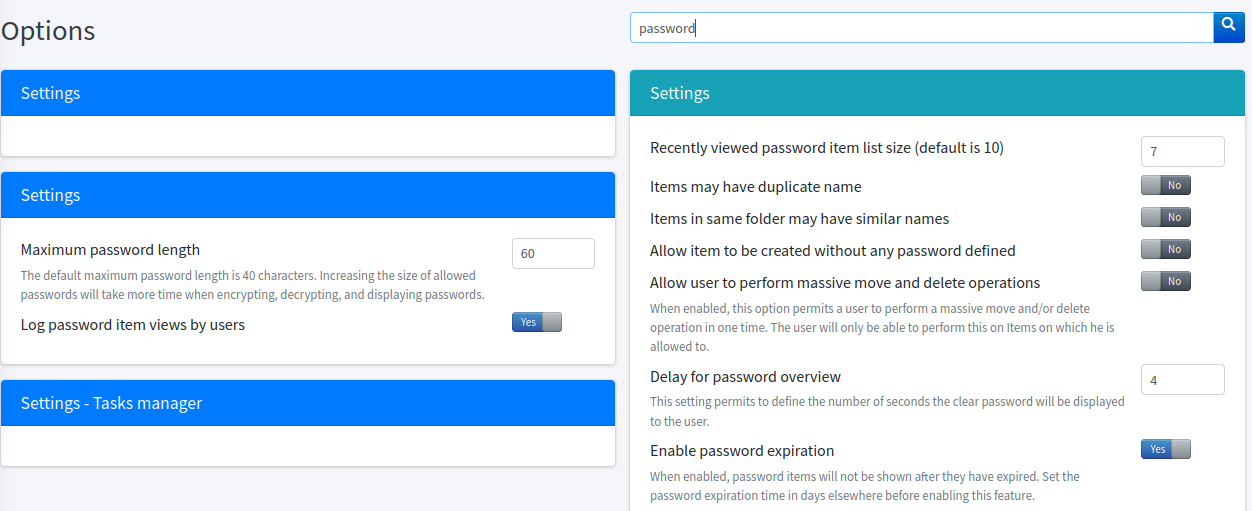
Task settings

🏠 Individuals & Homelab

Own your vault, literally.

  • Runs on a Raspberry Pi or a €5 VPS
  • Personal folders encrypted with your own key
  • Import from Bitwarden, LastPass, 1Password or KeePassXC
  • Free forever, no sign-up required

👥 Teams & SMB

Stop sharing passwords in chat.

  • Folders and roles instead of a shared document
  • A record of who accessed what, and when
  • Secure Send for clients and contractors
  • Browser extension for day-to-day autofill

🏛️ Enterprise & Regulated

Prove your access controls, don't just claim them.

  • Access recertification campaigns with immutable decisions
  • Compliance reports and evidence export
  • LDAP/AD with nested groups, OAuth2 SSO
  • Data classification and ownership
DatabaseMySQL 5.7+ or MariaDB 10.7+
PHP8.2 or newer (tested against 8.3)
Required extensionsopenssl mysqli mbstring bcmath iconv xml gd curl gmp — plus ldap for LDAP/AD
Recommended extensionsapcu (config cache) · opcache (performance) · redis (HA sessions) · pcntl + posix (WebSocket daemon)
📖 Full documentationInstall, features, administration
🚀 InstallationStep-by-step first setup
🔄 UpgradeMoving between versions
🛡️ Security hardeningProduction checklist
⚙️ PerformancePHP-FPM, caching, tuning
🔌 REST APIEndpoints, JWT auth, clients
🧩 Browser extensionSetup and usage
🩺 TroubleshootingWhen something goes wrong
English French German Spanish Italian
Portuguese Portuguese (BR) Dutch Russian Ukrainian
Polish Czech Hungarian Romanian Bulgarian
Greek Turkish Swedish Norwegian Estonian
Catalan Chinese Japanese Vietnamese🇸🇦 Arabic (in progress)