 neo23x0/munin
Online hash checker for Virustotal and other services


 _________   _    _   ______  _____  ______
| | | | | \ | |  | | | |  \ \  | |  | |  \ \     /.)
| | | | | | | |  | | | |  | |  | |  | |  | |    /)\|
|_| |_| |_| \_|__|_| |_|  |_| _|_|_ |_|  |_|   // /
                                              /'" "

Online Hash Checker for Virustotal and Other Services
Florian Roth
Munin is a online hash checker utility that retrieves valuable information from various online sources
The current version of Munin queries the following services:
Default Mode - Read Hashes from File
usage: munin.py [-h] [-f path] [--vh search-string]
                [--vhrule search-string] [-o output] [--vtwaitquota]
                [--vtminav min-matches] [--limit hash-limit]
                [--vhmaxage days] [-c cache-db] [-i ini-file]
                [-s sample-folder] [--comment] [-p vt-comment-prefix]
                [--download] [-d download_path] [--nocache] [--nocsv]
                [--verifycert] [--sort] [--web] [-w port] [--cli]
                [--rescan] [--debug]

Online Hash Checker

optional arguments:
  -h, --help            show this help message and exit
  -f path               File to process (hash line by line OR csv with hash
                        in each line - auto-detects position and comment)
  --vh search-string    Query Valhalla for hashes by keyword, tags, YARA
                        rule name, Mitre ATT&CK software (e.g. S0154),
                        technique (e.g. T1023) or threat group (e.g. G0049)
  --vhrule search-string
                        Query Valhalla for hashes via rules by keyword,
                        tags, YARA rule name, Mitre ATT&CK software (e.g.
                        S0154), technique (e.g. T1023) or threat group
                        (e.g. G0049)
  -o output             Output file for results (CSV)
  --vtwaitquota         Do not continue if VT quota is exceeded but wait
                        for the next day
  --vtminav min-matches
                        Minimum number of AV matches to query hash info
                        from VT"
  --limit hash-limit    Exit after handling this much new hashes in batch
                        mode (cache ignored).
  --vhmaxage days       Maximum age of sample on Valhalla to process
  -c cache-db           Name of the cache database file (default: vt-hash-
                        db.json)
  -i ini-file           Name of the ini file that holds the API keys
  -s sample-folder      Folder with samples to process
  --comment             Posts a comment for the analysed hash which
                        contains the comment from the log line
  -p vt-comment-prefix  Virustotal comment prefix
  --download            Enables Sample Download from Hybrid Analysis.
                        SHA256 of sample needed.
  -d download_path      Output Path for Sample Download from Hybrid
                        Analysis. Folder must exist
  --nocache             Do not use cache database file
  --nocsv               Do not write a CSV with the results
  --verifycert          Verify SSL/TLS certificates
  --sort                Sort the input lines
  --web                 Run Munin as web service
  -w port               Web service port
  --cli                 Run Munin in command line interface mode
  --rescan              Trigger a rescan of each analyzed file
  --debug               Debug output
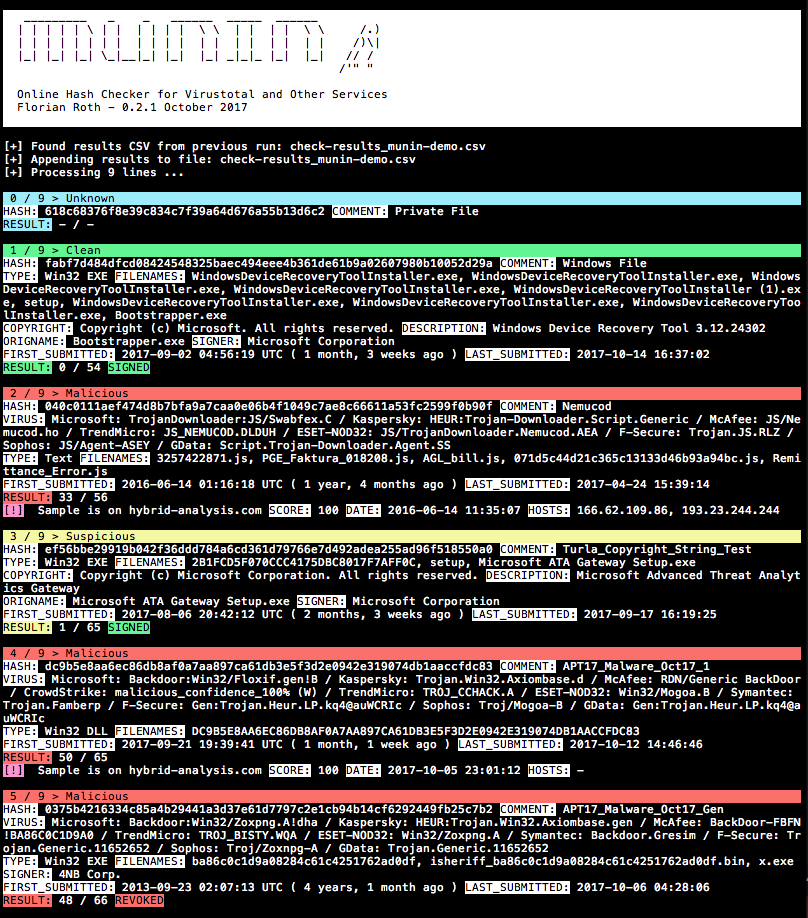
pip3 install -r requirements.txt (on macOS add --user)cp munin.ini my.ini (see section Get the API Keys for help)python munin.py -i my.ini -f munin-demo.txtProcess a Virustotal Retrohunt result and sort the lines before checking so that matched signatures are checked in blocks
python3 munin.py -i my.ini -f ~/Downloads/retro_hunt
Process a directory with samples and check their hashes online
python3 munin.py -i my.ini -s ~/malware/case34
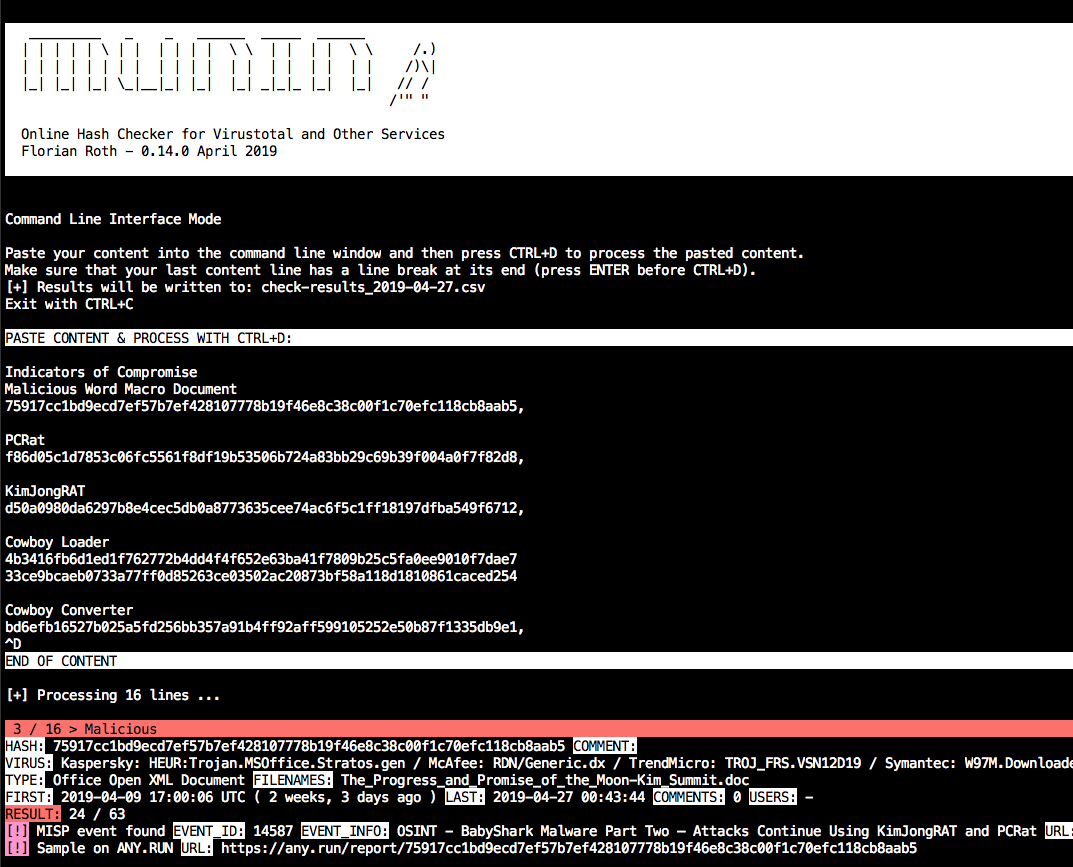
Use the command line interface mode (new in v0.14)
python3 munin.py -i my.ini
Profile > My API key for your public API keyRegister here https://malshare.com/register.php
Register here https://bazaar.abuse.ch/. You can then find your API key in your Account Overview.
Profile > API keyAuthkey is used as API key