Lazydroid 0.4 by Dani Martinez (@dan1t0)
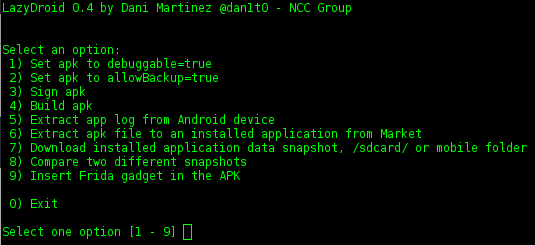
Lazydroid is a tool written as a bash script to facilitate some aspects of an Android Assessment. It provides some common tasks such as:
- Set the debug flag of an application to true
- Set the backup flag of an application to true
- Re-Build the application
- Re-Sign the application
- Smart log extraction of an application
- Extract the APK of an application installed from Google Play
- Download any mobile folder (/sdcard/, application data folder, other)
- Compare two different snapshots of the same folder
- Insert Frida gadget in the APK (for example when the phone is not or cannot be rooted, and thus Frida server cannot be run)
Installation
Lazydroid requires Linux or Mac OS to run and the next tools installed:
- apktool
- jarsigner
- adb
- aapt (Android Asset Packaging Tool, part of the SDK)
- your keystore and alias
- Frida Agent (pip install frida)
To run lazydroid.sh the steps would be the following:
$ git clone
$ #configure the path to the tools (adb, jarsigner, apktool, etc and your favorite shell)
$ cd lazydroid
$ ./getfridalibs.sh #get the last frida libs for Android
$ ./lazydroid.sh
Options
-
Set apk to debuggable=true
- Unzip an APK and set the debuggable flag to true.
-
Set apk to allowBackup=true
- Unzip an APK and set the allowBackup flag to true (useful to extract the app data folder in non-rooted devices)
-
Sign apk
- Captain Obvious to the rescue.
-
Build apk
- Captain Obvious to the rescue.
-
Extract app log from Android device
- Lazydroid filters the logcat with the application PID
-
Extract apk file to an installed application from Market
- Useful to get and analyze an APK.
-
Download installed application data snapshot, /sdcard/ or mobile folder
- Lazydroid compares two folders and extract the diff among them in a pretty format.
-
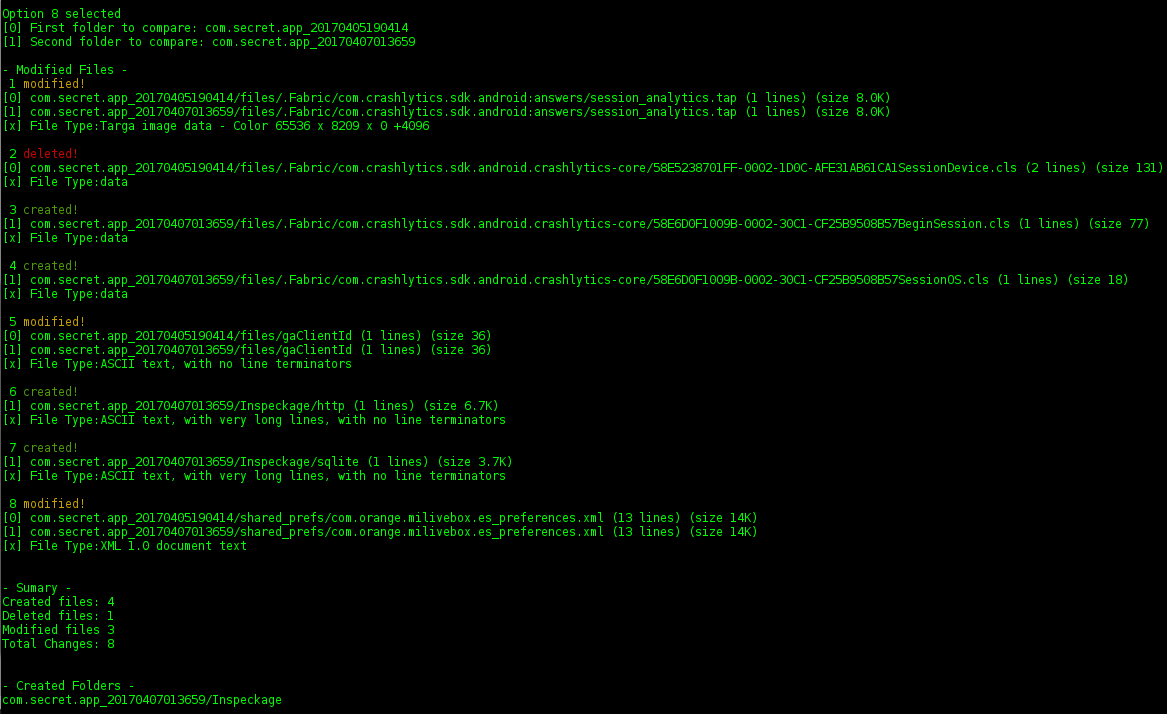
Compare two different snapshots
- Lazydroid compares two folders and extract the diff among them in a pretty format to find new files or folders, file modifications or deleted files.
-
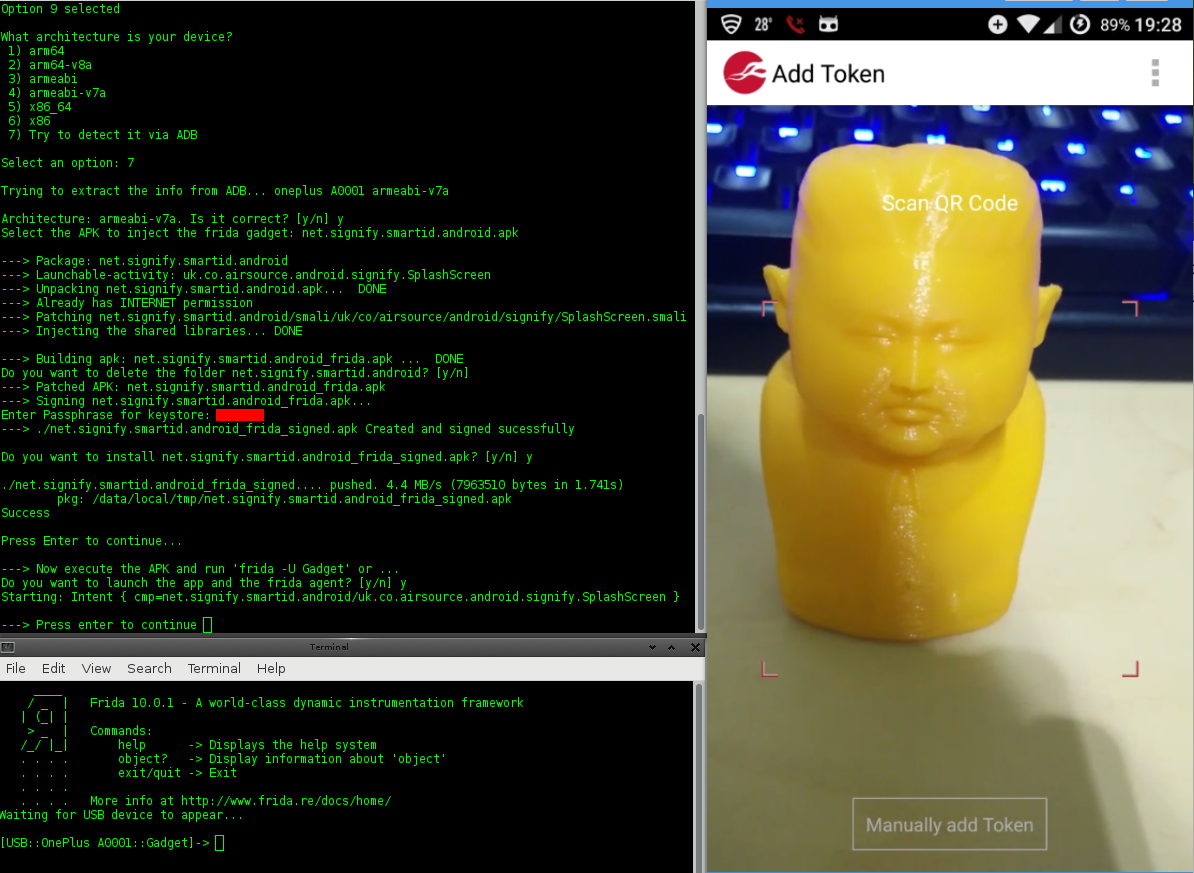
Insert Frida gadget in the APK
- Lazydroid auto-detects the architecture of your device and insert the Frida Agent in the application to facilitate the app instrumentation (useful in non-rooted devices).
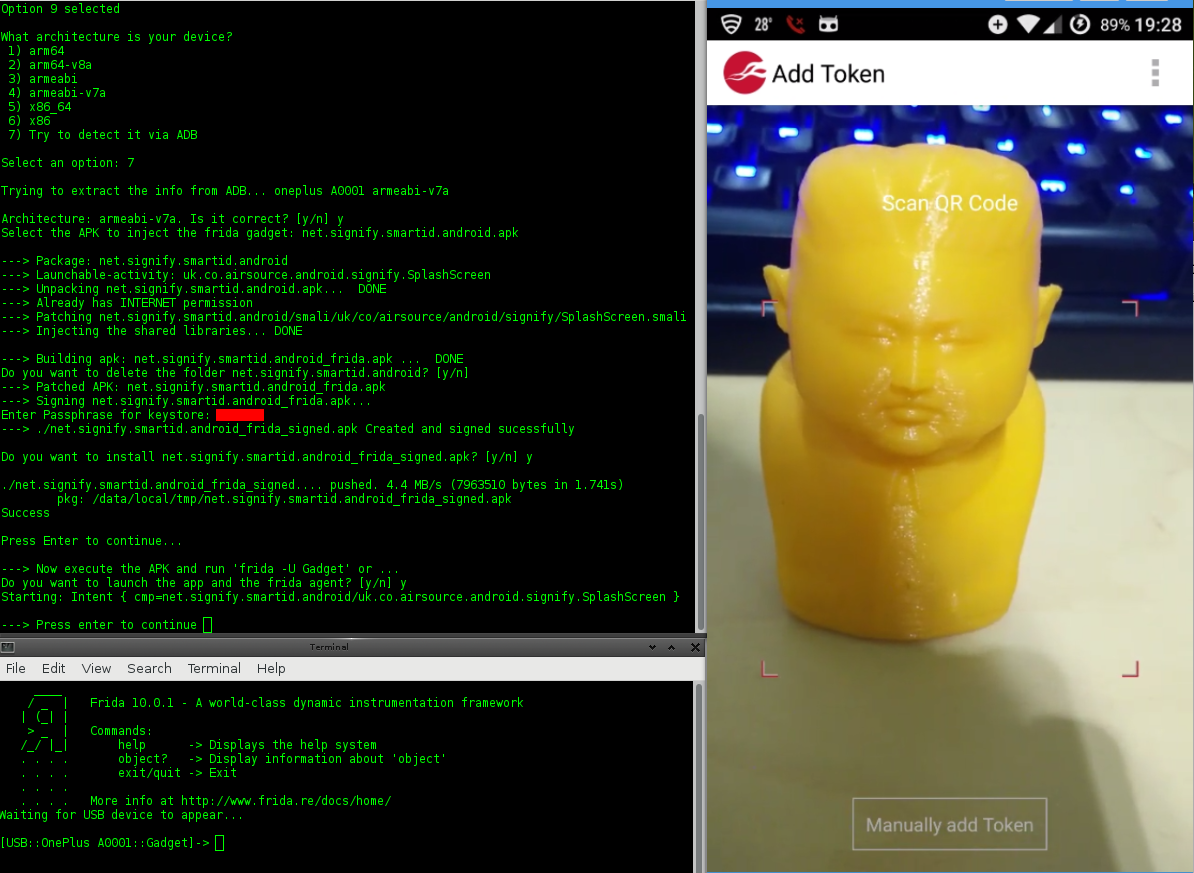 Check the video
Colaborate and help
If you find a bug or you have an idea please let me know and I will improve and fix the tool.
 nccgroup/lazydroid
