
Skip to content
KitploitKITPLOIT
ToolsBlog
Submit
ToolsBlog
Submit

Hacking, PenTest, and Cybersecurity Tools for Your Security Arsenal!

Kitploit is a directory of hacking, cybersecurity, and pentesting tools. Discover the latest project updates to find vulnerabilities, analyze systems, automate testing, and strengthen your security.

··Feeds·Contact·Privacy·© 2026 Kitploit

Tool Directory

Categories

View all categories
Loading categories
duf — Disk Usage/Free Utility - a better 'df' alternative | Kitploit
Tools/GitHubGitHub/muesli/duf
General Purpose Utilities
GitHubmuesli/duf

duf

Disk Usage/Free Utility - a better 'df' alternative

View Repository
15.3k4674911 months agoReviewed by Kitploit

Most Popular

View all →

Discover the most used tools by our community.

Explore all tools

Browse our collection of tools

View all tools →
Share

duf

Latest Release Go Doc Software License Build Status Go ReportCard

Disk Usage/Free Utility (Linux, BSD, macOS & Windows)
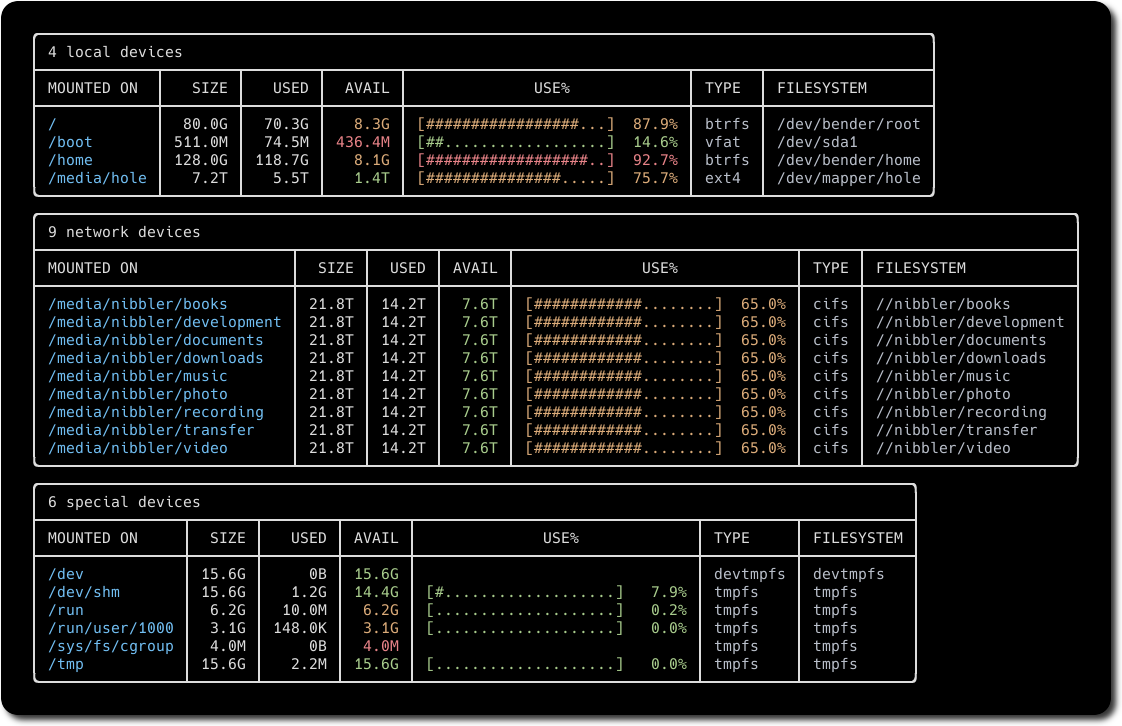
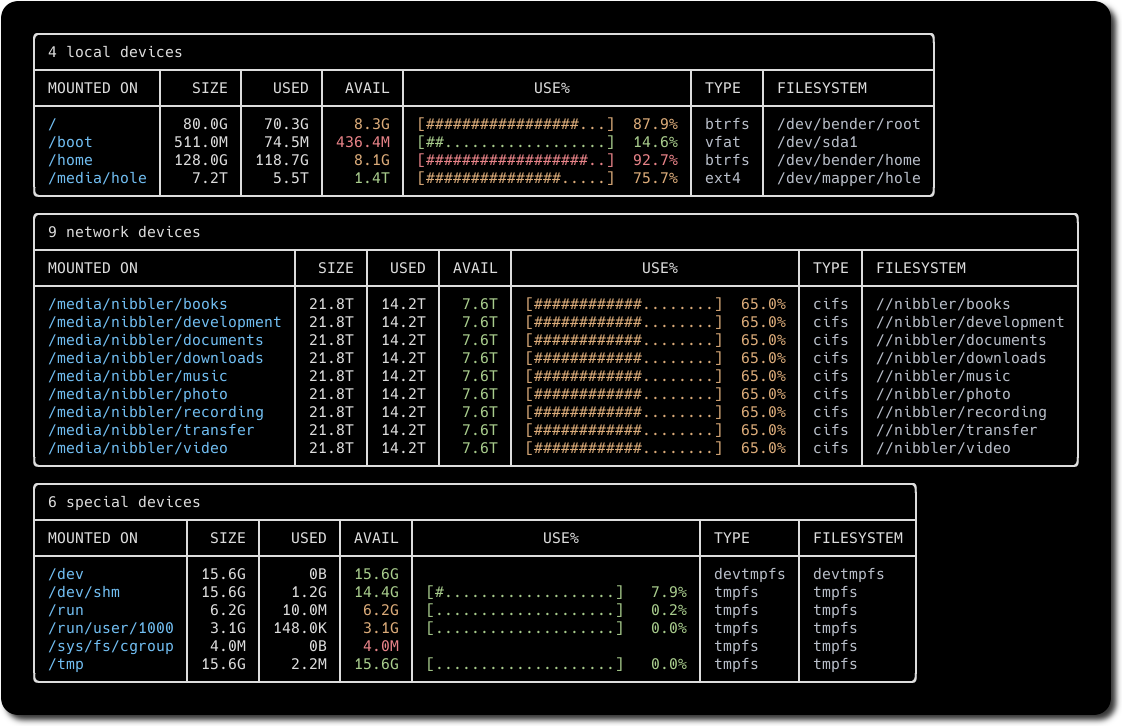
duf

Features

  • User-friendly, colorful output
  • Adjusts to your terminal's theme & width
  • Sort the results according to your needs
  • Groups & filters devices
Download Tool
  • Can conveniently output JSON
  • Installation

    Packages

    Linux

    • Arch Linux: pacman -S duf
    • Ubuntu (22.04 and later) / Debian (12 and later): apt install duf
    • Fedora Linux: dnf install duf
    • Nix: nix-env -iA nixpkgs.duf
    • Void Linux: xbps-install -S duf
    • Gentoo Linux: emerge sys-fs/duf
    • Solus: eopkg it duf
    • Packages in Alpine, Debian & RPM formats

    BSD

    • FreeBSD: pkg install duf
    • OpenBSD: pkg_add duf

    macOS

    • with Homebrew: brew install duf
    • with MacPorts: sudo port selfupdate && sudo port install duf

    Windows

    • with Chocolatey: choco install duf
    • with scoop: scoop install duf

    Android

    • Android (via termux): pkg install duf

    Binaries

    • Binaries for Linux, FreeBSD, OpenBSD, macOS, Windows

    From source

    Make sure you have a working Go environment (Go 1.23 or higher is required). See the install instructions.

    Compiling duf is easy, simply run:

    root@kitploit:~
    git clone https://github.com/muesli/duf.git
    cd duf
    go build
    

    Usage

    You can simply start duf without any command-line arguments:

    root@kitploit:~
    duf
    

    If you supply arguments, duf will only list specific devices & mount points:

    root@kitploit:~
    duf /home /some/file
    

    If you want to list everything (including pseudo, duplicate, inaccessible file systems):

    root@kitploit:~
    duf --all
    

    Filtering

    You can show and hide specific tables:

    root@kitploit:~
    duf --only local,network,fuse,special,loops,binds
    duf --hide local,network,fuse,special,loops,binds
    

    You can also show and hide specific filesystems:

    root@kitploit:~
    duf --only-fs tmpfs,vfat
    duf --hide-fs tmpfs,vfat
    

    ...or specific mount points:

    root@kitploit:~
    duf --only-mp /,/home,/dev
    duf --hide-mp /,/home,/dev
    

    Wildcards inside quotes work:

    root@kitploit:~
    duf --only-mp '/sys/*,/dev/*'
    

    Display options

    Sort the output:

    root@kitploit:~
    duf --sort size
    

    Valid keys are: mountpoint, size, used, avail, usage, inodes, inodes_used, inodes_avail, inodes_usage, type, filesystem.

    Show or hide specific columns:

    root@kitploit:~
    duf --output mountpoint,size,usage
    

    Valid keys are: mountpoint, size, used, avail, usage, inodes, inodes_used, inodes_avail, inodes_usage, type, filesystem.

    List inode information instead of block usage:

    root@kitploit:~
    duf --inodes
    

    If duf doesn't detect your terminal's colors correctly, you can set a theme:

    root@kitploit:~
    duf --theme light
    

    Color-coding & Thresholds

    duf highlights the availability & usage columns in red, green, or yellow, depending on how much space is still available. You can set your own thresholds:

    root@kitploit:~
    duf --avail-threshold="10G,1G"
    duf --usage-threshold="0.5,0.9"
    

    Bonus

    If you prefer your output as JSON:

    root@kitploit:~
    duf --json
    

    Troubleshooting

    Users of oh-my-zsh should be aware that it already defines an alias called duf, which you will have to remove in order to use duf:

    root@kitploit:~
    unalias duf
    

    Feedback

    Got some feedback or suggestions? Please open an issue or drop me a note!

    • Twitter
    • The Fediverse


