 mschwager/route-detect
Find authentication (authn) and authorization (authz) security bugs in web application routes.




Find authentication (authn) and authorization (authz) security bugs in web application routes:
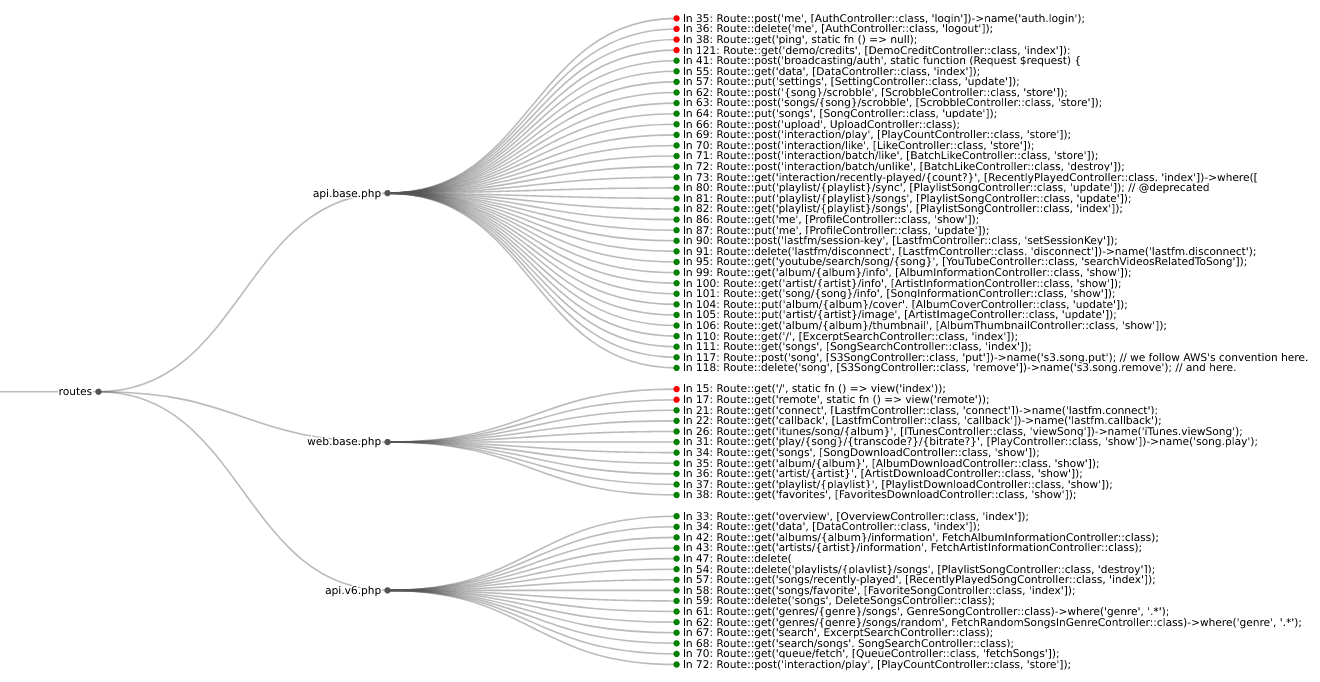
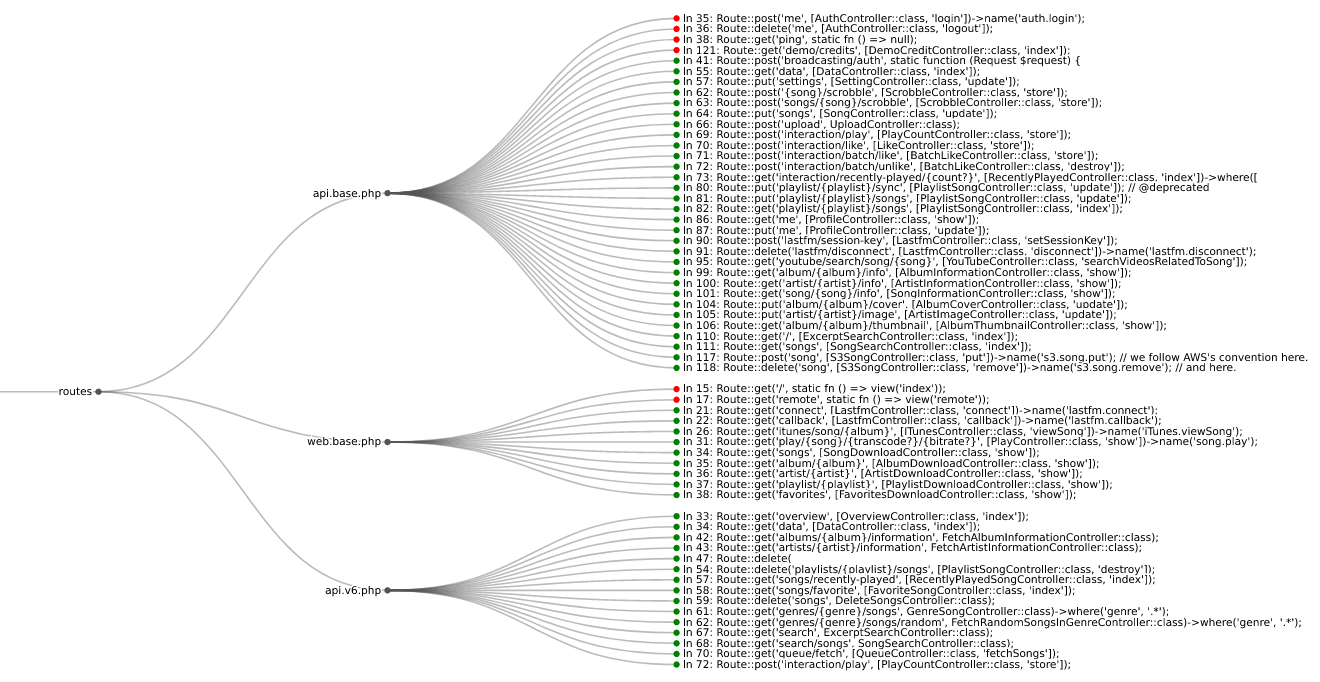
Routes from koel streaming server
Web application HTTP route authn and authz bugs are some of the most common security issues found today. These industry standard resources highlight the severity of the issue:
| Language | Framework | Semgrep | CodeQL |
|---|---|---|---|
| Python | Django | ✅ | ❌ |
| Python | Django REST framework | ✅ | ❌ |
| Python | Flask | ✅ | ❌ |
| Python | Sanic | ✅ | ❌ |
| Python | FastAPI | ✅ | ❌ |
| PHP | Laravel | ✅ | ❌ |
| PHP | Symfony | ✅ | ❌ |
| PHP | CakePHP | ✅ | ❌ |
| Ruby | Rails | ❌ | ✅ |
| Ruby | Grape | ✅ | ❌ |
| Java | JAX-RS | ✅ | ❌ |
| Java | Spring | ✅ | ❌ |
| Go | Gorilla | ✅ | ❌ |
| Go | Gin | ✅ | ❌ |
| Go | Chi | ✅ | ❌ |
| JavaScript/TypeScript | Express | ✅ | ❌ |
| JavaScript/TypeScript | React | ✅ | ❌ |
| JavaScript/TypeScript | Angular | ✅ | ❌ |
Use pip to install route-detect:
$ python -m pip install --upgrade route-detect
You can check that route-detect is installed correctly with the following command:
$ echo 'print(1 == 1)' | semgrep --config $(routes which test-route-detect) -
Scanning 1 file.

Findings:

  /tmp/stdin
     routes.rules.test-route-detect
        Found '1 == 1', your route-detect installation is working correctly

          1┆ print(1 == 1)


Ran 1 rule on 1 file: 1 finding.
route-detect uses the routes CLI command and provides the following command tree:
routes
whichvizFirst, ensure you have semgrep installed and included on your PATH.
[!IMPORTANT] The Semgrep functionality
route-detectdepends on to display code snippets has been moved behind their cloud app. For more information see #10762. However, earlier versions of Semgrep still support this behavior. When usingroute-detect, make sure to install a version of Semgrep before1.97.0. This can be accomplished with the following command:python -m pip install 'semgrep<1.97.0'.
Use the which subcommand to point semgrep at the correct web application rules:
$ semgrep --config $(routes which django) path/to/django/code
Use the viz subcommand to visualize route information in your browser:
$ semgrep --json --config $(routes which django) --output routes.json path/to/django/code
$ routes viz --browser routes.json
If you're not sure which framework to look for, you can use the special all ID to check everything:
$ semgrep --json --config $(routes which all) --output routes.json path/to/code
If you have custom authn or authz logic, you can copy route-detect's rules:
$ cp $(routes which django) my-django.yml
Then you can modify the rule as necessary and run it like above:
$ semgrep --json --config my-django.yml --output routes.json path/to/django/code
$ routes viz --browser routes.json
First, ensure you have codeql installed and included on your PATH.
Use the which subcommand to first install the pack's dependencies, then run the appropriate queries:
$ codeql pack install $(poetry run routes which -c rails)
$ codeql database analyze \
    --output routes.sarif \
    --format sarif-latest \
    --sarif-add-file-contents \
    --no-group-results \
    -- \
    /path/to/codeql/db \
    $(routes which --codeql rails)
Use the viz subcommand to visualize route information in your browser:
$ routes viz --codeql --browser routes.sarif
route-detect uses poetry for dependency and configuration management.
Before proceeding, install project dependencies with the following command:
$ poetry install --with dev
Lint all project files with the following command:
$ poetry run pre-commit run --all-files
Run Python tests with the following command:
$ poetry run pytest --cov
Run Semgrep rule tests with the following command:
$ poetry run semgrep --test --config routes/rules/ tests/test_rules/
Run CodeQL query tests with the following command:
$ codeql test run routes/queries/rails/test/
