 mrturvey/flareprox
Use Cloudflare to create HTTP pass-through proxies for unique IP rotation, similar to fireprox

Simple IP Rotation & URL Redirection via Cloudflare Workers
FlareProx automatically deploys HTTP proxy endpoints on Cloudflare Workers for easy redirection of all traffic to any URL you specify. It supports all HTTP methods (GET, POST, PUT, DELETE, etc.) and provides IP masking through Cloudflare's global network. 100k requests per day are free!
FlareProx deploys Cloudflare Workers that act as HTTP proxies. When you make a request:

git clone <repository-url>
cd flareprox
pip install -r requirements.txt
Run python3 flareprox.py config or directly edit flareprox.json in the project directory:
{
  "cloudflare": {
    "api_token": "your_cloudflare_api_token",
    "account_id": "your_cloudflare_account_id"
  }
}
# Create 2 proxy endpoints
python3 flareprox.py create --count 2

# View deployed endpoints
python3 flareprox.py list
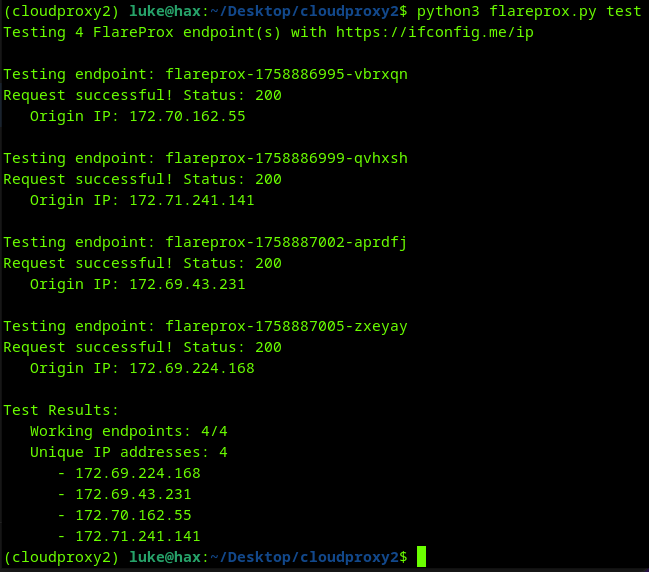
# Test all endpoints are functioning
python3 flareprox.py test

# Example per HTTP Method

# GET request
curl "https://your-worker.account.workers.dev?url=https://httpbin.org/get"

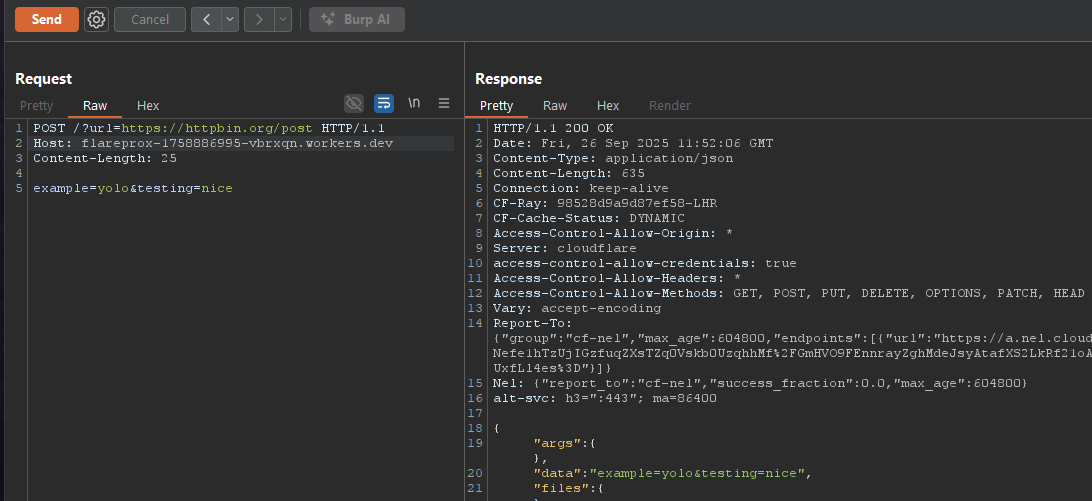
# POST request with data
curl -X POST -d "username=admin" "https://your-worker.account.workers.dev?url=https://httpbin.org/post"

# PUT request with JSON
curl -X PUT -d '{"username":"admin"}' -H "Content-Type: application/json" \
  "https://your-worker.account.workers.dev?url=https://httpbin.org/put"

# DELETE request
curl -X DELETE "https://your-worker.account.workers.dev?url=https://httpbin.org/delete"
Each deployed FlareProx endpoint accepts requests in two formats:
# Query parameter
curl "https://your-worker.account.workers.dev?url=https://httpbin.org/ip"

# Custom header
curl -H "X-Target-URL: https://httpbin.org/ip" https://your-worker.account.workers.dev
# Delete all proxy endpoints
python3 flareprox.py cleanup
FlareProx can be imported and used directly in your Python applications. Here's how to send a POST request:
#!/usr/bin/env python3
from flareprox import FlareProx, FlareProxError
import json

# Initialize FlareProx
flareprox = FlareProx(config_file="flareprox.json")

# Check if configured
if not flareprox.is_configured:
    print("FlareProx not configured. Run: python3 flareprox.py config")
    exit(1)

# Create some endpoints if none exist
endpoints = flareprox.sync_endpoints()
if not endpoints:
    print("Creating proxy endpoints...")
    flareprox.create_proxies(count=2)

# Make a POST request through FlareProx
try:
    # Prepare POST data
    post_data = json.dumps({
        "username": "testuser",
        "message": "Hello from FlareProx!",
        "timestamp": "2025-01-01T12:00:00Z"
    })

    headers = {
        "Content-Type": "application/json",
        "User-Agent": "FlareProx-Client/1.0"
    }

    # Send POST request via random FlareProx endpoint
    response = flareprox.redirect_request(
        target_url="https://httpbin.org/post",
        method="POST",
        headers=headers,
        data=post_data
    )

    if response.status_code == 200:
        result = response.json()
        print(f"✓ POST successful via FlareProx")
        print(f"Origin IP: {result.get('origin', 'unknown')}")
        print(f"Posted data: {result.get('json', {})}")
    else:
        print(f"Request failed with status: {response.status_code}")

except FlareProxError as e:
    print(f"FlareProx error: {e}")
except Exception as e:
    print(f"Request error: {e}")
FlareProx is designed for legitimate development, testing, and research purposes. Users are responsible for ensuring their usage complies with applicable laws and terms of service. The authors assume no liability for misuse of this tool.
