 mpast/mobileaudit
Django application that performs SAST and Malware Analysis for Android APKs

Security analysis for Android APKs, from upload to actionable findings.
Mobile Audit is a Django application for static application security testing and malware inspection. It extracts APK metadata, detects risky implementation patterns, organizes findings by severity, and provides a focused workspace for review and reporting.
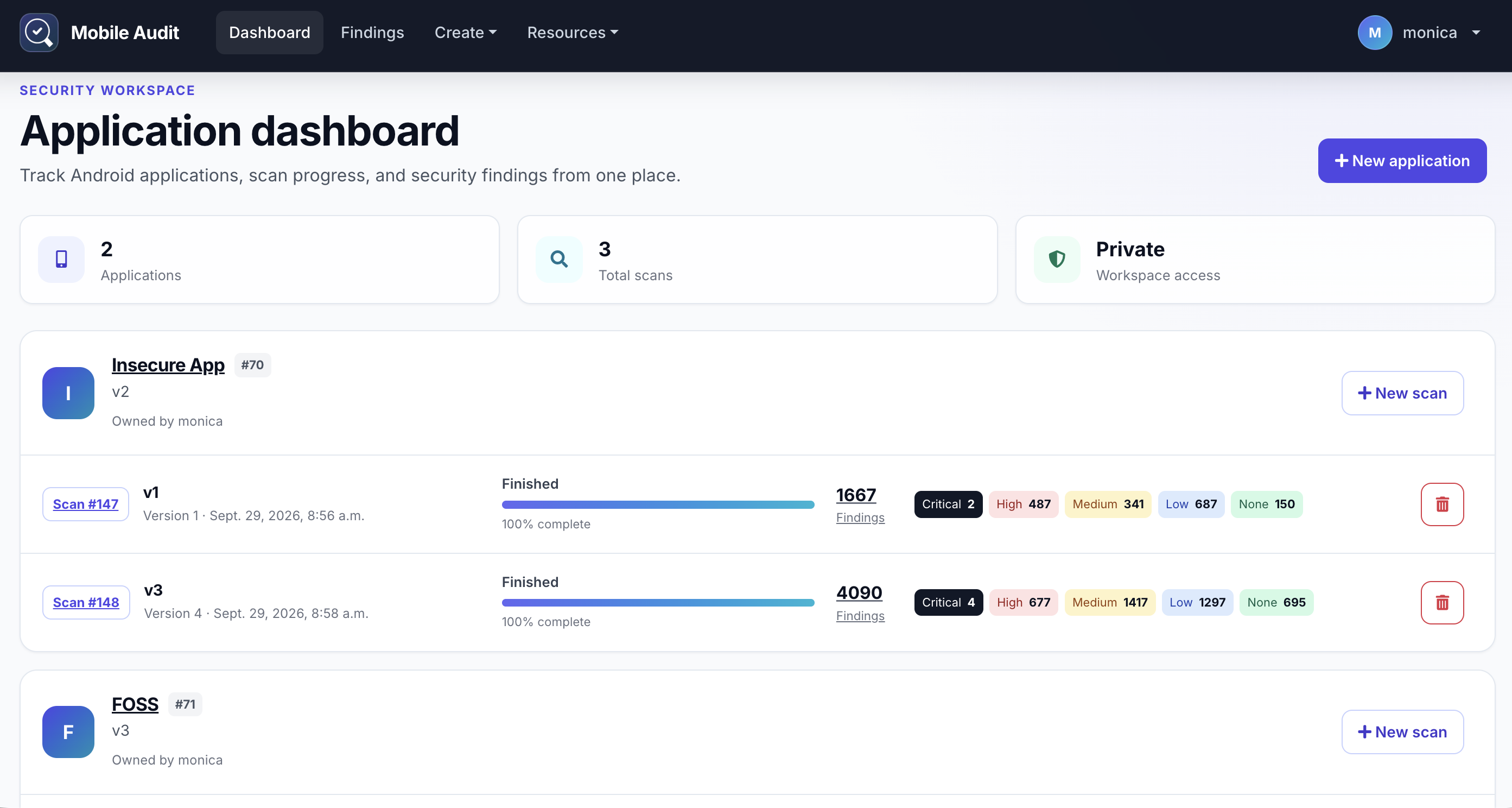
Docker Compose runs the complete local stack: Django, PostgreSQL, RabbitMQ, Celery, and Nginx.
docker compose build
docker compose up
Open http://localhost:8888 when the services are ready.
To run in the background or stop the stack:
docker compose up -d
docker compose down
Before using Mobile Audit outside a local environment, replace the example secret, database credentials, and administrator credentials in .env.example.
| Area | What Mobile Audit provides |
|---|---|
| APK inspection | Application metadata, components, permissions, certificates, strings, databases, and files |
| Static analysis | Configurable SAST rules with CWE and Mobile Top 10 mappings |
| Malware checks | Domain checks against MalwareDB and Maltrail sources |
| Finding management | Severity summaries, detailed evidence, editing, and false-positive triage |
| Integrations | Optional VirusTotal inspection and DefectDojo export |
| Reporting | PDF exports plus a token-authenticated REST API |
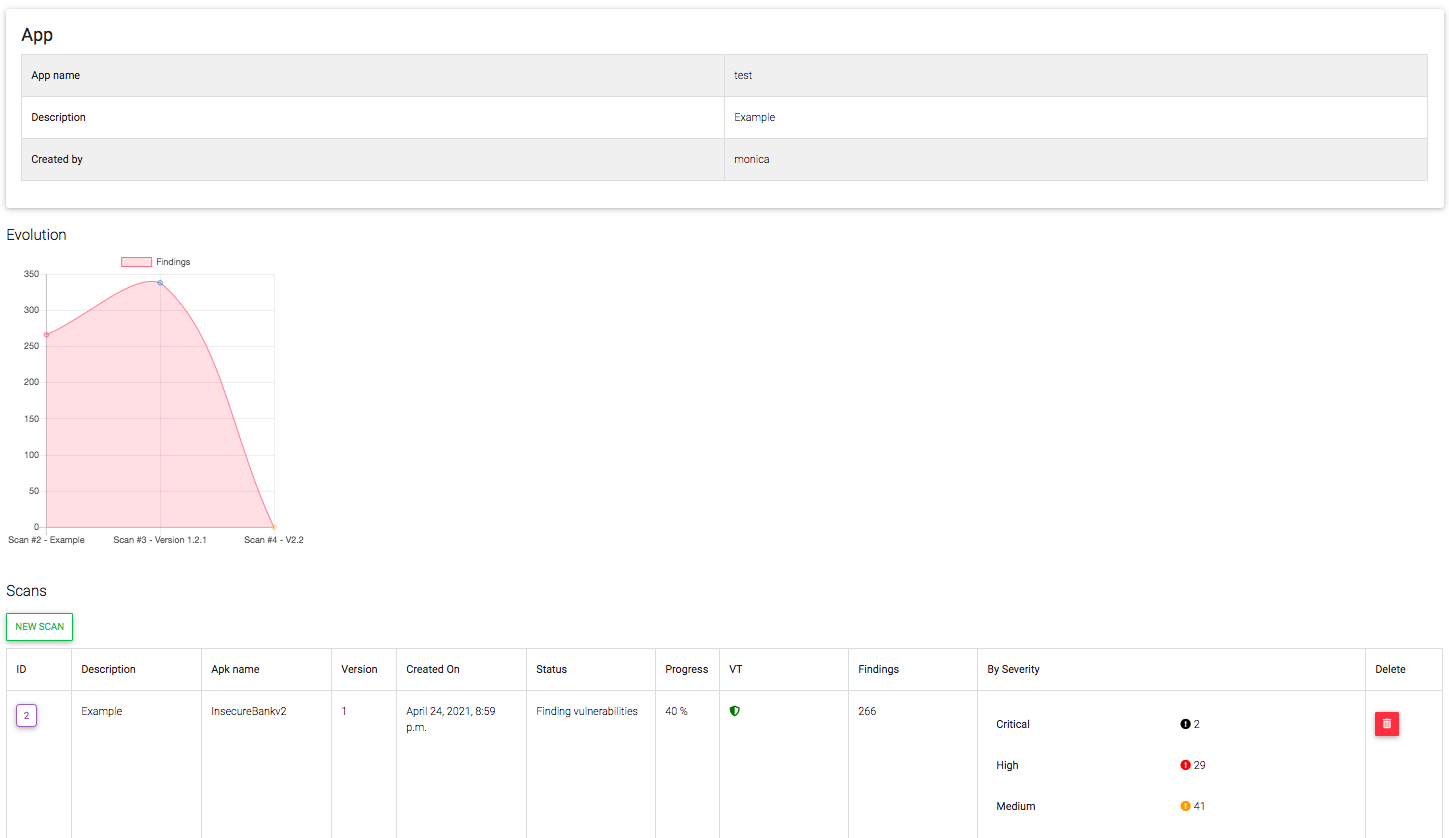
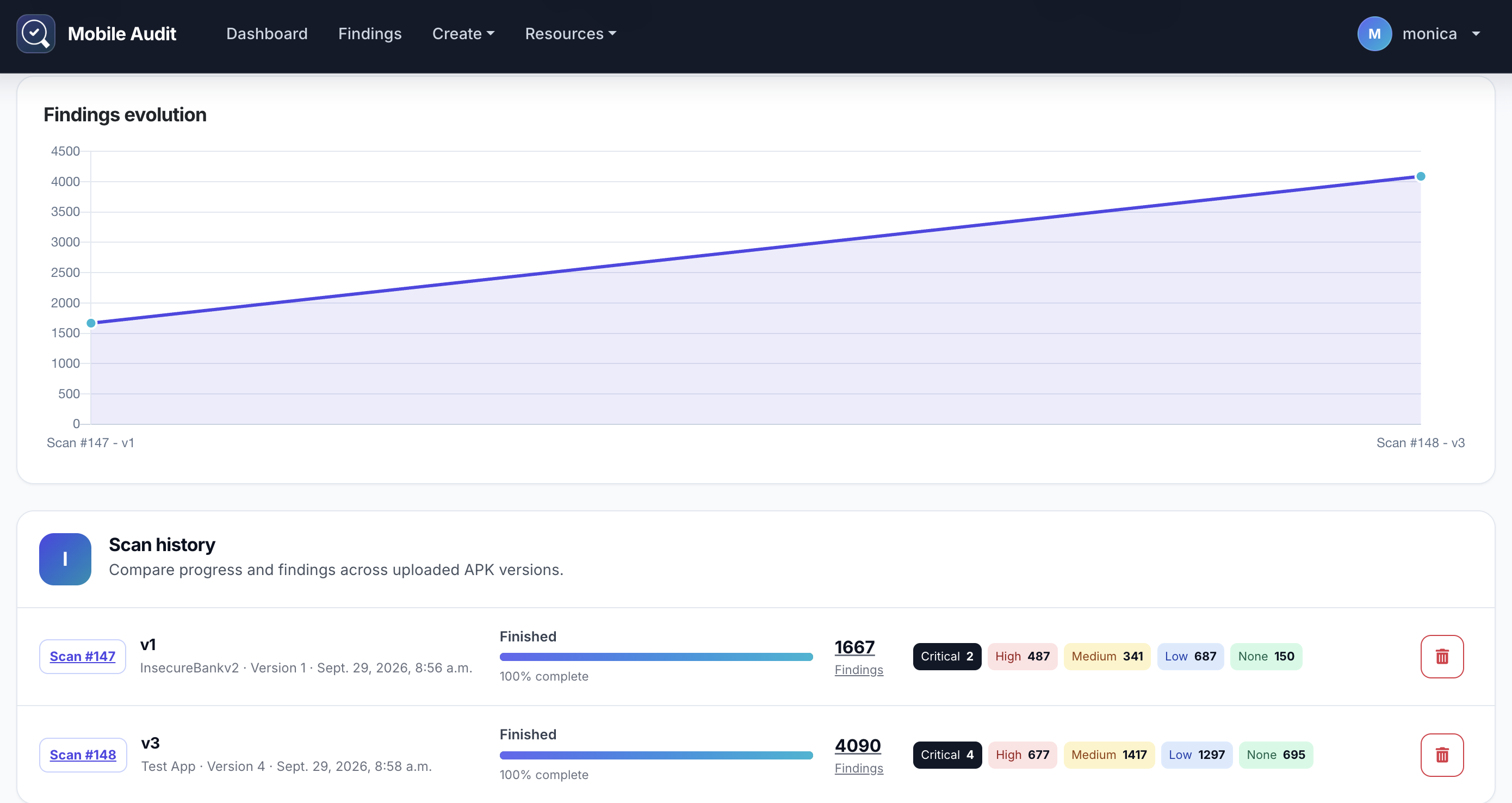
Review an application's scan history and compare how its finding count changes between APK versions.
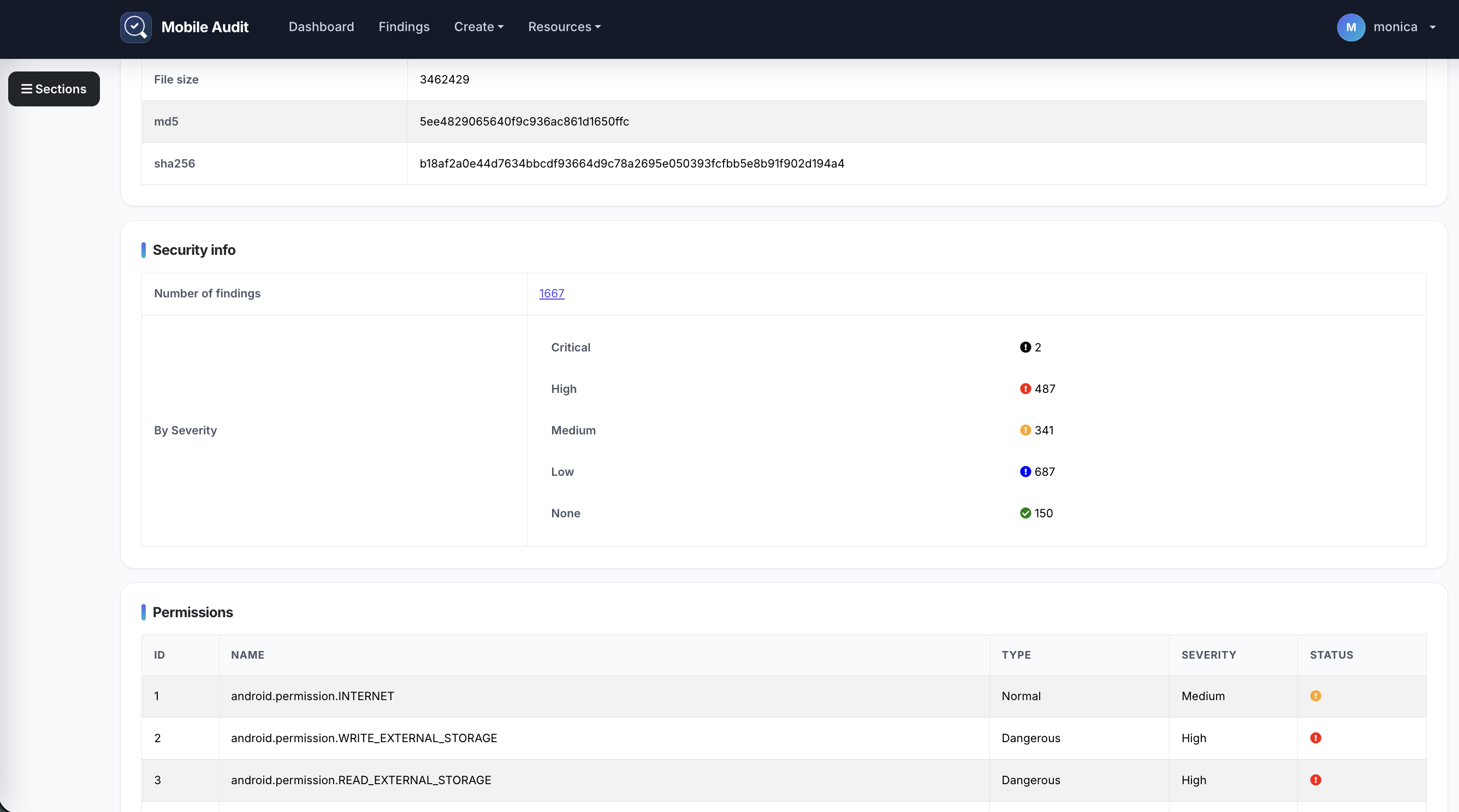
Move from the security summary into application metadata, permissions, components, findings, certificates, strings, files, and databases.
The interface uses Bootstrap 5 and native JavaScript. Navigation, live table filtering, sorting, pagination, confirmations, and scan status updates do not require jQuery.
Analysis rules can be enabled or disabled from the Patterns screen. Some hardcoded patterns are derived from apkleaks.
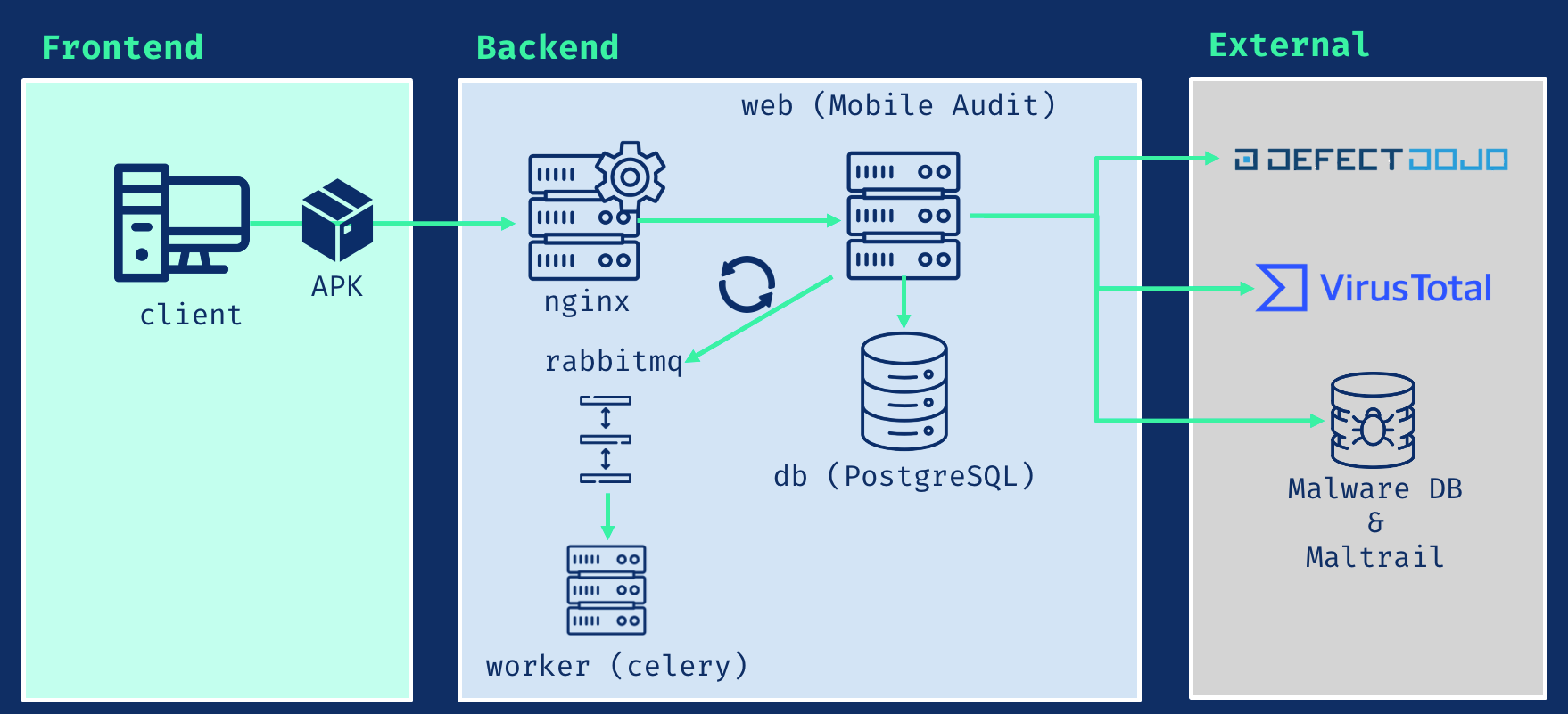
| Service | Responsibility |
|---|---|
| Django 5.2 LTS | Web application and REST API |
| PostgreSQL 16 | Persistent application data |
| Celery | Background APK analysis |
| RabbitMQ 4.2 | Task broker |
| Nginx | HTTP or TLS entry point |
The application runtime uses Python 3.12. APK decompilation is provided by JADX.
Request a token:
POST /api/v1/auth-token/
Authenticate subsequent requests:
Authorization: Token <api-key>
| Documentation | Path |
|---|---|
| Swagger UI | /swagger/ |
| ReDoc | /redoc/ |
| OpenAPI JSON | /swagger.json |
| OpenAPI YAML | /swagger.yaml |
The following features are disabled by default and configured through .env.example:
Enable only the services for which you have valid endpoints and credentials.
Place the certificate and private key in nginx/ssl, then start the TLS configuration:
docker compose -f docker-compose.prod.yaml up -d
The application will be available at https://localhost.
For local testing, generate a one-day self-signed certificate:
openssl req -x509 -nodes -days 1 -newkey rsa:4096 \
  -subj "/C=ES/ST=Madrid/L=Madrid/O=Example/OU=IT/CN=localhost" \
  -keyout nginx/ssl/nginx.key \
  -out nginx/ssl/nginx.crt
