 morpheuslord/quadrainspect
Modular Android APK security analysis framework integrating static, dynamic, and reverse engineering tools for comprehensive vulnerability assessment and penetration testing of mobile applications.

   ____                  __           ____                           __
  / /\ \__  ______ _____/ /________ _/  _/___  _________  ___  _____/ /_
 / / / / / / / __ `/ __  / ___/ __ `// // __ \/ ___/ __ \/ _ \/ ___/ __/
/ /_/ / /_/ / /_/ / /_/ / /  / /_/ // // / / (__  ) /_/ /  __/ /__/ /_
\___\\_\__,_/\__,_/\__,_/_/   \__,_/___/_/ /_/____/ .___/\___/\___/\__/
                                                /_/


QuadraInspect is an Android framework that integrates AndroPass, APKUtil, RMS and MobFS, providing a powerful tool for analyzing the security of Android applications. AndroPass is a tool that focuses on analyzing the security of Android applications' authentication and authorization mechanisms, while APKUtil is a tool that extracts valuable information from an APK file. Lastly, MobFS and RMS facilitates the analysis of an application's filesystem by mounting its storage in a virtual environment.
By combining these three tools, QuadraInspect provides a comprehensive approach to vulnerability analysis of Android applications. This framework can be used by developers, security researchers, and penetration testers to assess the security of their own or third-party applications. QuadraInspect provides a unified interface for all three tools, making it easier to use and reducing the time required to conduct comprehensive vulnerability analysis. Ultimately, this framework aims to increase the security of Android applications and protect users' sensitive data from potential threats.
QuadraInspect is packaged as a standard Python project and is managed with the
uv package manager.
The fastest path — installs uv, all Python dependencies, and every
integrated tool and add-on in a single command:
git clone https://github.com/morpheuslord/QuadraInspect
cd QuadraInspect
./install.sh            # Linux / macOS  (use sudo where tools require it)
On Windows, run install.bat from the cloned directory. Pass --deps-only to
install just the Python dependencies and skip the tools.
The step-by-step instructions below do the same thing manually.
curl -LsSf https://astral.sh/uv/install.sh | sh
(See the uv installation guide for Windows and alternative methods.)
git clone https://github.com/morpheuslord/QuadraInspect
cd QuadraInspect
uv sync
uv sync creates an isolated virtual environment and installs QuadraInspect from
the locked dependency set (uv.lock). The bundled analysis scripts pull a few
extra libraries; install them with:
uv sync --extra tools
uv run quadrainspect # interactive (frame) mode
You can also run it as a module or via the legacy entry point:
uv run python -m quadrainspect
uv run python main.py
On Linux/macOS some integrated tools require elevated privileges; run the command with
sudowhere needed.
Once QuadraInspect loads, run:
QuadraInspect Main>> START install_tools
To install the integrated tools and every optional add-on in one step, use:
QuadraInspect Main>> START full_install
The tools are downloaded to the tools directory and each tool's own setup steps
run automatically.
Add-ins are optional, community-contributed tools. They are declared as AddOn
objects in quadrainspect/tools/addins.py, so contributing a new one is a matter
of adding a single entry with its dependencies and an install callable — no
switch/match statement to edit.
update addins or the
update-addins commands, which perform a git pull on the checkout.START addins command; both require a Java runtime environment.Each module has a help function so that the commands and the descriptions are detailed and can be altered for operation.
sudo userAdmin rest all can be done as a normal userThese are the key points that must be addressed for smooth working:
args or using SET target withing the tool.target folder as all the tool searches for the target file with that folder.There are 2 modes:
|
└─> F mode
└─> A mode
The f mode is a mode where you get the active interface for using the interactive variation of the framework with the prompt, etc.
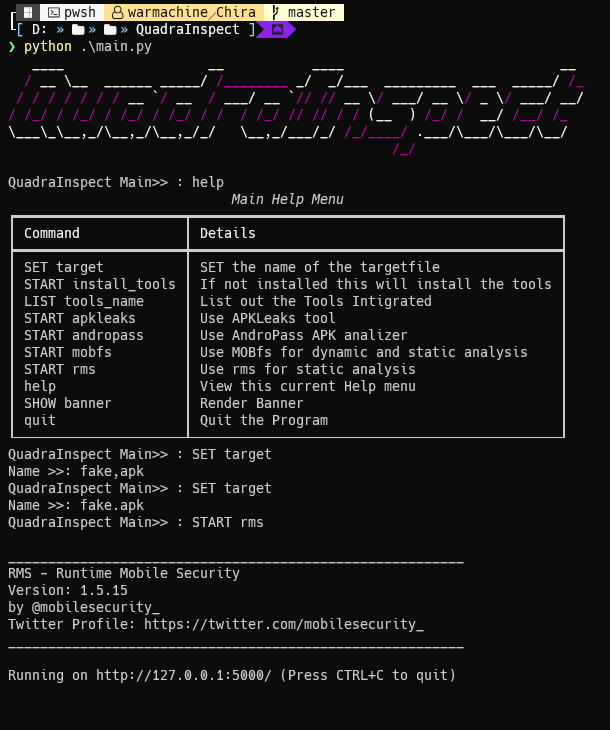
F mode is the normal mode and can be used easily
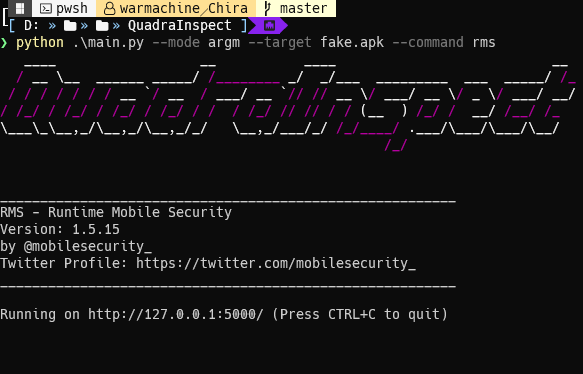
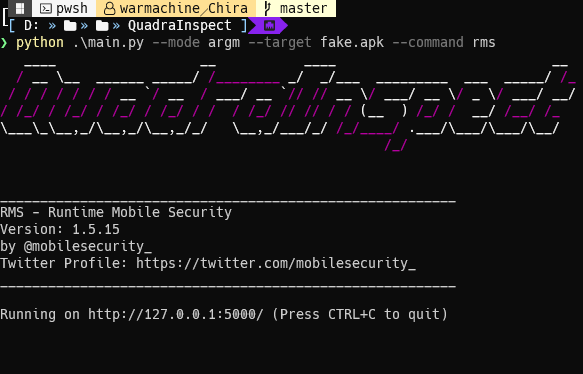
A mode or argumentative mode takes the input via arguments and runs the commands without any intervention by the user this is limited to the main menu in the future i am planning to extend this feature to even the incorporated codes.
uv run quadrainspect --target <APK_file> --mode argm --command install_tools/tools_name/apkleaks/mobfs/rms/apkleaks
the main menu of the entire tool has these options and commands:
Frame mode:
| Command | Description |
|---|---|
SET target | SET the name of the targetfile |
START install_tools | If not installed this will install the tools |
START full_install | Install all tools and add-ons at once |
LIST tools_name | List out the Tools Integrated |
START apkleaks | Use APKLeaks tool |
START mobfs | Use MOBfs for dynamic and static analysis |
START andropass | Use AndroPass APK analizer |
START addins | Starts the Extra tools installer |
update addins | Updates the extra tools installer |
help | Display help menu |
SHOW banner | Display banner |
quit | Quit the program |
Args mode:
| Command | Description |
|---|---|
install_tools | If not installed this will install the tools |
full-install | Install all tools and add-ons at once |
tools_name | List out the Tools Integrated |
apkleaks | Use APKLeaks tool |
mobfs | Use MOBfs for dynamic and static analysis |
andropass | Use AndroPass APK analizer |
addins | Starts the Extra tools installer |
addins | Updates the extra tools installer |
help | Display help menu |
banner | Display banner |
