
Skip to content
KitploitKITPLOIT
ToolsBlog
Submit
ToolsBlog
Submit

Hacking, PenTest, and Cybersecurity Tools for Your Security Arsenal!

Kitploit is a directory of hacking, cybersecurity, and pentesting tools. Discover the latest project updates to find vulnerabilities, analyze systems, automate testing, and strengthen your security.

··Feeds·Contact·Privacy·© 2026 Kitploit

Tool Directory

Categories

View all categories
Loading categories
React2Shell-Toolbox — GUI-based security testing toolkit for detecting and exploiting the React Server Actions prototype pollution vulnerability (CVE-2025-55182) with POC verification, virtual terminal, and FOFA-integrated batch scanning. | Kitploit
Tools/GitHubGitHub/moleft/react2shell-toolbox
ReconnaissanceVulnerability ScannersExploitationWeb Application ExploitationInformation GatheringPenetration Testing
GitHubmoleft/react2shell-toolbox

React2Shell-Toolbox

GUI-based security testing toolkit for detecting and exploiting the React Server Actions prototype pollution vulnerability (CVE-2025-55182) with POC verification, virtual terminal, and FOFA-integrated batch scanning.

View Repository
368 months agoReviewed by Kitploit

Most Popular

View all →

Discover the most used tools by our community.

Explore all tools

Browse our collection of tools

View all tools →
Share

React2Shell Toolbox

GitHub release GitHub stars GitHub forks GitHub issues GitHub license GitHub downloads

Electron Vue Vuetify Node

A security testing toolkit built with Electron + Vue 3, focused on React Server Actions vulnerability detection and exploitation.

中文文档 | English

Overview

React2Shell Toolbox is a security testing tool designed for Next.js React Server Actions prototype pollution vulnerability (CVE-2025-55182). It provides a user-friendly GUI with features including POC verification, virtual terminal interaction, FOFA asset search, and advanced route hijacking capabilities.
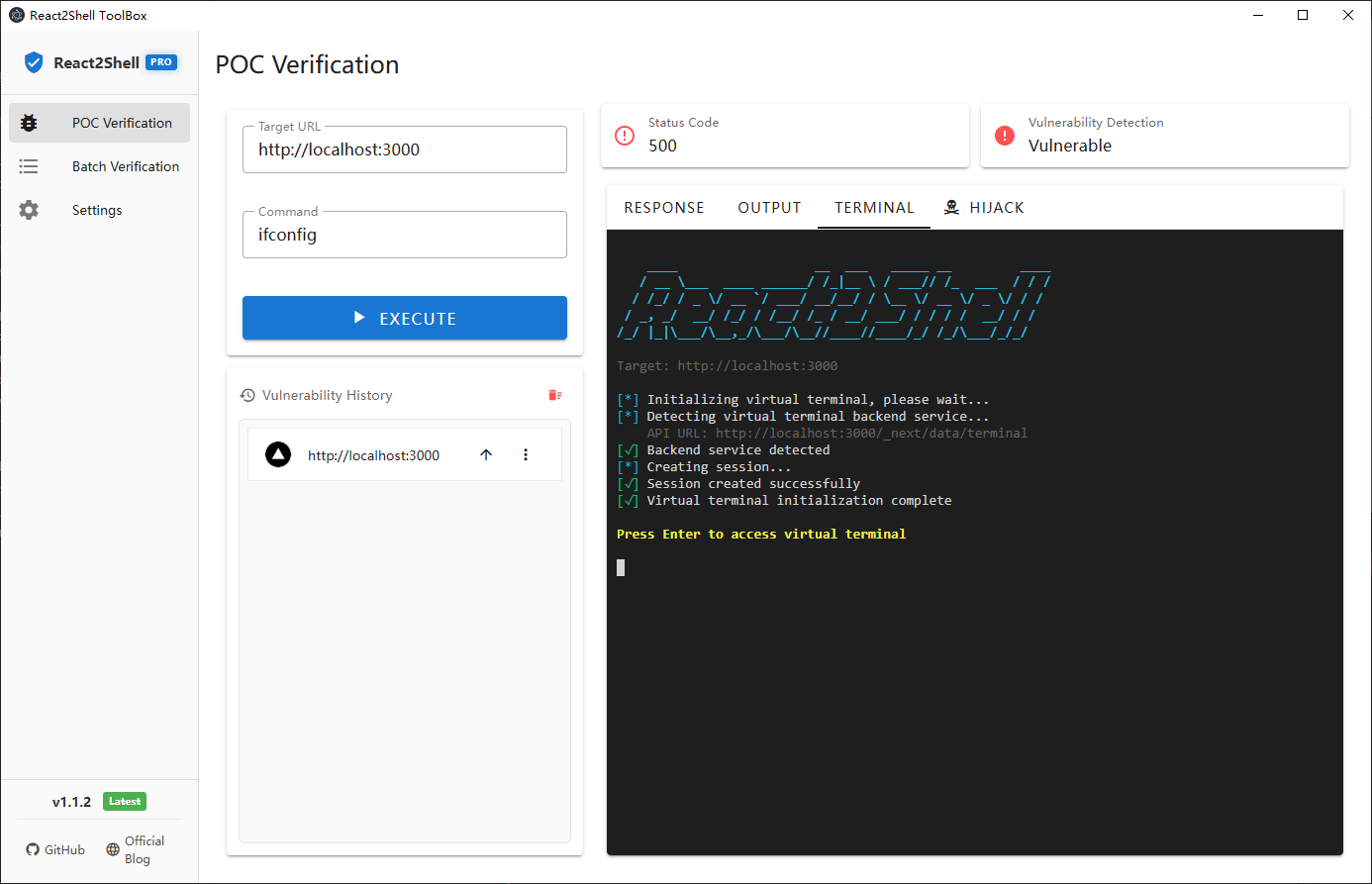
Screenshots

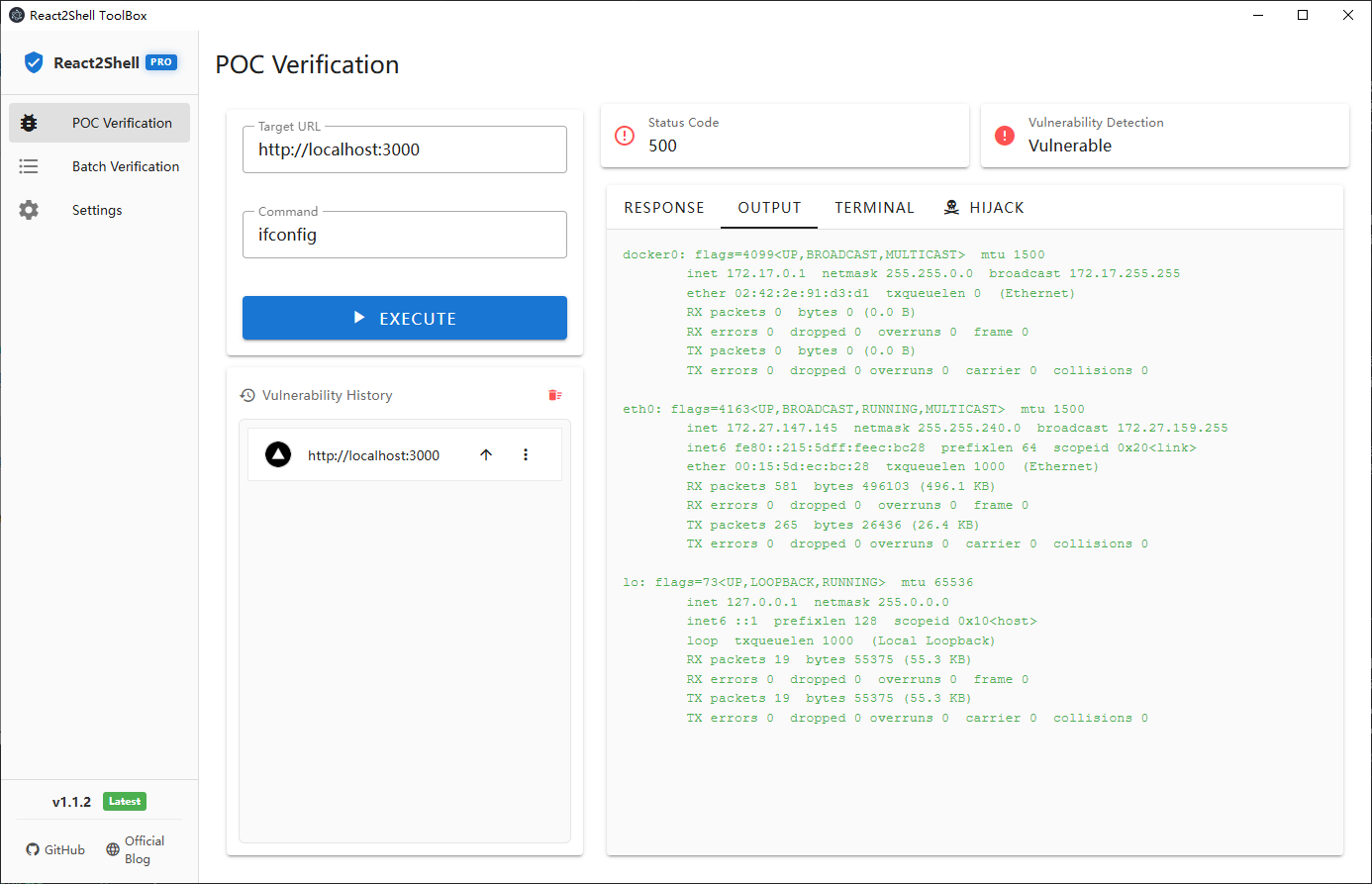
POC Verification

POC Verification

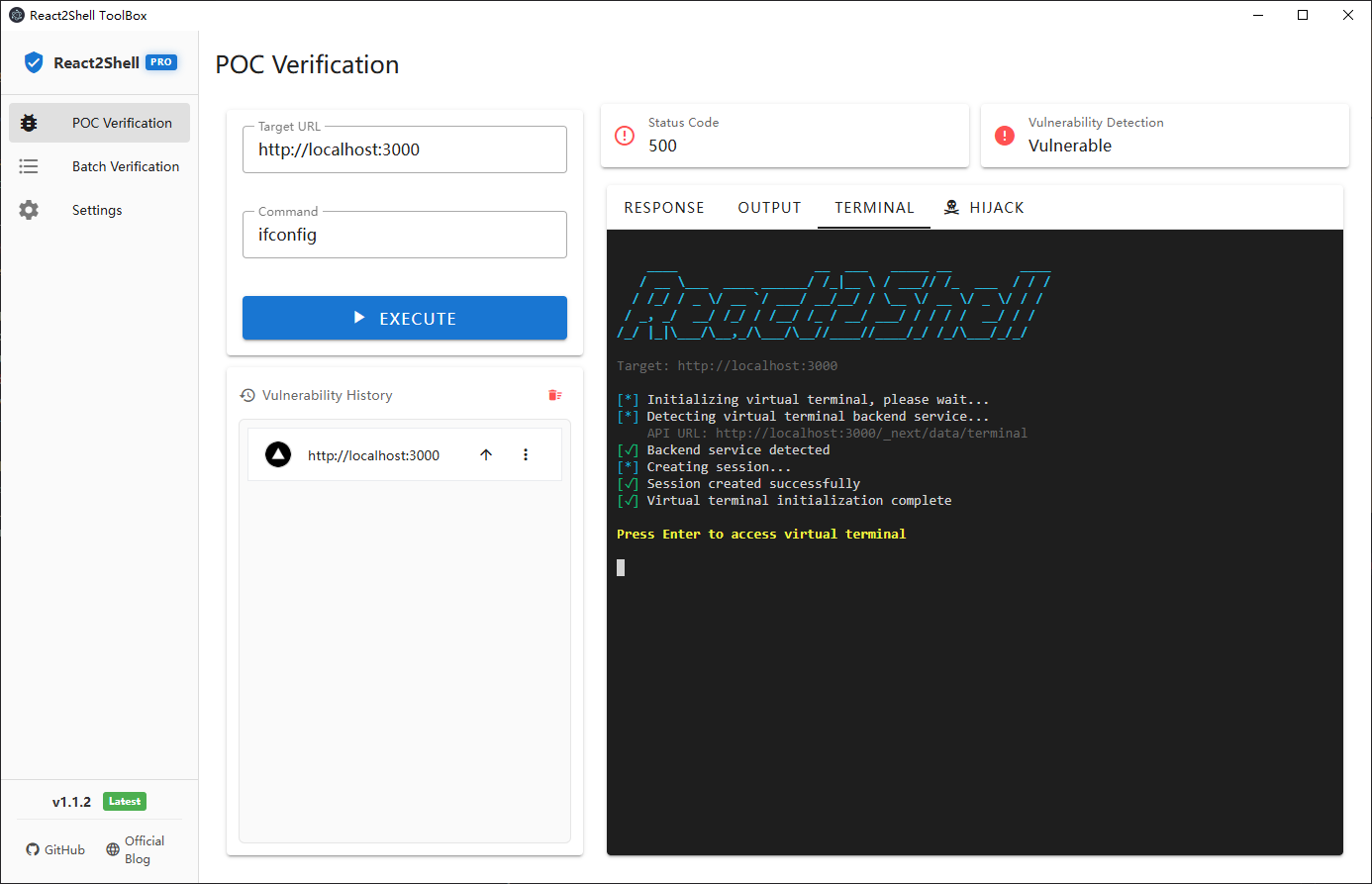
Virtual Terminal

Virtual Terminal

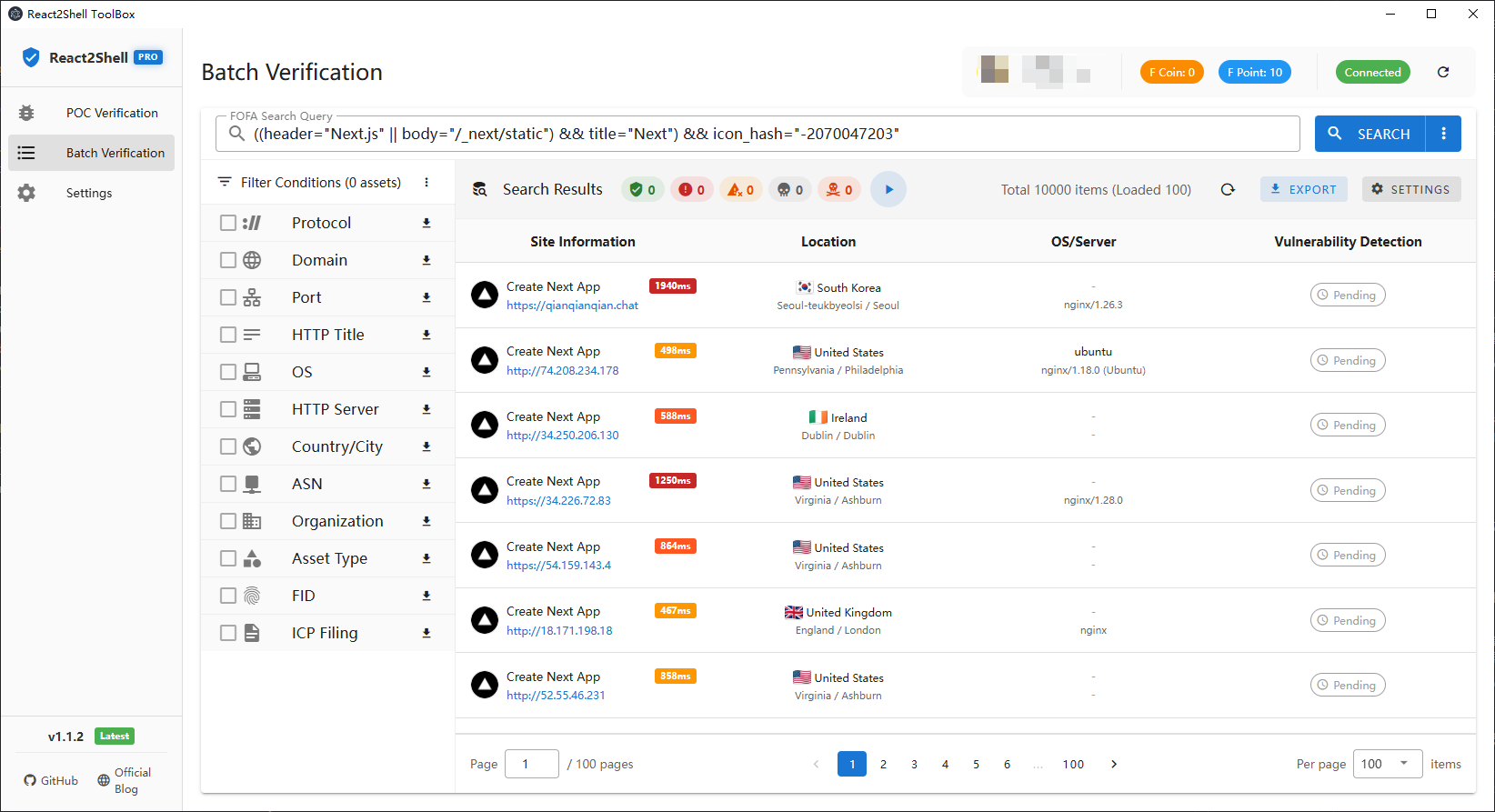
Batch Verification (FOFA Integration)

Batch Verification

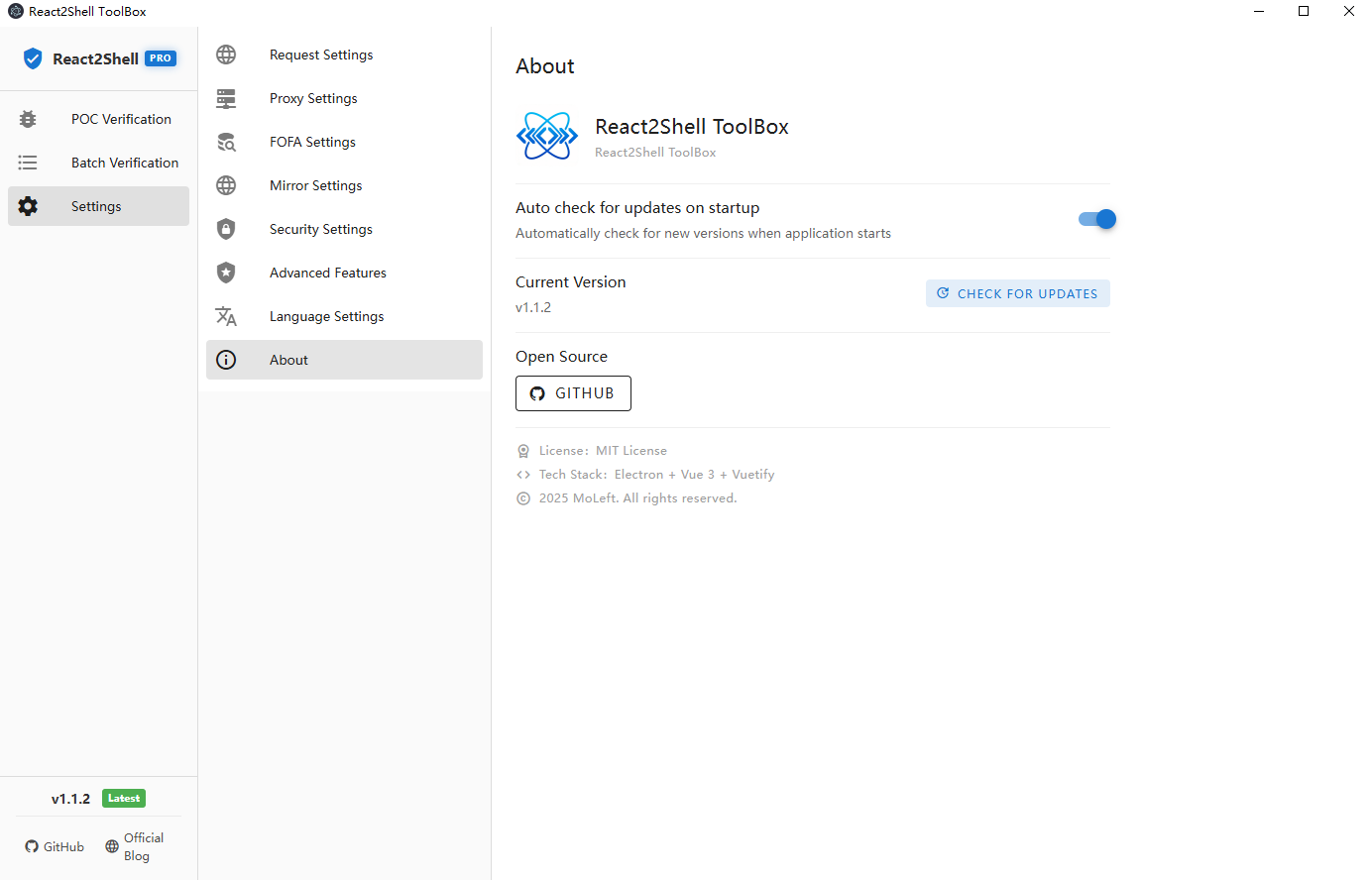
Settings

Settings

Core Features

✅ POC Verification Module

  • Basic vulnerability detection and command execution
  • Full response viewing (source/preview dual mode)
  • Command output extraction
  • Virtual terminal interaction (Linux/macOS support)
  • History management (auto-save, favicon display)
  • Monaco Editor integration

✅ Batch Verification Module

  • FOFA API integration (search, statistics, user info)
  • 7 dimensions of statistical aggregation (protocol, domain, port, title, OS, server, location)
  • Smart filtering and multi-condition combination
  • Search history management
  • Request rate control and queue management
  • User info display (avatar, VIP status, F-coin/F-point balance)

✅ Settings Management

  • Request settings (timeout, SSL certificate)
  • Proxy settings (HTTP/HTTPS/SOCKS5)
  • FOFA settings (API configuration, connection test, proxy bypass)
  • China mirror (GitHub acceleration)
  • Auto-update check (optional)
  • Advanced features configuration (requires authorization)

Download & Installation

Download the installer for your platform from GitHub Releases:

  • Windows: Windows-react2shell-toolbox-{version}-setup.exe or Windows-react2shell-toolbox-{version}-portable.exe
  • macOS: macOS-react2shell-toolbox-{version}-x64.dmg (Intel) or macOS-react2shell-toolbox-{version}-arm64.dmg (Apple Silicon)
  • Linux: Linux-react2shell-toolbox-{version}-x64.AppImage or .deb / .tar.gz

Build from Source

Requirements

  • Node.js >= 18
  • npm >= 9

Install Dependencies

root@kitploit:~
npm install

Development Mode

root@kitploit:~
npm run dev

Build Application

root@kitploit:~
# Windows
npm run build:win

# macOS
npm run build:mac

# Linux
npm run build:linux

# All platforms
npm run build:all

Usage Guide

POC Verification

  1. Enter target URL and command
  2. Click "Execute Detection"
  3. View detection results and command output
  4. Switch to "Virtual Terminal" for interaction

Batch Verification

  1. Configure FOFA API in settings (Get credentials)
  2. Enter FOFA search query (e.g., app="Apache-Tomcat")
  3. Load statistics and select filter conditions
  4. View asset list (coming soon)

Tech Stack

Frontend

  • Framework: Vue 3 (Composition API)
  • UI Library: Vuetify 3 (Material Design)
  • Router: Vue Router 4
  • State Management: Pinia
  • Code Editor: Monaco Editor
  • Terminal: xterm.js + xterm-addon-fit

Backend

  • Runtime: Electron 39 + Node.js 18+
  • Build Tools: Electron Vite + Electron Builder
  • HTTP Client: Axios + Node Fetch
  • Proxy Support: https-proxy-agent + socks-proxy-agent
  • Markdown Rendering: marked + highlight.js

Project Structure

root@kitploit:~
react2shell-toolbox/
├── src/
│   ├── main/                      # Electron main process
│   │   ├── index.js              # Main process entry
│   │   ├── poc-handler.js        # POC execution handler
│   │   ├── terminal-handler.js   # Virtual terminal handler
│   │   ├── fofa-handler.js       # FOFA API handler
│   │   ├── github-oauth-handler.js # GitHub OAuth handler
│   │   ├── storage-handler.js    # Storage management handler
│   │   └── updater.js            # Auto-update handler
│   ├── preload/                   # Preload scripts
│   │   └── index.js              # IPC communication bridge
│   └── renderer/                  # Renderer process (frontend)
│       ├── src/
│       │   ├── components/       # Vue components
│       │   │   ├── poc/         # POC verification components
│       │   │   ├── batch/       # Batch verification components
│       │   │   └── settings/    # Settings components
│       │   ├── views/           # Page views
│       │   ├── stores/          # Pinia state management
│       │   ├── router/          # Router configuration
│       │   ├── composables/     # Composable functions
│       │   └── App.vue          # Root component
│       └── index.html           # HTML entry
├── resources/                     # Application resources
│   ├── icon.png                 # App icon
│   └── icon.ico                 # Windows icon
├── changelog/                     # Version changelogs
├── electron-builder.yml          # Build configuration
└── package.json                  # Project configuration

Core Modules

Main Process Modules

  • poc-handler: Handles POC execution requests with proxy and SSL certificate bypass support
  • terminal-handler: Manages virtual terminal sessions and SSE streams
  • fofa-handler: Wraps FOFA API for search, statistics, and user info queries
  • github-oauth-handler: Implements GitHub OAuth2 flow and Star verification
  • storage-handler: Manages local storage (settings, history, favicon cache)
  • updater: Handles auto-update checks and downloads

Renderer Process Modules

  • stores: Global state management with Pinia (app, settings, POC, FOFA, update)
  • composables: Reusable composition functions (POC hijacking, terminal management, etc.)
  • components: Modular Vue components organized by functionality

IPC Communication

  • Uses Electron IPC for main-renderer process communication
  • Safely exposes APIs to renderer via contextBridge
  • Supports bidirectional communication and event listening

Security Warning

⚠️ This tool is for security research and authorized testing only

  • Do not use on unauthorized systems
  • Users are responsible for any consequences
  • Recommended for use in controlled testing environments only

Vulnerability Details

This tool targets the Next.js React Server Actions prototype pollution vulnerability (CVE-2025-55182).

Affected Versions

  • Next.js < 15.1.0
  • Next.js < 14.2.22
  • Next.js < 13.5.8

Mitigation

  • Upgrade Next.js to the latest version
  • Enable strict input validation
  • Use CSP policies to restrict script execution

Roadmap

Completed ✅

  • POC verification module
  • Virtual terminal interaction
  • Settings management (request, proxy, FOFA, mirror)
  • Version update check
  • FOFA API integration
  • Statistical aggregation and filtering
  • Advanced features (POC hijacking, batch hijacking)
  • Monaco Editor integration
  • Cross-platform URL Scheme support

In Progress 🚧

  • Batch asset list display
  • Batch POC detection
  • Detection result export

Planned 📋

  • Multi-language support (Simplified Chinese/English)
  • Dark theme
  • Plugin system
  • Custom POC templates
  • Detection report generation

License

MIT License

Contributors

Thanks to all contributors who have helped this project!

How to Contribute

We welcome all forms of contributions, including but not limited to:

  • 🐛 Bug reports
  • 💡 Feature suggestions
  • 📝 Documentation improvements
  • 🔧 Code fixes or new features

Please check the Issues page to participate in discussions, or submit a Pull Request directly.

Star History

Star History Chart

Acknowledgments

  • Next.js Team
  • Electron Community
  • Vue.js Community
  • FOFA Team
  • All open-source contributors

Disclaimer: This tool is for security research and educational purposes only. Users should comply with local laws and regulations and must not use it for illegal purposes.

Download Tool