 mohshomis/modo
Curated collection of cybersecurity learning resources, CTF writeups, research papers, and practical labs for hands-on skill development across web security, exploitation, OSINT, and forensics.


The open-source AI IDE that plans before it codes.
MIT License · Quick Start · What Modo Adds · Contributing
I wanted a small feature in an AI coding tool. Couldn't find a way to suggest it. So I asked myself: how hard is it to actually build something like Kiro, Cursor, or Windsurf?
Turns out — not as hard as you'd think. Starting from the Void editor (itself a fork of VS Code), I got to roughly 60–70% of what those tools offer in a short stretch of building. It was genuinely fun.
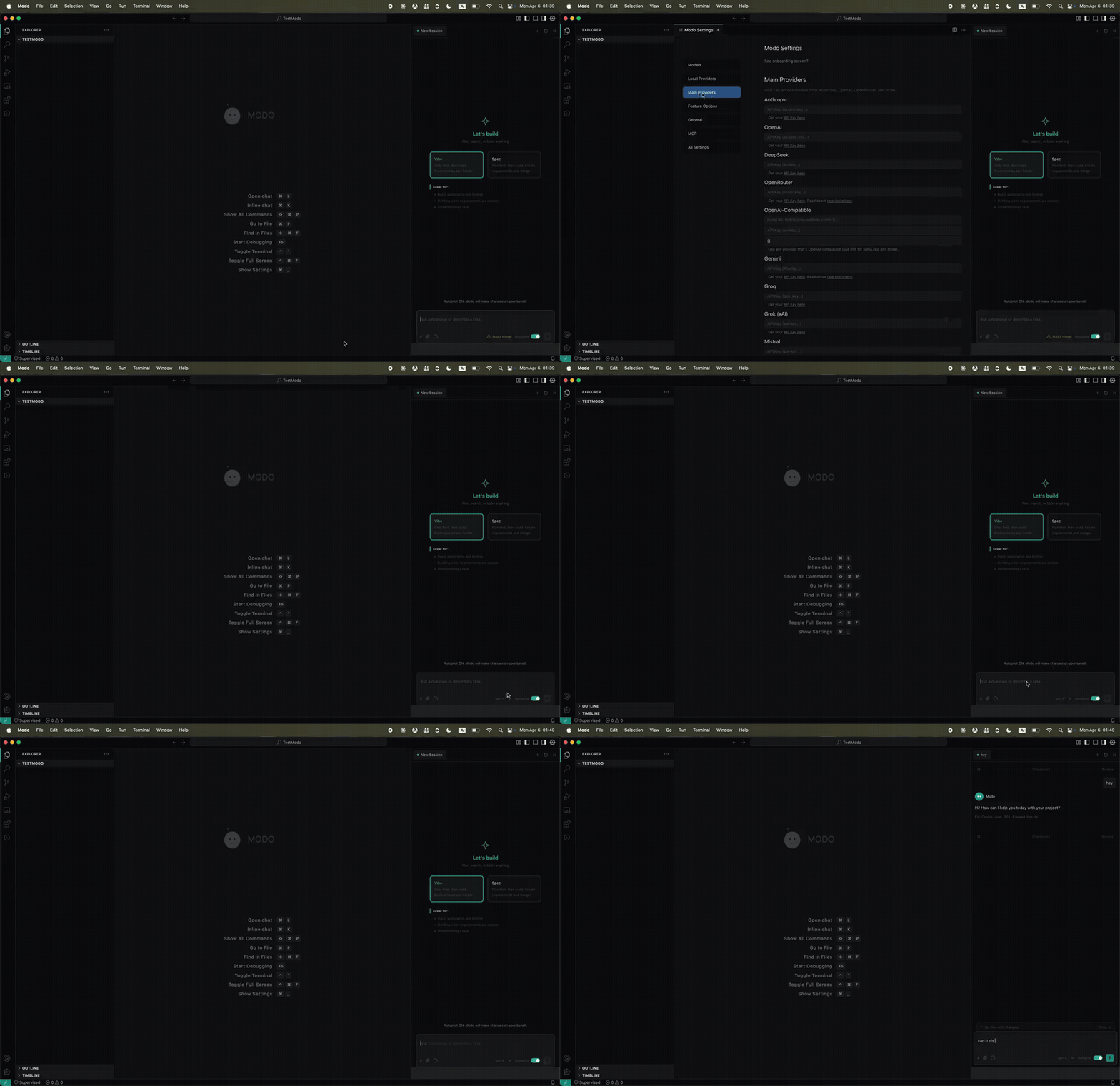
This is Modo. A standalone desktop IDE where prompts become structured plans before they become code. Open source, MIT licensed, yours to hack on.
Everything below was built on top of Void's existing AI chat, inline edit (Cmd+K), autocomplete, multi-provider LLM support, tool use, and MCP integration. Here's what's new:
Most AI tools go prompt → code. Modo goes prompt → requirements → design → tasks → code.
A spec lives in .modo/specs/<name>/ as three markdown files:
.modo/specs/auth-flow/
├── requirements.md     # user stories, acceptance criteria
├── design.md           # architecture, components, data models
└── tasks.md            # checklist of implementation steps
Create one with Cmd+Shift+S or by picking Spec mode in the session picker. Choose feature or bugfix, then requirements-first or design-first workflow. The agent fills each document, you review, then it executes tasks one by one — marking them done as it goes.
Tasks persist to disk. Close the IDE, come back, pick up where you left off.
Open any tasks.md and each pending task gets a clickable "▶ Run Task" button inline. A "Run All Pending Tasks" button appears at the top. Running tasks show a spinner, completed ones show a checkmark. The agent marks - [ ] → - [~] → - [x] as it works.
Markdown documents in .modo/steering/ that inject project rules into every AI interaction — no need to repeat yourself.
---
inclusion: always
---
# Project Rules
- Use TypeScript strict mode
- All endpoints need input validation
Three inclusion modes:
always — every interactionfileMatch — when the active file matches a glob patternmanual — referenced via / commands in chatSupports #[[file:path]] references to link OpenAPI specs, GraphQL schemas, or any project doc.
JSON configs in .modo/hooks/ that automate actions around the agent lifecycle.
{
  "name": "Lint on Save",
  "version": "1.0.0",
  "when": { "type": "fileEdited", "patterns": ["**/*.ts"] },
  "then": { "type": "runCommand", "command": "npx eslint --fix ${filePath}" }
}
10 event types: fileEdited, fileCreated, fileDeleted, promptSubmit, agentStop, preToolUse, postToolUse, preTaskExecution, postTaskExecution, userTriggered. Two action types: askAgent or runCommand. Pre-tool hooks can deny execution. Circular dependency detection built in.
A status bar pill that switches between Autopilot (agent acts autonomously) and Supervised (agent pauses for approval). Wired directly to auto-approve settings for edits, terminal commands, and MCP tools.
Multiple chat sessions as tabs. Each has its own thread, context, and history. Open new ones, close old ones, or run them all at once. A searchable history panel lets you find past conversations.
Start a session in Vibe mode for free-form exploration, or Spec mode for structured development. In Spec mode, your prompt triggers the full requirements → design → tasks workflow. The active spec's content is automatically injected into the LLM system prompt.
Spawn parallel agents for independent subtasks. Each gets its own thread and tool access. Track status, cancel running tasks, or clear completed ones.
Installable knowledge packages that bundle documentation, steering files, and MCP configs. Built-in powers for TypeScript, React, Testing, API Design, and Docker. Activate based on keywords in your prompts. Install custom powers from URLs.
A sidebar with collapsible sections for Specs (with progress bars and task counts), Agent Hooks (showing event → action flow), Steering (showing inclusion mode), and Powers.
Type / in chat to access manual hooks, steering files, and built-in commands: create spec, run tasks, export conversation, initialize workspace.
Steering files and the active spec are automatically prepended to every LLM interaction. The agent follows your project rules and knows what it's building without being told each time.
A purpose-built "Modo Dark" theme with teal accents, tuned syntax highlighting, and terminal colors.
A Modo avatar appears before each response with randomized expressions during streaming and a calm default after completion.
Custom app icon, window title, watermark logo, product identity, URL protocol (modo://), and data directories (.modo-editor/). All Void references in the UI replaced with Modo equivalents.
Modo: Initialize Workspace creates the full .modo/ directory structure with default steering files and config templates.
Export any conversation as Markdown to clipboard from the command palette.
Modo wouldn't exist without these projects:
| Project | What it provides | License |
|---|---|---|
| Void | AI chat, inline edit, autocomplete, multi-provider LLM, tool use, MCP, apply engine | MIT |
| VS Code | Editor core, extension system, terminal, file system, everything underneath | MIT |
| Roo Code | Some patterns referenced during development | Apache 2.0 |
Void itself provides: multi-provider support (Anthropic, OpenAI, Gemini, Ollama, Mistral, Groq, OpenRouter), chat sidebar, Cmd+K inline editing, autocomplete, fast/slow apply, tool calling, MCP integration, SCM integration, and the settings system.
Modo adds everything in the What Modo Adds section on top of that foundation.
git clone https://github.com/mohshomis/modo.git
cd modo
npm install          # requires Node 20
npm run buildreact   # compile React UI
npm run watch        # compile TypeScript (keep running in a terminal)
./scripts/code.sh    # launch Modo
On first launch, onboarding walks you through connecting a model provider. Gemini free tier is the fastest way to start.
.modo/                          # per-project config (created by "Initialize Workspace")
├── steering/                   # markdown rules injected into AI context
├── specs/                      # structured feature/bugfix workflows
├── hooks/                      # JSON event → action automation
└── settings/                   # MCP and other configs
