 mlcsec/resetspy
Enumerate user accounts and registered authentication methods via the Microsoft Self-Service Password Reset (SSPR) portal

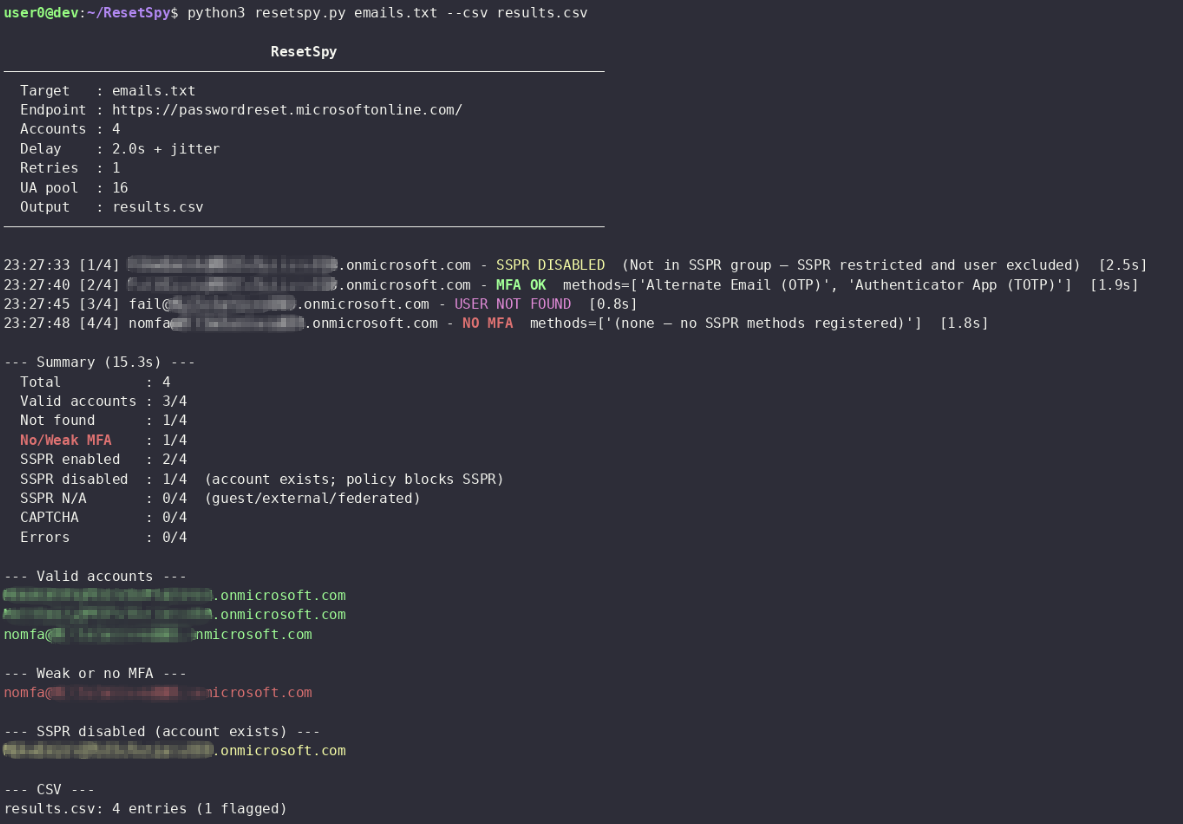
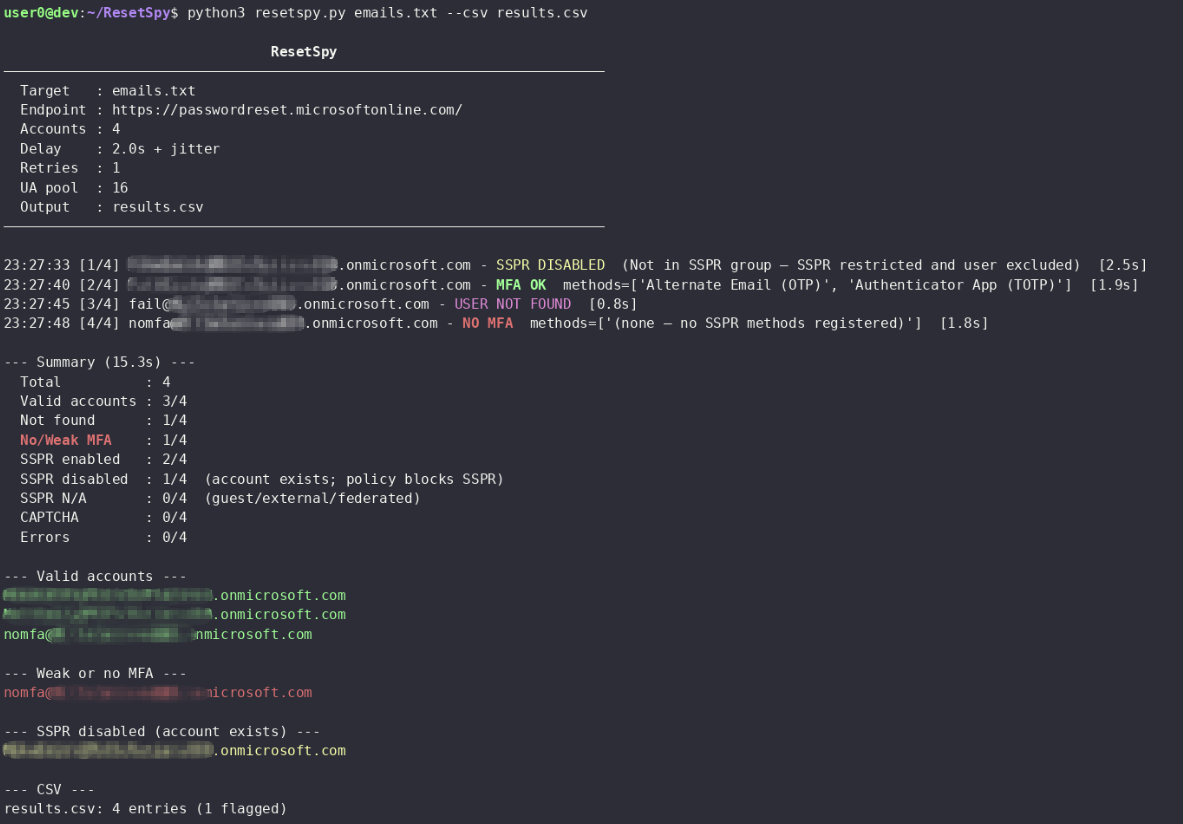
Probe Microsoft's Self-Service Password Reset (SSPR) endpoint to enumerate registeted verification methods and flag any that lack a strong second factor. Provides user enumeration and an approximation of MFA posture across Entra accounts.
[!NOTE] As of August 2026, Microsoft has removed the legacy CAPTCHA from the SSPR flow and replaced it with backend throttling and behaviour-based abuse detection (see MC1400824). Microsoft's position is that the backend controls are sufficient to detect and block automated abuse.
# Install pipx if needed
apt install pipx && pipx ensurepath

# From a local clone
git clone https://github.com/mlcsec/ResetSpy.git
cd ResetSpy
pipx install .
python3 -m venv .venv
pip install -r requirements.txt
# Single acc
resetspy [email protected]

# Email file (one per line)
resetspy emails.txt

# Proxy
resetspy emails.txt --proxy http://127.0.0.1:8080

# Export to CSV with increased delay
resetspy emails.txt --csv results.csv --delay 4

# Full HTTP debug — request/response headers and bodies printed to stderr
resetspy [email protected] -v
| Flag | Default | Description |
|---|---|---|
--delay SECONDS | 2.0 | Base delay between requests; jitter added automatically |
--retries N | 1 | Max retries per account on transient errors |
--proxy URL | Proxy; disables SSL verification automatically | |
--csv FILE | Export all results to CSV | |
-v / --verbose | Print full request/response headers and bodies to stderr |
A randomised jitter is added on top of --delay between every request.
Exponential back-off (up to --retries attempts) is applied on 429
responses and network errors. The default delay is 2 seconds; increase to
4-6 seconds for large batches. The User-Agent is rotated from a pool of 16
common agents (Windows, macOS, iOS, Android) on every request.
Microsoft's combined security information registration experience, enabled by default since 2020, registers authentication methods for both SSPR and MFA in a single flow. In practice this means that on most modern Entra ID tenants, the methods visible through SSPR are the same methods protecting sign-in. An account with no strong SSPR method registered is very likely an account with no strong MFA method registered.
References:
SSPR and MFA are separate registries. Combined registration makes them overlap in most cases but they are not the same thing. A method can exist for MFA without being visible here if it was registered before combined registration was enabled, or if the admin excluded it from the SSPR policy.
FIDO2 security keys and certificate-based authentication are not supported by SSPR. Microsoft has never added these methods to the SSPR flow. A user whose only registered factor is a FIDO2 key or smart card will appear here as having no methods — a false negative. In practice this is rare for standard users but more common in high-security or passwordless environments.
References:
Per-method policy mismatches. Admins can permit a method for MFA sign-in but exclude it from the SSPR policy, or vice versa. For example an organisation might allow authenticator push for sign-in but not for password reset. The tool only sees what SSPR is willing to offer.
SSPR disabled entirely (SSPR_0011). If SSPR is not licensed or not
enabled for a user, the endpoint returns ViewSsprNotEnabledInUserPolicy
and no method information is available. The account exists and likely has MFA
configured, but this tool cannot determine what.
Guest and federated accounts. External users and B2B guests authenticate
through their home tenant. The resource tenant's SSPR endpoint has no
visibility into their home tenant's MFA registration and returns
ViewFeatureNotAvailable. Their MFA posture is invisible from this endpoint.
Tenant-wide method restrictions. If an admin has disabled a method class in the SSPR policy, it will not be offered to any user regardless of individual registration, making it impossible to distinguish "method not registered" from "method disabled".
Administrator accounts are always SSPR-enabled. Microsoft's SSPR policy settings apply only to standard end users. Administrator accounts are always enabled for self-service password reset regardless of the tenant SSPR policy, and Microsoft requires them to have two authentication methods registered. This is enforced at the platform level and cannot be disabled by tenant admins.
Reference: SSPR policy documentation
[!IMPORTANT] This has a useful implication for reconnaissance. If SSPR is disabled for standard users in a tenant (returning
ViewSsprNotEnabledInUserPolicy), any account that successfully reaches the method selection screen is likely a member of a privileged role. Accounts that enumerate cleanly via SSPR when the broader tenant policy is disabled stand out as probable admin accounts, and their registered methods are visible even when standard user methods are not. This allows for identification of high-value targets and privileged accounts that can be singled out for further targetted attacks.
| Capability | Supported |
|---|---|
| User enumeration (account exists or not) | Yes |
| SSPR method enumeration | Yes |
| MFA method inference (via combined registration) | Approximate — reliable for most standard tenants |
| FIDO2 / certificate-based MFA detection | No |
| Guest / federated account MFA | No |
| Accounts with SSPR disabled | No (account confirmed to exist, methods unknown) |
| Admin account identification | Partial — admins are always SSPR-enabled, so they may stand out when tenant SSPR is otherwise disabled |
